Jan 2, 2026
·
BASICS
·

Marketing Lead
What is Nano Banana Pro?
Nano Banana Pro is Google DeepMind's latest AI image generation model (built on Gemini 3 Pro). It's particularly powerful for presentations because it can:
Render text accurately - no more misspelled words in your infographics
Generate infographics where labels actually align with data points
Output up to 4K resolution - sharp enough for large screens
Why Use Nano Banana Pro Through Alai?
Pre-trained design pre-sets trained on 1,000+ presentations
Instead of writing prompts yourself, you pick from a library of design pre-sets, each one uses optimized Nano Banana Pro prompts that are trained through thousands of real presentations. Just select a style and the AI handles the rest.
Fully editable output
When you use Nano Banana Pro through Gemini, you get flat images, a typo means regenerating the whole thing. Alai allows you to edit Nano Banana Pro slides directly through generic instructions (’make this more visual’) or point-specific instructions for targeted AI edits on specific images/elements/text.
Automatic theme consistency across slides
Enable "use current theme context" and Alai ensures consistency in colours, fonts, and design language. Every new AI-generated visual stays cohesive with your deck.
Mix regular and Nano Banana Pro slides seamlessly
Unlike other AI tools (which lock you into one mode), Alai lets you combine standard responsive slides with Nano Banana Pro-generated slides in the same deck. Use AI visuals where you need them, keep traditional slides everywhere else, total flexibility.
How to Generate Slides Using Nano Banana Pro in Alai
Step 1: Import Your Content
Start by getting your content into Alai. You can import through:
Notes or text
Links/URLs
Screenshots
Files (PDFs, documents, etc.)

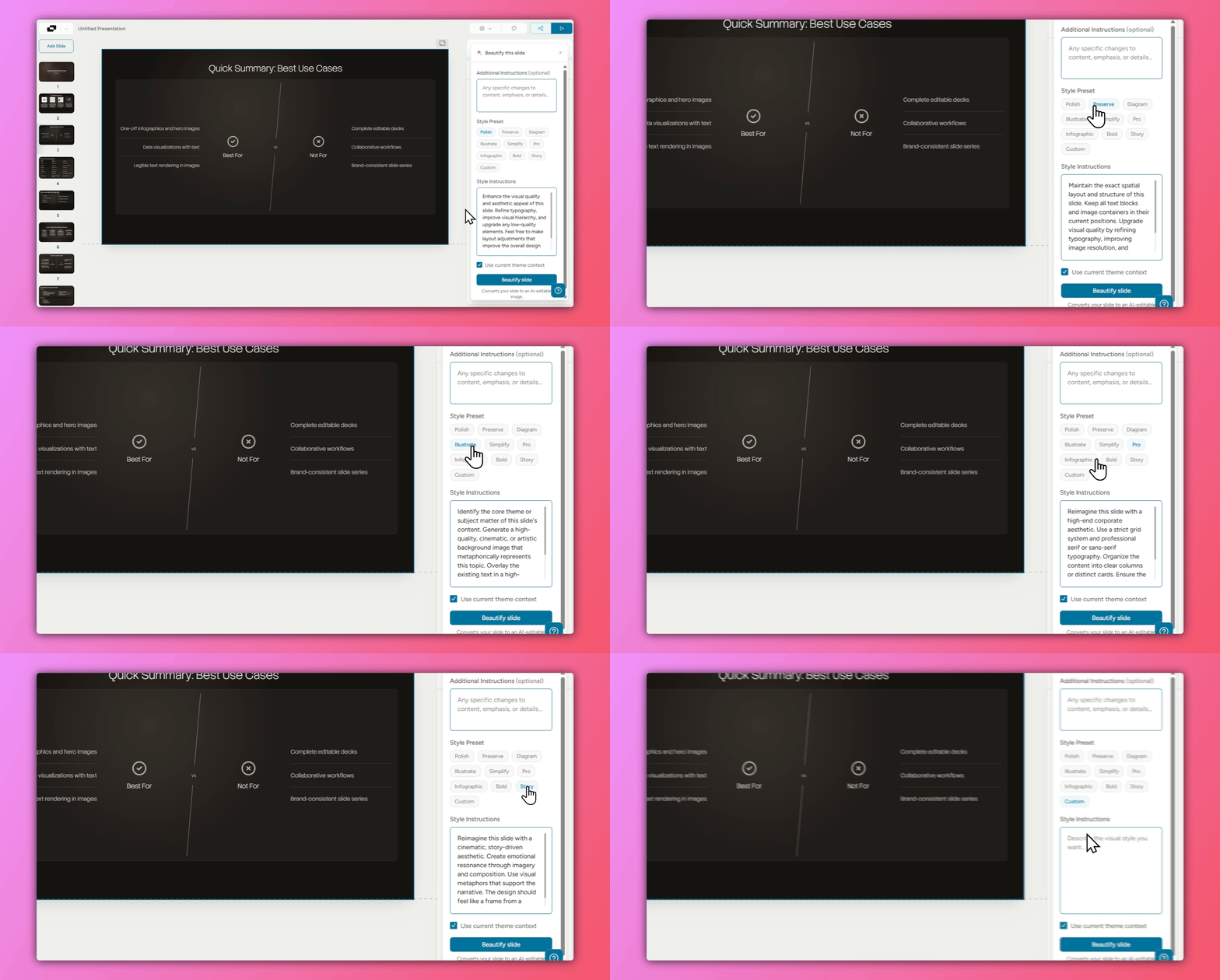
Step 2: Click 'Beautify This Slide'
Once your slides are generated, select the slide you want to enhance using Nano Banana Pro and click the ‘Beautify this slide’ button.
Step 3: Choose a Design Pre-set
Select from Alai's library of design pre-sets. Each pre-set triggers different optimized Nano Banana Pro prompts tailored to deliver that specific style. You can also select the ‘Custom’ pre-set to use a prompt of your own.
Step 4: Enable Theme Context (Important!)
Tick the checkbox for ‘Use current theme context’, this ensures the AI-generated design matches all your other slides, maintaining visual consistency throughout your deck.
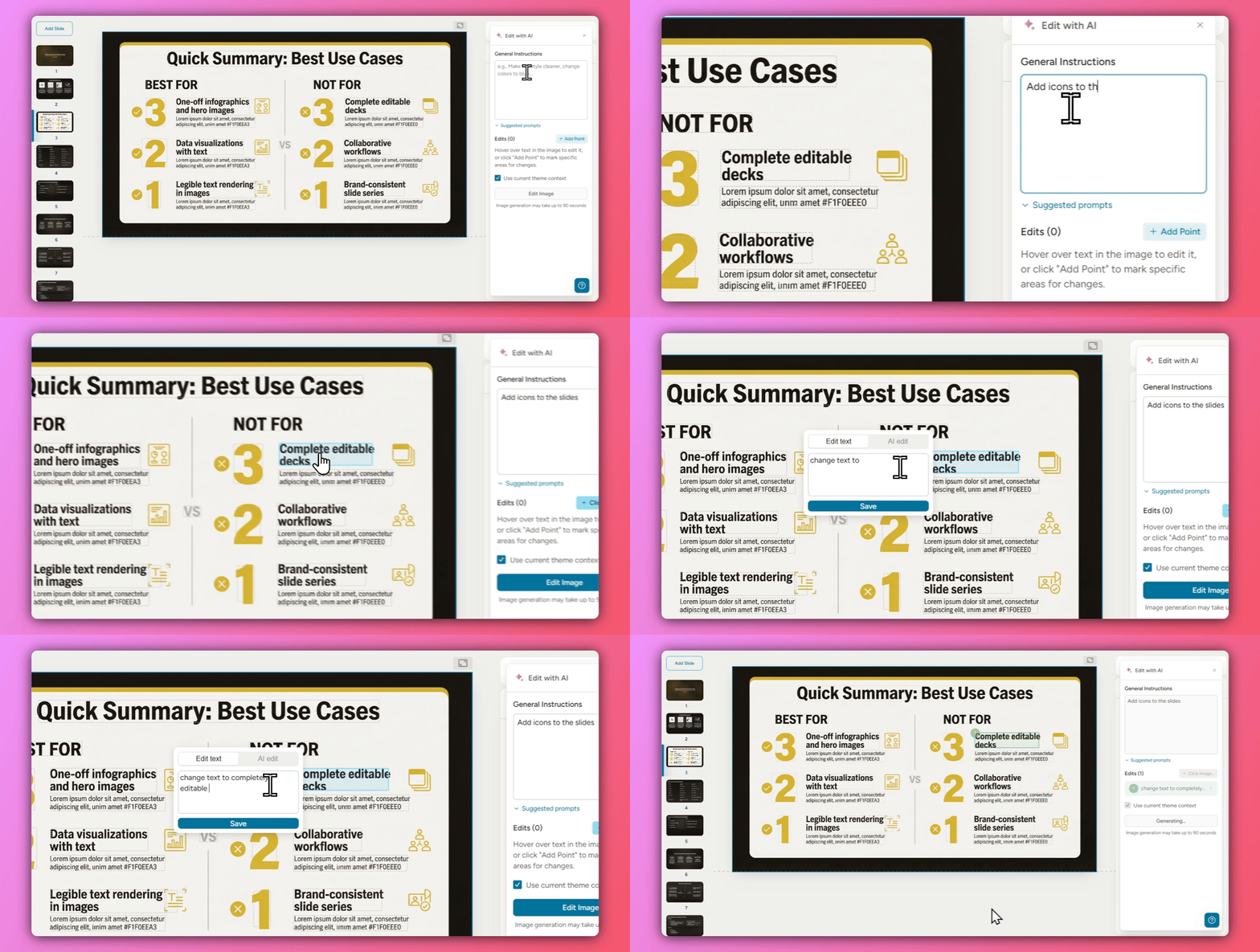
Step 5: Edit Your Generated Slide
After generation, you can refine the output by:
General instructions: Change the overall slide (e.g., "make it more visual")
Point-specific instructions: Make targeted AI edits on specific elements, images, or text
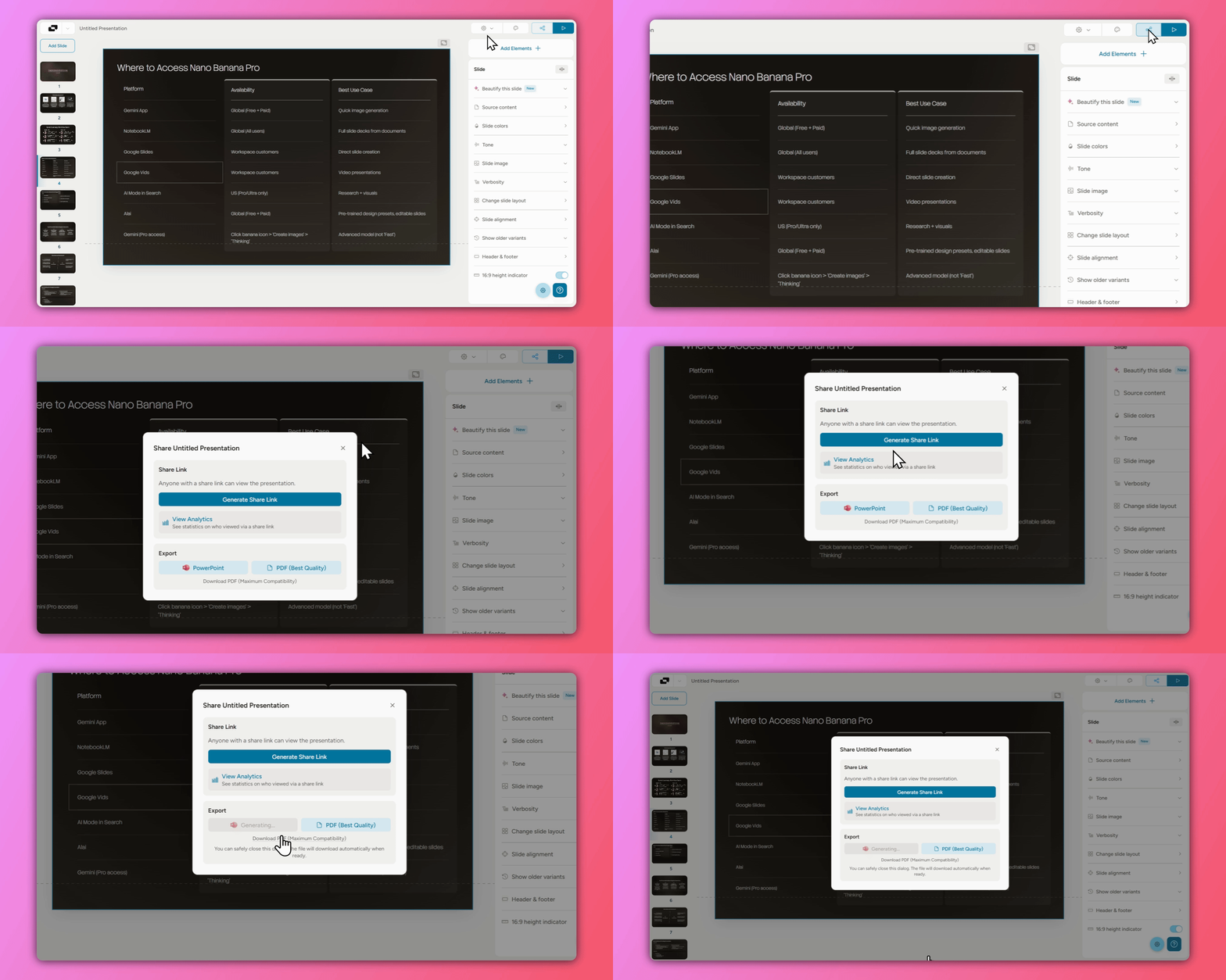
Step 6: Export
Once satisfied, export your presentation as:
PowerPoint (.pptx)
PDF
Trackable link
Pro Tips for Using Nano Banana Pro in Alai
Tip | Why It Matters |
|---|---|
Try different design pre-sets | Each triggers different optimized prompts |
Import existing decks to transform | Faster than rebuilding from scratch |
Always check "use current theme context" | Keeps all slides visually consistent |
Use point-based editing | Makes precise changes without regenerating |
When to Use Alai vs. Gemini Directly
Use Alai When... | Use Gemini Directly When... |
|---|---|
You need editable slides | You need a one-off infographic |
You want consistent design across slides | You're comfortable with flat images |
You don't want to write prompts | You enjoy prompt engineering |
You're beautifying existing PowerPoints | You just need a single visual asset |
Frequently Asked Questions
What is Nano Banana Pro?
Nano Banana Pro (also called Gemini 3 Pro Image) is Google DeepMind's latest AI image generation model. It's known for accurately rendering text in images — something DALL-E and Midjourney still struggle with — making it ideal for infographics, data visualizations, and presentation slides.
Is Nano Banana Pro free to use in Alai?
Yes, Alai's free plan includes access to Nano Banana Pro through the Beautify feature. Paid plans offer higher usage limits and additional features.
Can I edit slides after generating them with Nano Banana Pro?
Yes, that's one of Alai's key advantages. Unlike Gemini (which outputs flat images), Alai allows you to make edits using general or element-specific instructions.
How do I maintain consistent design across all my slides?
Check the "use current theme context" option before generating. Alai will analyse your existing slides and match colours, fonts, and overall design language automatically.
Can I mix Nano Banana Pro slides with regular slides?
Yes. Alai lets you combine standard slides with Nano Banana Pro-generated slides in the same deck, use AI visuals where you need them and keep traditional slides elsewhere.
What export formats does Alai support?
You can export your presentations as PowerPoint (.pptx), PDF, or a trackable link for sharing.
Do I need to learn prompt engineering to use Nano Banana Pro in Alai?
No. Alai's design pre-sets use prompts trained on 1,000+ presentations, so you get professional results without writing any prompts yourself.
Learn More
For the complete guide including comparisons with other AI presentation tools, prompt templates, and detailed reviews, read the full article:
👉 How to Use Nano Banana Pro for Presentations: Complete Guide + Review
PAGES
Compare Tools
resources