·
CASE STUDY
·
27 min read

MARKETING LEAD
My Overall Rating | 3.4 / 5 |
Best For | Users who want research and slides from a single prompt |
Standout Feature | Built-in fact-checking per slide |
Free Plan | Yes, 200 credits/day |
Pricing | $0 to $249.99/month |
I spent a week testing Genspark specifically on its AI Slides feature to answer one question: is it actually good at making presentations?
The content quality surprised me. The design didn't. This Genspark AI review breaks down exactly what that means: what it gets right, where it falls short, and which Genspark alternatives are worth considering depending on what you're actually trying to do.
What Is Genspark?
Genspark is a multi-agent AI workspace. Instead of routing everything through one language model, it breaks your prompt into subtasks and sends each one to the most capable model for that job. An internal orchestration layer combines the outputs into a single result.
The platform started as an AI-powered search tool in 2024 and evolved into a broader workspace product through 2025, raising $100 million at a $530 million valuation along the way. Genspark AI has grown rapidly since launch, with 29,000 monthly US searches and over 392,000 globally, reflecting genuine market interest rather than just hype. The AI Slides feature is one of its most-used tools, and it's what my review focuses on entirely.
What Is Genspark AI Slides?
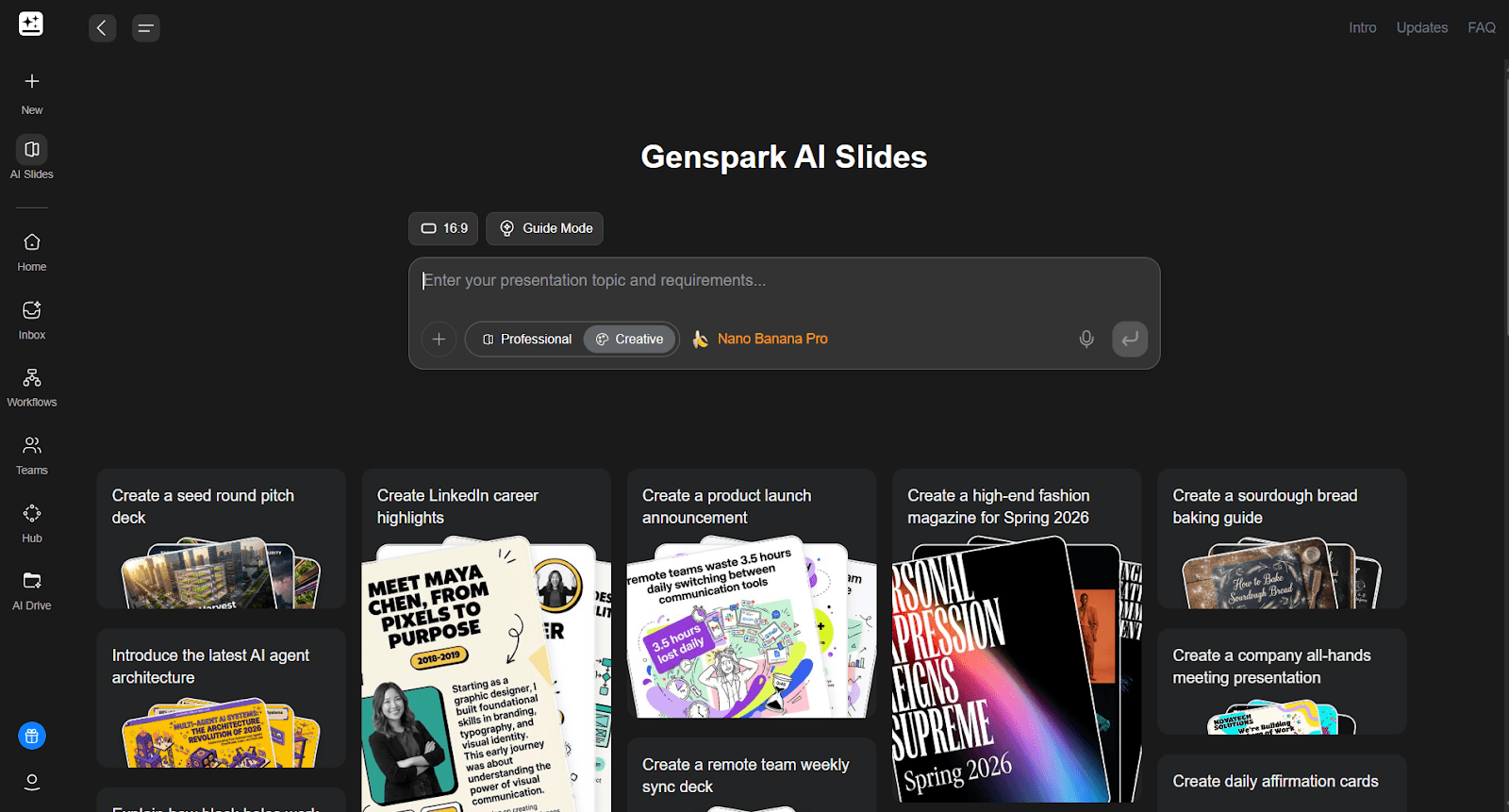
Genspark AI Slides is the presentation creation feature built into the Genspark workspace. You give it a prompt, a document, or an outline and it generates a full slide deck from scratch - researching content, structuring the narrative, and building each slide without you doing any of the legwork manually.
What makes it different from most AI slide generators is the research layer. Most presentation tools format the content you bring to them. Genspark actively pulls information while it builds, using multiple AI models in parallel to handle research, writing, and slide structure as separate tasks that get combined into a final output. You're not just getting a template filled in with your notes, you're getting a deck built from sourced material.
The tool sits inside a broader workspace that includes AI Docs, AI Sheets, and a Super Agent for general task automation. But Genspark AI Slides is the feature that gets the most attention, and for good reason. The ability to go from a one-line prompt to a structured, fact-checked presentation in minutes is genuinely useful, especially for content teams, consultants, and founders who create a lot of decks and don't want to spend half the day in Canva or PowerPoint.
The key things to know about Genspark AI Slides before you use it:
It generates in two distinct modes. Professional mode produces structured, editable slides. Creative mode (Nano Banana Pro) produces image-heavy, visually rich slides. You commit to one upfront and can't mix them.
It fact-checks after generation. Once a deck is built, you can trace any slide's content back to its source. No other AI ppt maker in this category does this at the slide level.
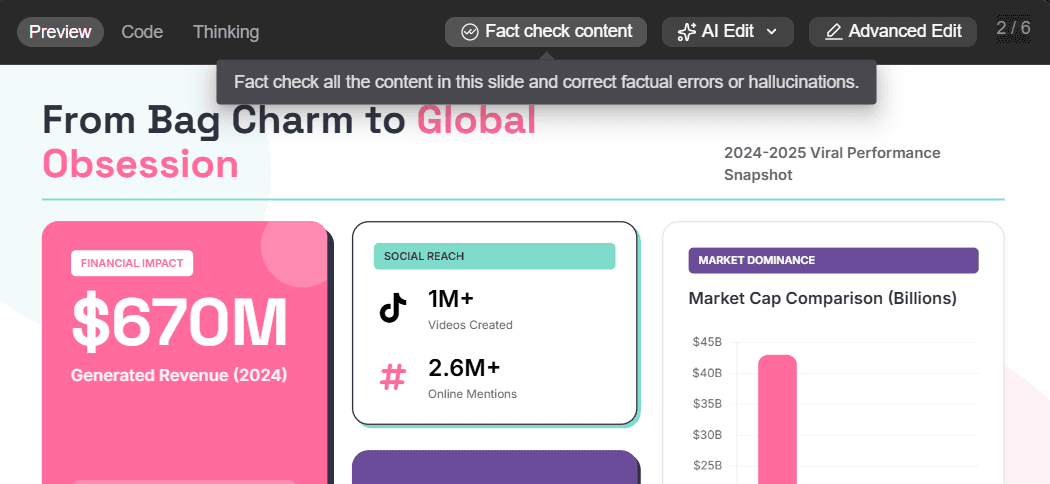
It works from multiple input types. You can start from a text prompt, upload a PDF, Word doc, Excel file, or existing PowerPoint. Genspark reads the full content of uploaded documents, not just headings, which matters for dense source material.
Export is flexible but imperfect. PPTX, PDF, and Google Slides are all available. The PPTX export works but often needs a formatting pass before the file is presentation-ready, more on that in the review below.
It runs on a credit system. Each presentation costs credits to generate. The free plan gives 200 credits per day. For regular use you'll need the Plus plan at $24.99/month.
If you're evaluating Genspark as an AI presentation maker for the first time, my short version of this review is: it's strong on content and weak on design.
How To Create A Presentation On Genspark
If you're evaluating Genspark as a presentation maker, here's exactly how the workflow runs from start to finish.
Step 1: Pick AI Slides from the dashboard
From the main Genspark workspace, select AI Slides. The first setting to configure is aspect ratio. Set it to 16:9 for standard presentation format.
Step 2: Choose your generation mode
Genspark gives you two distinct modes and you need to commit to one upfront. Professional mode generates structured, editable slides with a clean layout. Creative mode uses Nano Banana Pro to generate visually rich, image-based slides. You cannot mix the two within the same deck. Every slide follows whichever mode you chose at the start, so think about the end use before you pick.
Step 3: Pick or upload a template
You can select from Genspark's built-in template library or upload your own existing PowerPoint file to use as the visual base. Worth flagging early: in testing, when we uploaded a custom template, the generated deck did not follow the font or colour scheme from that file. The option exists, but the output doesn't reliably honour it.
Step 4: Add your prompt
Write a prompt describing your topic, structure, and intended audience. Whether you're building an investor pitch, a research brief, or an internal update, the more specific the prompt, the more useful the outline that comes back.
Step 5: Choose Guide Mode or go straight to generation
If you choose Guide Mode, Genspark walks you through a set of questions before generating anything: who is the audience, what is the purpose, what format and duration are you targeting, what tone should it take, and how familiar is the audience with the topic. After answering, Genspark shows a full outline and breaks generation into phases (research, then structure, then build), giving you a chance to review before any slides are created.
If you skip Guide Mode, you go directly from prompt to deck.
Step 6: Edit the output
Once the Genspark AI slides are generated, you have two editing paths. AI Edit lets you select a slide or element, describe the change you want, and let the AI implement it. Advanced Edit opens a manual editor where you can move elements and edit text directly.
Step 7: Export your Genspark AI PPT
Export as PDF, PPTX, or push directly to Google Slides.
Now that we’ve covered the basics, let’s dive into the actual review.
Genspark AI Review: What Works and What Doesn't (For Presentations)
What Works Well
Guide Mode produces noticeably better first drafts. When I ran the same prompt with and without Guide Mode, the Guide Mode version came back with a clearer narrative arc, a more appropriate tone for the intended audience, and slides better calibrated to the content volume per slide. This is purely because of questions Genspark’s guide mode asks about the audience's familiarity, purpose, and format - ensuring the AI nails the first draft especially in terms of content.
AI Edit handles targeted changes accurately. For straightforward edits like rewriting a bullet, adjusting a headline, or fixing a specific section, the ‘AI Edit’ feature works well. You can highlight a specific element, describe what you want changed, and the output is precise. The text input on the left side of the editor also lets you issue broader instructions across the deck when needed.
Content quality is above average for an AI presentation maker. Genspark's multi-agent architecture pulls from multiple models simultaneously during generation, producing slide content that's more coherent and better structured than most single-model tools given the same prompt. The narrative holds across the full deck rather than each slide reading like it was written in isolation.
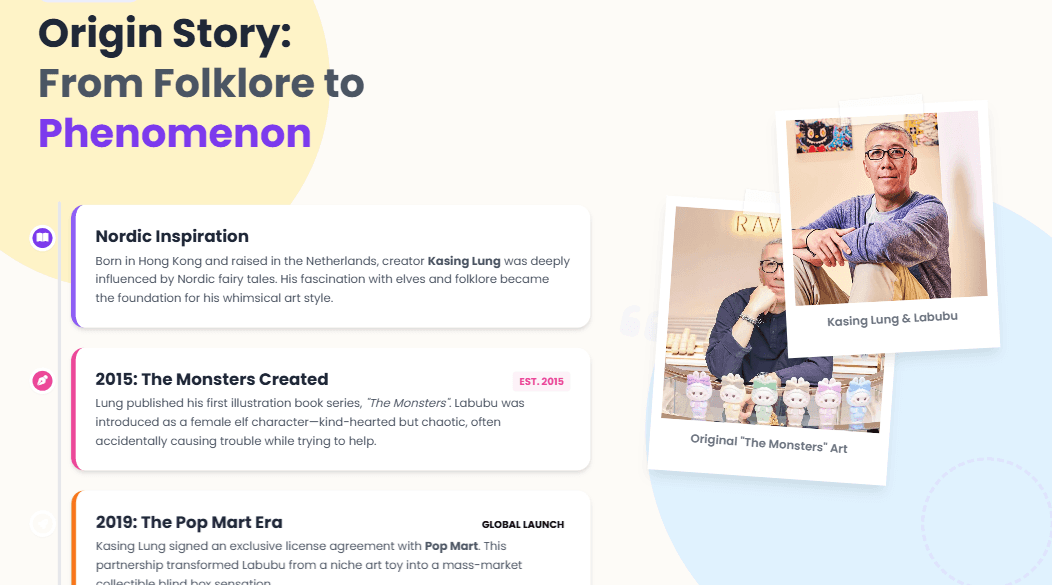
Images match the slide content, not just the topic. Most AI slide generators drop in a stock photo that's vaguely related to your subject and move on. Genspark does something more considered: it sources images through a combination of web search and AI generation, and ties them to the specific content of each slide rather than the general theme of the deck. The clearest example from my testing - a slide about a product's origin story automatically pulled in photos of the actual founders, with no instruction from me.
What Doesn't Work
Custom template upload is unreliable. Genspark asks you to upload an existing PowerPoint to use as the visual foundation. In practice, neither the font nor the colour scheme from the uploaded file carried through to my generated slides. If you're expecting Genspark AI to honour your brand identity from an uploaded template, it doesn't, at least not consistently.
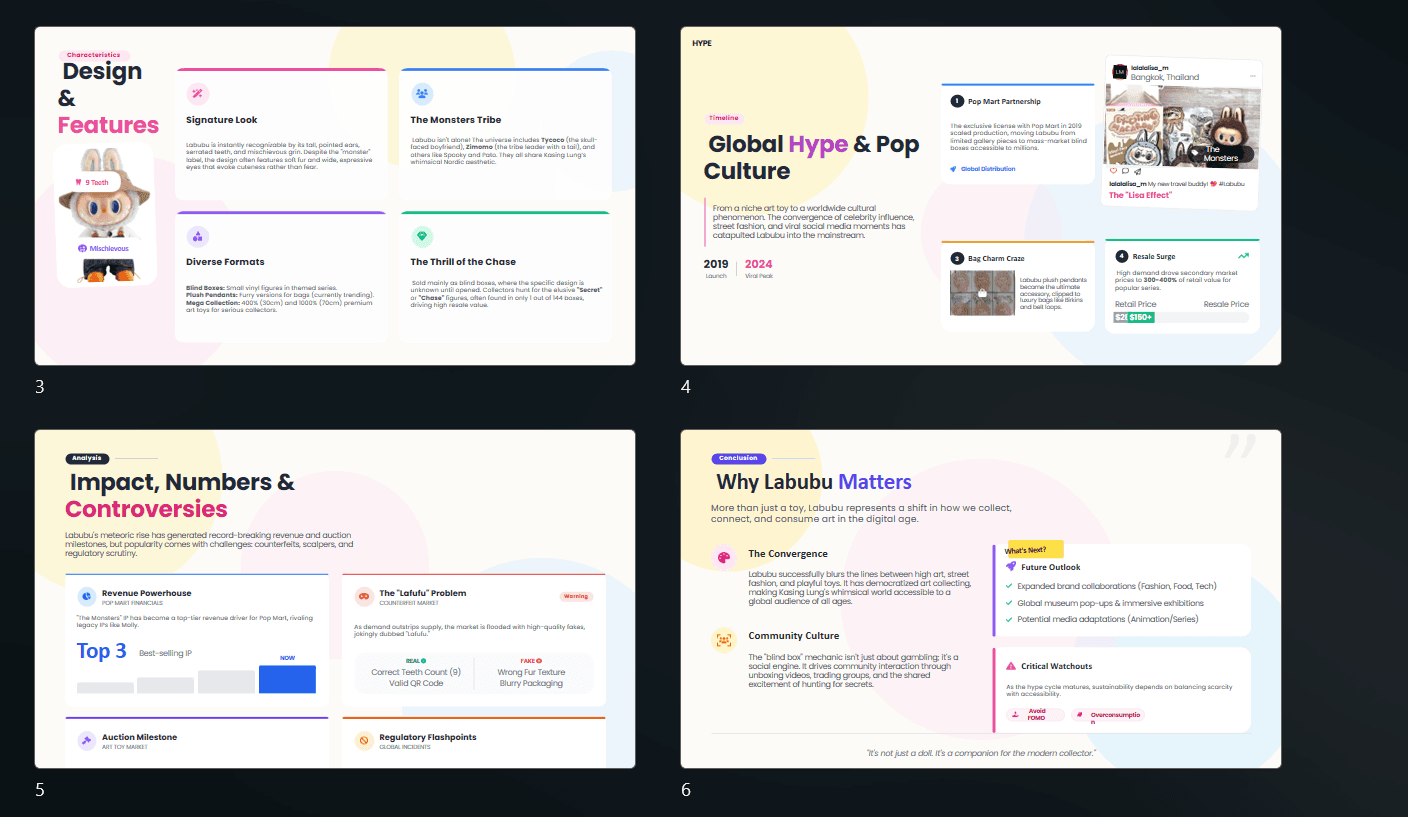
Professional mode layouts are repetitive. Genspark AI slides generated in Professional mode follow a recognisable structure throughout: text boxes of varying types arranged on the slide, usually accompanied by an AI-generated image. The approach is clean but becomes visually monotonous across a full deck. Even when the content calls for a chart or timeline, the output still leans on boxed text sections. There's limited variety in how information is presented from one slide to the next (as seen below)
Nano Banana Pro prioritises visuals over content. Slides generated in Creative mode are eye-catching: bold and high-quality. But in testing, several slides came back with just a title and a full-bleed image, with none of the actual content from the outline making it through. For example, the slide given below comes off more as blog cover image than an informative slide.

There's also no visual coherence across the deck. Each slide felt independently generated, with different colour palettes and styles that don't form a unified presentation
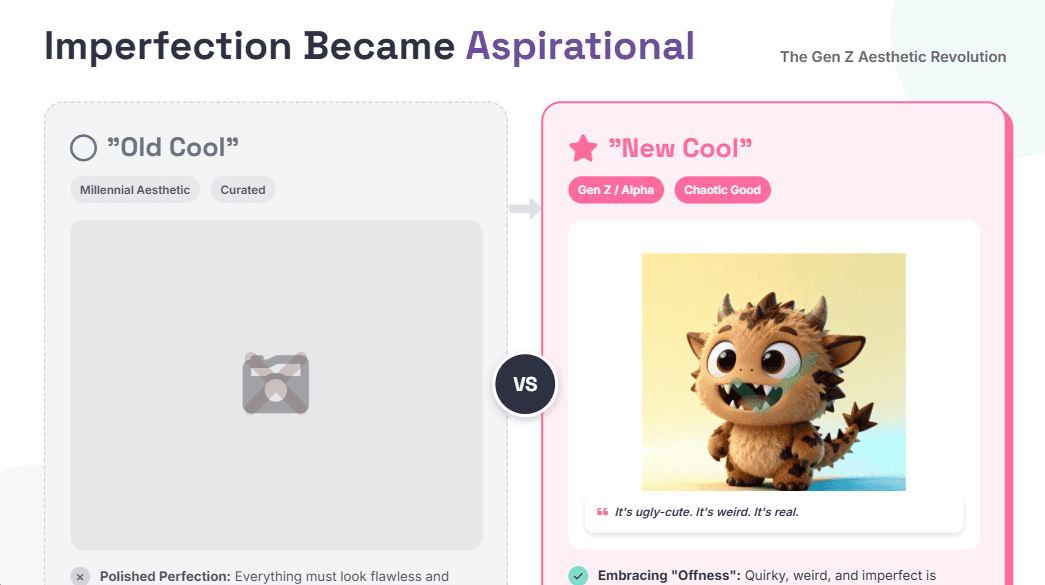
Repeated design errors disrupted the editing flow. Across multiple test runs in Genspark, I encountered text boxes with content cut off at the slide edge, the same slide appearing twice, and slides with missing images (as seen below) that left large blank spaces. These weren't one-off glitches. They appeared consistently enough to add meaningful time to post-generation review.
Manual editing is frustrating without a responsive canvas. The Advanced Edit mode in Genspark allows basic text editing and lets you move elements around. But, because there's no responsive canvas, repositioning anything requires manually adjusting every surrounding element to compensate. There are also no direct controls to switch between element types. Replacing a text box with a timeline or chart isn't possible from the manual editor without going through AI Edit.
Complex AI edits can produce unwanted changes, with no version history to fall back on. Straightforward requests work well. But more complex instructions can produce changes that go further than what you asked for. There's no way to revert to a previous version once an edit has been applied. If an AI edit goes wrong, you're either manually correcting it or regenerating the section from scratch.
Genspark AI: Pros and Cons For Presentation Making
✅ Pros | ❌ Cons |
Guide Mode produces targeted, well-structured first drafts | Custom template upload doesn't reliably carry through font or colour |
Outline approval before generation prevents wasted credits | Professional mode layouts are repetitive across a full deck |
AI Edit handles targeted slide and element edits accurately | Nano Banana Pro slides prioritise visuals, outline content often missing |
Multi-agent architecture produces coherent content across the deck | No visual theme consistency in Nano Banana Pro, each slide looks different |
Phase-by-phase generation with visible progress | Repeated design errors: cut-off text, duplicate slides, missing images |
Built-in fact-checking per slide, unique in the category | Manual editor has no responsive canvas, repositioning is tedious |
Asynchronous processing, deck builds while you're offline | No direct element-type switching in the manual editor |
PDF, PPTX, Google Slides export | No version history, can't revert after a bad AI edit |
Professional and Creative modes cannot be mixed in one deck | |
Pricing not visible without logging in |
Genspark AI Pricing
Plan | Monthly | Annual | Credits | Best For |
Free | $0 | — | 200/day | Testing Genspark |
Plus | $24.99 | $19.99/mo | Higher limits | Individual creators |
Pro | $249.99 | $199.99/mo | Unlimited | High-volume users |
Team | $30/seat/mo | Contact for annual pricing | 12,000/seat | Teams of 2–150 |
For team use, the Genspark plan includes admin controls and shared workspaces. Larger teams with brand or compliance requirements should evaluate the lack of brand governance carefully before committing.
Important Genspark AI Slides Updates: Editing, Templates, and Pricing
Update for readers comparing Genspark now: the hands-on findings earlier in this review reflect the workflow available during the original test. Genspark has subsequently documented changes to AI Slides editing and version recovery. These documented capabilities do not invalidate the test observations; they mean readers should distinguish between a limitation observed in the tested workflow and a feature that Genspark now says is available.
Most notably, Genspark’s AI Slides changelog documents a built-in editor with direct on-canvas editing. According to that changelog, users can select and edit elements in place, including moving, resizing, rotating, aligning, grouping, reordering, formatting text, cropping images, managing pages, and editing speaker notes. The same documentation says that manual and AI changes are recorded in a shared History panel with version snapshots that can be previewed and rolled back, in addition to undo and redo.
That changes how to interpret two earlier test findings: the observation that manual positioning was tedious and the observation that there was no version-history fallback. Those results remain useful evidence of the tested experience, but they should not be treated as a complete description of the documented editor today. If editing control is decisive for your workflow, test it with a short deck based on your actual material rather than relying on either the original test or a feature list alone.
Workflow question | What Genspark documents | What to verify in a sample deck |
|---|---|---|
Can I repair a crowded generated slide? | The AI Slides FAQ describes a Fix Layout option for overflow or overlapping elements and states that aspect ratios are maintained automatically. | Use dense source content, then inspect whether the repaired slide retains readable hierarchy, charts, image crops, and useful spacing. |
Can I make manual changes without rebuilding the slide? | The changelog describes direct canvas controls for element placement, text formatting, image cropping, page management, and speaker notes. | Try the edits that matter in your process: replacing an image, shortening a headline, changing a crowded table, and reordering slides. |
Can I recover from an over-broad AI edit? | The changelog says History includes snapshots for both manual and AI edits that can be previewed and rolled back. | Make one deliberately broad editing request and confirm that the intended prior version restores correctly. |
Can I use an existing company deck as a template? | The FAQ describes PPTX import as a reusable-template capability and labels it beta. | Use the exact master deck your team depends on; inspect fonts, colours, layouts, editable objects, and the exported PPTX. |
Pricing correction: the earlier references in this article to 200 free credits per day should be treated as historical test information, not as the current plan allowance. Genspark’s membership-plan documentation lists the Free plan as 100 credits per day, subject to a lifetime free-credit allowance. That page lists Plus at $24.99 monthly or $19.99 per month billed annually, and Pro at $249.99 monthly or $199.99 per month billed annually.
The same membership-plan source supports those listed plan prices, but it does not support describing Pro credits as “Unlimited.” Treat the earlier “Unlimited” cell in the pricing table as outdated rather than as a current plan promise. Before purchasing, check the membership page in your account and run one representative deck-generation workflow to understand the allowance available to you.
For a practical evaluation, create three small test decks: one from a focused prompt, one from a real source document, and one from a branded PPTX. Then test layout repair, direct editing, rollback, and export before making the tool part of a repeatable presentation process. For broader selection criteria, see our guide to AI presentation makers. If an editable PowerPoint handoff is essential, compare the result with our guide to creating an editable PowerPoint from a brief.
Who Should Use Genspark for Presentations?
Genspark makes sense if:
Research is your main bottleneck and you want sourced, structured content built alongside the slides
Design isn’t your primary concern and you’re okay with doing the heavy lifting of post-generation design work yourself
You want to replace a combination of Perplexity, ChatGPT, and a separate AI ppt maker with one subscription
You're creating one to three decks a week and can work within the credit model
You're comfortable exporting to PPTX and doing a short formatting pass before sending
If you're building decks for client deliverables or consulting work, it's also worth reading our guide to AI presentation makers for consultants, which covers what to look for when presentation quality directly affects how your work is perceived.
You'll likely run into problems with Genspark if:
Design quality matters for your use case, whether client decks, investor pitches, or anything where polish changes perception
You need consistent brand identity across every deck your team produces.
You're generating more than five presentations a week and need predictable costs and automation.
How to Interpret This Genspark AI Review Before Comparing Alternatives
If you searched for “Genspark AI review” or “is Genspark AI good?”, the practical answer from the testing above is conditional: Genspark may be useful when you want research and an initial presentation draft in one workflow, but the generated deck still needs review before it is used externally. The strengths and limitations described in this article are hands-on observations from the tested workflows, not a claim that every prompt, template, or account will produce the same result.
Disclosure: Alai publishes this article and is also a presentation software product featured in the alternatives section below. That creates a commercial interest in the comparison. Use the Alai section as information about its stated workflow and product positioning, but assess it alongside the other options and your own trial rather than treating this article as an independent recommendation.
There is also an important difference between a vendor documenting a feature and a feature meeting the needs of a particular presentation workflow. Genspark’s AI Slides changelog describes Guide Mode as a five-phase process: Strategy, Substance, Structure, Design, and Build. That documentation is useful if you want more review points than a direct prompt-to-deck flow provides. It does not, on its own, establish that a resulting deck is accurate, visually consistent, or ready for a client, board, or investor audience. Review the narrative, factual statements, citations, visuals, and final file before sharing.
Template handling deserves the same distinction. The current AI Slides FAQ says that users can import a PPTX and save it as a reusable template, and labels this capability as beta. That is materially relevant to readers who need brand consistency, but it should not be read as a guarantee that a generated deck will preserve every font, colour, master-slide rule, chart treatment, or layout from a company presentation. The earlier template result in this review remains a test observation; the appropriate next step is to run a small sample using the exact deck your team relies on.
What you need | What to test in Genspark | What to inspect before sharing |
|---|---|---|
A quick internal first draft | Generate from a focused prompt and compare the outline with your brief. | Whether the deck covers the intended audience, purpose, and level of detail. |
A branded presentation | Import a representative PPTX template and create a short sample deck. | Fonts, colours, layouts, editable objects, image placement, and text overflow. |
A research-led external deck | Use the more guided workflow and review the proposed story before build. | Source quality, claim accuracy, citations, and whether the narrative supports the decision being asked of the audience. |
A PowerPoint handoff | Export a representative deck and open it in your team’s normal PowerPoint environment. | Slide dimensions, charts, image crops, speaker notes, and any formatting that changes after export. |
This evaluation approach is especially useful because “good” means different things for different readers. A consultant delivering a client deck may prioritize a stable visual system and careful final editing. A founder preparing a pitch may prioritize the story, evidence, and a file that can be refined before sending. For those use cases, compare the criteria in this review with our guide to AI presentation makers and, if fundraising is the immediate goal, our AI pitch deck generator guide.
Bottom line: treat Genspark as a tool to evaluate against your own source material, brand requirements, and delivery format. Its documented guided workflow and beta template-import option are reasons to test the product, not evidence that they resolve the output issues identified in this review. The alternatives below are best read as different workflow options rather than a single universal ranking.
The Best Genspark Alternatives for Presentations
If you're searching for the best AI presentation maker or evaluating Genspark AI alternatives, the choice comes down to what the tool actually needs to solve. Genspark is strong on content and research. Where it leaves gaps in design quality, brand control, and layout flexibility, these four tools each close a specific one.
If design and speed are the constraint, Alai is the direct upgrade. If you create multi-format content and share decks as links, Gamma is the better fit. If research depth is the priority, Manus. And if budget is the deciding factor, Kimi gets you further than most people expect on free.
1. Alai: Best for Design Quality and Speed
If you've been using Genspark for its content capabilities but keep spending hours on redesigning after export, Alai is the tool worth switching to. It was built specifically for presentations, not as a side feature of a broader workspace, and that focus shows in both output quality and how fast you get to a deck you'd actually send.
What makes Alai better than Genspark for presentations
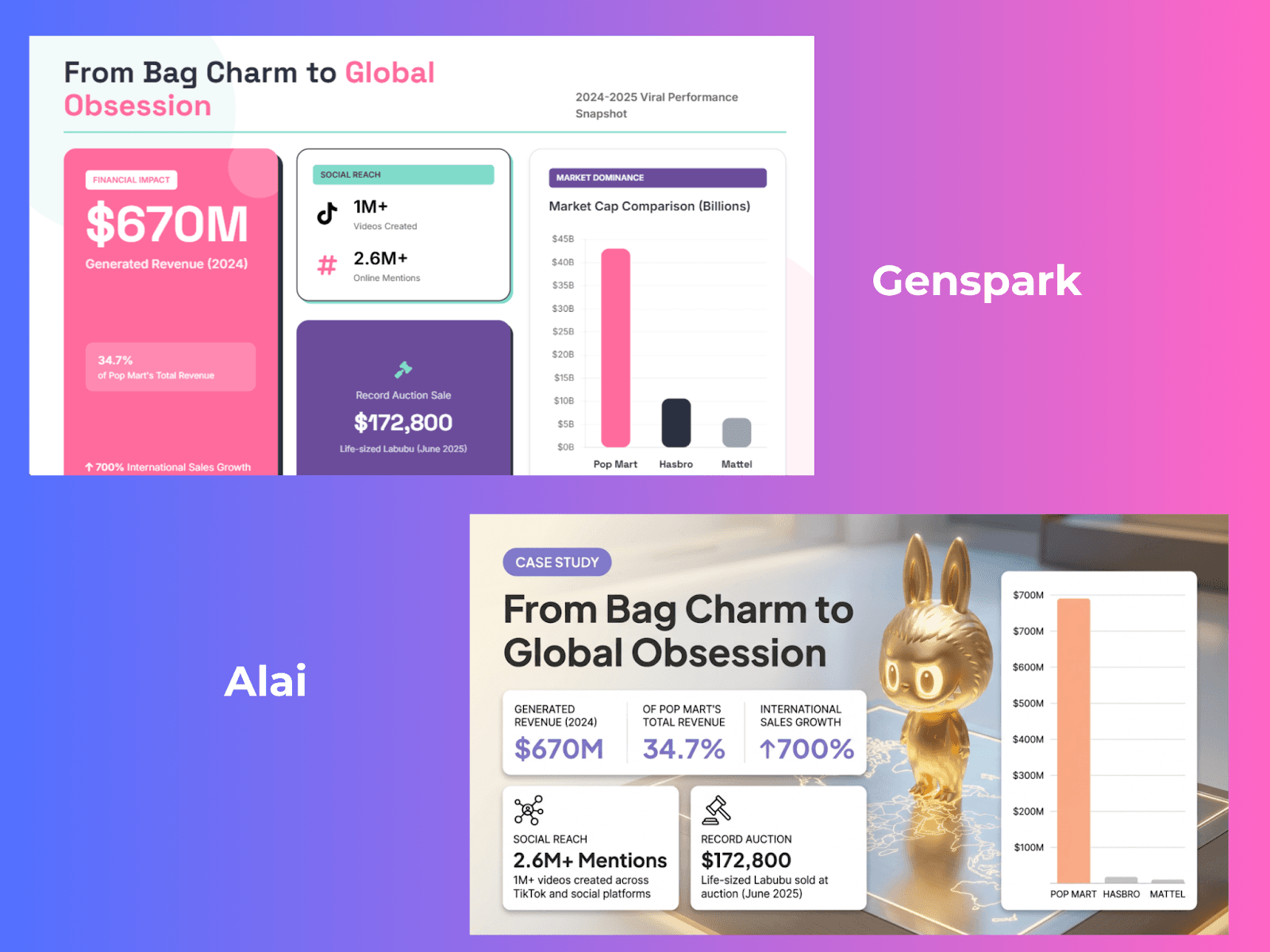
The most immediate difference is design. Both slides in the image below use identical content - the same data points, the same metrics, but the outputs look like they came from different decades. Genspark's version is a dashboard of coloured boxes: functional, readable, but assembled rather than designed. Alai's version of the same slide has a 3D rendered visual of the actual product being discussed, a bar chart that's proportioned and labelled cleanly, and a layout with real visual hierarchy where the headline, stats, and supporting data each have a clear role on the slide. The difference isn't subtle. Genspark gives you structured information. Alai gives you a slide that communicates that information in a way that holds attention.
The second difference is layout choice. Genspark gives you one result per slide. If it's not right, you rewrite the prompt and try again, burning credits and time. Alai gives you four distinct layout variants for every slide: a chart option, a text breakdown, an infographic layout, a comparison structure. You pick whichever fits your content and move on in seconds. In testing, this cut the time between first draft and a deck worth sending by more than half.
When it comes to editing, Alai has covered almost every use-case a user might have. The Agent Mode takes natural language instructions and executes them precisely, touching only what you asked it to. Need to switch an existing element to a different type? There's a dedicated Convert feature for exactly that — turning a text box into a timeline, or a bullet list into a comparison matrix, without rebuilding the slide from scratch. Beyond that, an element library gives you purpose-built components — hub-and-spoke diagrams, funnel visualisations, feature grids — that drop into any slide cleanly. The responsive canvas takes care of the spacing side of things: add or remove something and the surrounding elements reflow automatically, no manual adjustments needed. And when you want to go deeper on a specific element, editing controls go beyond text - you can adjust spacing, positioning, and formatting at a granular level, something Genspark's manual editor simply doesn't offer.
Custom themes mean every deck stays on brand. Add your brand colours, fonts, and style preferences once and Alai applies them consistently across every new deck you generate. While Genspark does allow you to upload an existing ppt as a template, my experience with it was a massive fail with the tool failing to follow any color, font or design guidelines from the shared deck.
Nano Banana 2 integration with full flexibility. Alai integrates Nano Banana 2, Google DeepMind's image generation model, in a way that Genspark's Creative mode (that still uses Nano Banana Pro) doesn't match. You can mix Nano Banana 2 slides with regular editable slides in the same deck, so visually rich image-based slides sit alongside data slides and text slides without forcing you to commit to one mode for the entire presentation. The generation is theme-aware, meaning new Nano Banana 2 slides match the visual direction already established in your deck rather than each slide looking independently generated. You can also manually edit Nano Banana 2 slides after generation, something most tools that use the model don't support.
Alai’s analytics show you what happens after you send. For sales teams following up on proposals, consultants sharing deliverables, or founders sending pitch decks to investors, this data tells you something useful rather than leaving you guessing. Genspark has no viewer analytics for presentations.
An API for teams who build workflows around their decks. Alai offers a developer API, which means teams can integrate presentation generation directly into their existing tools and automations. If you're an agency generating decks at volume, a platform that creates decks programmatically, or a team that wants to trigger slide creation from another workflow, the API makes this possible. Genspark currently has no public API for its Slides feature.
Pros
Four layout variants per slide, so you're choosing the best option rather than regenerating until something works
Design output has real visual depth: gradients, shadows, and layered elements that look designed rather than assembled
Agent Mode edits are precise and contained, changes don't ripple into the rest of the deck
Convert feature lets you switch any existing element to a different type directly, no rebuilding required
Element library with purpose-built components: hub-and-spoke diagrams, funnel visualisations, comparison matrices, feature grids
Responsive canvas reflows surrounding elements automatically when you add or remove anything
Element-specific editing controls for spacing, positioning, and formatting that go beyond text editing
Custom themes: upload your brand colours, fonts, and logo once and they apply consistently across every deck
Nano Banana 2 integration with theme-aware generation, manual editing support, and the ability to mix image-based and regular slides in the same deck
PPTX export is clean with standard dimensions, no formatting cleanup needed
Context-aware AI maintains narrative and design consistency across the deck as you edit
Built-in analytics to track who viewed your deck and how long they spent on each slide
Developer API for teams integrating presentation generation into existing workflows
Free plan available with no credit card required
Cons
No native Google Slides integration, export only
No offline access
Pricing
Plan | Price | Credits | Best For |
Free | $0 | 300 AI credits | Testing |
Plus | $16/mo (annual) | 600 AI credits | Individual creators |
Pro | $25/mo per user (annual) | 1200 AI credits | Small teams |
Ultra | $60/mo per user (annual) | 5000 AI credits | Repetitive usage, mid-enterprise teams |
When to use Alai instead of Genspark
You need decks that look professionally designed, not just accurate
You're creating investor pitches, client presentations, or anything that needs branded templates
You want clean PPTX export without formatting clean-up
You are looking to automate presentation creation at scale
Try Alai free, no credit card needed
2. Gamma: Best for Multi-Format Docs and Async Sharing
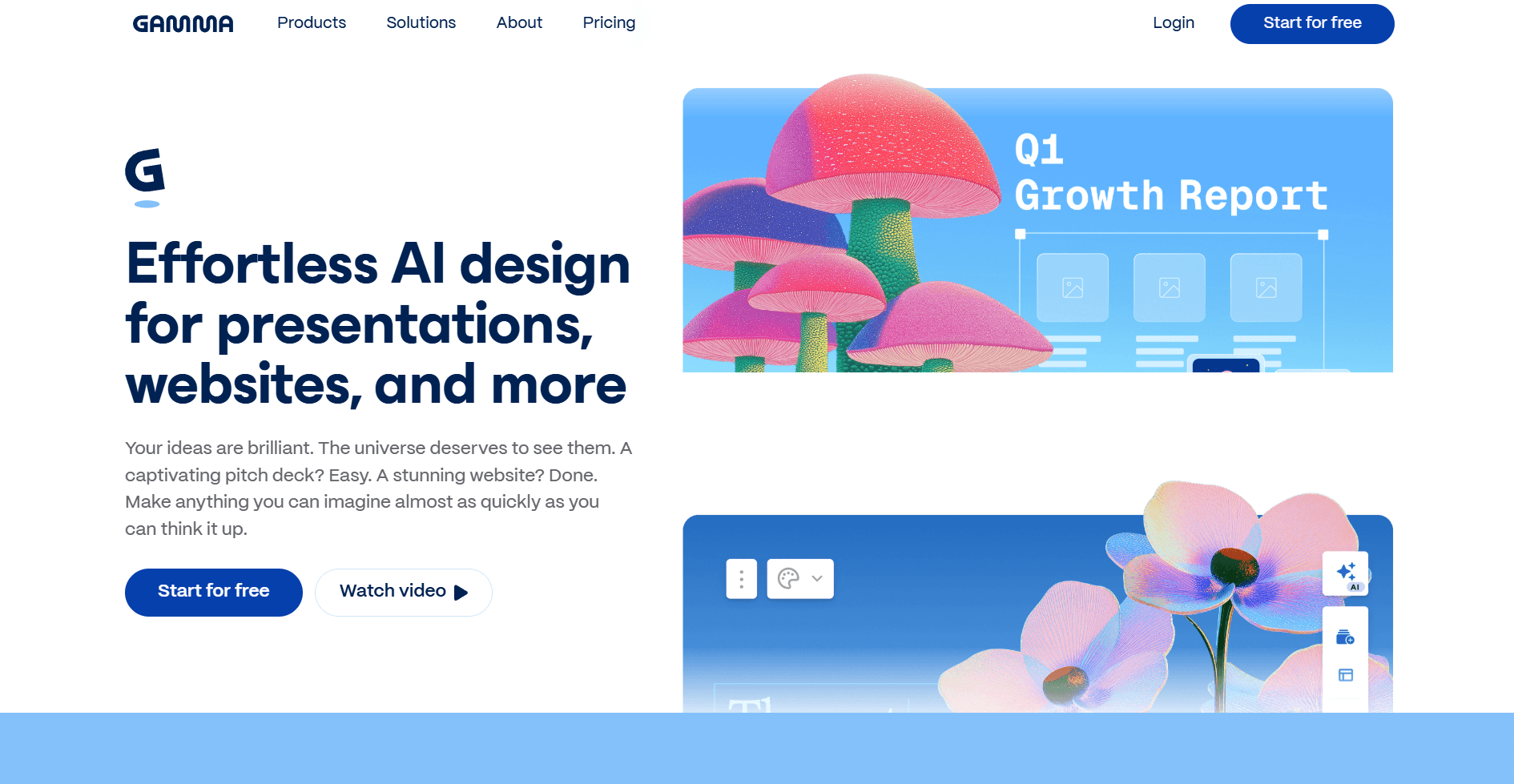
Gamma is the right tool when you need to create multiple content types around the same topic without switching tools, or when your presentation will be consumed as a link rather than presented live. Where Genspark is a research-and-slides tool that happens to export a file, Gamma is a content creation platform where presentations, documents, and web pages all live in the same workspace with a consistent visual language across them.
What makes Gamma better than Genspark for presentations
Genspark produces more substantive, better-sourced content because it actively researches while building the deck. Gamma formats what you bring to the prompt - if your brief is thin, the deck will be thin. So on pure content depth, Genspark has the edge. Where Gamma pulls ahead is on speed, format flexibility, and how the output is meant to be consumed.
Multi-format output in one workspace. Type a single prompt and Gamma can produce a presentation, a document, or a shareable web page, all within the same session. If you regularly create different content formats around the same topic — a deck for a stakeholder meeting, a written summary for the team, a public-facing webpage — Gamma handles all three with consistent visual language across them, without switching tools.
Web-native format for async sharing. Gamma's card-based scrollable format is genuinely well-suited for decks that get sent as links rather than files. The reader scrolls at their own pace rather than clicking through slides, which works better for investor updates, sales leave-behinds, or any presentation consumed asynchronously. Paid plans include engagement analytics so you can see which sections held attention and which were skipped — something Genspark doesn't offer for presentations.
AI animations and visual variety. Gamma now generates decks with AI animations on higher plans, and applies a unified colour palette automatically across all slides including AI-generated images. The layout system pulls from timelines, icon grids, image galleries, and bullet list structures, varying them across slides to prevent monotony. The visual output on a first draft is more immediately polished than Genspark's Professional mode.
API access for automation. Gamma offers a full API on Pro plans and above, with Make.com integration and the ability to generate decks from templates programmatically. For teams running content workflows at volume, this is a meaningful capability.
Pros
Builds presentations, documents, and web pages in one workspace
Fastest generation in the category, full deck in 30 to 60 seconds
Web-native scrollable format well-suited to async sharing via link
Engagement analytics show which slides held attention (paid plans)
AI animations available on higher plans
Unified colour palette applied automatically across all slides
Free plan with 400 credits, roughly 10 decks
API access on Pro plans for workflow automation
20+ AI models and 100+ themes
Cons
Slide dimensions are often non-standard, not true 16:9, which creates problems for PowerPoint export
PPTX export breaks frequently — text shifts, layouts collapse, fonts change
Content depends entirely on what you bring to the prompt, no background research
Card-based blocks become visually repetitive after several decks, each one looks like the last
Single layout option per slide, no variant selection
Studio mode slides (Nano Banana 2) cannot be mixed with regular slides in the same deck
AI agent edits can make unwanted changes to adjacent slides
Pricing
Plan | Price (Annual) | Price (Monthly) | What You Get |
Free | $0 | $0 | 400 credits (one-time) during sign-up (~10 presentations), Gamma branding |
Plus | $8/month | $10/month | Unlimited AI generations, remove branding, advanced image models |
Pro | $15/month | $20/month | Premium AI models, custom branding, analytics, API access, up to 60 slides/deck |
Ultra | $90/month | $100/month | Most advanced AI models, 75-card decks, 4K Nano Banana Pro HD, early access features |
When to use Gamma instead of Genspark
You create content across multiple formats and want one tool
Your decks are shared as links rather than files
You need something built fast and won't be exporting to PowerPoint
Internal updates, sales leave-behinds, or presentations people scroll rather than sit through
Want to know how Gamma holds against other alternatives, check out this Gamma review.
3. Manus AI: Best for Deep Research and Autonomous Execution
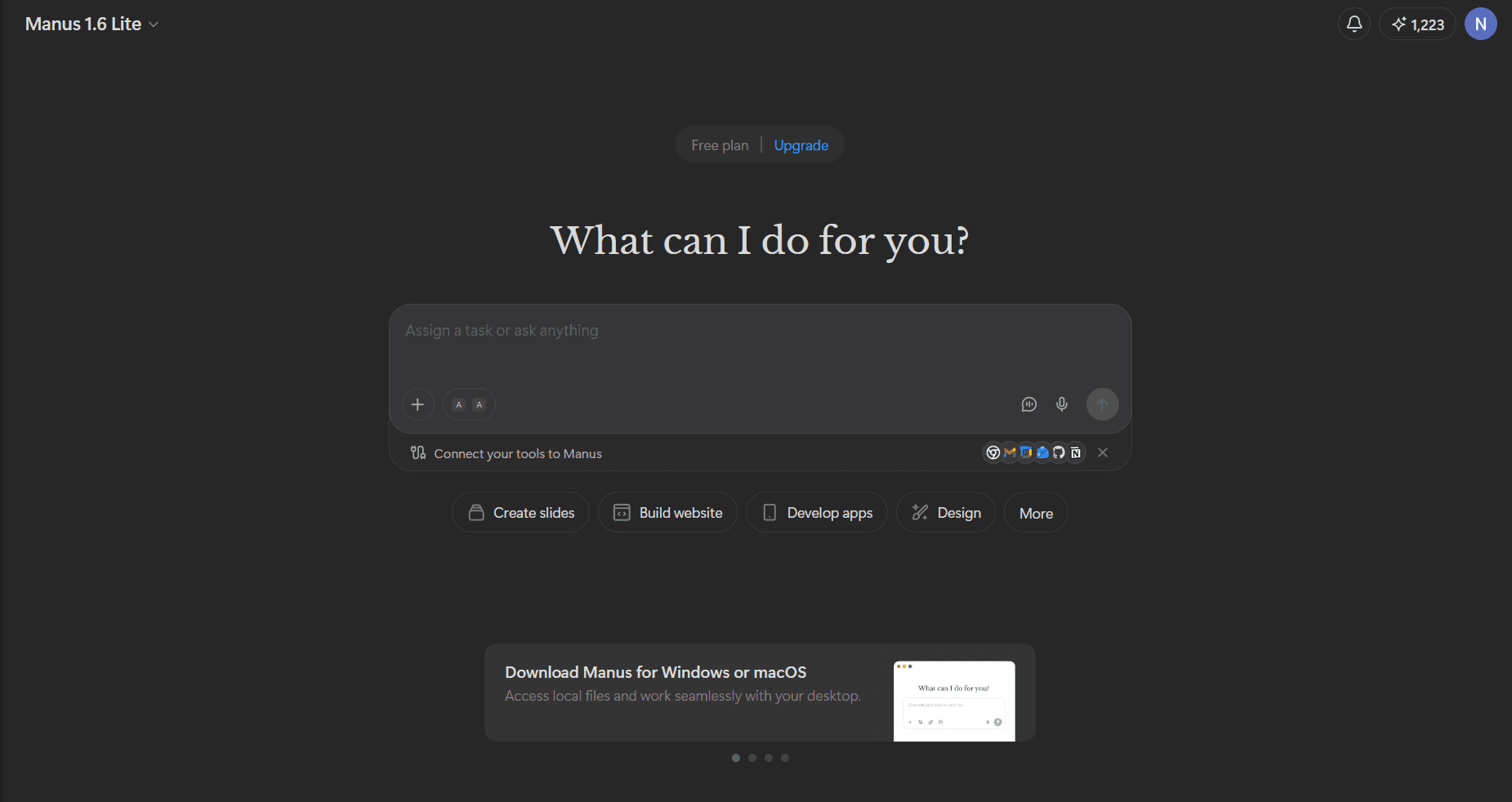
Manus is the right tool when research quality and source depth matter more than how fast the deck gets built or how polished the design looks on the first pass. Where Genspark uses multi-agent architecture to produce better content than most single-model tools, Manus goes further on the research side. It actively searches the web in real time while building your deck, deploys parallel sub-agents across different source threads simultaneously, and shows you a live log as it works. You're watching the AI build the content argument source by source.
What makes Manus better than Genspark for research-first presentations
Genspark researches while it builds, which already puts it ahead of most tools. Manus does this more thoroughly and more transparently. The key differences are research depth, input flexibility, and copy quality.
Parallel sub-agent research. Manus deploys multiple sub-agents simultaneously rather than researching sources sequentially. The quality of research on source 20 is the same as source 1 because different agents are working in parallel, not in a chain. For dense technical or industry-specific topics, this produces more comprehensive coverage than Genspark's sequential research approach.
Claude 3.7 Sonnet as the writing engine. The copy quality from Manus is consistently higher than most tools because it uses Claude 3.7 Sonnet to structure and write the slide content. Slide copy reads like something a person wrote for a presentation, not a summary dumped onto a slide. This is a meaningful gap compared to Genspark's Professional mode output, which is accurate but often reads more like a document.
Broadest input range in the category. Manus accepts prompts, uploaded PDFs, DOCX files, and URLs. More usefully, it connects directly to Gmail, Slack, Google Drive, and Notion. Forward an email thread to Manus and it builds a deck from the content in that thread, attachments included. Connect Google Drive and it pulls from existing documents without you copying anything across. For professionals whose source material is already spread across these tools, this removes a meaningful amount of manual work.
Speaker notes that actually work. Manus writes context-aware speaker notes for the full deck after generation (this is a separate feature on Manus, not just something you prompt). The notes reference what came before each slide and set up what follows, rather than just summarising the slide content. For anyone who presents from notes, this is a level of thoughtfulness most tools don't match.
Pros
Actively researches the web in real time during deck generation
Parallel sub-agents research multiple sources simultaneously, maintaining quality across all of them
Live research log shows exactly what's being sourced and structured
Claude 3.7 Sonnet writing engine produces consistently strong, presentation-ready copy
Broadest input range: PDF, DOCX, URL, Gmail, Slack, Google Drive, Notion
Context-aware speaker notes reference narrative flow across the full deck
Nano Banana Pro integration for high-quality visual slides
Export to PowerPoint, Google Slides, PDF, shareable link, and public webpage
Cons
Standard slide design is visually basic, similar to Genspark's flat output
Nano Banana Pro slides generate as images, not editable elements
Can't mix Nano Banana Pro and regular slides in the same deck
Credit consumption on research-heavy tasks is unpredictable — cost per deck varies significantly by topic complexity
Not a presentation-first tool, iteration and design features are limited compared to dedicated slide tools
No custom themes or brand kit for consistent visual identity across decks
Pricing
Plan | Price |
Standard | $20/mo |
Customized Monthly Usage | $40/mo (reported) |
Extended Usage | $200/month |
Pricing changes frequently. Verify at manus.im before committing.
When to use Manus instead of Genspark
Research depth and source quality matter more than design polish
You're building decks from dense documents spread across Gmail, Slack, Drive, or Notion
You need autonomous multi-step research with minimal prompting
Content accuracy for high-stakes reports, briefings, or research presentations is the priority
4. Kimi: Best Free Option for Research-Backed Slides
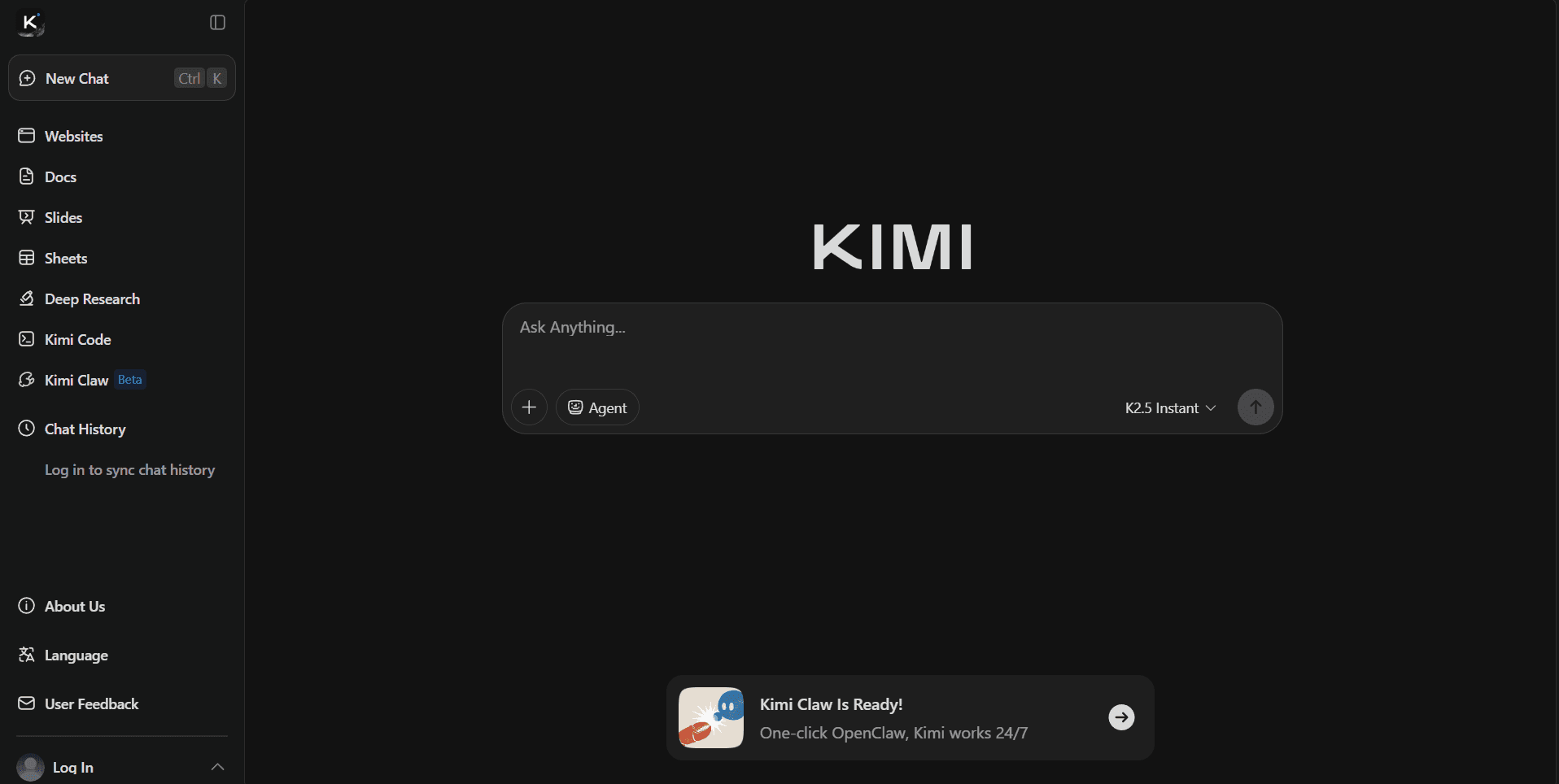
Kimi is built by Moonshot AI, a Beijing-based startup backed by Alibaba, and has grown to over 100 million users. The platform runs on Moonshot's K2 Thinking model, a Mixture-of-Experts architecture with 1 trillion parameters, known for its reasoning capability and research depth. For presentations specifically, Kimi Slides lives inside the broader Kimi workspace as a dedicated agent, combining K2 Thinking for content with Nano Banana Pro for visual generation. For users on a budget, it offers the most capable free tier in this category — though with real limitations worth knowing about before you commit.
What makes Kimi better than Genspark for budget-conscious users and where it falls short
Genspark's free plan gives you 100-200 credits per day. One presentation costs between 250-450, which means you can't finish a full deck in a single free session. Kimi's free tier gives you access to Adaptive mode for presentations without a per-deck credit wall. For users who need research-backed content on a tight budget, that difference is meaningful — though the free plan does come with its own restrictions: OK Computer agent usage is capped at roughly 3 uses per day, Deep Research queries are limited, response output is capped at around 4,000 characters, and free users experience queue delays during peak hours. It is more generous than Genspark for presentation creation specifically, but it is not unlimited.
Research depth that punches above its price point. The K2 Thinking model uses interleaved thinking, meaning it reflects and course-corrects between each step rather than generating everything in one pass. From a basic prompt, Kimi regularly produces 15 to 20 slide decks with charts, data-driven insights, and a logical narrative arc that feels genuinely researched. In testing with a simple pizza consumption prompt, Kimi produced a 20-slide deck covering market overview, regional insights, and consumption patterns, all backed with relevant statistics.
2-million-token context window for large documents. Kimi supports one of the largest context windows available at the time of writing. Upload a 100-page research report and Kimi reads all of it before building the outline, not just the first sections. Genspark reads uploaded documents too, but its context handling on very long files is less reliable at this scale.
Editable outline before generation starts. Kimi generates a full editable outline first and lets you review, rearrange, add, and delete slides before any design is applied. This is the same sensible step Genspark's Guide Mode uses, but Kimi's outline editor is more flexible — you can rework the content structure more freely before committing to generation.
Where design falls short. Kimi's content is strong but its design output lags behind every other tool on this list. Layouts are repetitive across a full deck, with the same two or three structures used regardless of content type. Body slides have no supporting photography or illustrations — only title and section dividers get background images. Several slides also pack too much into one frame, with charts, text blocks, and legends competing for space. There is no custom theme support, meaning keeping decks on-brand requires manually fixing fonts and colours on every slide after generation. Post-generation editing is also the weakest in the category — no AI assistant after the initial output, and a manual editor that requires slide-by-slide adjustments.
A data privacy note worth knowing. Kimi is operated by a Chinese company and data is processed on servers subject to Chinese regulations. For most individual users this is not a concern. For anyone in a regulated industry, government, defence, or handling sensitive IP, it is worth reviewing the privacy policy carefully before using the tool.
Pros
Free tier gives access to Adaptive mode without a per-deck credit wall
K2 Thinking model produces genuinely research-backed, data-dense content
2-million-token context window handles very large source documents reliably
Editable outline before generation, with flexible rearrangement and deletion
Visual mode with Nano Banana Pro available on paid plans for design-forward output
Built-in agentic web search pulls current data without leaving the editor
Chart parsing extracts text from chart images and overlays editable text boxes
Supports the broadest file format range: PDF, DOCX, PPT, XLS, CSV, HTML, EPUB, and more
Cons
Free plan has real limits: OK Computer capped at ~3 uses/day, Deep Research limited, 4,000 character output cap, queue delays during peak hours
Design is repetitive, 2 to 3 fixed layouts used throughout regardless of content type
No custom theme support, on-brand decks require manual font and colour fixes on every slide
No supporting imagery on body slides, only title and section dividers use visuals
Dense slides, multiple charts and text blocks compete for space on single frames
No AI assistant after initial generation, all refinements are manual
Visual mode (Nano Banana Pro) locked behind paid plan at $19/month
Nano Banana Pro and Adaptive slides cannot be mixed in the same deck
Queue delays during peak hours on the free plan
Data processed on Chinese servers, relevant for regulated industries
Pricing
Plan | Price | Best For |
Adagio (Free) | $0 | Research-backed first drafts, Adaptive mode only |
Moderato | $19/mo | Full access including Visual mode with Nano Banana Pro |
Allegretto | $39/mo | Higher quotas and faster response times |
Vivace | $199/mo | Unlimited agent usage, fastest inference |
When to use Kimi instead of Genspark
Budget is a hard constraint and you need research-backed content
You're working from very large source documents that exceed what most tools handle reliably
You need a strong, data-dense first draft fast without worrying about design
You plan to export and redesign in a separate tool, using Kimi purely as a content engine
You want to test a capable free tier before committing to any paid plan
My Verdict on Genspark: Is It The Best AI Presentation Maker?
Genspark AI review rating: 3.4/5
Based on my testing - Genspark is a genuinely useful tool if research is the core problem you're trying to solve. The multi-agent architecture produces better content than most single-model tools, the fact-checking feature is unique in the category, and having research and slides in one workflow saves real time compared to bouncing between Perplexity, ChatGPT, and a separate AI ppt maker. For content-first users - marketers, consultants, and founders who care more about what slides say than how they look - it earns its place.
That said, the design gaps are real. Professional mode layouts are repetitive, custom template uploads don't reliably carry through, Nano Banana Pro prioritises visuals over the content in your outline, and the PPTX export needs cleanup before you can send it anywhere professional. There's also no brand control, no version history, and no analytics after the deck goes out.
For most presentation workflows, one of the alternatives below will serve you better depending on what you're optimising for. If design quality and speed matter, Alai is the most complete answer — four layout variants per slide, responsive canvas, clean PPTX export, custom themes, Nano Banana 2 integration with full flexibility, and built-in analytics, all on a free plan. If you create multi-format content and share decks as links, Gamma. If autonomous deep research is the priority, Manus. And if budget is the constraint, Kimi's free tier is the most generous in the category for research-backed first drafts.
Frequently Asked Questions
Is Genspark free?
Yes. Genspark has a free plan with 200 daily credits.
How good is Genspark AI for making presentations?
The content quality is high quality: well-researched, logically structured, with built-in fact-checking per slide. The design is functional but flat. For any deck going to a client or investor, plan to export to PPTX and do a design pass before using it.
Can I export Genspark presentations to PowerPoint?
Yes. PPTX, PDF, and Google Slides are all available. The Genspark AI PPT export works but sometimes has non-standard slide dimensions and elements that shift when opened in PowerPoint. Budget 10 to 15 minutes for cleanup on any deck you're sharing externally.
What is Genspark AI pricing?
The free plan gives 200 credits/day. The Plus plan is $24.99/month ($19.99 annual), Pro is $249.99/month ($199.99 annual), and the Team plan is $30/seat/month. Personal plan pricing is only visible after you log in, not shown on the public pricing page.
What are the best Genspark alternatives for presentations?
Alai for design quality and speed, Gamma for multi-format content and async sharing, Manus AI for deep autonomous research, and Kimi as the best free option for research-backed first drafts.
Can Genspark AI make good-looking investor pitch decks?
On content, yes. The multi-agent research produces well-structured pitch narratives and the fact-checking feature helps catch inaccuracies before the deck goes out. On design, Genspark falls short of what a high-stakes pitch deck needs. For an investor deck, use Genspark to build the content foundation, then bring the export into Alai to finish it.
Does Genspark work for teams?
Yes. The Team plan at $30/seat/month supports 2 to 150 users with admin controls and shared workspaces. For teams where every deck needs to look consistent and on-brand, Alai offers brand governance features including custom themes and consistent design language across decks, which Genspark currently doesn't have.
SEITEN
Werkzeuge vergleichen
Ressourcen