
·
BASICS
·
38 min read

Marketing Lead
TL;DR: Gamma AI Review & Best Alternatives
Quick verdict for buyers: is Gamma worth it?
If your job is to get from blank page to a decent-looking first draft fast, Gamma is still compelling. The article already shows why: it creates decks, docs, and web pages from one prompt, and it is especially useful when the output will stay inside Gamma as a shared link or browser presentation. That is the core commercial case for choosing it.
Where buyers should be more skeptical is the jump from fast draft tool to professional presentation system. Gamma's own product design centers on web-native, card-based content rather than traditional slides, which helps explain why PowerPoint export becomes a recurring complaint in this review. If your workflow ends in a .pptx file, a client handoff, or a board deck that must survive editing in PowerPoint, Gamma can create downstream work instead of removing it.
Short version: Gamma looks strongest for internal updates, async sharing, and rough ideation. It looks weaker when export fidelity, presentation polish, or predictable fixed-slide layouts matter more than raw speed.
Gamma pricing and free plan: what matters before you sign up
Gamma does have a free tier, but buyers should treat it more like a trial than a durable free plan. The current article lists the free plan as 400 one-time credits, with paid plans starting at Plus and moving up to Pro and Ultra. Because pricing changes, the safest move is to use the article's checked figures as a snapshot and confirm current details on Gamma's pricing page.
Using the pricing already documented in this article, here's the practical framing:
Free plan: good for testing the workflow, not for ongoing heavy use.
Paid plans: reasonable on paper if Gamma's output style already fits your team.
Real risk: if you repeatedly regenerate, rewrite, and repair exports, the cheap sticker price can hide expensive time costs.
That last point is the one most roundup posts skip. Software cost is not just subscription cost. If a tool saves 20 minutes upfront and then creates 30 minutes of cleanup before a meeting, it is not actually the cheaper option.
PowerPoint export: should this be a deal-breaker?
For some teams, yes. The existing review documents a consistent theme: Gamma presentations are built in a web-style card system, while PowerPoint expects fixed-dimension slides. That mismatch is not a minor bug; it is a format translation problem. In plain English, Gamma is not starting from the same mental model as PowerPoint.
If you only need to present via link, export issues matter less. If any of the cases below sound like you, they matter a lot:
You present from PowerPoint in live meetings.
You send editable .pptx files to clients, partners, or execs.
Your team standardizes on 16:9 templates and branded slide masters.
You need confidence that what you designed is what others will open.
In those cases, the better commercial answer is usually to choose an alternative aligned to your native format from day one rather than hope the export layer behaves later.
Who should choose a Gamma alternative instead?
You should strongly consider an alternative if your primary need is not "make me something fast," but one of the following:
Need | Why Gamma may not fit | Better direction from this article |
|---|---|---|
Reliable PowerPoint handoff | Export fidelity is a recurring weak point in the current review | Alai or Microsoft Copilot |
Google Slides-native workflow | Gamma adds an export/import step | Plus AI or SlidesAI |
Higher-stakes external decks | Gamma's card-based style can feel more like a doc than a polished presentation | Alai or Chronicle |
Template-led visual variety | Gamma's layouts can feel repetitive over time | Canva or Beautiful.ai |
Sales follow-up and engagement analytics | Gamma is not the strongest analytics-first option in this roundup | Pitch |
This is really the decision lens buyers need. Do not ask, "Is Gamma good?" Ask, "Where does my presentation need to live after creation?" That question usually determines the right tool faster than any feature checklist.
Best alternatives by buying intent
If you want the closest substitute but with stronger presentation output: choose Alai. In this article, it is positioned as the strongest fit for design quality and cleaner PPTX export.
If your company lives in Google Slides: choose Plus AI or SlidesAI. Native workflow beats cross-format conversion almost every time.
If your company lives in Microsoft 365: choose Microsoft Copilot. Native PowerPoint matters more than novelty when decks move through lots of stakeholders.
If your real need is storytelling, not just generation: choose Chronicle.
If you want broad design flexibility beyond presentations: choose Canva.
That does not make Gamma a bad product. It just means Gamma is best understood as a fast, web-native content creator with presentation capabilities, not automatically the best choice for every presentation workflow.
Bottom line
Gamma is worth trying if you value speed, browser sharing, and multi-format output. It is harder to recommend as the default choice for client-facing decks, presentation-heavy teams, or anyone whose final deliverable must be a clean PowerPoint file. For those buyers, the alternatives in this article are not edge cases - they are probably the better fit.
For deeper tool-by-tool comparisons, jump to the roundup below or see our related guide to best AI presentation makers.
Gamma AI (gamma.app) is a web-native AI tool that generates presentations, documents, websites, and social posts from a text prompt in under 60 seconds. Founded in 2020 by Grant Lee, James Fox, and Jon Noronha, Gamma serves 70 million+ users as of 2026, with $100M ARR and a $2.1B valuation. It is best for quick first drafts, internal updates, and web-shared decks, but weaker for client-facing presentations that need clean PowerPoint exports, its card-based web architecture does not map to fixed 16:9 slide dimensions.
The strongest Gamma alternatives at a glance:
Gamma Alternative | Best For |
|---|---|
Alai | Design quality and reliable PPTX exports |
Plus AI | Google Slides users |
Canva | Template variety and all-in-one design |
Pitch | Sales teams needing engagement analytics |
Chronicle | Narrative-driven storytelling decks |
I cover all ten alternatives in detail further down, but before that - here's exactly what Gamma gets right, where it falls short, and why I went looking for alternatives in the first place.
Gamma AI is genuinely impressive for turning ideas into something visual. You add a prompt, document or notes and within minutes, you have a Gamma AI presentation: formatted, organized, and ready to review. For brainstorming or internal docs, it's hard to beat that speed.
But the more I used Gamma, the more cracks started to show. I requested a standard 16:9 pitch deck and got slides that were square or tall, completely incompatible with PowerPoint. The Gamma AI PPT exports didn't help either: text shifted, layouts broke, and I spent more time fixing than presenting.
Design-wise, Gamma AI delivered decent first drafts, but the output often felt more like a document than a deck. Text-heavy slides, images that didn't always match the content, and layouts that looked like Notion-style blocks rather than polished slides.
This makes sense once you realize Gamma is a multi-format tool built for documents, web pages, and slides using the same design system. Great for flexibility, but it's also why the output tends to feel more like a well-formatted doc than a professional presentation.
It was these limitations that pushed me to look for Gamma alternatives.
If you're exploring AI presentation makers for the first time, this review will help you understand exactly where Gamma AI excels, where it falls short, and which alternative fits your workflow best.
What's New in Gamma AI (April 2026)
Before diving into the full review, here's what's changed recently in Gamma AI:
AI Animations (Jan 2026): Gamma now lets you generate decks with AI animations instead of static images. Available on Ultra and Business plans.
Gradient Card Backgrounds (Jan 2026): New gradient options for card backgrounds, configurable in the theme editor.
Adaptive Theme Logos (Dec 2025): Upload light and dark versions of your logo. Gamma auto-switches based on card background color.
Google Indexing for Sites (Dec 2025): Published Gamma sites can now opt into Google indexing for search visibility.
Nano Banana Pro HD in Studio Mode (Nov 2025): Studio mode upgraded with improved text rendering, art style choices, and better theme matching.
Generate decks using API (Nov 2025): Full API access for Pro users and above, with Make.com integration and Create from Template option (beta).
New Ultra Pricing Tier: Fourth plan at $90/month (annual) or $100/month (monthly), with the most advanced AI models, 75-card decks, and early access features. Plus plan also dropped to $8/month (annual) and Pro to $15/month (annual).
User Sentiment (March 2026): Gamma holds 4.3/5 on the Microsoft Store but 2.0/5 on TrustPilot and 3.7 on Capterra. Most complaints cite PowerPoint export issues and repetitive designs.
Gamma 3.0 launch (Sept 16, 2025): Gamma repositioned from "AI slides" to a full visual storytelling platform covering decks, docs, websites, and social posts. Tagline shifted to "You don't need decks or docs anymore - you have gammas."
Gamma Agent (Sept 2025): Headline feature of 3.0. An AI design partner that researches the web with citations, refines content, restyles entire decks, and provides design feedback through natural-language conversation. Available across Business, Enterprise, Education, and Nonprofit tiers.
Gamma Imagine (March 17, 2026): New AI image-generation product for marketing assets - charts, visualizations, social graphics, infographics. Competes directlysli with Canva and Adobe's creative tools.
SOC 2 Type II certified (October 2025): Enterprise security compliance. Content not used for AI training on Team and Business plans.
Author's note: I will be updating this section monthly with new Gamma AI features and pricing changes.
What Is Gamma AI? Everything You Need to Know
Gamma AI (gamma.app) is a free AI-powered presentation, document, and webpage builder that generates slides from text prompts in under a minute. Launched in 2020 by Grant Lee, James Fox, and Jon Noronha at Gamma Tech, Inc., the Gamma app quickly gained popularity as one of the fastest AI presentation tools available.
Gamma AI positions itself as a fast, visual-first AI presentation maker. Its core strength lies in how quickly it turns ideas into something presentable. Users can input text prompts, notes, or files and receive a structured Gamma AI presentation without making many design decisions. Layouts, visual hierarchy, and flow are largely handled automatically by the Gamma app.
From a usability perspective, Gamma AI reduces early cognitive load. There is little pressure to decide how content should be structured. The system takes responsibility for turning input into slides that look cohesive. For short presentations or early drafts, this can be effective.
However, Gamma's appeal is closely tied to this immediacy. It lowers the barrier to entry for people who want to create slides quickly without thinking about design or structure. As a user it felt that Gamma AI prioritizes speed and simplicity over flexibility, a design choice that explains both where Gamma performs well and where its limitations begin to surface later.
Detail | Info |
|---|---|
Product | Gamma AI |
Company | Gamma Tech, Inc. |
Founded | 2020 |
Founders | Grant Lee, James Fox, Jon Noronha |
URL | gamma.app |
Free Plan | 400 credits (~10 presentations) |
Paid Plans | Plus $8/mo, Pro $15/mo, Ultra (introductory) |
Output Formats | Slides, documents, webpages |
AI Image Model | Nano Banana 2 (Studio mode) |
TrustPilot Rating | 2.0/5 |
Capterra Rating | 3.7/5 |
Note: Gamma AI is sometimes misspelled as gaama.ai or gamma .ai. The correct URL is gamma.app
How to Use Gamma AI: Step-by-Step Guide
Gamma AI works by converting a prompt, document, or URL into a card-based deck using AI for both content and layout. The workflow takes three steps: input, outline review, and generation.
Step 1: Sign Up at Gamma.app
Visit gamma.app and sign up using a Google account or email. New users receive 400 free credits that are consumed when generating Gamma AI presentations, using AI features, or creating images. From the dashboard, click "Create new" to begin a new Gamma presentation.
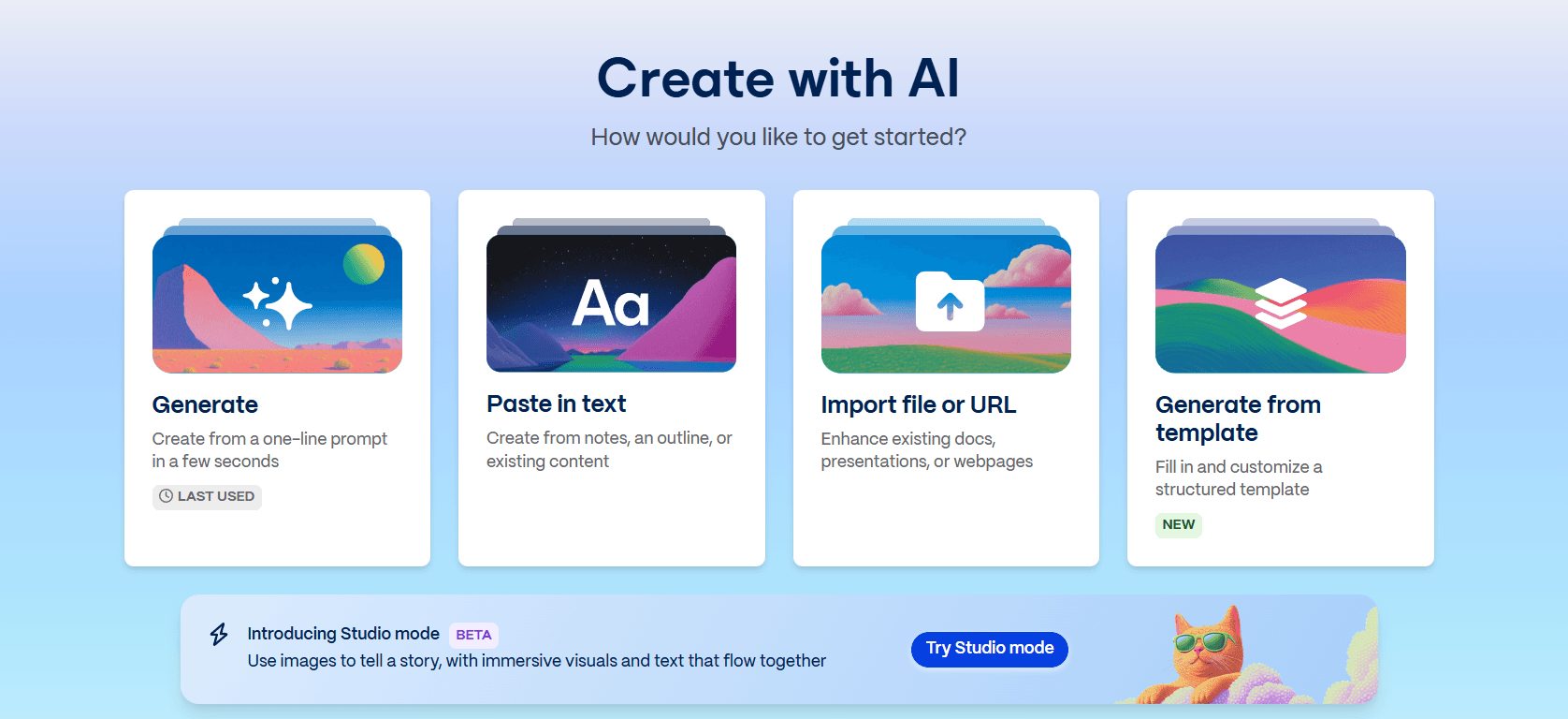
Step 2: Choose a Creation Mode
Gamma offers several ways to start:
Generate: Create a Gamma AI presentation from a one-line prompt in a few seconds. This is the most popular option for quick Gamma slide creation.
Paste in text: Create from notes, an outline, or existing content. Gamma will format and structure it into slides.
Import file or URL: Enhance existing docs, presentations, or webpages by converting them into Gamma's format.
Generate from template: Fill in and customize a structured template for specific use cases.
Studio mode: Powered by Nano Banana 2, an AI model that generates image-based Gamma slides with a distinctive visual style. Note: Studio mode slides cannot be mixed with regular Gamma slides within the same presentation. You must choose one approach for the entire deck.
Step 3: Customize the Outline
If using the 'Generate' option, Gamma AI produces an outline based on your prompt. Before generation, you can adjust:
How to generate the text (generate vs. preserve original text)
How much text to generate
Intended audience and tone
Output language
The number of slides and section structure
Step 4: Select a Theme
Gamma provides a range of visual themes that control colors, fonts, and overall design style. You can also upload a branded presentation to have Gamma follow its color scheme and styling.
Step 5: Generate the Gamma AI Presentation
Once settings are confirmed, Gamma generates the full deck in 30-60 seconds. Gamma slides appear with text, images, and layouts applied automatically.
Step 6: Edit and Refine
After generation, you can edit text, swap images, adjust layouts, and change colors using Gamma's card-based editor or the AI agent. You can add slides via blank card, AI generation, or templates, and use Notion-style slash commands, the AI chatbot, and mini-menus.
However, deeper structural edits, such as adjusting spacing or changing layout logic, can feel constrained. Gamma works best when edits stay close to the original structure.
Step 7: Present, Share, or Export
When the Gamma AI presentation is ready:
Present: Launch Gamma slides in full-screen mode
Share: Generate a public link or invite collaborators
Export: Download as PDF, PowerPoint, or PNG images
Convert to website: Share content as a fully functional web page
What Is Gamma Agent? The New AI Editor in Gamma 3.0
Before I head to the actual review I have to talk about the Gamma Agent - Gamma's AI editing layer, introduced with Gamma 3.0 in September 2025. Instead of clicking into each slide to make changes, you just tell the Agent what you want. "Make slide 5 more visual." "Restyle this deck to feel more corporate." "Add a competitor comparison section." It updates the deck across the board.
This is a real step up from the slash-command editing Gamma used before. For anyone who's ever had to manually adjust 12 slides to match a new brand palette, it's a genuinely useful tool.
What Gamma Agent Can Do
Research the web with citations. Upload rough notes or give it a topic, and the Agent searches the web, pulls in facts, and cites sources inside the deck. Useful for research-heavy decks you'd otherwise spend an hour on.
Restyle entire decks. "Make this more professional" or "match our brand colours" applies changes across every slide at once. No more updating slides one by one.
Refine content from inputs. Drop in links, screenshots, or notes and the Agent incorporates them into the right slides. Works surprisingly well for docs you want to turn into a deck.
Give design feedback. Ask "what's weak about this deck?" and the Agent flags specific slides and suggests fixes. This one is hit or miss. The feedback is generic more often than not.
Gamma Agent vs the Old Gamma Editor
Task | Old Gamma (pre-3.0) | Gamma Agent (3.0+) |
|---|---|---|
Edit a single slide | Slash commands and manual edits | Natural language |
Restyle the whole deck | Change the theme manually | "Make it more corporate" |
Add research to a slide | Search externally, then paste in | Agent does it with citations |
Fix visual inconsistencies | Slide by slide | Agent identifies and applies across the deck |
Generate an image | One variant, random | Prompt-directed with more context |
Where Gamma Agent Falls Short
The trickier problem with Gamma Agent isn't what it can't do. It's what it does without asking.
You tweak one slide, and something changes on a slide you were happy with. A headline you spent time writing gets "improved." A colour accent on slide 3 shifts to match an edit you only wanted on slide 8. An image you picked deliberately gets swapped out because the Agent decided another one fit better. Restyle requests bleed into content. Cross-slide edits overcorrect. Undo doesn't always catch everything, and there's no preview showing exactly what's about to change.
On top of that, the core Gamma limitations haven't moved. One layout per generation. Card-based architecture that still breaks on PPTX export. Every deck still looks like every other Gamma deck, just in different colours.
Gamma Agent makes editing faster. It doesn't fix the underlying design system, and it introduces a new problem: trusting that it only changed what you asked it to. For quick drafts, that's an acceptable trade. For client decks, you'll hit the same ceiling you always did. At that point, tools like Alai (with context-aware AI that scopes edits to what you actually asked for, plus 4 layout options per slide) produce stronger output.
What Do Gamma AI Slides Actually Look Like?
Gamma AI slides follow a card-based, web-native aesthetic that looks modern in a browser but often breaks when exported to PowerPoint. Additionally, a typical Gamma AI presentation has a distinct visual style that's immediately recognizable. Here's what to expect when you generate your first deck.
Visually Cohesive Decks
The Gamma app automatically applies a unified colour palette across all slides, including AI-generated images. This keeps decks visually cohesive without manual styling. The AI pulls from different layout types (timelines, icon grids, image galleries, bullet lists) and varies the structure across Gamma slides to prevent monotony.
Card-Based, Scrollable Format
Unlike traditional slide tools, Gamma organizes content into modular card-based blocks that stack vertically, similar to Notion or a well-structured blog post. The result is clean and scannable, but can sometimes feel more like a document than a presentation. Gamma slides are also designed to be viewed in-browser, so they often extend beyond traditional 16:9 dimensions (as seen below). This works well for online sharing and link-based viewing, but becomes a problem when you need to export a standard PowerPoint deck.

Repetitive Layouts & Block Structures
The visual style works well the first time you use Gamma. The issue shows up after your third or fourth deck. Gamma's elements have a fixed design language with minimal variation. It reuses the same block structures for every presentation, just in different colors. The card-based format that makes Gamma fast also makes every deck look like it came from the same template.
For internal docs or quick brainstorms, this doesn't matter. But for client presentations, investor pitches, or any deck where your slides need to look distinct from the last one you sent, Gamma AI starts to feel generic. This is one of the main reasons users start looking for Gamma alternatives after a few months of use.
The Pros: What Gamma AI Does Well
Speed: The Gamma app generates a full deck within minutes. For last-minute presentations or quick brainstorms, this alone makes it worth trying.
Consistent theming: Once you pick a theme, the Gamma app applies it across every slide: backgrounds, text, icons, and even AI-generated images. You don't have to worry about mismatched colours.
Format variety: The Gamma app doesn't just dump bullet points on every slide. It pulls from different layout types (timelines for processes, icon grids for features, image galleries for visual content, comparison cards for options.
Low barrier to entry: You don't need design skills or hours of PowerPoint experience. Type a prompt, choose a theme, and Gamma handles the structure, layout, and styling.
Good for iteration: Gamma works well as a first-draft tool. Even if the output isn't presentation-ready, it gives you a foundation to build on.
Multiple sharing options: Share Gamma app presentations via link, download as PDF or PowerPoint, or convert to a website.
The Cons: Where Gamma AI Falls Short for Professional Presentations
Gamma's limitations usually don't appear immediately. They surface once a presentation moves from first draft to final version, or when users try to export their work to standard tools like PowerPoint or Google Slides.
Multi-Format Design Leads to Generic Output: Gamma is built to create documents, web pages, and presentations using the same building blocks. Because its components must work across formats, it relies on simple Notion-style blocks that can look flat and generic. This makes many Gamma AI presentations feel like formatted documents rather than real slides.
Repetitive Layouts with Limited Variation: Gamma's elements have a fixed style with minimal variation. It reuses the same designs for every deck, just in different colors. Over time, Gamma slides start to look repetitive, especially for users who create multiple decks.
Formatting Inconsistencies: Small issues add up: text changes may affect spacing in unexpected ways, images can get cut off behind text boxes, font sizes may vary across Gamma slides even when set to the same style, and slides requested in 16:9 format sometimes render as square or tall.
One-Shot Generation with Limited Iteration: Gamma generates the entire presentation in one shot with limited options for iteration. An AI edit can unexpectedly change unrelated parts of the slide. Features like "Preserve" and "Rewrite" operate as black boxes.
AI Works Without Presentation Context: Gamma's AI processes Gamma slides in isolation. It does not consider how changes affect the broader narrative or visual rhythm across the Gamma AI presentation.
Export and Compatibility Issues (The Biggest Problem): Exporting Gamma AI to PowerPoint or Google Slides often results in missing fonts, shifted layouts, misplaced text boxes, and non-16:9 slides. I cover this in detail in the Gamma AI PPT export section below.
Hit-or-Miss AI Images: Since Gamma generates only one variant per slide, it often produces random AI images that don't match the message.
Gamma AI PowerPoint Export: Why Your Slides Break (And How to Fix It)
Gamma decks break on PowerPoint export because Gamma uses a web-native, card-based layout engine that does not map to PowerPoint's fixed-dimension slide architecture.
My primary reason for adding this as a separate section is because this is the single biggest frustration I hear from Gamma users. In this section, I've covered the exact issue, why it happens and how to solve it.
What Happens When You Export Gamma AI to PPT
When you download a Gamma AI presentation as a PowerPoint file, the output frequently doesn't match what you see in the Gamma editor:
Non-standard dimensions: Gamma AI slides often render as square or tall cards, not standard 16:9. When these open in PowerPoint, they don't fit the default slide size.
Text shifts: Text boxes move from their original positions. Headlines overlap with body text, or get pushed off-slide entirely.
Missing fonts: Gamma uses web fonts that don't exist in PowerPoint. The result is font substitution that changes your deck's entire look.
Layout collapse: Gamma's card-based blocks don't map cleanly to PowerPoint's slide structure. Multi-column layouts can stack vertically, destroying the visual design.
Why This Happens
The root cause is architectural. Gamma AI presentations are built as web-native content using card-based blocks (essentially a scrollable webpage). PowerPoint uses a completely different layout engine with fixed-dimension slides. Converting between these formats is difficult, making Gamma AI PPT exports the casualty.
Workarounds
Export as PDF instead if you just need to share (no editing, but formatting holds)
Always open your Gamma PPT export in PowerPoint a day before an important meeting: I learned this the hard way when text boxes shifted mid-presentation
Budget 20-30 minutes for manual fixes on any exported Gamma AI deck
Or use an alternative that exports cleanly: Alai's PowerPoint exports match the editor exactly, and Plus AI works natively inside Google Slides
Gamma AI Pricing in 2026: Free Plan, Credit System & What It Actually Costs
Gamma app's pricing starts at $0 for the Free plan (400 one-time credits), $8/month for Plus (annual), $15/month for Pro (annual), and $90/month for Ultra (annual). Team and Business seat pricing is available for larger organizations.
Gamma AI Plans
Plan | Price (Annual) | Price (Monthly) | What You Get |
|---|---|---|---|
Free | $0 | $0 | 400 credits (one-time) during sign-up (~10 presentations), Gamma branding |
Plus | $8/month | $10/month | Unlimited AI generations, remove branding, advanced image models |
Pro | $15/month | $20/month | Premium AI models, custom branding, analytics, API access, up to 60 slides/deck |
Ultra | $90/month | $100/month | Most advanced AI models, 75-card decks, 4K Nano Banana Pro HD, early access features |
How Gamma AI Credits Work (The Hidden Math)
Gamma's credit system burns faster than most people expect:
Creating one AI presentation (of roughly 10 slides) = 40 credits (so 400 free credits = exactly 10 decks)
Each AI edit, rewrite, or chatbot interaction = ~5-10 credits
If you create a deck and then make 4 AI edits, you've used 20-80 credits
Real-world cost: If you create 5 Gamma AI presentations per month and make 3-5 AI edits each, you'd consume roughly 350 credits/month, exceeding the free credits within your first month. You'd need at least the Plus plan at $8/month (annual) or $10/month (monthly) to continue since free credits are not renewable.
The only reason I point this out is because when compared to other alternatives, Gamma's pricing comes off as low-cost but when taking into account the actual credit consumption and cost of iteration - the costs quickly add up, especially since Gamma's first drafts often require multiple rounds of iteration (for comparison, Alai's cost for creating one slide is 2 credits if the user opts for only 1 variation per slide - that's 20 credits for a 10-slide deck v/s Gamma's 40 credits)
Is Gamma AI Free?
Gamma offers a free plan with 400 credits, but it's more of a trial than a permanent free tier. Most active users exhaust credits within 2-3 weeks.
What the free plan doesn't include: Co-editing (paid plans only), custom fonts (Pro only), presentation analytics (Pro only), AI Agent (Pro and above), branded decks (Plus required to remove Gamma watermark), API access (Pro and above).
How Gamma Pricing Compares to Alternatives
Tool | Free Tier | Paid Starting Price | Best Value |
|---|---|---|---|
Gamma | 400 credits (~10 decks) | $8/month (annual) | Quick drafts |
Alai | 300 credits | $16/month | Design quality |
Beautiful.ai | None | $12/month | Templates |
Plus AI | Limited | $15/month | Google Slides |
Canva | Generous free tier | $15/month | All-in-one |
SlidesAI | 3 decks/month | $10/month | Budget |
How This Gamma Alternatives Comparison Is Funded and Evaluated
Disclosure: This comparison is published on Alai’s website, and Alai is one of the products included in the roundup. That creates a commercial interest in the outcome, so readers should treat the assessments of Alai alongside the linked product documentation and their own workflow requirements. For background on the publisher’s product, see Alai 101.
The purpose of this page is not to declare one presentation tool universally best. It is to help answer a narrower question behind searches for a Gamma AI alternative: which workflow is appropriate for the format, editing environment, and handoff requirements of a particular deck? A tool can be a sensible choice for a browser-shared draft and still be a poor fit for a team that must circulate an editable file in another presentation application.
What the evidence labels in this roundup mean
Documented capability: A feature, format, or workflow described by the product’s own documentation. For example, Gamma’s export guidance states that users can export a Gamma as PowerPoint, PDF, or PNG. Read Gamma’s export documentation for the current supported export options.
Editorial assessment: A judgment about design quality, ease of use, or fit for a use case. These judgments are inherently subjective, even when they are informed by hands-on use. They should not be read as a product guarantee, a universal performance result, or evidence that every user will have the same outcome.
Workflow recommendation: A conditional recommendation based on where a team needs to create, edit, approve, and present the final deck. It is not a claim that one vendor is categorically superior in every environment.
This distinction matters because product documentation and editorial opinion answer different questions. Documentation can establish that an export option or in-app workflow exists; it cannot establish that a particular design style will suit every audience. Conversely, an opinion about a workflow should not be presented as if it were a verified product specification.
How to use the recommendations responsibly
Start with the final deliverable rather than the initial prompt. If reviewers and presenters will work in PowerPoint, evaluate tools in that environment. Microsoft’s own guidance describes creating a presentation with Copilot in PowerPoint; see Microsoft’s Copilot in PowerPoint documentation for its current workflow. If the deliverable will remain a browser-shared Gamma, evaluate Gamma’s editing and sharing experience instead. If a team already collaborates in Google Slides, assess the alternatives in this article based on their Google Slides workflow and the team’s actual permissions and plan.
Before choosing a paid tool, reproduce one real assignment: use the same source material, brand assets, audience, and final delivery format that the team uses in practice. Then ask the people who will edit and present the deck to review the result. This is more useful than relying on a single generated example or a generic feature list.
For a broader, non-Gamma-specific starting point, compare the categories in our best AI presentation makers guide. If the final output is a fundraising or client pitch, the relevant constraints may differ from an internal update; see our guide to AI pitch deck generators for that use case. Product features, availability, and pricing can change, so confirm any purchase-critical detail with the vendor before subscribing.
Best Gamma AI Alternatives in 2026
The best Gamma alternative in 2026 is Alai for design quality and PPTX exports, with Plus AI, Canva, Pitch, and Chronicle as leaders in specific categories.
But before I dive deeper into the alternatives, let me share my testing criteria.
New: Gamma vs. Alai Modern Slides API for design generation
Gamma is useful for fast, web-native creation, but the comparison with Alai should not be framed as "Gamma is broad, Alai is only slides." That is no longer accurate. The Alai Modern API supports presentations, infographics, carousels, posters, and social posts.
The real difference is control. Gamma is strongest when a human wants a quick browser-native document, deck, or shareable page. Alai Modern Slides API is stronger when a product needs to generate high-quality visual artifacts through software, choose a published design system, attach assets, select a supported model, iterate with natural language, and export the result.
Model choice is especially important. The Modern models docs list multiple supported model families, including z-ai/glm-5.2. That gives teams a path to choose cheaper models for jobs where they meet the quality bar, while still reserving premium models for harder artifacts.
Choose this | When it makes sense |
|---|---|
Gamma | You want a fast, human-facing, web-native creation product and the output mostly stays as a link, page, or quick draft. |
Alai Modern Slides API | You need an API for high-quality presentations, posters, infographics, carousels, or social posts, with design systems, model choice, precise iteration, and exportable output. |
Classic or Creative Alai APIs | You already depend on Alai's existing curated-element or image-model workflows and do not need the newer Modern artifact formats yet. |
So if your main problem with Gamma is PowerPoint export or repetitive presentation polish, Alai remains the better presentation-first choice. If your main problem is building visual generation into your own product, Modern API is the sharper comparison.
How I Tested These Gamma Alternatives
Design quality: Does the output look professionally designed or obviously AI-generated? Can you present it to clients without embarrassment?
Speed to usable deck: How long from prompt to something you'd actually present? This includes regenerations, manual fixes, and export time.
Export reliability: Does the PowerPoint or PDF export match what you see in the editor? This was the single biggest factor after my experience with Gamma.
Pricing and value: What do you actually get for the price? How fast do free credits run out?
Ecosystem fit: Does the tool work where your team already lives, whether that's Google Slides, PowerPoint, or a standalone platform?
Who it's actually for: Every tool has a sweet spot. I tried to identify which use case each one genuinely serves best rather than ranking them all on the same scale.
Quick Summary: Best Gamma Alternatives at a Glance
Tool | Best For | Key Advantage |
Alai | Design & speed | Presentation-specific design, 4 layout options, context-aware AI, Nano Banana Pro integration |
Plus AI | Google Slides users | Native integration, no export issues |
Beautiful.ai | Templated design | Vast template library, brand kit |
Canva | Template variety | Thousands of templates, all-in-one design |
Pitch | Sales teams | Presentation analytics, video recording, CRM integrations |
Prezi | Non-linear presentations | Zoomable canvas, unique storytelling format |
SlidesAI | Budget option | $10/month, Google Slides native |
PowerPoint Copilot | Microsoft 365 users | Native PowerPoint, Word-to-deck conversion |
Gemini Canvas | Google Workspace | Included with Workspace, cross-app intelligence |
Chronicle | Storytelling | Narrative structure, smart canvas, interactive widgets |
1. Alai – Best Gamma Alternative For Design & Speed
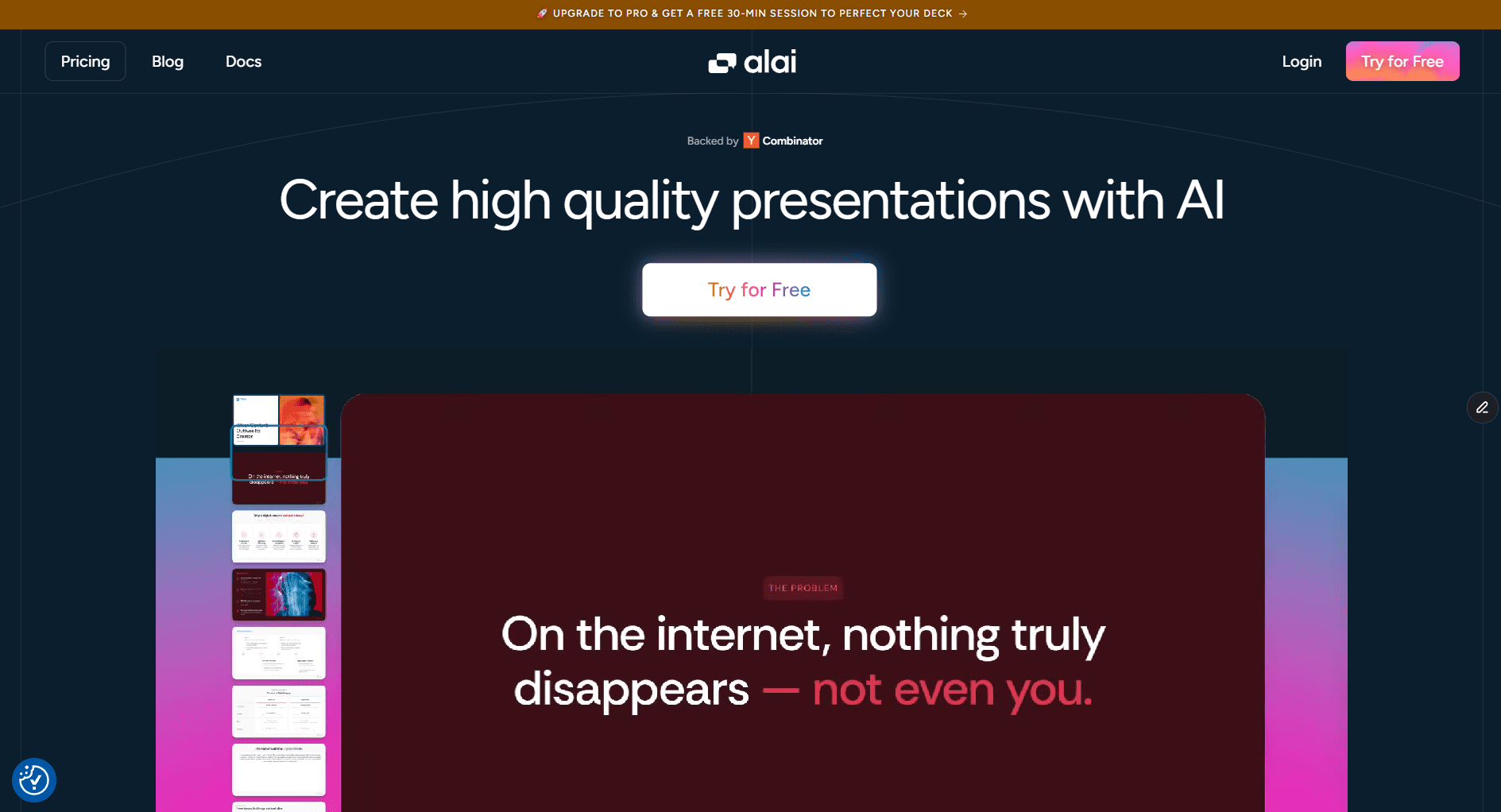
After my frustrations with Gamma, Alai was one of the first tools that actually felt like an upgrade rather than a lateral move. Its presentation-specific design, context-aware AI, and features like 4 layouts per slide made it much easier to create the final draft.
The core difference between Alai and Gamma AI is focus. Gamma is a multi-format tool built for documents, web pages, and presentations. Alai is built specifically for slide design and storytelling. This distinction shapes everything that follows.
Key Features
Presentation-Specific Design: Alai's AI understands colour theory, layout balance, and visual hierarchy. The result is output that feels like it came from a designer, not a document tool.
4 Layout Options Per Slide: Every prompt generates four distinct design variations. Instead of hoping the first single output works (like Gamma), you choose an option closest to your final vision. This feature saves credits on regenerations and dramatically increases the chance of a strong starting point.
Context-Aware AI: Unlike Gamma's isolated slide generation, Alai's AI keeps the context of your full deck. Edits stay consistent with your theme, content, and design. When I asked it to adjust slide 8, it didn't forget what I'd established in slides 1-7. This prevents the subtle inconsistencies that plague Gamma decks.
Presentation-Specific Elements: Alai includes specialized elements that Gamma lacks entirely:
Compare Two
Feature Matrix
Process Flows
Funnel diagrams
Timelines
Precise Design and Spacing Controls: Space is one of the core dimensions designers use to create hierarchy, rhythm, and visual identity. Gamma doesn't give users meaningful control over spacing, its elements have a fixed style with minimal variation. Alai allows precise customization:
Adjust layout, spacing, text hierarchy, visual size, and position of sub-elements
Adjust margins between elements to fit your brand's visual style. This is not possible in tools that enforce default spacing.
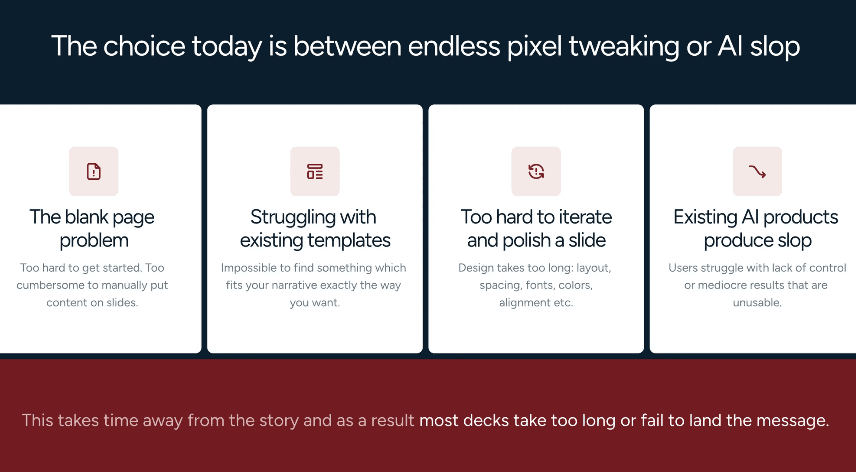
For example: A slide with minimal margins on all four sides creates a bold, edge-to-edge feel that supports certain brand identities, such as a bento box aesthetic.
Add custom padding between elements for breathing room

The card with text and the image on the right have custom padding between them and the slide is more airy with margin all around
Use auto-spacing that adjusts as content grows or shrinks (in case of Gamma, any increase in content leads to decrease in font size which reduces visibility and leads to a poor visual experience)
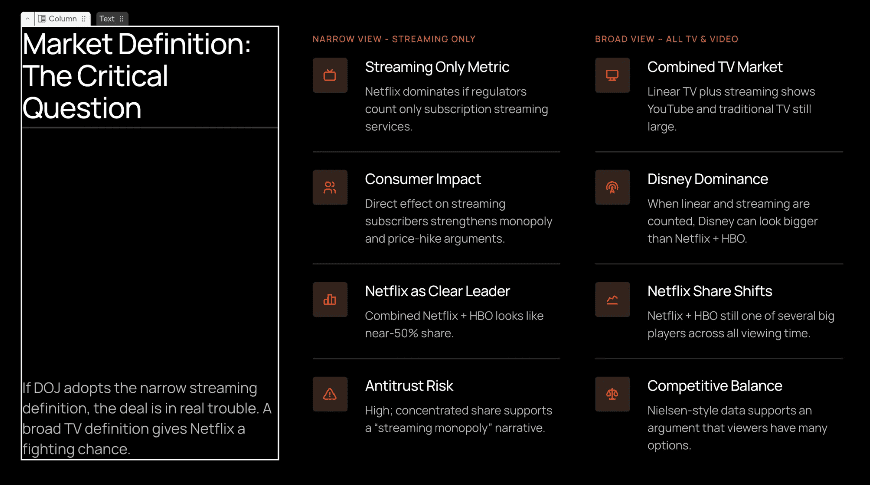
As seen above, Column 1 has auto space between the 2 textboxes, so as you add more text in the bottom textbox, the space between the 2 automatically adjusts without forcing the slide height to increase or textboxes to overlap
Superior AI Image Generation: Since Gamma generates only one variant per slide, it often produces random AI images that don't fit the content. Alai generates four variants per slide, showing versions with and without images. Its AI is trained on 1000+ presentations and has better logic for deciding when to generate relevant images.
Nano Banana Pro Integration: Alai allows you to use Nano Banana Pro to create editable, theme-consistent slides either at generation time (included in the 4 layout options) or to beautify existing slides using specific design pre-sets. Additionally, unlike Gamma's Studio mode, you can mix both normal slides and Nano Banana Pro slides in the same deck.
Clean Exports: PDF and PowerPoint exports that don't break your design. After Gamma's formatting disasters, this felt like a revelation.
Engagement Tracking: Shareable links let you monitor views, engagement time, and drop-off points. For sales decks or investor pitches, knowing what resonates is invaluable.
API Access: For teams that need to generate on-brand decks at scale, Alai offers programmatic access for building scalable automations.
Pros
Design quality is noticeably better than Gamma. Slides look professionally designed without manual tweaking, modern aesthetics, balanced layouts, sophisticated colour usage.
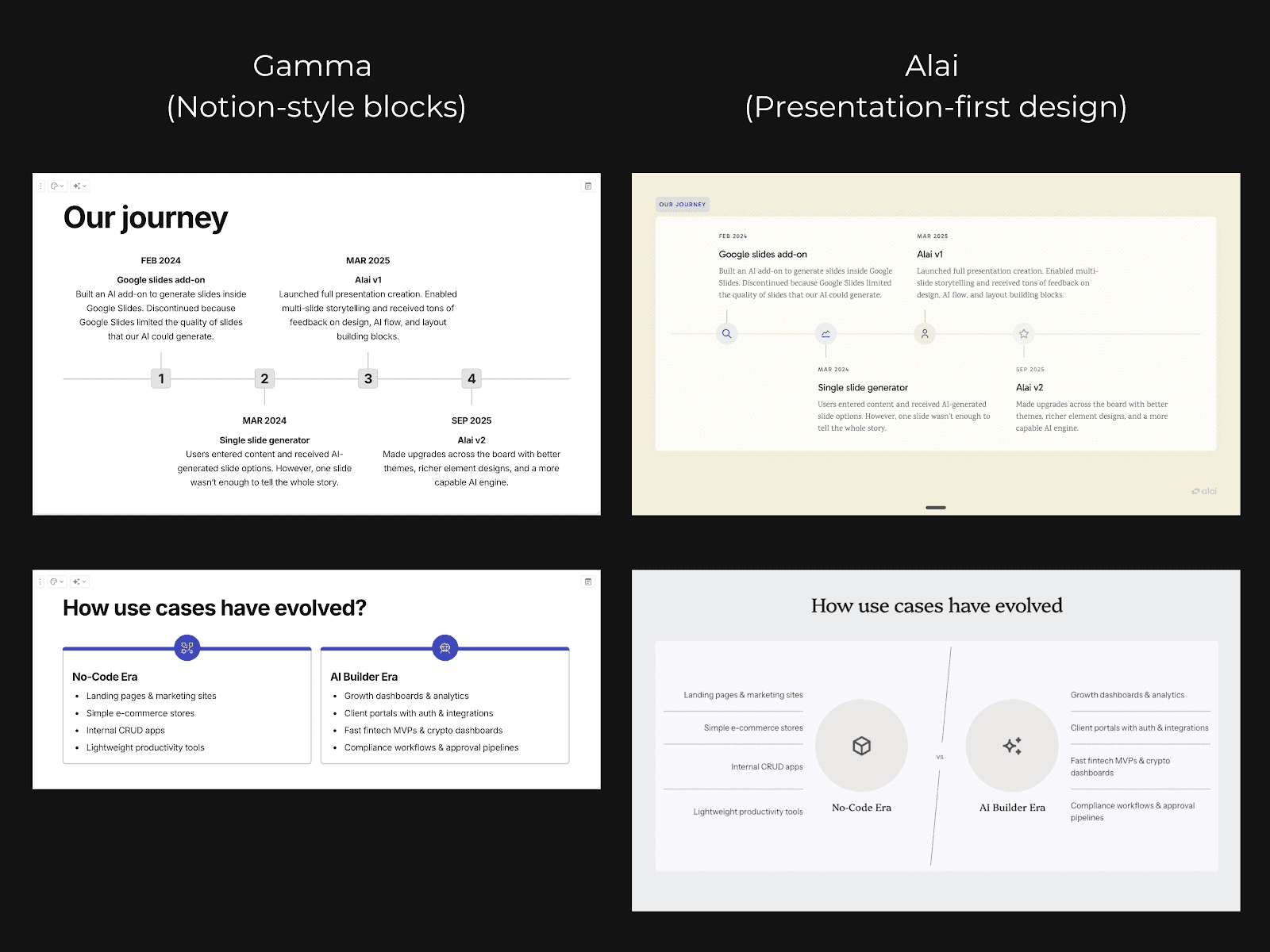
The 4-layout system saves real time and money. I stopped regenerating slides hoping for something better. Four options means one of them almost always works.
Context-aware AI prevents inconsistency. Edits on slide 10 don't accidentally clash with the style established on slide 2.
Exports actually work. Dozens of PowerPoint exports, zero formatting disasters.
Nano Banana Pro presets for instant polish. Visually striking slides that automatically match your deck's theme, with the ability to mix standard and enhanced slides.
Engagement tracking built in. See who viewed your deck, which slides they spent time on, and where they dropped off.
Spacing control brings you closer to a professional designer. Adjust margins, padding, and element positioning for truly customized layouts.
Cons
Usage is limited to presentations. Unlike Gamma, Alai is only made for presentations and does not support multiple formats.
Alai Pricing
Free: 300 credits to explore the platform
Plus: $16/month, unlimited presentations, premium templates
Pro: $25/month, advanced features, priority support, team collaboration
Why Choose Alai Over Gamma
If you're using Gamma for quick internal drafts or brainstorming, it does the job. But if your presentations actually matter, client pitches, investor decks, board meetings, Alai is the better tool.
The design quality alone justifies the switch: Gamma's flat blocks look like formatted documents, while Alai's output looks like a designer made it. The 4-layout system means you stop wasting time and credits on regenerations. The context-aware AI means you're not wasting time making edits manually. And the exports actually work.
Choose Alai if:
Presentation quality matters for your use case
You need presentations that evolve through multiple revisions
You want 4 layout options instead of 1
You want to mix Nano Banana Pro slides with regular ones
Export reliability to PowerPoint is important
You need specialized presentation elements (Feature Matrix, Compare Two, etc.)
Stick with Gamma if:
Speed is your only priority
You need quick, one-off drafts that won't change
Multi-format output (docs, web pages) is important
2. Plus AI – Best Gamma Alternative for Google Slides Users

I tested Plus AI for our sales team that was deep in Google Slides. The appeal is obvious: instead of generating in Gamma AI, exporting, importing to Google, and watching formatting break at every step, Plus AI just works inside Slides from the start.
Features
Native Google Slides integration: Plus AI runs as an add-on directly inside Google Slides. No platform switching, no exports, no formatting roulette. You generate, edit, and collaborate all in one place.
AI slide generation: The core functionality is similar to Gamma—describe what you want and the AI builds slides. The output quality is decent, though less polished than Alai.
Content remixing: You can take existing slides and have the AI restructure or rewrite them. This is useful for repurposing old decks, something Gamma doesn't handle well.
PDF and document import: Drop in a PDF or doc, and Plus AI will attempt to convert it into slides. Hit or miss depending on the source formatting, but useful when it works.
Pros
The Google Slides integration is seamless. If your team lives in Google Workspace, this removes a lot of friction.
No export headaches, what you see is what you get, and it's already in Slides.
Collaboration is native. Multiple people can work on AI-generated slides in real-time.
Familiar interface means almost no learning curve for existing Slides users.
Cons
You're locked into Google's ecosystem. No PowerPoint support, no standalone app.
Design options feel more limited than Gamma or Alai. The slides are functional but rarely impressive.
Like Gamma, you still only get one layout option per generation, no choice, just output.
Pricing is higher than Gamma for what feels like fewer features.
Pricing
Free: Limited features
Pro: $15/month
Team: $25/user/month
Why Choose Plus AI Over Gamma
Choose Plus AI if your team is embedded in Google Workspace and you want AI generation without leaving Slides. It eliminates the Gamma AI PPT export problems entirely. But if design quality matters, Alai is still the better choice.
3. Beautiful AI – Best Gamma Alternative for Templated Design
I used Beautiful.ai for a couple of months before Gamma came along. Their template library is vast, giving you multiple themes to play around with, but when compared to Gamma AI the AI is less developed and designs can feel less contemporary.
Features
Huge template library: Beautiful AI has a vast library of templates to choose from which allows you to play around with multiple layouts.
Design AI: Their AI can generate slides from prompts, similar to Gamma. The output is polished but follows Beautiful AI’s design constraints, so there's less variation.
Brand kit: Upload your fonts, colours, and logo, and Beautiful.ai applies them consistently across all presentations. More robust than Gamma's theming options.
Presentation analytics: Track who viewed your deck and which slides they spent time on. Useful for sales teams, though not as detailed as Pitch.
Pros
Excellent for non-designers who want polish without learning design principles.
Brand kit keeps company presentations consistent across teams.
Vast template library allows you to experiment with different design themes, especially if you’re someone still figuring out your brand.
Cons
The smart templates can feel restrictive. Sometimes you want to break the grid, and Beautiful AI fights you.
Less flexibility than Gamma, far less than Alai. You're working within their system, not creating freely.
AI generation is less sophisticated than dedicated tools; it's really a template tool with AI bolted on.
Pricing jumps significantly for team features—$40/user/month is steep.
Pricing
Pro: $12/month (annual billing)
Team: $40/user/month
Why Choose Beautiful AI Over Gamma
Choose Beautiful.ai if brand and design consistency is your top priority and you have dedicated resources to use it. For AI-powered speed, you're better off with Gamma AI or Alai.
4. Canva - Best Gamma Alternative for Template Variety
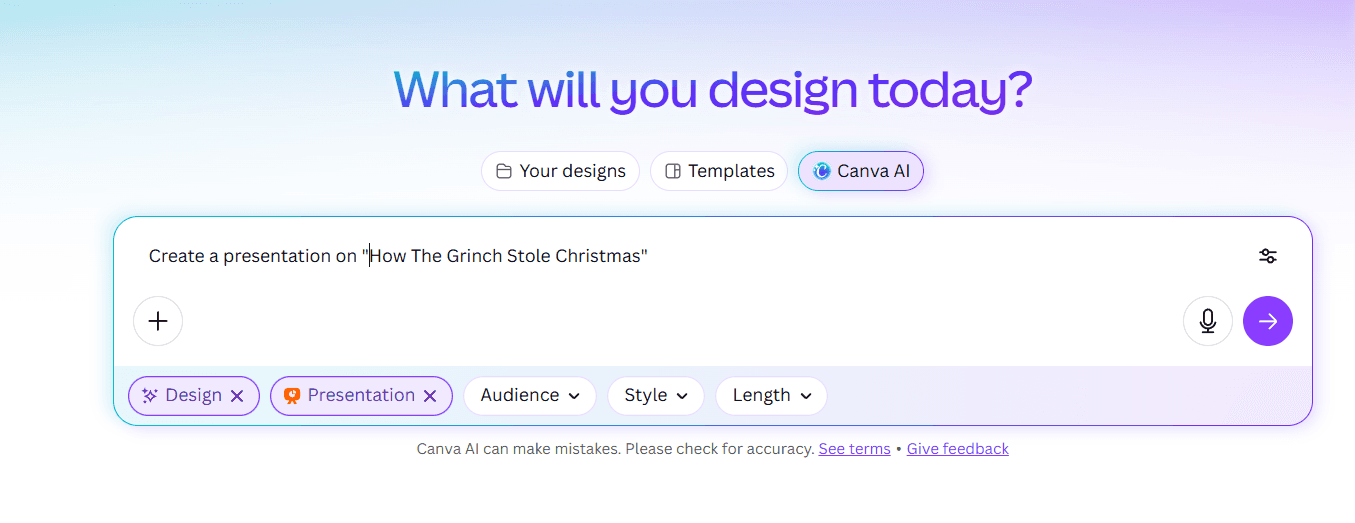
As a marketer, I’ve used Canva for years, social graphics, one-pagers, quick designs. Testing it for presentations felt natural, though it's a different workflow than Gamma AI. Less "AI generates everything" and more "pick a template, customize with AI assistance."
Features
Massive template library: Canva's presentation templates number in the thousands. Whatever style you're imagining, there's probably a template for it. This dwarfs Gamma's limited theme selection.
Magic Studio AI: Canva's AI suite includes text generation, image creation, and design suggestions. It's newer and less presentation-focused than Gamma, but improving rapidly.
Brand kit: Upload your brand assets and Canva applies them across designs. Works well for teams that need consistency across presentations and other marketing materials.
Multi-format exports: PDF, PPTX, video, image—Canva exports reliably to almost anything. I've never had a Canva export break the way Gamma exports do.
Stock media library: Millions of photos, videos, graphics, and icons included. No hunting for external assets.
Pros
Template variety is unmatched. If you know the look you want, Canva probably has it.
The free tier is genuinely useful, more generous than Gamma's credit system.
Exports are reliable. PowerPoint files open correctly every time.
All-in-one platform means you can create presentations alongside social posts, documents, and other collateral.
Cons
Not presentation-first. Canva is a general design tool, and the AI features reflect that, less sophisticated for slides specifically.
Can feel overwhelming. The sheer number of options leads to decision paralysis.
AI generation isn't as seamless as Gamma or Alai. It's better for "enhance this template" than "build from scratch."
No multiple layout options, you pick a template and customize, rather than AI generating variations.
Pricing
Free: Generous free tier with basic features
Pro: $15/month
Teams: $10/user/month (minimum 3 users)
Why Choose Canva Over Gamma
Choose Canva if you want massive template variety and need presentations alongside other design work. Exports are more reliable than Gamma AI. But if you want AI to generate presentations from scratch, Gamma AI or Alai are better fits.
5. Pitch – Best Gamma AI Alternative for Sales Teams

I tested Pitch with the primary focus of finding something our sales team can also use for async pitches, analytics and collaboration with marketing.
Features
Presentation analytics: See who opened your deck, which slides they viewed, and how long they spent on each. This data is gold for sales follow-ups.
Video recording: Record yourself presenting over slides for async pitches. You can send a personalized walkthrough without scheduling a meeting.
CRM integrations: Connect with Salesforce, HubSpot, and other CRMs. Presentation engagement data flows directly into your sales pipeline.
AI slide generation: Pitch offers AI-powered slide creation similar to Gamma. Quality is solid, though not as design-focused as Alai.
Real-time collaboration: Multiple team members can work on decks simultaneously with commenting and version history.
Pros
The analytics are genuinely actionable. We discovered prospects spent 80% of their time on 3 slides, so we optimized those.
Video recording is smooth and professional. Great for personalized outreach at scale.
CRM integration means presentation data doesn't live in a silo.
Modern, clean templates that look professional without much customization.
Cons
Overkill for non-sales use cases. If you just need a presentation, Pitch's features add complexity you won't use.
Learning curve is steeper than Gamma. The additional features require time to understand.
Pricing reflects the sales focus - $25/user/month is harder to justify for individuals.
AI generation is good but not great. Pitch's strength is what happens after you create the deck, not the creation itself.
Pricing
Free: Basic features
Pro: $25/member/month
Business: Custom pricing
Why Choose Pitch Over Gamma
Pitch is an ai presentation maker that’s made more for presenting and analytics than creating the presentation itself. While features like detailed analytics, video recordings and real-time collaboration make the tool super useful for any sales team, if creation is more important than the post-creation process, other AI presentation makers like Alai or Gamma AI show better results.
6. Prezi – Best Gamma Alternative For Non-Linear Presentations

Prezi is the wildcard on this list. While every other tool creates Gamma-style slides, Prezi creates zoomable canvases. I used it for a conference talk and got compliments on how different it felt.
Features
Zoomable canvas: Instead of linear slides, Prezi lets you create a visual map that zooms in and out of content. It's genuinely unique and memorable when done well.
Prezi Video: Overlay your presentation on your webcam feed for virtual meetings. Your slides appear beside or behind you as you present.
AI-assisted creation: Prezi has added AI features to help generate content, though it's not as developed as Gamma or Alai.
Reusable templates: Start from pre-built structures and customize. Templates range from business-focused to creative.
Offline mode: Present without internet access—useful for conferences with unreliable WiFi.
Pros
Presentations genuinely stand out. No one mistakes a Prezi for a PowerPoint.
The zooming format is excellent for storytelling and explaining complex relationships.
Prezi Video is innovative—having slides appear alongside you feels more personal than screen sharing.
Pricing is reasonable, especially the Standard tier at $7/month.
Cons
The zooming can cause motion discomfort for some viewers. I've seen people look queasy during Prezi presentations.
Steeper learning curve than slide-based tools. The spatial canvas takes time to master.
Not suitable for data-heavy presentations—the format works better for concepts than charts.
Doesn't export well to traditional formats. If someone wants a PDF or PPTX, you're stuck.
Pricing
Basic: Free (limited features)
Standard: $7/month
Plus: $12/month
Premium: $16/month
Why Choose Prezi Over Gamma
Choose Prezi to break completely from the traditional slide format. Memorable for storytelling and creative presentations where Gamma's linear blocks would feel boring. For standard business presentations, stick with Alai or Gamma AI.
7. SlidesAI – Lower Cost Alternative to Gamma
SlidesAI is the no-frills option on this list. It does one thing, turns text into slides at the lowest price point. I tested it when looking for the cheapest viable Gamma alternative.
Features
Text-to-slide AI: Paste text or describe your topic, and SlidesAI generates a presentation. Core functionality matches Gamma, though less polished.
Google Slides integration: Runs as a Google Slides add-on, so output goes directly into Slides without export issues.
Topic-based generation: Enter just a topic and SlidesAI will research and generate content—useful for quick drafts on unfamiliar subjects.
Multi-language support: Generate presentations in various languages. Helpful for international teams.
Pros
Most affordable option on this list. The $10/month tier matches Gamma's pricing with Google-native output.
The free tier is predictable, 3 presentations per month instead of Gamma's credit system that burns faster than expected.
Google Slides integration means no export headaches. What you generate is what you get.
Simple interface with almost no learning curve.
Cons
Design quality is noticeably lower than Gamma or Alai. Slides are functional, not impressive.
Limited customization options. You're working with basic layouts and minimal styling control.
Like Gamma, you get one output per generation—no layout choices.
Feature set is thin compared to competitors. It's truly a "you get what you pay for" situation.
Pricing
Free: 3 presentations/month
Basic: $10/month
Pro: $20/month
Why Choose SlidesAI Over Gamma
Choose SlidesAI if budget is your primary concern and you work in Google Slides. It matches Gamma's price with the added benefit of Google-native output—no export issues. But if design quality matters for your use case, Alai is worth the extra cost. SlidesAI is the Honda Civic of AI presentation tools: reliable, affordable, nothing fancy.
8. Microsoft Copilot – Best for Microsoft 365 Users
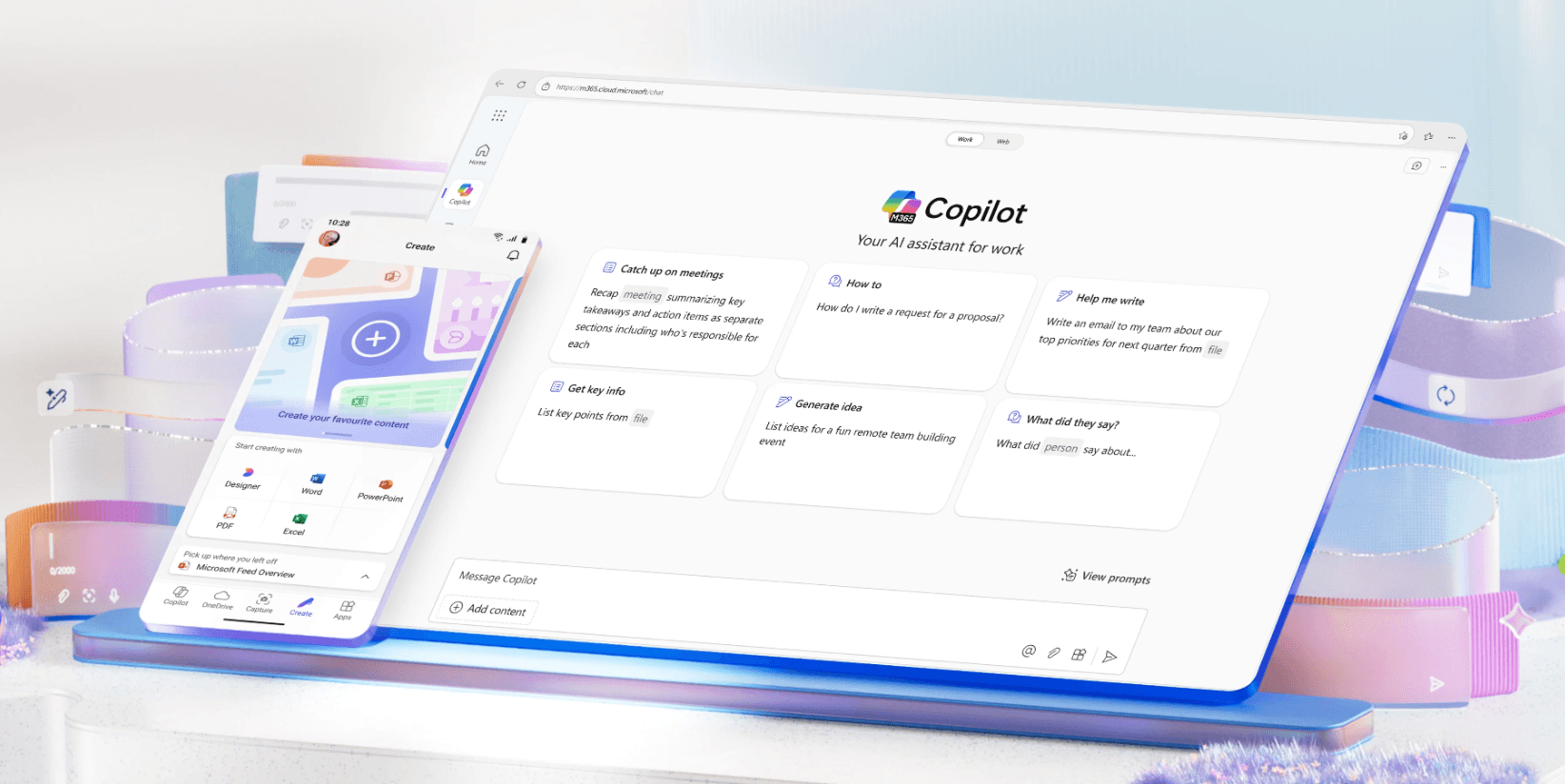
For teams embedded in Microsoft 365, Copilot brings Gamma-style AI directly into PowerPoint. No exports, no new tools to learn just AI generation inside the app you're already using.
Features
Native PowerPoint integration: Copilot runs inside PowerPoint, so generated slides are native .pptx from the start. No conversion, no formatting breaks.
Word document conversion: Paste a Word doc or outline, and Copilot transforms it into a presentation. This worked impressively well in my testing—our quarterly report became a slide deck in seconds.
Design suggestions: Copilot can analyze slides and suggest improvements—better layouts, clearer visuals, more concise text.
Presentation summarization: Drop in a long deck and Copilot will create an executive summary version. Useful for condensing detailed presentations.
Enterprise compliance: For organizations with strict data policies, Copilot operates within Microsoft's security framework.
Pros
Zero export issues. You're working in PowerPoint natively, so what you create is what you present.
Word-to-PowerPoint conversion is genuinely useful. Turning documents into decks is faster than any other tool I tested.
No new interface to learn. If you know PowerPoint, you know where everything is.
Enterprise-grade security satisfies IT departments that would reject cloud-based tools.
Cons
Expensive. You need Microsoft 365 plus a Copilot license - $20/month on top of your existing subscription.
AI capabilities are still maturing. Copilot's generation isn't as sophisticated as dedicated tools like Alai.
Only makes sense if you're already in the Microsoft ecosystem. As a standalone purchase, the cost is hard to justify.
Limited to PowerPoint's design capabilities—no advanced layouts like Alai's Feature Matrix or Compare Two elements.
Pricing
Copilot Pro: $20/month (requires Microsoft 365 subscription)
Copilot for Microsoft 365 Business: $30/user/month
Why Choose Microsoft Copilot Over Gamma
Choose Copilot if you're already paying for Microsoft 365 and want AI assistance without leaving PowerPoint. Eliminates Gamma AI PPT export problems entirely. But if you're not locked into Microsoft, Alai offers better AI generation at lower total cost.
Is Microsoft Copilot good for creating presentations?
9. Gemini Canvas – Best for Google Workspace Integration
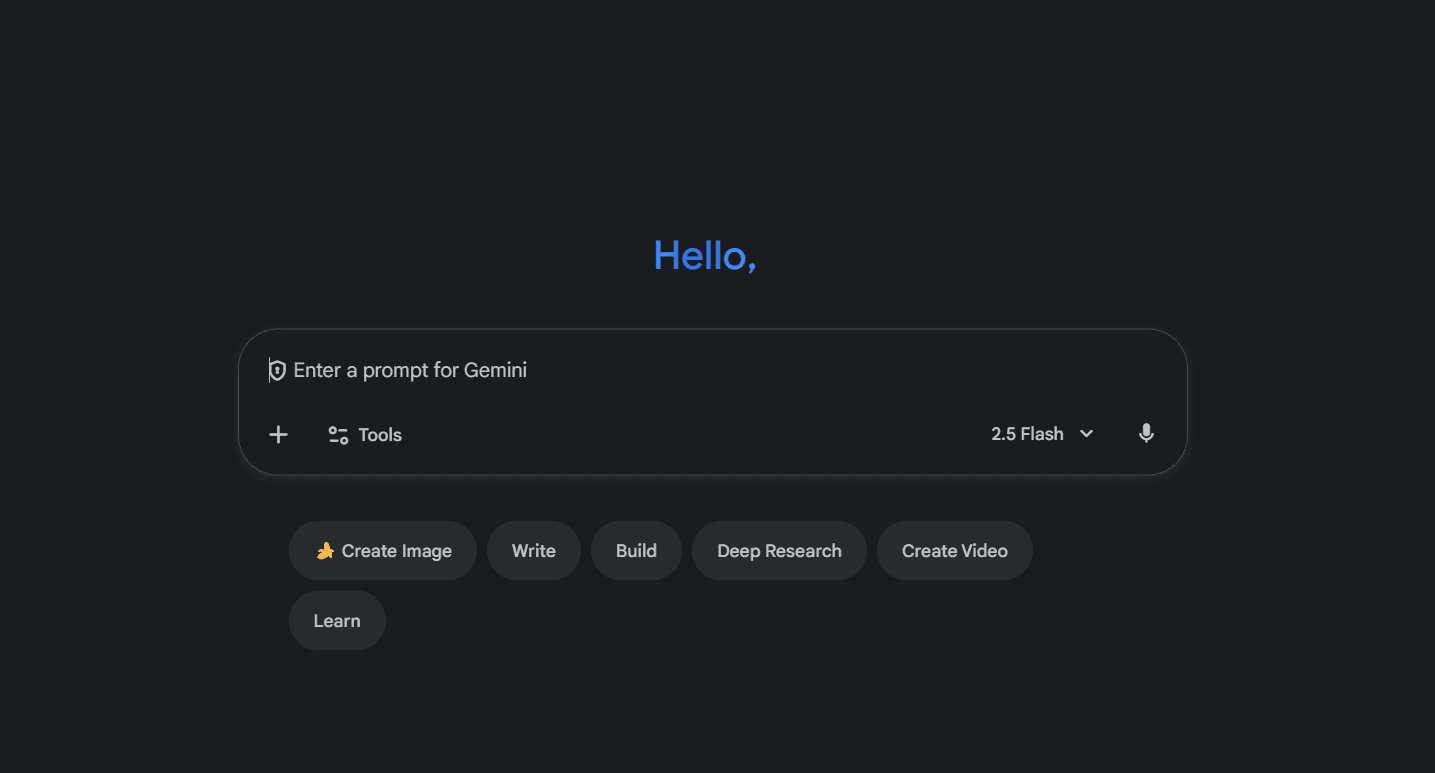
Google's Gemini is the newest entrant on this list, bringing AI presentation capabilities to Google Workspace users. It's not as mature as Gamma yet, but for teams already paying for Workspace, it's effectively free.
Features
Google Workspace integration: Gemini works across Docs, Sheets, and Slides. You can generate a presentation outline in Docs and convert it to Slides seamlessly.
AI slide generation: Describe what you want and Gemini creates slides inside Google Slides. Quality is improving rapidly with each update.
Image generation: Gemini can create custom images for your slides—helpful for unique visuals without stock photo hunting.
Cross-app intelligence: Because Gemini accesses your Workspace content, it can pull relevant information from your Drive when generating presentations.
Pros
Included with Google Workspace subscriptions—no additional cost for something that rivals Gamma's core features.
Deep integration across Google apps creates a seamless workflow.
Google is iterating fast. What feels basic today may be competitive with dedicated tools within a year.
No export issues since you're working in native Google Slides.
Cons
Still maturing. The AI quality isn't quite at Gamma's level yet, and well below Alai's.
Limited to Google Workspace—if you work in PowerPoint, this isn't for you.
Fewer templates and design options than dedicated presentation tools.
Customization and control options are basic compared to Alai's precision features.
Pricing
Business Starter: $7.20/user/month (includes Gemini)
Business Standard: $14.40/user/month
Why Choose Gemini Over Gamma
Choose Gemini if you already pay for Google Workspace and want AI presentation features without an additional subscription. It's "free" if you're already in the ecosystem, and it eliminates the export issues that Gamma creates when you need slides in Google. But if presentation quality matters, Alai remains the better dedicated option.
Is Gemini the best way to create presentations using AI?
10. Chronicle – Best Gamma Alternative for Storytelling and Interactive Presentations
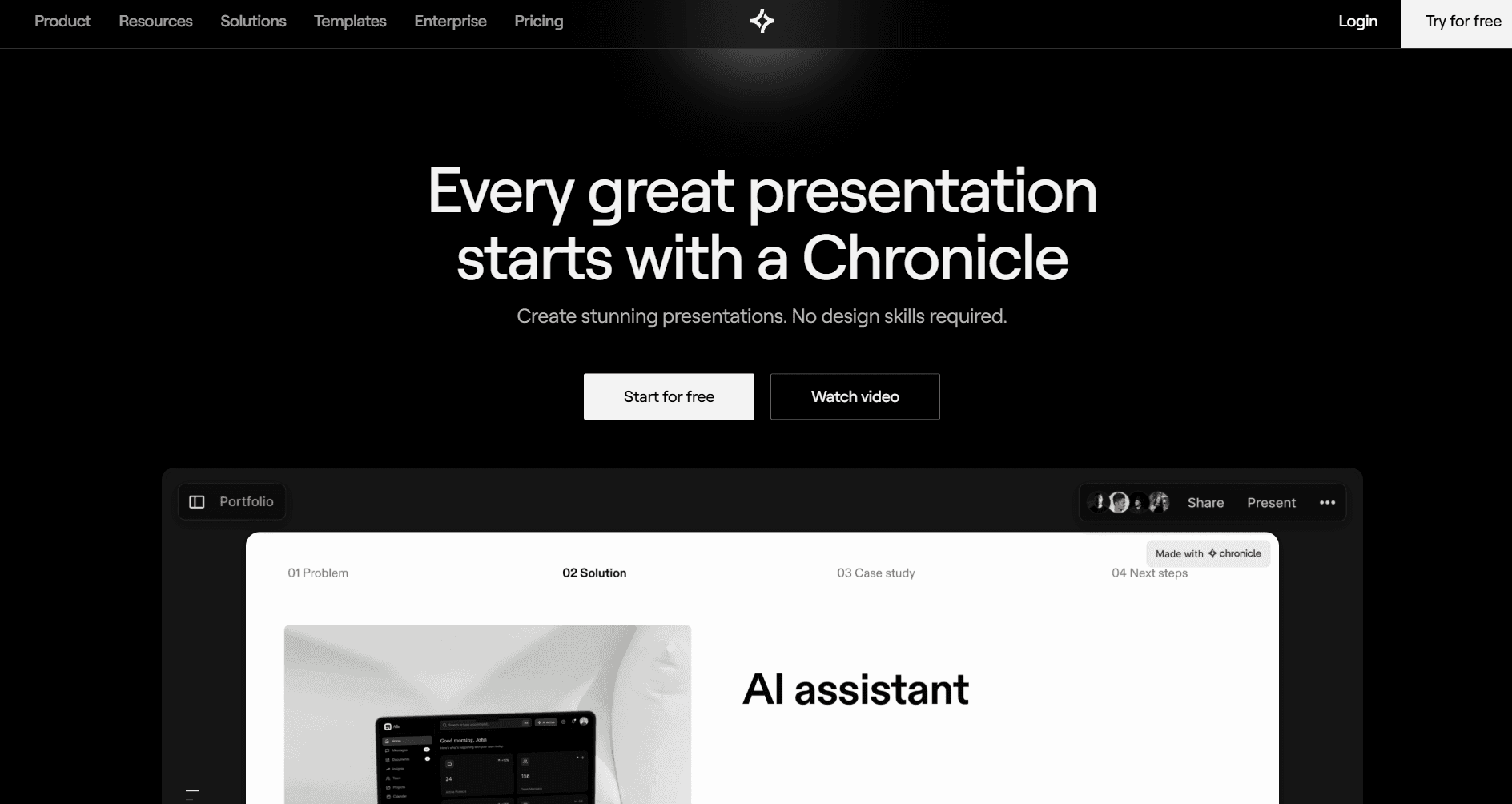
Chronicle takes a different approach than most tools on this list. While Gamma and others focus on speed, Chronicle focuses on structure and engagement, helping you build presentations that actually tell a story rather than just display information.
Features
Storytelling structure: This is Chronicle's standout feature. It organizes content into logical sequences - hook, problem, solution, proof - rather than just generating slide after slide. Presentations feel like they're going somewhere, not just listing information.
Brand consistency: Upload your fonts, colours, and logos once, and Chronicle applies them automatically across all slides. More robust than Gamma's basic theming, everything stays on-brand without manual adjustments.
Interactive widgets: Motion-enabled elements like zoom effects, highlights, and animated transitions make presentations more engaging. Useful for presentations that need to hold attention, not just convey information.
Smart canvas: A flexible, freeform workspace where you can drag elements freely, then tidy them into clean layouts with one click. More creative freedom than Gamma's rigid blocks.
Real-time collaboration: Shared editing, comments, and live presentation mode for team projects. Multiple people can work on the same deck simultaneously.
Mobile-optimized output: Presentations are built to look good on any device—bite-sized, shareable formats that work on phones and tablets, not just laptop screens.
Keyboard-first workflow: Shortcuts for nearly everything, making slide building significantly faster once you learn them. Power users will appreciate this; Gamma doesn't offer the same level of keyboard control.
Pros
Storytelling structure is genuinely useful. The hook-problem-solution-proof framework helped me build a pitch deck that actually flowed logically. Gamma just generates slides; Chronicle helps you think through the narrative.
Interactive widgets add engagement. Zoom effects and highlights made my product demo presentation more dynamic than anything I'd built in Gamma or PowerPoint.
Smart canvas offers creative flexibility. Drag elements freely, experiment with layouts, then snap everything into alignment. It's the best of freeform and structured design.
Brand consistency saves time for teams. Set up your brand kit once and forget about it. Every presentation looks on-brand automatically.
Mobile-first output is increasingly relevant. More stakeholders are viewing decks on phones. Chronicle's mobile-optimized format means presentations don't fall apart on smaller screens.
Cons
Steeper learning curve than Gamma. The storytelling features and smart canvas take time to master. It's not as "type and generate" as Gamma.
Overkill for simple presentations. If you just need a quick internal update, Chronicle's structure-first approach adds complexity you don't need.
Smaller template library. Fewer starting points than Canva or even Gamma. You're expected to build more from scratch.
Less focus on pure AI generation. Chronicle's AI is good, but it's not the star of the show—storytelling and interactivity are. If you want the fastest AI output, Alai or Gamma are faster.
Pricing
Free: Limited features
Pro: $15/month
Team: Custom pricing
Why Choose Chronicle Over Gamma
Choose Chronicle if your presentations need to tell a story, not just display information. Gamma AI generates slides quickly but doesn't help you structure a narrative. For quick internal drafts, Gamma is faster. For presentations where structure and engagement matter, Chronicle is worth the learning curve.
Final Verdict: Which Gamma Alternative Should You Choose?
After testing every major Gamma alternative over three months, here's my honest recommendation:
For better design and speed: Choose Alai: its 4-layout system, context-aware AI, and clean exports solve Gamma AI's three biggest problems.
For Google Slides users: Plus AI or SlidesAI for native integration without Gamma's export headaches.
For sales teams: Pitch for the analytics Gamma lacks.
For budget-conscious users: SlidesAI matches Gamma pricing with Google integration.
For storytelling presentations: Chronicle for narrative structure Gamma can't deliver.
The bottom line: Gamma AI is good for quick drafts, but Gamma alternatives have surpassed it for professional use. If you've felt limited by Gamma only giving you one design option, frustrated by Gamma AI PPT export issues, or experienced the "every deck looks the same" problem, the alternatives deliver what Gamma promised but never quite achieved.
Whether you're looking for the best AI pitch deck generator or simply a better AI presentation tool, you now have options that Gamma can't match.
Ready to upgrade from Gamma? Start free with Alai and experience 4 layout options per slide, context-aware AI, and the design control that Gamma AI never offered.
Key Takeaways
Gamma AI is strongest for speed, weakest for export reliability. A full deck in under 60 seconds; a broken deck when exported to PowerPoint.
Gamma 3.0 launched in September 2025, introducing Gamma Agent - natural-language deck editing that replaces slash-command workflows.
Gamma Imagine launched in March 2026, expanding Gamma into AI-generated marketing assets (charts, social graphics, infographics).
The best overall Gamma alternative in 2026 is Alai, because it solves Gamma's three biggest problems: single layout option, broken PPT exports, and generic design.
Gamma's credit system burns ~350 credits/month for active users, making the Plus plan ($8/mo annual) the practical minimum. Free tier credits do not renew.
Gamma is best for: internal decks, brainstorms, multi-format content, and web-published pages.
Gamma is not best for: investor pitches, client decks, or any presentation that must be delivered as a PowerPoint file.
Gamma's 70 million users, $100M ARR, and $2.1B valuation make it the market leader in AI presentation tools as of 2026, but market leadership does not mean best-in-class for every use case.
Related Reading
Frequently Asked Questions About Gamma AI
What is Gamma AI?
Gamma AI (gamma.app) is an AI-powered tool that generates presentations, documents, and webpages from text prompts. Founded in 2020 by Grant Lee, James Fox, and Jon Noronha, Gamma quickly became one of the most popular AI presentation makers. Users type a prompt, and Gamma AI creates a full slide deck in under a minute. The tool is best for quick first drafts and internal presentations, though professional use cases often require more polish than Gamma AI provides.
Is Gamma AI free?
Gamma offers a free plan with 400 credits, enough for approximately 10 AI-generated presentations (each deck costs 40 credits, plus 10 credits for each AI edit). After free credits run out, Gamma pricing starts at $8/month (annual) for the Plus plan with unlimited AI generations. The free plan doesn't include co-editing, custom fonts, analytics, AI Agent, or API access. Those require paid Gamma plans.
How much does Gamma AI cost?
Gamma pricing has four tiers: Free ($0, 400 credits), Plus ($8/month annual or $10/month monthly, unlimited AI, remove branding), Pro ($15/month annual or $20/month monthly, custom branding, analytics, API access, 60-slide decks), and Ultra ($90/month annual or $100/month monthly, most advanced AI models, 75-card decks). If you create 5 presentations per month with 3 AI edits each, expect to need at least the Plus plan. Co-editing requires a paid plan, which can add up for larger teams.
What are the best Gamma alternatives in 2026?
The best Gamma alternatives depend on your needs: Alai for design quality and clean exports, Plus AI for Google Slides users, Beautiful.ai for template variety, Canva for all-in-one design, Pitch for sales teams needing analytics. Alai is the strongest overall Gamma alternative because it solves Gamma's three biggest problems: one layout option, broken PPT exports, and generic design.
Does Gamma AI export to PowerPoint?
Yes, Gamma offers PowerPoint export, but conversions frequently break formatting: missing fonts, shifted layouts, misplaced text boxes, and non-standard slide dimensions. This is the most common complaint in Gamma AI reviews. For reliable PowerPoint exports, Alai offers clean PPTX files that match the editor, while PowerPoint Copilot eliminates the problem entirely by working natively in PowerPoint.
Is Gamma AI good for presentations?
Gamma is good for quick first drafts and internal presentations where design polish isn't critical. For client-facing work, investor decks, or any presentation where visual quality matters, Gamma AI's limitations become apparent: generic layouts, repetitive designs, and export problems. Alternatives like Alai offer significantly better design quality for professional use.
How many presentations can I make on Gamma's free plan?
With 400 free credits and each AI-generated presentation costing 40 credits, you can create exactly 10 Gamma AI presentations on the free plan, assuming you don't use any additional AI features. Each AI edit (rewriting, chatbot, image generation) costs 10 credits, so practical usage is typically 7-8 decks if you iterate on your slides.
Why do Gamma AI slides look different in PowerPoint?
Gamma builds presentations as web-native content using card-based blocks, essentially a scrollable webpage). PowerPoint uses a completely different layout engine with fixed-dimension slides. When Gamma AI exports to PPT, the web-based layout doesn't translate cleanly: text shifts, fonts change, and non-16:9 dimensions don't fit standard slides. This is an architectural limitation, not a bug.
Can I use Gamma AI for pitch decks?
You can create pitch decks with Gamma, but the results are typically better suited for early drafts than final presentations. Gamma's generic layouts, single output per generation, and export issues make it less ideal for investor presentations where design and reliability matter. For pitch decks specifically, Alai's 4-layout system and specialized elements (Feature Matrix, Compare Two, Funnel diagrams) produce more professional results. See our pitch deck examples for comparison.
PAGES
Compare Tools
resources