·
BASICS
·
10 min read

Founder, Alai
Sales proposal presentations sit at the most critical moment in the buying journey.
This is when buyers compare vendors, evaluate relevance, and decide who truly understands their problem. Yet for most teams, creating a personalized sales proposal is still slow, manual, and difficult to scale.
Even with better tools and more data, proposals still arrive late, miss key deal context, and vary in quality because every rep starts from a slightly different version of the same slides.
This guide breaks down a practical workflow to create personalized sales proposal presentations using AI, without rebuilding slides every time. You will reuse what already works, personalize what matters, and if you want, automate the process end to end.
Why personalizing sales proposals still takes too long?
Most teams already have strong proposal material. They have a master proposal, proven pricing and implementation slides, and a set of case studies that convert.
The bottleneck is not content. The bottleneck is speed.
Personalization usually means duplicating an old proposal, making edits across multiple slides, rewriting sections based on memory or messy notes, then spending another round fixing layout and brand drift. Multiply that by every deal, and proposal creation becomes one of the most expensive forms of busywork on a sales team.
It also creates a timing problem. A proposal that arrives late feels like low priority. A proposal that feels generic signals weak understanding. In competitive deals, speed and relevance are often the difference between getting to the next step and getting ignored.
The hidden reality: 80% of the slides are always the same
If you look closely at a typical proposal, most of it stays the same.
The structure of the story, the product narrative, the way pricing is presented, the implementation plan, the common objections, and your solution. That is the stable part of the proposal.
What changes is the context. The customer’s pain points, the priorities that came up on the call, the constraints, success criteria, and what you agreed to do next.
Traditional presentation tools treat every proposal as a blank canvas. A better approach is to treat proposals as assemblies: reuse the stable structure, and personalize the context.
That is where AI becomes useful.
The workflow: reuse your best slides, generate new ones using client context
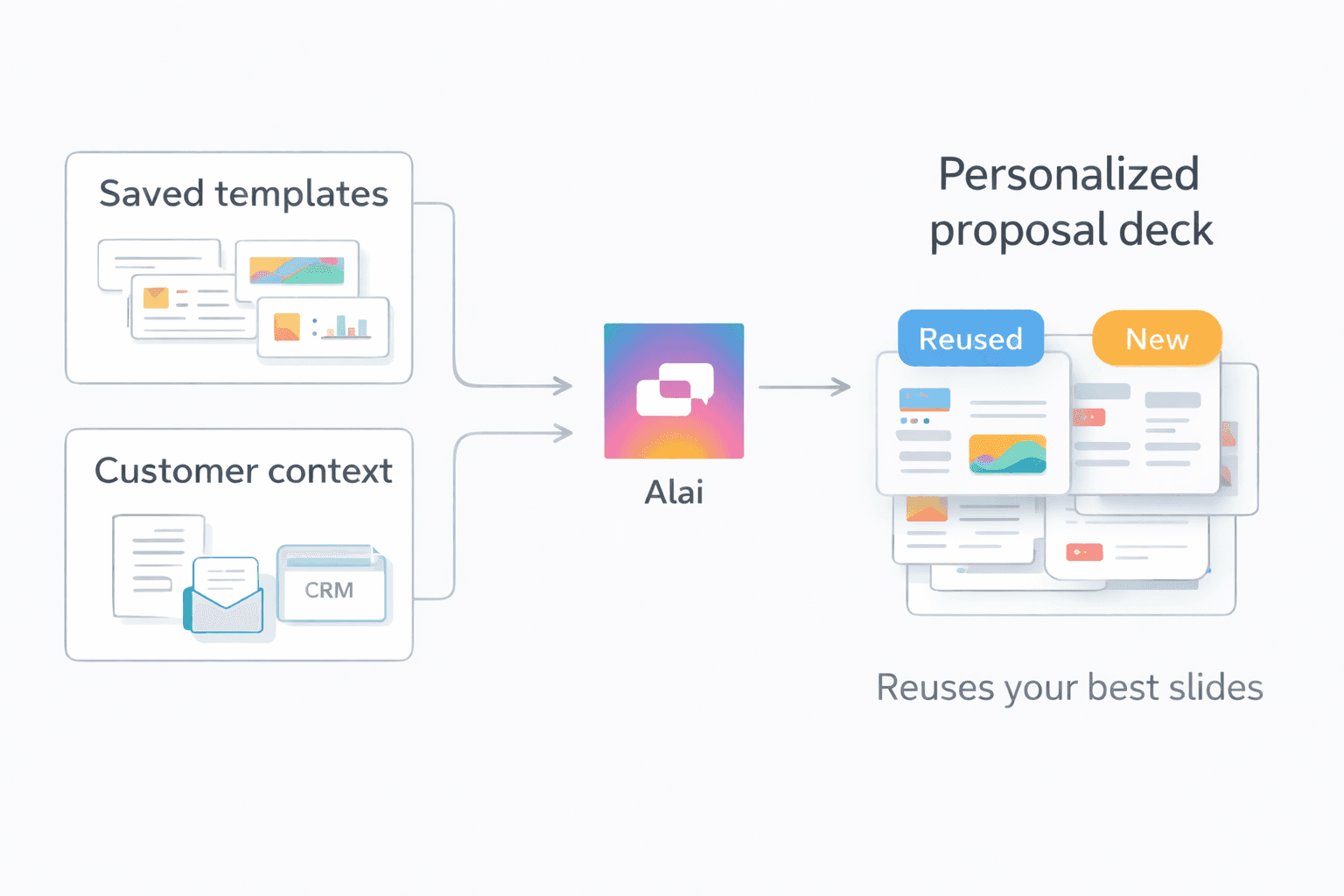
At a high level, you want two inputs:
Existing slides: Your best existing proposal slides, proven layouts, and on-brand visuals.
Customer Context: Discovery call notes, meeting transcripts, CRM fields, and deal-specific details.
Alai combines these inputs so the proposal reflects the customer’s exact situation, while still looking like your best work.
Step 1: Save your best slides as templates
Start with your existing master proposal. Identify the slides you reuse across deals.
For most teams, that includes:
your cover slide
pricing slide
solution overview
how it works
In Alai, you can save any slide as a template. Think of this as creating a reusable slide library that matches your brand and the way you sell.

Tip: Name templates the way a rep would refer to them in plain language. “Implementation plan”, “Pilot timeline”, “Pricing”, “Security overview”. These names become useful later when you ask AI to reuse them.
Step 2: Generate a proposal from call notes
Now bring in the context for a specific deal. This can be meeting notes, a discovery summary, or even raw call transcript snippets.
When you generate a proposal, you can keep the prompt broad and still get good results. For example:
“Create a personalized sales proposal for this account based on these call notes. Reuse my saved templates for pricing, implementation, and case studies where relevant. Only add 10 slides”
You do not need to perfectly reference the template name. The AI can match templates based on description too, like “use the slide with the rollout timeline” or “use the pricing slide from our master deck”.

Step 3: Review the result like a sales rep, not a designer
The best output is not just fast. It is focused.
A strong personalized proposal does a few things well:
it mirrors the customer’s pain points in their own language
it makes priorities and success criteria explicit
it proposes clear next steps that match the conversation
it stays consistent in structure and branding
This is where saved templates help. They keep the stable parts of the proposal consistent, while AI spends effort on the parts that should change.
Personalizing a proposal in minutes
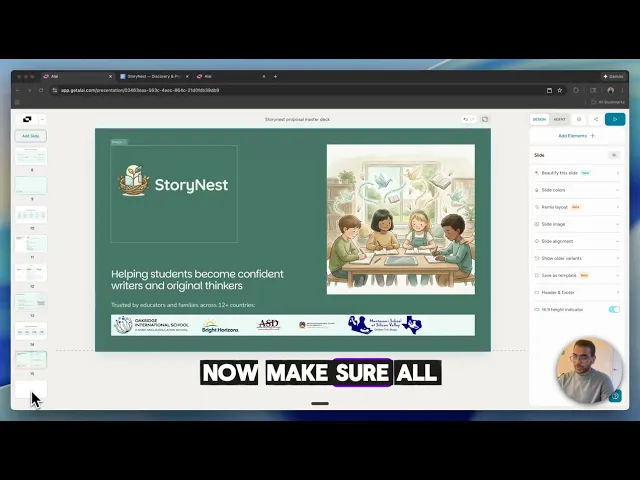
Check out this quick demo for how this works with a real example:
In the demo video, a discovery call ends and the meeting notes include:
the core pain points
current workflow
constraints and requirements
what success looks like
what was agreed to do next
Instead of copying an old deck and editing slide by slide, the proposal that gets generated:
reuses the standard pricing slide
reuses the implementation plan layout
reuses the case study structure
generates new slides that reflect the customer’s exact situation
The result feels tailored, but it is built from proven building blocks. It can be sent while the conversation is still fresh.
This is the practical sweet spot for AI in sales. It removes the formatting and assembly work, and lets reps spend time on the narrative.
When the same workflow should be automated with an API
The manual workflow above is already a big win. But many teams want the proposal to be generated automatically as part of their sales process.
That is where the API fits, and it should feel like the same story, just one level more scalable.
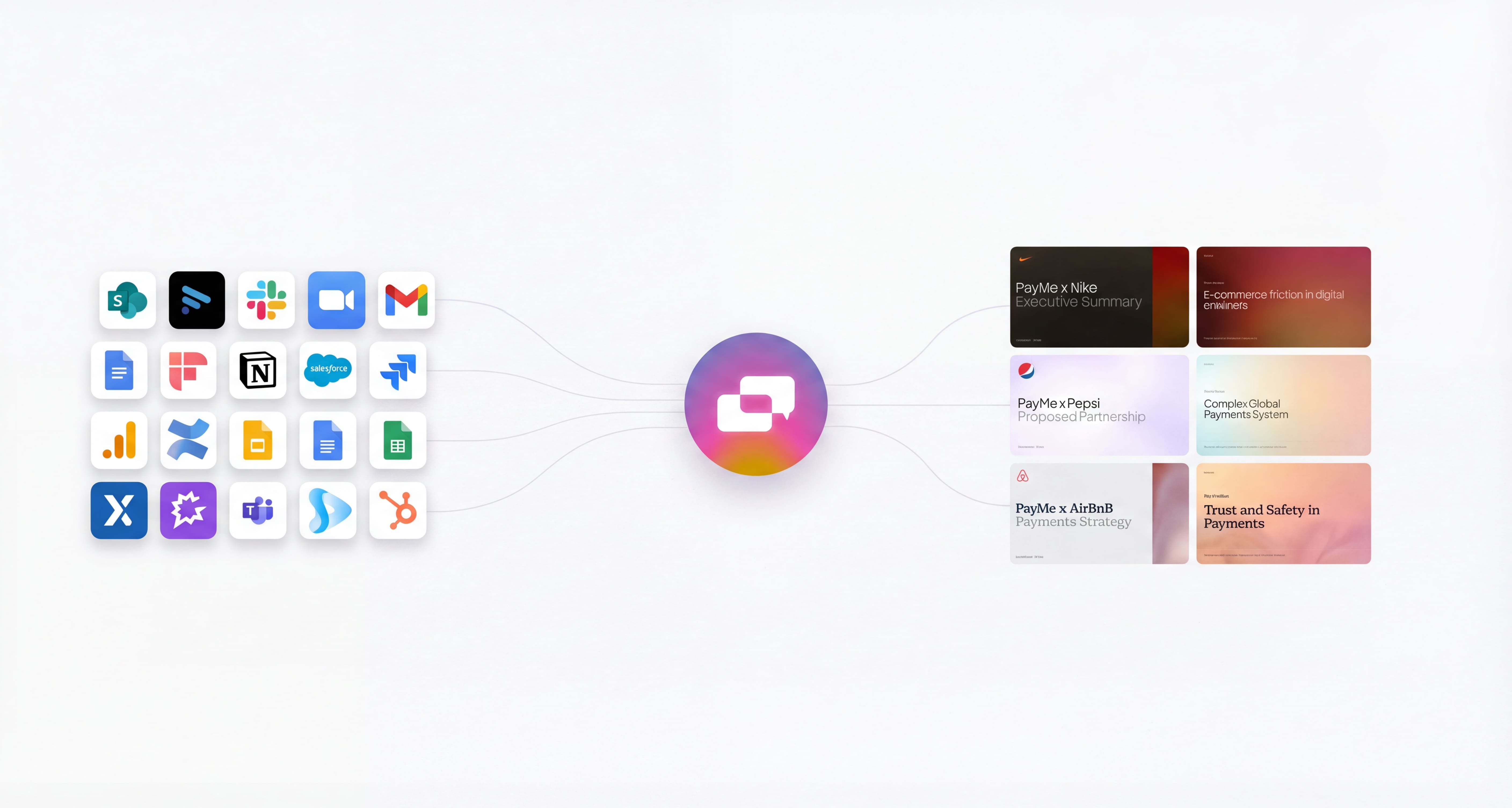
If your team creates proposals at high volume, or if you want every proposal to be consistent across reps, you can automate the full flow using Alai’s API.
A common setup looks like this:
Your CRM moves a deal into a stage like “Proposal” or “Negotiation”
Your workflow gathers structured context like company name, industry, use case, decision maker, call notes.
Your system calls Alai’s API to generate a proposal presentation using your saved templates + context from CRM, emails, meeting notes etc
The proposal link is automatically shared with the prospect over email.
This is especially powerful because it eliminates manual copy paste. Proposals can be generated and updated directly from pipeline data. Learn more about the API here: https://getalai.com/api
What you send to the Alai API
To make automation work well, the input should be structured and repeatable.
Most teams include:
account fields (company, industry, segment)
deal fields (use case, stage, ARR, timeline)
a short discovery summary
call notes or transcript highlights
which saved templates to prefer (pricing, implementation, case studies)
What the Alai API returns
The API returns a shareable link for the prospect. You also have the option of exporting the presentation as a PDF or PPT if you prefer.
Close the loop with presentation analytics
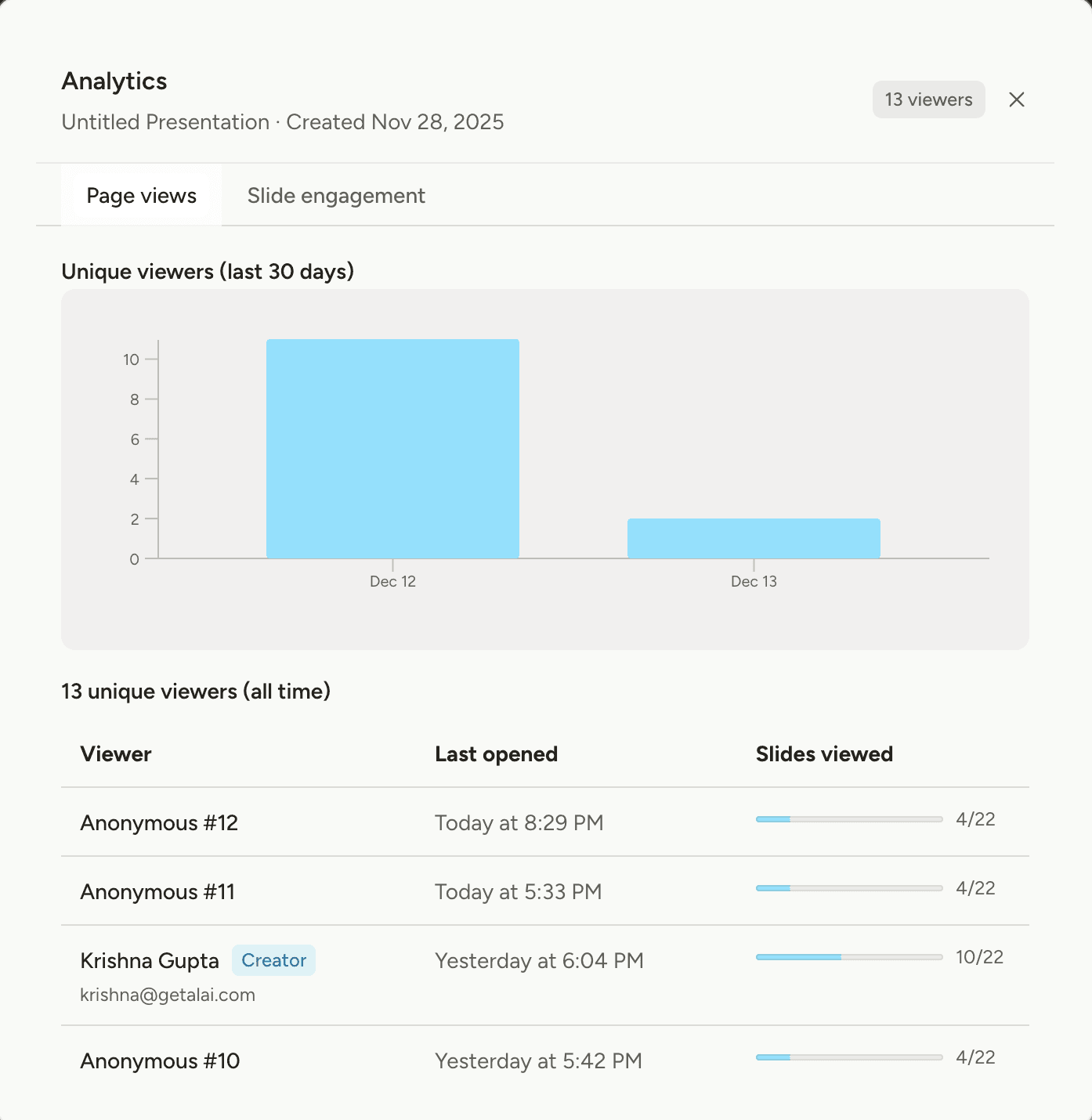
Once proposals are shared, analytics help teams understand what is actually working.
Seeing which slides hold attention, where prospects drop off, and which sections get revisited helps you follow up more effectively and improve your presentations over time. It also makes follow up calls sharper, because you know exactly what they spent time on. If a prospect lingered on pricing instead of implementation, you can address that directly in the next conversation.
How this compares to CPQ tools
It is worth addressing CPQ, because many teams already use it and expect it to solve proposals.
CPQ tools are excellent for pricing configuration, approvals, and quote generation. They help you produce accurate numbers and consistent commercial terms.
What they do not solve is the proposal presentation itself: the story, the visual clarity, the slide structure, and the deal-specific personalization that makes a buyer feel understood.
In practice, many teams end up with both: CPQ for the quote, and a proposal presentation that communicates value, rollout, and justification.
Alai operates at the proposal layer. It helps teams generate a strong, customer-ready proposal presentation that is on-brand and personalized, using the same building blocks every time. Read more about how Alai compares with other CPQ tools here: https://getalai.com/blog/best-ai-sales-proposal-tools
Other use cases for saved templates
Sales proposals are a common starting point, but the underlying feature is broader. Saved templates turn your best slides into reusable building blocks that AI can apply intelligently across many workflows.
Customer updates and QBRs
Most customer updates follow a repeatable structure: goals, progress, metrics, wins, risks, and next steps. Save that structure once, then generate each new update from fresh notes, metrics, and account context. You get consistency across accounts without making every QBR feel copy pasted.
Implementation plans and kickoff decks
Kickoffs usually need the same core slides: timeline, roles and responsibilities, milestones, dependencies, and comms plan. Save those slides as templates, then generate a kickoff tailored to each customer’s scope, start date, and success criteria. This keeps delivery aligned while reducing the setup work for every new project.
Internal reviews and weekly business updates
Weekly updates are repetitive by nature, which makes them ideal for templates. Save your standard review format for metrics, priorities, blockers, and decisions. Then generate each week’s presentation from a short written update, project notes, or a dashboard summary. The structure stays stable, the content stays current.
Partner proposals and enablement decks
Partner conversations often reuse the same narrative: who we are, what we offer, how we work together, co-marketing plan, and commercial terms. Templates let you keep the core partner story consistent while AI adapts positioning and examples for each partner’s audience and goals.
The pattern stays the same. Save the stable slides once, then generate new presentations from fresh context without rebuilding structure every time.
Turn proposals into a system
AI does not replace good sales thinking. It removes friction between insight and execution.
When you reuse your best slides as templates, personalize from real customer context, and automate the flow when volume demands it, proposal creation stops being a bottleneck.
Instead of rebuilding proposals, teams focus on what actually wins deals.
Need help setting this up?
If you want help creating a strong master deck, saving the right templates, or setting up end to end automation for your workflow, we can do that with you.
Email us at founders@getalai.com with:
a link to your current deck (or a PDF)
what you want to automate (sales proposals, QBRs, updates, etc.)
where your context lives (CRM, notes, emails, internal docs)
We will help you get to a workflow where proposals and presentations are generated consistently, on brand, and ready to share.
FAQs
1) How do I create a personalized sales proposal presentation using AI?
Start with a strong master proposal deck, save your reusable slides as templates (pricing, implementation, case studies, cover), then provide deal specific context like discovery notes or CRM details. Alai uses both inputs to assemble a customer specific proposal that stays on brand while reflecting the prospect’s exact pain points and next steps.
2) What kinds of slides should I save as templates?
Save slides that stay consistent across deals: cover layouts, pricing structure, implementation plans, security and compliance slides, case study formats, and standard next steps. These slides give AI the structure to reuse, while the deal specific content can change based on customer context.
3) Can Alai generate a proposal from meeting notes or emails?
Yes. You can paste meeting notes, email threads, or a discovery summary as context, and Alai will generate slides that reflect what the customer said and what you agreed to do next. This is useful for sending a proposal quickly while the conversation is still fresh.
4) Can I automate proposal generation end to end using the Alai API?
Yes. Many teams trigger proposal generation when a deal reaches a proposal stage in their CRM. They send structured context to the Alai API, optionally reference saved templates, and receive a shareable proposal link that can be sent to the customer and logged back into the CRM. You can learn more at https://getalai.com/api.
PAGES
Compare Tools
resources