·
BASICS
·
30 min read

Marketing Lead
Most enterprise teams already know PowerPoint isn't the answer. The real problem is that most AI presentation tools aren't the answer either. They were built for individuals. When enterprises adopt them, the same failures show up: decks that break brand the moment someone edits a slide, tools that don't clear IT procurement or make high volume creation easier, and AI that gets you a first draft then leaves you manually wrestling with the rest.
An AI presentation maker for enterprise is a software platform that generates, manages, and governs slide decks at big team scale, with brand enforcement, proper security, admin controls, and integration access that consumer tools don't include.
I tested five tools that enterprise teams most commonly evaluate: Beautiful AI, Prezent AI, Manus AI, Microsoft 365 Copilot, and Alai. Same prompt across all five. Same six criteria. Here's what actually held up.
TLDR: Best AI Presentation Makers For Enterprise
Beautiful.ai | Prezent.ai | Manus AI | M365 Copilot | Alai | |
Time it takes | Moderate. Fast first draft, manual iteration after | Moderate. Fast for high-stakes decks, overhead for routine ones | Fast for research. Full design pass required after | Low to moderate. Faster drafting, manual formatting after | Low. 20 to 30 min first draft, seconds per edit via Agent Mode |
Quality and consistency across the organisation | Moderate. Smart Slides keep it consistent; ceiling is the template library | Moderate. Consistent narrative tone; visual output is flat and repetitive | Weak. No consistency enforcement; varies by prompt skill | Weak. Depends entirely on the PowerPoint template in use | Strong. Design system enforces quality automatically regardless of who builds it |
Consistency with current brand template | Weak. Logo, colors, font only; no design system depth | Weak. Surface-level only; no pixel-level encoding | Weak. Brand template upload unreliable; not a brand governance tool | Weak. Works within existing template only; no enforcement beyond the file | Strong. Full design system encoding, pixel by pixel |
Update existing assets and generate new ones | Non Existent. Full rebuild required; no existing asset recognition | Non Existent. No mechanism to upload or build on existing libraries | Non Existent. Generates from scratch only | Moderate. Can reference existing M365 content; no slide reconciliation | Strong. Ingests and rebuilds existing templates and slide libraries pixel by pixel |
Cost | Moderate. No free plan; $40/user/mo annual | High. No free trial; custom pricing only; $39/user/mo individual | Strong. Free entry with 1,000 credits; paid from $17/mo | Strong. Bundled with M365; near-zero incremental cost | Moderate. Free plan available; paid from $16/mo |
Support | Moderate. Dedicated onboarding on Enterprise only | Strong. Dedicated onboarding and customer success on all enterprise plans | Weak. Self-serve only; not positioned as enterprise software | Strong. Existing Microsoft enterprise support infrastructure | Strong. Dedicated partner support for configuration, training, and deployment |
Best for | Basic brand consistency for simple brand guidelines | Executive storytelling and board decks | Research-heavy first drafts | Zero procurement friction within M365 | Best for enterprises looking to build decks faster with AI while remaining brand consistent |
What Makes an AI Presentation Tool Actually Enterprise-Ready?
Enterprise teams aren't looking for a better PowerPoint. They're looking for a way out of the workflow that PowerPoint created.
The average enterprise team spends more time formatting slides than writing the content that goes in them. I've watched sales reps build the same deck structure for the fifth time in a quarter. I've seen marketing managers lose 45 minutes fixing spacing after two people edited the same file. None of that is their actual job, but somehow it's the activity that takes up hours of their time.
The move to AI is about fixing six specific things that break at scale when building presentations:
Time it takes. Every deck built from scratch is time not spent on actual work. One person doing it for five decks a month is manageable. A 30-person team doing it for 200 is hundreds of invisible hours absorbed into "presentations just take time." The right AI tool doesn't just generate a faster first draft. It handles layout and design through every edit, so the human is never touching a text box to fix something the AI should have gotten right.
Quality and consistency across the organisation. Most enterprise teams have a master template. The problem isn't the template. It's what happens when 30 people who aren't designers apply it. Font weights get swapped. Spacing gets eyeballed. Someone pulls an old slide from a deck made before the last brand refresh and pastes it in. Someone else stretches a logo to fit a gap. By the time the deck reaches a client or a board, it looks like it was built by six different people because it was. The right AI tool removes the designer dependency from template application entirely, so the output looks the same whether it was built by the head of design or a sales rep on their third week.
Consistency with current brand template. Most AI presentation tools stop at logo, colors, and font. That's a brand kit, not a design system. What breaks at enterprise scale is everything else: font weight hierarchy, gradient usage, spacing rules, icon style. Those rules live in the heads of two or three people on the design team. Everyone else guesses under deadline. A real enterprise tool encodes the full design system so every deck looks like the company produced it, not like its colors applied to someone else's slide structure.
Update existing assets while generating new on-brand ones. Enterprise teams don't start from zero every time. They have existing slide libraries, approved templates, and past decks. The right AI tool should be able to adapt to those assets and generate new slides that match existing approved content.
Cost. Enterprise software gets scrutinized at every renewal. A tool that requires custom pricing or charges per user at a rate that makes org-wide deployment expensive, creates budget friction that can kill adoption before it starts. The total cost of ownership includes licensing, onboarding time, and the manual effort that remains after the AI does its part.
Support. At enterprise scale, onboarding isn't optional. Teams need someone to help configure the design system correctly, train users across multiple departments, and troubleshoot when something breaks before a board presentation. The tools that win at enterprise aren't just good products. They work closely with their partners to make deployment stick.
I've covered how enterprise teams are replacing PowerPoint with AI in more depth elsewhere. This post covers which tool they're using to make that switch and why.
How I Tested These Enterprise AI Presentation Tools
Same pitch deck prompt across all five tools. I measured each tool against the same six enterprise criteria above, not a generic rubric of output quality.
Time it takes: How long from prompt to a deck that's ready to send? First draft speed matters, but so does iteration time. A tool that's fast on generation but slow on edits doesn't change the workflow.
Quality and consistency across the org: Does output quality hold when different people with different skill levels use the same tool? Does a deck built by someone in APAC look the same as one built by someone in New York?
Consistency with current brand template: Does the tool enforce the full design system, or just surface-level brand elements like colors and logo? Can it match the pixel-level detail of an existing brand template?
Update existing assets and generate new ones: Can the tool work with existing slide libraries and approved templates, not just generate from scratch? Does new output match old approved assets?
Cost: What does org-wide deployment actually cost? Is there a self-serve path to evaluate before procurement gets involved?
Support: What does onboarding look like? Is there a team that works with you to configure, train, and troubleshoot?
We've used a different methodology in our broader best AI presentation makers roundup. This post goes narrower on enterprise-specific criteria.
Beautiful AI: Best For Basic Brand Implementation
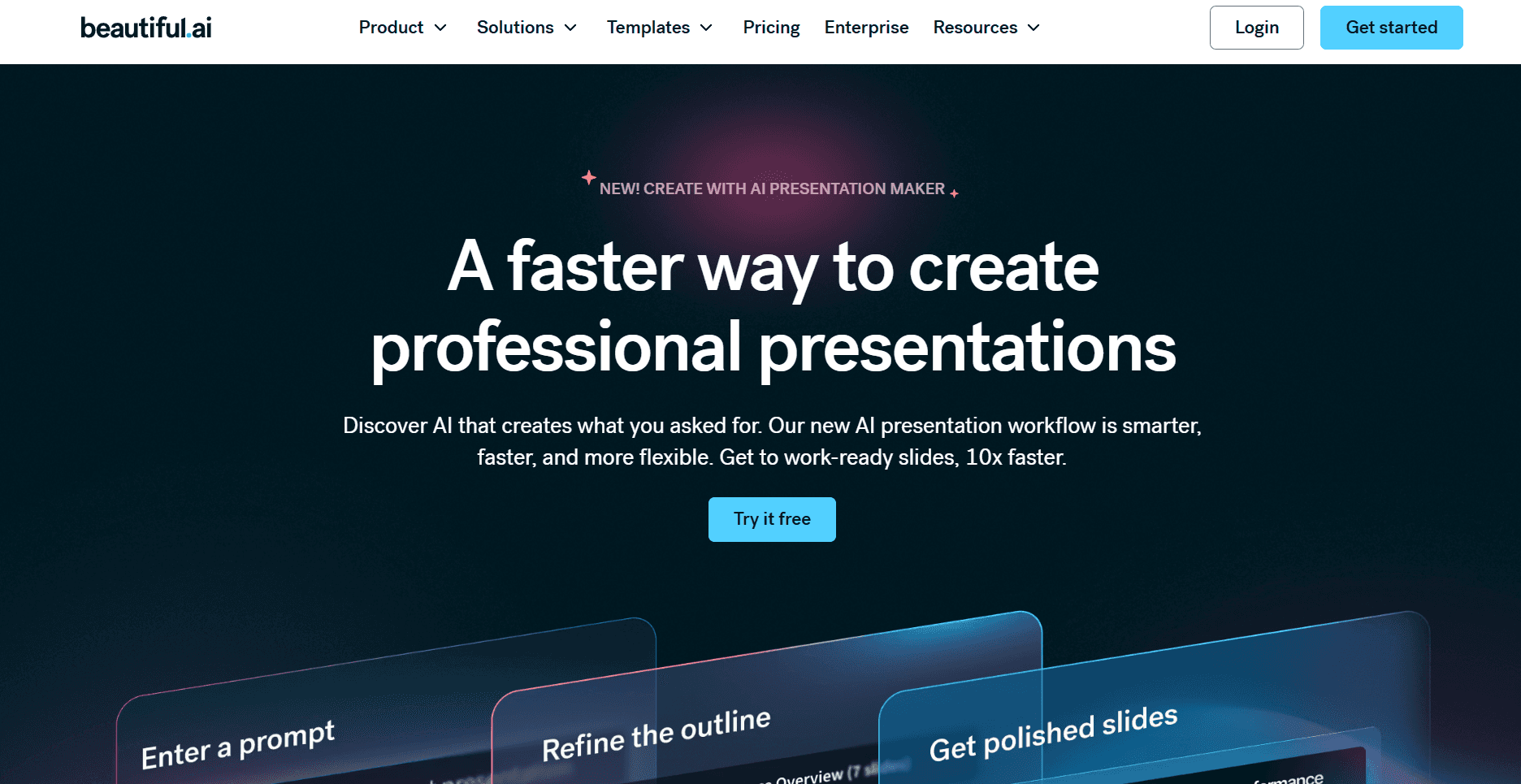
Beautiful.ai is one of the top tools that comes up when you search for an enterprise AI presentation maker, and for good reason - it was one of the first to focus seriously on brand consistency across teams. That said, compared to where the category has moved, it now falls short on depth.
Time it takes. Beautiful AI is reasonably fast on the first draft. You prompt it, it generates a deck, and the output is clean enough to work from. The problem is everything after that. Once the first draft lands, you're in a manual point-and-click editor. No Agent Mode, no conversational editing, no way to type an instruction and have it executed. At enterprise volume, where decks go through multiple rounds of revision across multiple people, the time savings stop the moment generation ends.
Quality and consistency across the organization. Smart Slides helps here more than most tools. Text auto-resizes, elements snap to template-defined positions, and the layout stays harmonious regardless of who built the slide. For a team of non-designers, that's a real baseline. The problem is that Smart Slides is template-first. Every slide gets matched to the closest available structure. I wanted to add a fourth text element to one slide and the template only allowed three. No override path existed. So content gets forced into whatever the template allows, not the structure it actually needs. Design stays consistent, but quality-wise the ceiling is the template library.
Consistency with current brand template. I uploaded a logo, locked in colors and fonts, and every deck looked like it came from the same company at a glance. But a brand template is not just a logo and a color palette. A real enterprise brand template has rules for how much padding sits between a headline and a chart, which font weight applies to a supporting stat versus a primary callout, how icons are styled across different slide types, what a dark background slide looks like versus a light one, and how gradient treatments work on hero slides. None of that lives in Beautiful AI’s brand system. The tool takes what you give it and applies it consistently. What it cannot do is replicate the full set of decisions that make a deck look like it actually came from your company's design team rather than a tool that borrowed your colors. For teams with simple brand guidelines, that gap is manageable. For enterprise teams with a proper brand system, the output will always look close but never right.
Update existing assets and generate new ones. Beautiful.ai does not let you upload existing slide assets and have them recognized, matched, or built upon. If your team has 200 approved slides from the last two years, none of that carries over. You start fresh. Every slide gets rebuilt inside Beautiful.ai's Smart Slides system, which means the output is constrained to what Smart Slides can produce, not what your existing approved library looks like. For enterprise teams with significant investment in existing presentation assets, that's a full rebuild, not an upgrade.
Cost. There is no free plan. The monthly rate without an annual commitment is $45 per user, which makes running an internal pilot expensive before procurement is involved. The Team plan at $40/user/month (annual) is where most enterprise evaluations land, but that compounds fast across a large org.
Support. Dedicated onboarding is available on Enterprise plans. For standard Team plans, support is documentation and ticketing. There is no dedicated partner success model for teams rolling out across multiple departments.
Overview against the 6 enterprise criteria:
Criteria | Rating | Notes |
Time it takes | Moderate | Fast first draft; all iteration is manual after generation |
Quality and consistency across the organisation | Moderate | Smart Slides maintain consistency; quality depends on template availability |
Consistency with current brand template | Weak | Limited to logo, colors, and font; no design system depth beyond surface elements |
Update existing assets and generate new ones | Non Existent | No mechanism to update existing slide libraries; generates net new only |
Cost | High | No free plan; $45/mo without annual commitment makes pilots expensive |
Support | Moderate | Dedicated onboarding on Enterprise; documentation and ticketing on Team |
Key Features for Enterprises
Smart Slides with built-in layout logic: auto-resize, snap-to-position, auto-color harmony
Brand kit: lock fonts, colors, and logo across all team decks
Team libraries for sharing approved slide templates and assets organization-wide
AI deck generation from a text prompt
Real-time collaboration with comments, version history, and multi-user editing
Analytics: per-slide view tracking and deck engagement data
Clean PowerPoint and PDF export
Pros:
One of the first AI presentation tools to focus on brand consistency across teams
Smart Slides keep output visually consistent for non-designer users
Shared team libraries keep everyone on approved materials
Real-time collaboration with comments and version history
Clean, reliable PowerPoint export
Analytics show who viewed which slides
Cons:
Brand enforcement limited to logo, color, and font; cannot replicate a full design system
No way to upload or build on existing approved slide assets; full rebuild required
Smart Slides constrain layouts to available templates; no override for non-standard content
AI generation is useful; AI editing is completely absent after the first draft
No free plan; $45/month without annual commitment is steep for pilots
No API or MCP integration
Quality consistency depends on template availability, not design system intelligence
Pricing:
Plan | Price | Key Features |
Pro | $12/mo (annual) or $45/mo (monthly) | Unlimited slides, AI generation, PowerPoint export, analytics |
Team | $40/user/mo (annual) | Shared brand controls, team libraries, admin tools |
Enterprise | Custom | SSO, SCIM, dedicated onboarding, priority support |
If Beautiful.ai's pricing or editing limitations are a sticking point, the best Beautiful AI alternatives are worth a look.
Verdict: Buy Beautiful AI if brand consistency is a primary requirement but your team's branding guidelines are limited to logo, primary colors, and fonts, and your team is comfortable doing manual editing after the first draft. Pass on it if you need the AI to stay useful through the iteration phase or if your brand system goes deeper than the basics.
Prezent AI: Best For Executive Storytelling Structure
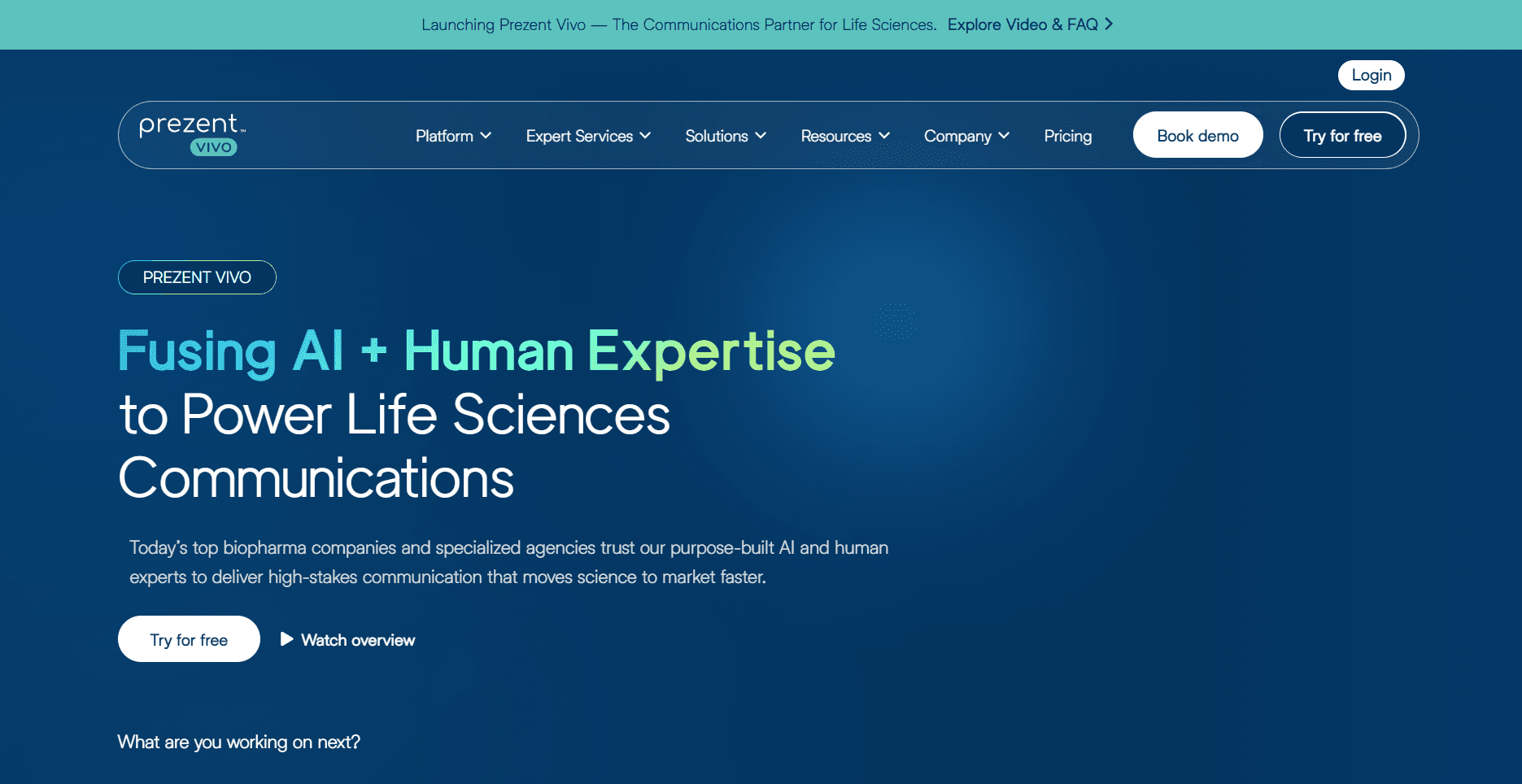
Prezent AI gets recommended a lot in enterprise circles, and the storytelling and narrative structuring capability is genuinely strong. But similar to Beautiful AI, being marketed as an enterprise tool and performing like one across the criteria that actually matter at deployment scale are two different things. When measured against the six criteria, Prezent AI lands at average to good across the board, and does not lead in any single one of them.
Time it takes. Prezent AI is not a fast tool by design. The workflow is built around deliberate choices at every step: choose a communication goal, select a framework, structure the argument, then refine the output. For a quarterly board deck where the narrative has to land perfectly, that process is worth it. I timed building a standard 12-slide weekly business review in Prezent AI versus a straightforward AI tool. Prezent AI took longer, not because the AI was slow but because the workflow demands intentionality. That's a feature for high-stakes decks. It's overhead for routine ones.
Quality and consistency across the organisation. Prezent AI's output is consistent in tone, messaging structure, and logical flow across teams. Where it falls short is visual consistency. The slides it produces follow a clean but narrow structural pattern. A product roadmap slide looks structurally similar to a competitive analysis slide. So while slides might look consistent, they are not always high in quality.
Consistency with current brand template. Similar to Beautiful AI, Prezent AI's brand enforcement stops at surface-level elements: fonts, colors, and logo. There is no pixel-level design system encoding, no gradient rules, no spacing logic, no icon style enforcement. The output looks like your brand in the same way that a color-matched costume looks like a uniform. Close enough at a distance. Not right up close. For enterprise teams with a proper brand system, the output will always look close but never right.
Update existing assets and generate new ones. Prezent AI does not provide a mechanism to upload existing approved slide assets and have new output match or build on them. New decks are generated within Prezent AI's framework and template system. For enterprise teams with significant existing presentation libraries, new Prezent AI output will sit alongside old assets without visual continuity between them.
Cost. There is no self-serve free plan and no self-serve trial. The path in is a demo call and a custom quote. Individual plans start at $39 per user per month. For teams that need to run an internal pilot before procurement gets involved, that process adds weeks to the evaluation cycle. Every other tool in this list can be tested in under 10 minutes. Prezent AI cannot.
Support. This is where Prezent AI is genuinely strong. The enterprise model includes dedicated onboarding and customer success. For teams that need help structuring the rollout across multiple departments, that support is real. The tradeoff is that you're locked into a sales process before you've seen enough of the product to know if it fits.
Against the 6 enterprise criteria:
Criteria | Rating | Notes |
Time it takes | Moderate | Strong for high-stakes decks; adds overhead for volume and routine updates |
Quality and consistency across the orgamisation | Moderate | Consistent narrative quality; visual output is flat and structurally repetitive |
Consistency with current brand template | Weak | Limited to surface-level brand elements; no pixel-level design system encoding |
Update existing assets and generate new ones | Non Existent | No mechanism to upload or build on existing approved slide libraries |
Cost | High | No free plan or self-serve trial; custom pricing adds friction to any evaluation |
Support | Strong | Dedicated enterprise onboarding and customer success included |
Key Features for Enterprises
Business storytelling frameworks: pyramid principle, problem-solution, executive summary, KPI narrative
AI slide rewriting by communication goal: executive tone, brevity, clarity
Brand governance: fonts, colors, layout, and tone enforced across teams
Slide-level AI refinement for messaging and structure, not just design
Pre-built formats for QBRs, board decks, customer proposals, and leadership reviews
Team-wide deployment with admin controls
API available; broader integrations require custom enterprise setup
Pros:
Best narrative intelligence in this list by a clear margin
AI refines thinking and messaging, not just design
Consistent narrative and tone output across large teams
Built for enterprise security requirements
Purpose-built for QBRs, board decks, customer proposals, leadership reviews
Dedicated enterprise onboarding and customer success
Cons:
No self-serve free plan or trial; demo required to even evaluate it
Custom pricing with no transparency; hard to run an internal pilot
Visual output is flat and structurally repetitive across all deck types
Brand system stops at surface level; no deep design system encoding
No mechanism to upload or build on existing approved slide assets
Adds overhead for high-volume, lower-stakes decks
Pricing: Enterprise model, custom per team size and usage. Individual plans from $39/user/month. Demos available for qualified teams.
Verdict: Prezent AI is one of the few tools that focuses heavily on enterprises, both in terms of marketing and product features. The narrative intelligence and storytelling frameworks are genuinely strong. But when measured against the six criteria that matter most for enterprise presentation workflows, Prezent AI lands at average to good across the board. It does not lead in any single one of the six. For a tool positioned as enterprise-first, that gap is worth factoring into your evaluation.
Manus AI: Best For Research-Heavy First Drafts
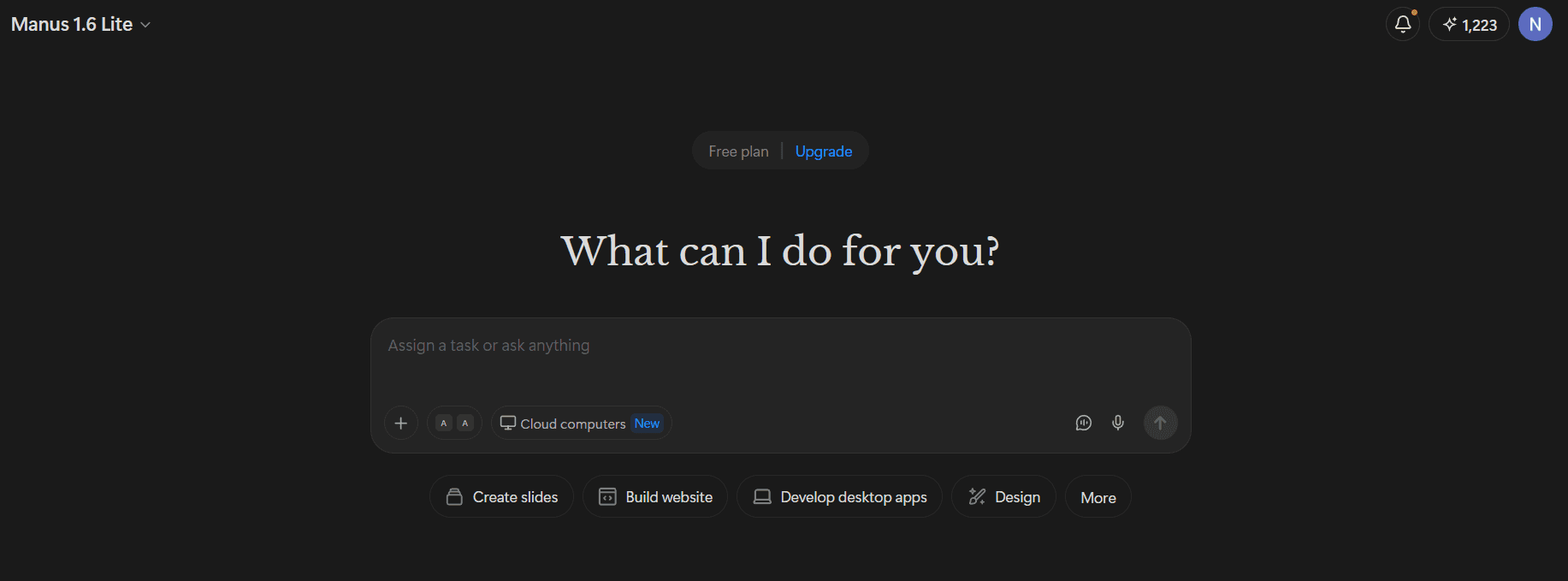
Manus AI is a general-purpose AI agent, not a presentation tool. That distinction matters for how you evaluate it. It does some things better than any other tool in this list. It fails on others entirely. Whether it belongs in your enterprise evaluation depends entirely on what your primary bottleneck is.
Time it takes. For research-heavy decks, Manus is the fastest tool in this list at getting to a first draft. I gave it a brief for a market entry deck and watched it pull live competitor data, industry stats, and recent news without me touching a search bar. The citations appeared inline. A complete first draft with speaker notes came back without a single manual research step. That time saving is real and significant for decks where content gathering is the bottleneck. Where the time comes back is everything after. There is no Agent Mode, no conversational editing, no way to iterate through the AI. Every round of feedback after the first draft is manual work inside PowerPoint or another tool entirely. For enterprise decks that go through three or four rounds of revision before they're ready to send, the time saved on research gets spent on iteration.
Quality and consistency across the organisation. Manus has no consistency enforcement mechanism. Output quality depends entirely on how the prompt was written. A detailed, specific prompt produces a coherent, well-structured deck. A vague one produces something average. Across a team of 30 people with different levels of prompting skill, output quality will vary significantly. There is no design system, no template enforcement, no shared standard that holds quality consistent regardless of who built the slide.
Consistency with current brand template. I tested the same deck prompt three times with different brand templates uploaded. The font carried through on two attempts. The colors didn't carry through on any of them. There is no design system logic, no spacing enforcement, no icon consistency. Every deck looks like a well-written document converted into slides, not a branded enterprise presentation. For any team where brand accuracy matters before an external send, a full design pass is required every time.
Update existing assets and generate new ones. Manus generates from scratch. There is no mechanism to upload existing approved slide assets, match new output to an existing library, or update old decks. Workspace integrations with Gmail, Slack, Google Drive, and Notion mean it can pull content from your existing documents, which is genuinely useful for content sourcing. But the output starts fresh every time, not from your existing approved slide system.
Cost. Manus has a free entry point with 1,000 credits on signup and no credit card required, which is the most accessible starting point in this list for an initial evaluation. Paid plans are billed both monthly and annually: Enterprise at $167/month billed annually or $200/month (40,000 credits/month). For an enterprise team running volume generation, the $167/month plan is the relevant tier. Compared to per-user pricing models like Beautiful AI or Prezent AI, that's a meaningful cost advantage for larger teams.
Support. Manus is not positioned as enterprise software, which means there is no dedicated onboarding, no partner success model, and no team configuring the tool for your deployment. Support is self-serve. For enterprise teams that need managed rollout across multiple departments, that's a real gap.
Against the 6 enterprise criteria:
Criteria | Rating | Notes |
Time it takes | Fast for research | Removes research bottleneck completely; design pass adds time back |
Quality and consistency across the org | Weak | No consistency enforcement; output quality varies by prompt skill |
Consistency with current brand template | Weak | Brand template upload unreliable; not a brand governance tool |
Update existing assets and generate new ones | Non Existent | Generates from scratch only; no existing asset recognition or matching |
Cost | Strong | 1,000 free credits on signup; most accessible entry point in this list |
Support | Weak | Not positioned as enterprise software; no dedicated onboarding model |
Key Features for Enterprises
Autonomous multi-step research from live web sources with inline citations
Narrative writing via Claude 3.7 Sonnet across the full deck
Workspace integrations: Gmail, Slack, Google Drive, Notion
Live research log showing every source pulled during generation
Speaker notes generated in context with the full deck narrative
Brand template upload (inconsistent; see verdict)
Export to PPTX, Google Slides, PDF, shareable link, and live webpage
SOC 2 Type 2 and ISO 27001:2022 certified
1,000 free credits on signup, no credit card required
Pros:
Autonomous research from live sources grounds every deck in current data
Coherent, well-structured narratives across the full deck
Workspace integrations reduce manual content gathering for distributed teams
Speaker notes generated in context with the full deck narrative
Broad export range: PPTX, Google Slides, PDF, shareable link, live webpage
SOC 2 Type 2 and ISO 27001:2022 certified
Best free entry point in this list for initial evaluation
Cons:
Brand template upload is unreliable; full design pass required every time
No consistency enforcement across teams; output quality varies by prompt skill
No mechanism to upload or build on existing approved slide assets
PPTX export can have messy layer structures on complex slides
Not purpose-built for presentations; slides are one output among many
No dedicated enterprise onboarding or support model
Pricing:
Plan | Price | Key Features |
Free | $0 | 1,000 credits on signup, no credit card required |
Starter | $17/mo (annual) | 4,000 credits/month, in-depth research, 20 concurrent tasks |
Pro | $34/mo (annual) | 8,000 credits/month (customizable), Wide Research scaled to plan, 20 concurrent tasks |
Enterprise | $167/mo (annual) | 40,000 credits/month, large-scale research, batch production, data analytics |
For a deeper look at how Manus performs across different deck types, the full Manus AI review covers it in more detail.
Verdict: Use Manus as a content engine for research-heavy enterprise presentations. Plan a design pass in Alai afterward. Don't rely on it as a standalone presentation platform.
Microsoft 365 Copilot: Best For Simplified Adoption Within Existing Infrastructure
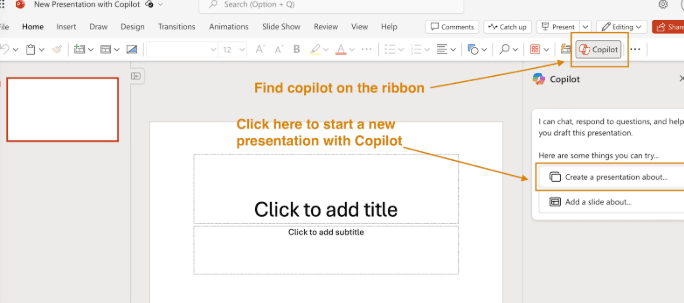
Microsoft 365 Copilot is the easiest buy in this list. It's also the weakest presentation AI. Copilot's strengths are entirely about procurement and infrastructure fit, not about what it actually produces.
Time it takes. Copilot reduces time spent writing content from scratch. That's the extent of it. I ran the same prompt through Copilot that I used for every tool in this list. The structure was logical. The copy was adequate. The slides looked exactly like what happens when an AI formats text into PowerPoint with no visual intelligence applied. Every layout decision, spacing adjustment, and visual choice after generation was standard manual PowerPoint work. The time saving is on the blank page problem. Everything after that is unchanged.
Quality and consistency across the org. Quality depends entirely on the PowerPoint template in use. If everyone is working from the same current template, the output is consistent. If anyone is working from an outdated file or no template at all, Copilot has no mechanism to catch or correct that. There is no AI quality enforcement, no design system intelligence, no way to hold a quality standard across a team without someone manually reviewing every deck before it goes out.
Consistency with current brand template. Copilot works within whatever PowerPoint template you already have. If the template is good, the output stays on brand. That's also the ceiling. Copilot cannot enforce anything the template doesn't already define. No gradient rules, no spacing logic, no icon style, no typography hierarchy. The brand consistency is only as deep as the PowerPoint file itself, which for most enterprise teams means it's not very deep at all.
Update existing assets and generate new ones. This is where Copilot has a genuine edge over the other tools in this list. It can pull from Word documents, SharePoint files, and Teams meeting transcripts to generate new slides. If your team has existing approved content in M365, Copilot can reference it during generation. It still doesn't update or reconcile existing slide files, but the content integration from existing M365 assets is better than any other tool here.
Cost. Copilot is bundled with Microsoft 365 Business and Enterprise plans. For organizations already paying for M365, it's effectively zero incremental cost for the presentation capability. That's a significant advantage over every other tool in this list, particularly for enterprise teams where new software spend requires its own approval process.
Support. Copilot is supported through Microsoft's existing enterprise support infrastructure. No new support relationship to establish, no new account team to onboard, no new ticketing system to learn. Your existing Microsoft account team handles it.
Against the 6 enterprise criteria:
Criteria | Rating | Notes |
Time it takes | Low to moderate | Faster content drafting; layout and formatting remain fully manual |
Quality and consistency across the org | Weak | Quality depends entirely on the PowerPoint template in use; no AI enforcement |
Consistency with current brand template | Weak | Works within existing template only; no design system enforcement beyond the file |
Update existing assets and generate new ones | Moderate | Can pull from existing M365 content; no slide asset update or reconciliation mechanism |
Cost | Strong | Bundled with M365; near-zero incremental cost for existing customers |
Support | Strong | Existing Microsoft enterprise support; no new relationship required |
Key Features for Enterprises
Slide generation from text prompts inside PowerPoint
Content pull from Word documents, SharePoint files, and Teams meeting transcripts
PowerPoint Designer integration for layout suggestions
Native M365 governance: RBAC, existing DPA, IT-managed via M365 admin center
Works within your existing PowerPoint brand template
No new vendor, contract, or security review required
Bundled with Microsoft 365 Business and Enterprise plans
Works across desktop, web, and mobile PowerPoint
Pros:
Zero new vendor, contract, or security review required
Deep M365 integration pulls from Drive, Teams meetings, SharePoint
Already governed by existing IT policies
Near-zero incremental cost for existing M365 customers
Rollout is a licensing decision, not an implementation project
Supported through existing Microsoft enterprise infrastructure
Cons:
AI output quality is the weakest in this list
No visual control during generation: no layout options, no design intelligence
Quality and consistency entirely dependent on the PowerPoint template in use
No design system enforcement beyond what the template file contains
Editing after generation reverts to standard manual PowerPoint work
Generalist AI inside a presentation tool, not a presentation-native AI
Pricing: Bundled with Microsoft 365 plans.
Verdict: For teams that need zero procurement friction and have design resources to finish the job manually, Copilot works. For teams that need the AI to carry the full workflow, it doesn't. Read our full Microsoft Copilot review for a deeper breakdown.
Alai: Best Overall for Multi-Purpose Enterprise Needs
Alai is the only tool in this list where the answer to all six enterprise criteria is yes.
Every other tool here solves one or two problems well. Beautiful AI owns basic brand enforcement. Prezent AI owns narrative intelligence. Manus owns research-grounded content. Copilot owns procurement ease. Alai is the only one that covers all of it, not because it has the longest feature list, but because it was designed from the ground up as a presentation AI rather than a general tool with a presentation mode bolted on.
Time it takes. Alai cuts deck creation time in two places: creation and iteration. Paste in raw content, specify the audience and tone, and Alai reads the content, determines the narrative structure, selects layouts based on what each slide needs, and applies the design system. Teams that previously spent three to four hours on a first draft routinely get there in 20 to 30 minutes. Iteration is where it separates furthest from the field. Agent Mode handles layout changes, structural edits, and design adjustments through plain text instructions across the full deck, on-brand and in context, without touching a single text box manually. The deck that should take an hour no longer runs to a full day once revision cycles are factored in.
Quality and consistency across the organisation. Quality holds at scale because the design system makes correct decisions before a human sees the output. Nobody polices font choices manually. Nobody sends the "please use the correct template" Slack message. Alai's AI is also context-aware across the full presentation, not just the slide being edited. Rewrite a section and the AI considers where it sits in the narrative arc. Add content and the design system applies automatically. Remove a slide and the surrounding flow adjusts. The result is that a deck built by the head of design and a deck built by a sales rep on their third week look like they came from the same place, because they did.
Consistency with current brand template. Every other tool in this list covers the surface layer: logo upload, color combinations, font selection. That's where they draw the line. Alai goes to the system level. The design system encodes background treatments for dark and light slides, header and footer rules, curvature and shape language, element design for cards, tables, callouts, dividers, timelines, charts, image style and iconography, full typography hierarchy including casing rules, color usage contexts not just hex codes, logo placement standards, and brand voice. This is the same specification depth a design agency would need to build a high-quality pitch deck template. It gets built once and lives inside Alai permanently, informing every AI decision every time anyone on the team creates a deck. A hex code tells the AI your brand color. A design system tells the AI what to do with it.
Update existing assets and generate new ones. Alai doesn't ask enterprise teams to start over. When a team onboards, Alai ingests existing PowerPoint templates, slide libraries, and brand assets and rebuilds them inside the design system. Not reimported as flat images. Rebuilt to match the original pixel by pixel, so the slides teams have spent years refining become the foundation Alai builds from rather than something they have to recreate. Existing slide libraries carry over. Approved slides from past proposals, case studies, product one-pagers, and presentations can be pulled directly into new decks rather than rebuilt from scratch every time. Brand assets, logos, imagery, iconography, and approved visuals get loaded into Alai and applied by the design system automatically. A team that switches to Alai doesn't lose anything they've already built.
Cost. Alai has a free plan with 300 AI credits, access to all premium design elements, and PDF export with no credit card required. That's enough to run a meaningful internal pilot before procurement gets involved. Paid plans start at $16/month (annual). Enterprise pricing requires direct contact but includes API access, A2A integration, custom brand themes, admin controls, and dedicated support.
Support. Alai works closely with enterprise partners through onboarding, design system configuration, and ongoing deployment. This isn't ticketing and documentation. The team helps configure the design system correctly from your existing brand guidelines, trains users across departments, and is reachable when something matters. For enterprise teams where adoption needs to stick across multiple functions, that model makes a real difference.
Against the 6 enterprise criteria:
Criteria | Rating | Notes |
Time it takes | Low | First draft in 20 to 30 minutes; full iteration via Agent Mode in seconds |
Quality and consistency across the org | Strong | Design system enforces correct decisions automatically; context-aware AI holds consistency across the full deck |
Consistency with current brand template | Strong | Pixel-level design system encoding: typography, surfaces, color usage, spacing, elevation, components, brand voice |
Update existing assets and generate new ones | Strong | Ingests existing PowerPoint templates and slide libraries; rebuilds pixel by pixel as the foundation |
Cost | Moderate | Free plan available; paid from $16/mo; enterprise pricing on request |
Support | Strong | Dedicated partner support for design system configuration, training, and ongoing deployment |
Key Features for Enterprises
Up to 4 layout options per slide generated from content signals, not template matching
Agent Mode: conversational editing across the full deck with context-aware execution
Full design system encoding: background treatments, typography hierarchy, color usage contexts, shape language, iconography, brand voice
Ingests and rebuilds existing PowerPoint templates and slide libraries pixel by pixel
Customizable brand themes applied automatically across all decks
Presentation-specific elements: Compare Two, Feature Matrix, Funnel, Hub & Spoke, Timelines
API for programmatic, on-brand deck generation at scale
MCP server: connect to Claude, Cursor, and other LLMs for automated deck generation
A2A integration for triggering deck generation directly from internal agent workflows
Clean PPTX and PDF export: tested across 6 deck types, no manual fix-up pass required
Engagement tracking: view time per slide, drop-off points, and viewer identity via shareable links
Pros:
Only tool in this list that addresses all six enterprise criteria
Design system goes to system level, not just surface brand elements
Pixel-by-pixel ingestion of existing templates means no rebuild required
Agent Mode makes iteration as fast as creation
API, MCP, and A2A enable volume generation without human-in-the-loop
Content-first layout generation removes the template ceiling
Clean PPTX export requires no manual fix-up pass
Dedicated partner support for enterprise onboarding and deployment
Cons:
Smaller template library than Beautiful AI for teams that prefer browsing over generating
No native Google Slides integration
Initial theme setup requires in-depth design guidelines for premium results
Pricing:
Plan | Price | Key Features |
Free | $0 | 300 AI credits, all premium design elements, PDF export |
Plus | $16/mo (annual) | 600 credits, PowerPoint export, priority support |
Pro | $25/mo (annual) | 1,200 credits, priority support from founders |
Ultra | $60/mo (annual) | 5,000 credits, direct feature requests to founders |
Enterprise | Contact for pricing | API access, A2A integration, custom brand themes, admin controls, dedicated support |
Verdict: Alai is the one tool in this list where you don't trade off design quality against brand control, or AI depth against scale. The design system solves the brand problem at a depth no other tool in this list matches. Agent Mode solves the iteration problem. The API, MCP, and A2A solve the scale problem. Pixel-by-pixel ingestion of existing assets solves the rebuild problem. And the partner support model solves the adoption problem. For enterprise teams that need all six criteria answered, Alai is the only tool in this list that gets there.
Procurement Correction and Disclosure: Verify Plan-Level Requirements
Disclosure: This comparison is published by Alai, and Alai is one of the products reviewed and recommended on this page. That commercial interest should be considered alongside the hands-on observations and verdicts above. Enterprise buyers should validate each vendor using their own requirements, security review, pilot materials, and written commercial proposal rather than treating this article as procurement approval.
Correction on Microsoft 365 Copilot licensing: the references above to Copilot being “bundled” with Microsoft 365 or having “near-zero incremental cost” should not be read as a general licensing rule. Microsoft describes Microsoft 365 Copilot as an add-on plan that requires an eligible Microsoft 365 license. PowerPoint or Microsoft 365 access alone does not establish that a user has a Microsoft 365 Copilot license. For a realistic comparison, request a written quote that identifies the eligible base subscription, the Copilot add-on, the users who need licenses, and any deployment or administration work required for the intended rollout.
Enterprise readiness is also plan-specific. A product may advertise security, governance, or onboarding capabilities without including them in the plan used for a pilot. Beautiful.ai, for example, describes Enterprise as its option for organizations seeking advanced security, audit logs, SSO, configurable guardrails, and dedicated onboarding on its enterprise presentation software page. That is useful evidence that these controls are available in its Enterprise offering, but it is not evidence that they are included in every Team or individual subscription. Ask each finalist to document the exact plan-level availability of identity controls, provisioning, audit access, retention settings, administrative roles, support, and offboarding.
A short pilot can make the comparison more decision-ready without relying on generic feature claims. Use the same two artifacts with every shortlisted vendor: one net-new brief and one approved presentation that requires an update. For each tool, have representative users create, revise, review, export, and share the materials under the plan you would actually buy. Record the outcome against criteria your organization can inspect: whether the required source material is accessible, whether the output meets the approved brand standard, whether edits remain usable after export, which administrator controls are available, and what the quoted deployment costs cover.
Keep the evidence separate from preference. A vendor demonstration can establish that a workflow is possible; a pilot with your own template, library slides, users, and approval process establishes whether it works for your organization. The broader AI presentation makers comparison can help expand an initial shortlist, while the AI pitch deck generators guide is relevant when the purchase is primarily for sales or fundraising-style decks rather than a company-wide presentation workflow.
Before selecting a tool, ask every vendor for the same written answers: which license is required, which controls are included at that license level, what support is included during implementation, how usage is measured where credits apply, and what happens to company content when a user or account is removed. This creates a comparable record for IT, procurement, finance, brand, and the presentation users who will ultimately judge the output.
Which Enterprise AI Presentation Tool Should You Choose?
The right answer depends on where your team's biggest bottleneck sits.
If the primary problem is basic brand consistency across a large team and your brand guidelines are limited to logo, colors, and fonts, Beautiful AI gets that job done without a significant investment. Be aware that iteration to reach the final draft would require designer bandwidth.
If you're building high-stakes executive decks where the quality of the argument matters more than visual variety, Prezent AI is worth the demo process. Just go in knowing it won't lead on any of the other five criteria.
If your team produces research-heavy reports and content gathering is the primary time sink, Manus AI removes that bottleneck faster than anything else in this list. Plan for a design pass after.
If your enterprise needs zero new vendors and procurement needs to move in 48 hours, Microsoft 365 Copilot is the only logical choice. Accept that the AI output quality is the tradeoff.
If you need all six criteria answered: full design system enforcement, consistent quality across the org, existing asset ingestion, time savings across creation and iteration, accessible pricing, and a team that works with you through deployment, Alai is the only tool in this list that gets there.
Every other tool solves one or two of the six. Alai is the only one where the answer to all six is yes.
If you're also evaluating tools for individual contributors or smaller teams, the best AI presentation tools for individuals and startups roundup covers the broader market.
What is the best AI presentation maker for enterprise teams?
Alai is the strongest choice for most enterprise teams because it's the only tool that addresses all six enterprise presentation failures: brand accuracy, manual creation effort, content-first layouts, stack integration, and scale.
Does Microsoft 365 Copilot replace dedicated AI presentation tools?
Not in practice. Copilot's value is procurement ease and M365 integration, not AI output quality. It generates slides from prompts, but the output requires the same manual formatting pass you'd do in standard PowerPoint. Purpose-built tools like Alai produce better-structured, better-designed first drafts because they were built specifically for presentations, not as a generalist AI feature layered on top of an existing tool.
What enterprise security features should I require in a presentation tool?
At minimum: an executed data processing agreement (DPA), documented data residency options, role-based access controls (RBAC) and a subprocessor list. For regulated industries, add the ability to answer a standard security questionnaire within a reasonable timeframe.
Which AI presentation tool has the best PowerPoint export for enterprise workflows?
Alai produces the cleanest PPTX export in this list. I tested exports across six deck types and none required a manual fix-up pass. Formatting, gradients, and element positioning all held through the conversion.
SEITEN
Werkzeuge vergleichen
Ressourcen