·
CASE STUDY
·
21 min read

MARKETING LEAD
I love Canva - genuinely. For social media graphics, one-pagers, quick banners, it's been my daily driver for years. But when it comes to creating presentations, I realized I was fighting the tool more than it was helping me. The vast template library became overwhelming. And every time I needed a comparison table or a funnel diagram, I was dragging rectangles around like it was 2014.
This led to my search for alternative presentation makers. But, here's the thing - most Canva alternatives articles compare Canva to other design tools. Figma, Adobe Express, Visme. That's the wrong comparison if your criteria is tools that simplify making good slide decks. Which is why I tested five Canva alternatives for presentations specifically - not for poster design, not for Instagram stories, not for general graphics - and this article breaks down what each Canva alternative does better.
Quick Verdict: Best Canva Alternatives for Presentations
Canva wasn't built for presentations. It was built for design, and presentations got added along the way. That difference shows up fast once you start making decks regularly.
If you're happy with Canva for the occasional internal deck, you probably don't need to switch. But if you're making presentations weekly, or if the quality of your slides directly affects whether you close a deal or raise a round, one of these tools will save you real time:
What you need | Use this | Why not Canva |
Slides that look designer-made | Alai | Canva focuses on template based design, even its AI is trained to help you iterate on existing templates. With Alai, the AI works with you from the start to build a template that meets your goal and not the other way round. Additionally features like engagement tracking, perfect PPT export, Nano Banana 2 integration only make the process easier (and faster) especially for non-designers (like me) |
Shareable docs and async decks | Gamma | Canva creates static files. Gamma allows you to create scrollable, web-native content, best for documents or decks that need to be shared async. |
Native .pptx with zero export risk | PowerPoint + Copilot | Canva exports to PPT, but it's still a conversion that often leads to broken design. Copilot builds natively inside PowerPoint. |
Slide-level engagement analytics | Pitch | Canva has no visibility into what happens after you share a deck. Pitch tracks opens, views, time per slide, and drop-off - the perfect analytics partner for sales-ops and marketing teams. |
The rest of this article explains each one in detail, including where they fall short.
What Makes Canva Great (And Where Canva Slides Stop Working)
I don't want to trash Canva. That wouldn't be honest, and it wouldn't be helpful. Canva has a template library that dwarfs every other tool on this list - thousands of Canva presentation templates across every visual style you can imagine. The free tier is absurdly generous: 5GB of storage, usable templates, basic AI tools, no credit card required.
Magic Studio has also gotten better. Background removal, text generation, image creation, design suggestions - the AI tools are useful for polishing a template you've already chosen. So where does Canva slides fall short?
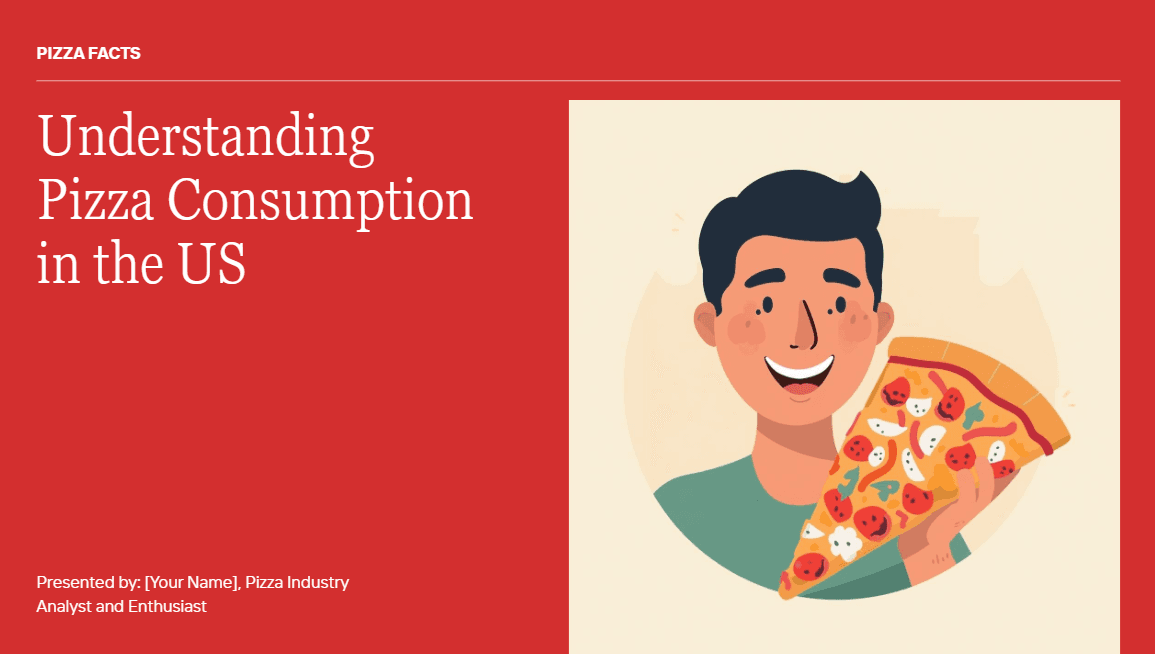
The AI generation is surface-level. Canva's AI presentation feature (Magic Design) can generate a full deck from a prompt - you type a topic, pick a style, and get multiple draft options back. But the input is capped at 100 characters which means you’re giving the AI limited context, the content is thin, and the design output misses what makes a presentation actually look good. No gradients, no layered visual elements, no depth. Text hierarchy is limited to headline and body - there are no text boxes, callout blocks, or pull quotes to create visual rhythm on the slide. The layouts are flat, the stock images feel generic, and the overall result looks like something assembled in PowerPoint circa 2019 rather than something designed by AI in 2026 (example below)
You get one template, one look. Pick a Canva Slide template, customize it. That's the workflow. Magic Design does generate multiple "drafts," but they're really the same content dropped into different color schemes - the underlying structure barely changes between options. There's no way to see genuinely different layout interpretations of the same content. If your market size data works better as a pie chart than a three-column breakdown, Canva won't show you both options and let you choose. You're locked into whatever visual approach the first generation decided on, and if it doesn't fit your narrative, you're rebuilding manually.
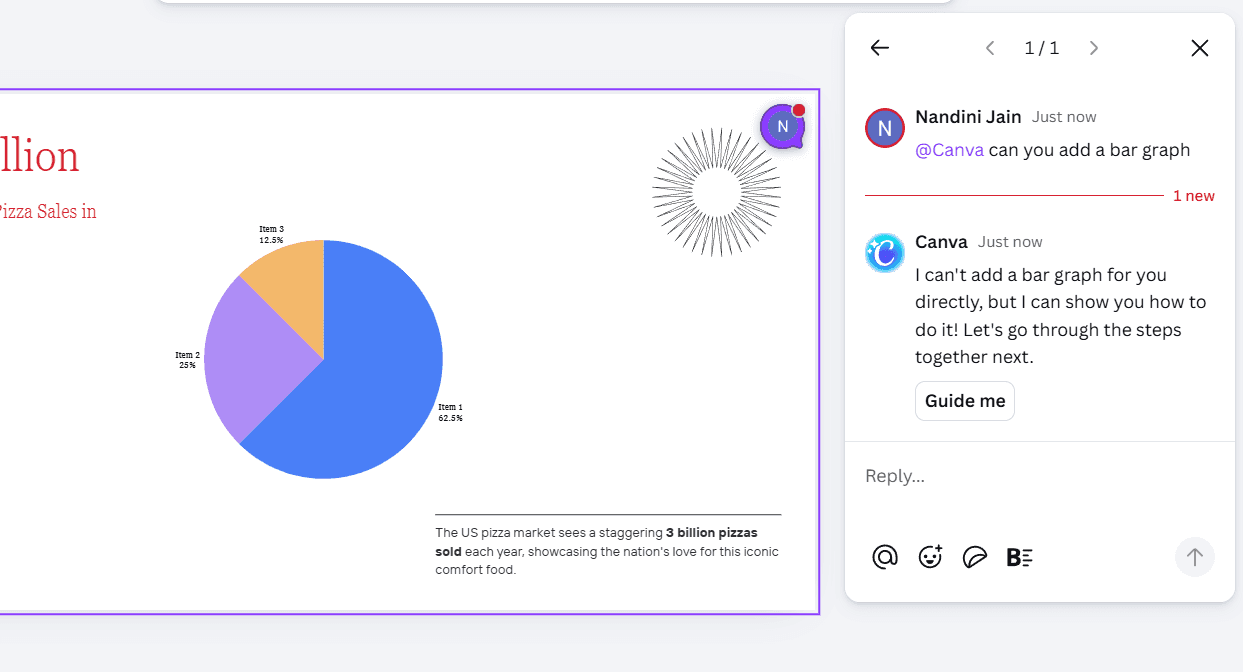
No intelligent presentation components. Canva has charts and graphs, but every element needs manual data entry, manual resizing, and manual color-matching to your brand. Want to switch a pie chart to a bar graph? Delete one, add another, re-enter the data. Tools like Alai and Gamma have a "convert" feature - one click and your chart changes type, data transfers automatically, theme stays intact. Alternatively such changes can also be made by instructing their AI chat agents, I tried doing the same with Canva but its agent did not support such changes (as seen below)
Editing is painful, with or without AI. Canva gives you everything to get started - templates, elements, images, shapes. What it doesn't give you is a way to iterate without fighting the canvas. Need to add a new text box or element to an existing slide? You drag it in and then manually adjust every surrounding element to make room. Unlike Alai, there's no responsive canvas that reflows content automatically. Canva's AI editing is similarly limited: you can rewrite text or swap images, but you can't ask it to restructure a slide layout or rebalance the visual hierarchy the way Agent Mode in Alai or Gamma's AI agent can.
No Nano Banana 2 integration. Nano Banana 2 is the AI image model that's become the standard for generating high-quality image slides. Both Alai and Gamma integrate it natively. Canva doesn't. You're limited to Magic Media, which produces generic stock-style images (not slides) that rarely feel tailored to your slide content.
No custom themes for AI-generated output. Canva has a brand kit where you upload your logo, fonts, and colors. But it sits separate from Magic Design's generation. When you generate a presentation from a prompt, the AI picks its own color schemes and styling - your brand kit doesn't automatically apply to the output. You end up manually reapplying your brand after every generation, which defeats the purpose of using AI to save time.
Overall, Canva is a brilliant design tool that happens to offer presentations. But as a presentation maker specifically, it's missing the things that matter most when slides are your actual deliverable: presentation-specific design principles (no gradients, flat text hierarchy, no visual depth in Canva slides), intelligent components (manual assembly instead of one-click elements), quality AI assistance (shallow generation from a 100-character prompt), a responsive editing experience (every change requires manual readjustment), and modern image models like Nano Banana 2. If you use Canva for the occasional internal update, none of this matters. If presentations are how you sell, pitch, or communicate with stakeholders, these gaps add up fast.
Canva Pricing in 2026: What You're Actually Paying For
Plan | Price | Presentation-Relevant Features |
Free | $0 | Basic templates, limited Magic Studio, 5GB storage, Canva branding on exports |
Pro | $15/month ($120/year) | 140M+ premium assets, full Magic Studio, brand kit, 1TB storage |
Business | $20/user/month | Everything in Pro + team collaboration, approval workflows, admin controls |
Here's what that pricing actually buys you for presentations: a better template library and more AI credits. It doesn't change the quality of Magic Design's output, add presentation-specific components or give you multiple layout options. You're paying more for the same workflow, just with fewer restrictions.
That's worth comparing against what dedicated presentation tools charge for a similar price:
How Canva Pricing Compares to Alternatives
Tool | Free Plan | Starting Price | What You Get Over Canva |
Yes (generous) | $15/month | Baseline: templates + design tools | |
300 credits | $16/month | AI generates 4 layouts per slide, context-aware editing, analytics, Nano Banana 2 integration | |
400 credits | $8/month | Full deck from a single prompt, web-native sharing | |
7-day trial | $10/month | Works natively inside Google Slides | |
Yes (branded) | $20/month | Presentation analytics, CRM integration |
The pricing gap between Canva and these tools is negligible. The capability gap for building high-quality presentations isn't. Which is why if you’re looking for a Canva alternative that’s specifically built to make presentations - the following five are your best bets.
Before You Switch: Check the Final Delivery Format
Disclosure: Alai publishes this article and is also one of the products discussed in it. The Alai recommendations reflect the publisher’s perspective. Use the documented delivery requirements below alongside your own review of the tools before selecting a Canva alternative.
The most useful way to narrow down Canva alternatives is to start at the end of the workflow: where must the finished presentation be opened, edited, viewed, or reviewed? A strong-looking first draft is not enough if the recipient needs an editable PowerPoint file, the deck must be consumed as a browser link, or the team has a specific approval process. Decide that requirement before comparing templates or AI generation.
Use the Least Flexible Requirement as Your Filter
Final requirement | What to check first | Documented consideration |
|---|---|---|
An editable PowerPoint deliverable is required | Start in PowerPoint, or test a representative export before building the full deck. | Microsoft documents that Copilot in PowerPoint can create a presentation from a file. If your workflow depends on a PowerPoint template, test the actual template and review the generated draft rather than assuming a generic example will fit it. |
You want to move an existing PowerPoint into Canva | Check whether the deck contains PowerPoint-specific objects before import. | Canva documents PowerPoint import and identifies unsupported imported objects including charts, SmartArt, 3D objects, and WordArt. |
A browser link is the primary deliverable | Review the link experience first, then test export only if an editable file is also required. | Gamma’s help documentation notes that exported PowerPoint or PDF files can differ from the editor because of content scaling, font substitution, and chart or diagram sizing. |
You are choosing Pitch for engagement reporting | Confirm the specific sharing and analytics requirement in the current product documentation and plan. | The supplied Pitch help page supports analytics links that can be shared with specific groups and states that viewers do not need a Pitch account to view a shared presentation. |
There are two important source clarifications for this comparison. First, the Canva documentation referenced here substantiates PowerPoint import and its limitations; it does not substantiate a claim that Canva downloads presentations as PowerPoint files. Second, the supplied Pitch documentation substantiates group-shareable analytics links and account-free viewing, but it should not be used as evidence for named external analytics links, visit counts, or pitch rooms containing supporting files. Treat those capabilities as requirements to verify directly with Pitch before making a buying decision.
For the documented details, read Canva’s PowerPoint import guidance, Microsoft’s instructions for creating a presentation with Copilot in PowerPoint, Gamma’s explanation of export differences, and Pitch’s presentation analytics documentation.
A practical next step is to build one representative slide with the elements that matter most to your real project: brand fonts, charts, images, speaker notes, and any editable content a recipient will change. Open or share that sample through the final delivery path before committing to the rest of the deck. For broader selection criteria, see our guide to the best AI presentation makers. If the presentation is for fundraising, our AI pitch deck generator guide covers the additional deck-specific considerations.
This final-format check does not pick one universal winner. It prevents a late workflow mismatch: choosing a Canva competitor for its initial design, then discovering that its output does not fit the handoff, viewing, or revision process the presentation actually requires.
The 5 Best Canva Alternatives for Presentations
Before we deep dive into reviewing these Canva alternatives, it’s worth understanding how or to be more exact, what I tested them on.
How I Tested These Canva Alternatives
I evaluated each of these tools on:
Design quality of AI output - gradients, text hierarchy, visual depth, or flat and generic?
AI generation depth - how much input can it accept, and how usable is the first draft?
Editing and iteration - can I refine the deck quickly, or is every change a manual rebuild?
Export reliability - does the PowerPoint file match what I see in the editor?
Post-share visibility - can I see who opened it and which slides they spent time on?
What Canva can't do - the specific gap each tool fills that justified including it on this list
1. Alai: Best Canva Alternative for Presentation Design
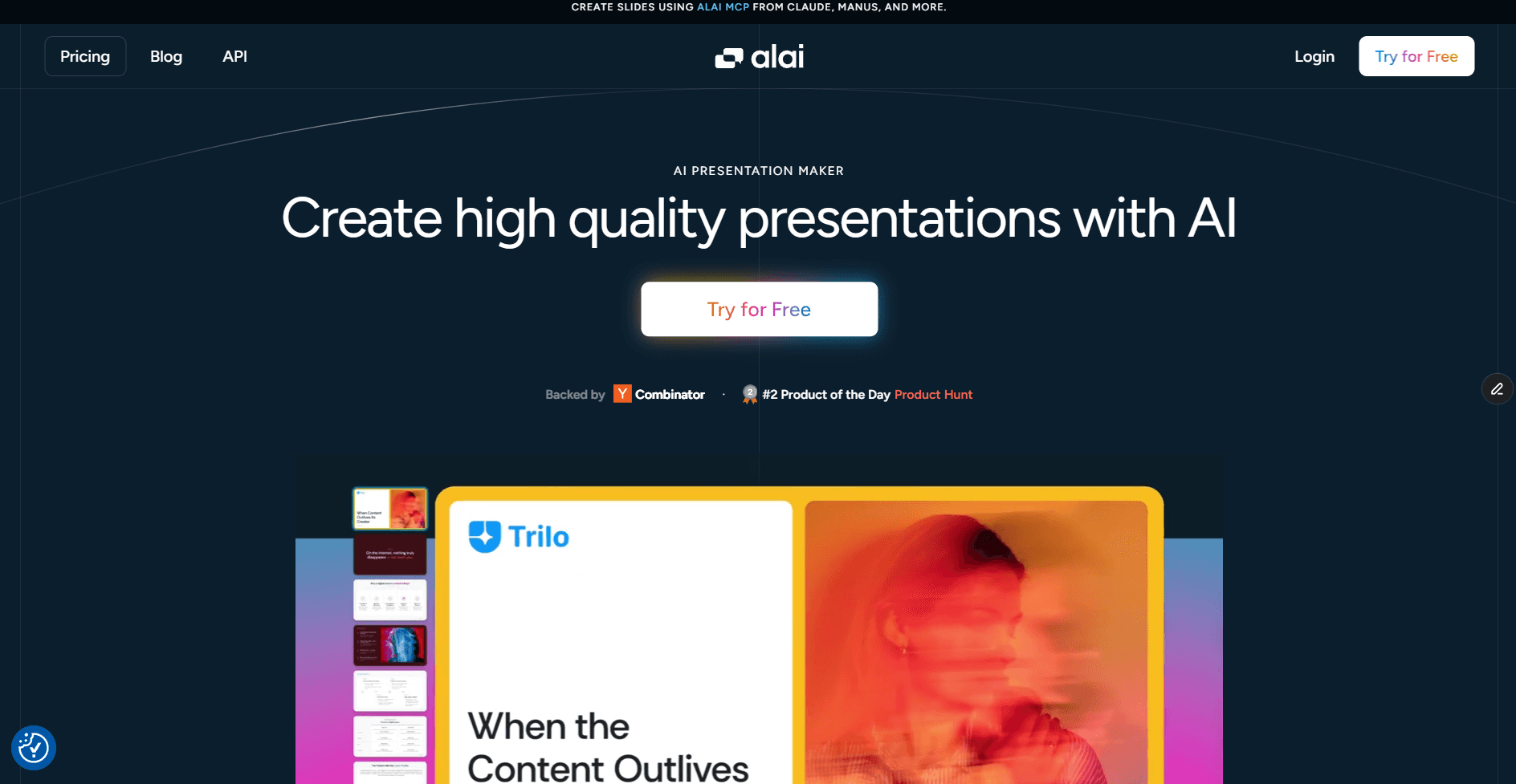
If Canva is a design platform that supports presentations, Alai is a presentation platform that understands design. That distinction shows up the moment you generate your first deck.
What Makes Alai Better Than Canva?
To start off, I typed in my prompt and got four layout options for every slide. My market analysis came back as a Venn diagram, a three-column breakdown, a full-width infographic, and a data-forward layout. All four looked professional. I picked the Venn diagram because it told the story better, and I moved on in fifteen seconds. That same slide in Canva would have been ten to twenty minutes of understanding what can be done better, template browsing, shape-dragging, and manual alignment.
But, the design quality is where Alai pulls furthest ahead. Its AI is built specifically for presentations, so it understands things like visual hierarchy, content density per slide, and when to use white space versus when to fill the frame. The output comes back with gradients, context-aware images, layered elements, and proper text hierarchy - not the headline-and-body-text-and-stock-image formula that Canva's Magic Design defaults to. This difference in design principles shows up in every slide - even in something as basic as a title slide (as seen below).
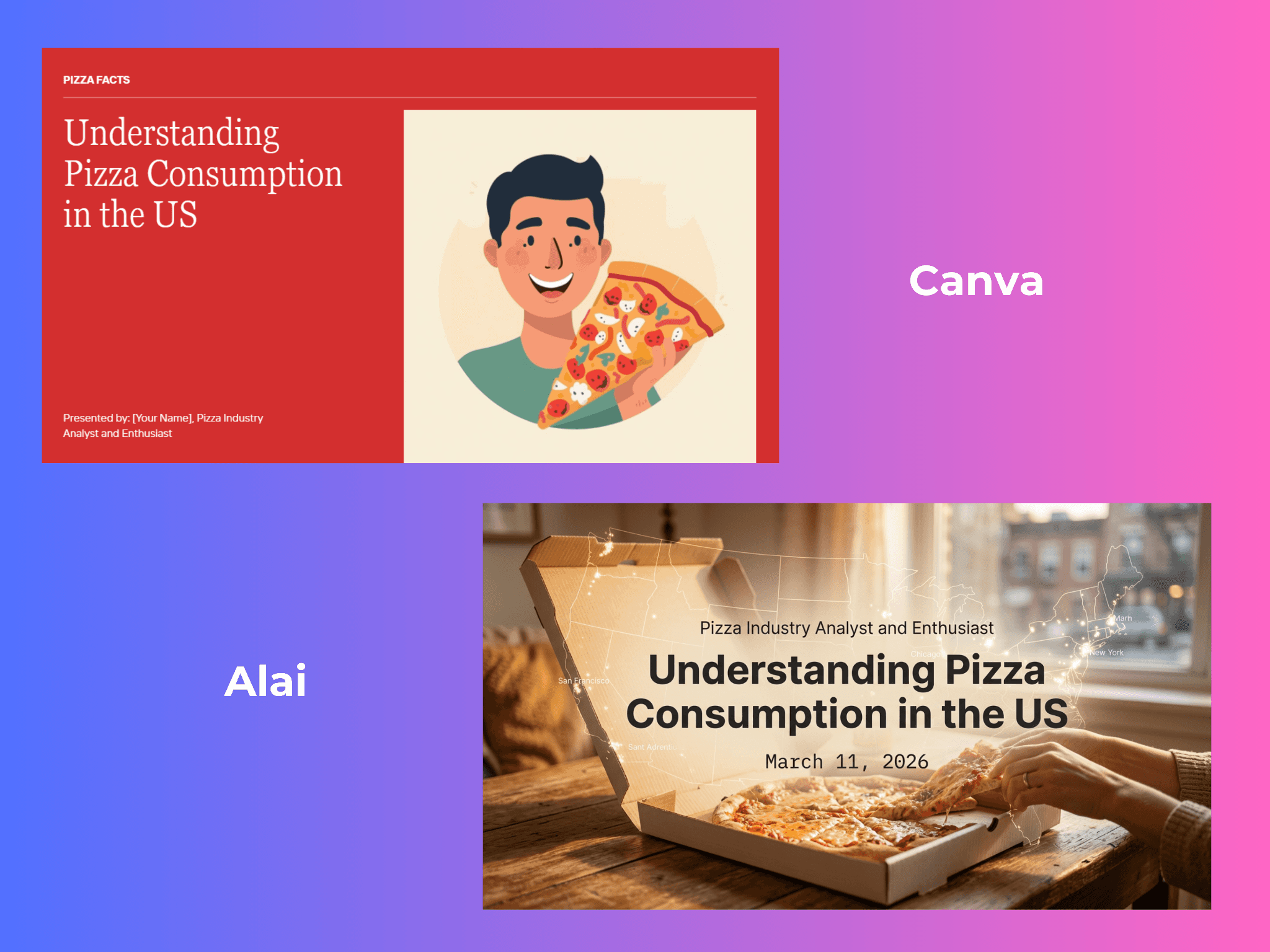
Plus, you can also build custom themes - upload your brand colors, fonts, and styling preferences once, and the AI applies them during generation. Every slide comes back on-brand from the first draft. In Canva, the brand kit and Magic Design are disconnected: you generate first, then manually reapply your brand.
Alai also integrates Nano Banana 2 - arguably the best AI image generation model for presentations right now. You can use it during generation (it's one of the four layout options) or apply it to existing slides for visual polish. As a non-designer, this is one of my favourite features on Alai. The quality of the slides is something I'd never be able to create on my own, and the design pre-sets make it even easier since you don't need to figure out the right prompt to get good results. Look at what I created just by prompting the AI with 'Create a slide on USA Pizza Consumption, add a pie chart made of Pizza'.
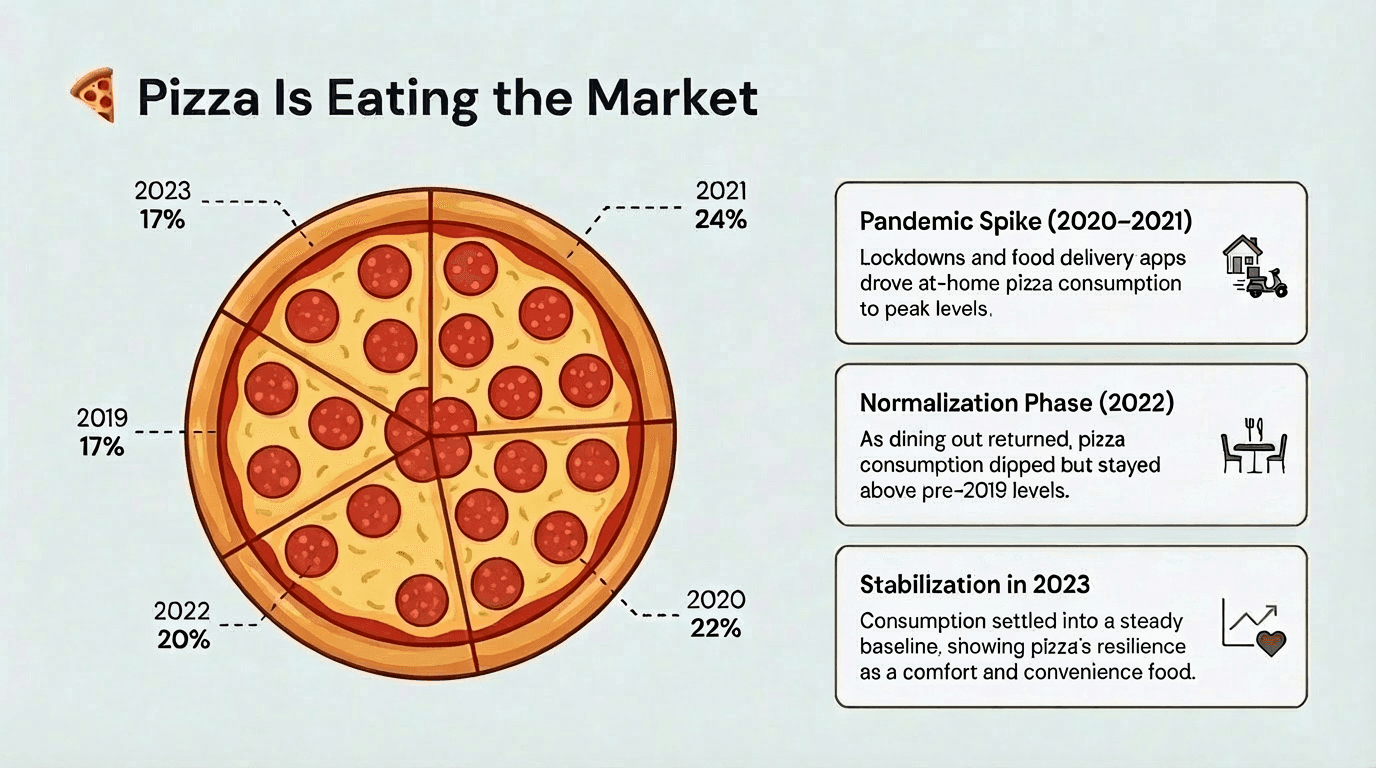
(And unlike Gamma, you can mix Nano Banana Pro slides with regular slides in the same deck.)
The editing experience is where the gap with Canva gets widest. Alai has a responsive canvas - add or remove an element and surrounding content reflows automatically. No manual nudging. The AI also keeps context across the entire deck, so editing slide 8 doesn't clash with what you established on slide 2. And Agent Mode lets you skip menus entirely - type "change this chart to a bar graph" or "split this slide into two" and the AI executes while keeping the rest intact. Canva has none of this: no responsive canvas, no cross-slide context, no natural language editing.
Beyond the AI, there are presentation-specific elements that Canva simply doesn't offer: Compare Two slides, feature matrices, funnels, timelines, process flows - all one-click editable with a convert feature that lets you switch between chart types without re-entering data or losing your theme.
Pros:
Four layout options per slide instead of one, so you pick the best interpretation rather than settling
AI keeps context across the entire deck - edits on slide 8 stay consistent with slide 2
Agent Mode lets you edit by typing natural language instead of clicking through menus
Built-in presentation elements (funnels, feature matrices, timelines) that Canva lacks entirely
Custom themes applied during generation, not after - every slide on-brand from the first draft
Clean PowerPoint exports that match the editor exactly
Gradients, shadows, and layered design elements that create real visual depth
Cons:
Only for presentations - no social media graphics, documents, or other design formats
Smaller template library than Canva (AI generation compensates, but fewer starting points)
No free tier beyond the initial 300 credits
Pricing:
Free (300 credits) / Plus $16/month / Pro $25/month
Canva v/s Alai: Which To Choose When
Switch from Canva if you make presentations regularly and design quality directly affects your outcomes - investor pitches, client decks, board presentations.
Stay with Canva if presentations are a small fraction of your design work and you need banners, social posts, and docs from the same tool.
2. Gamma: Best Canva Alternative for Shareable Docs and Async Decks
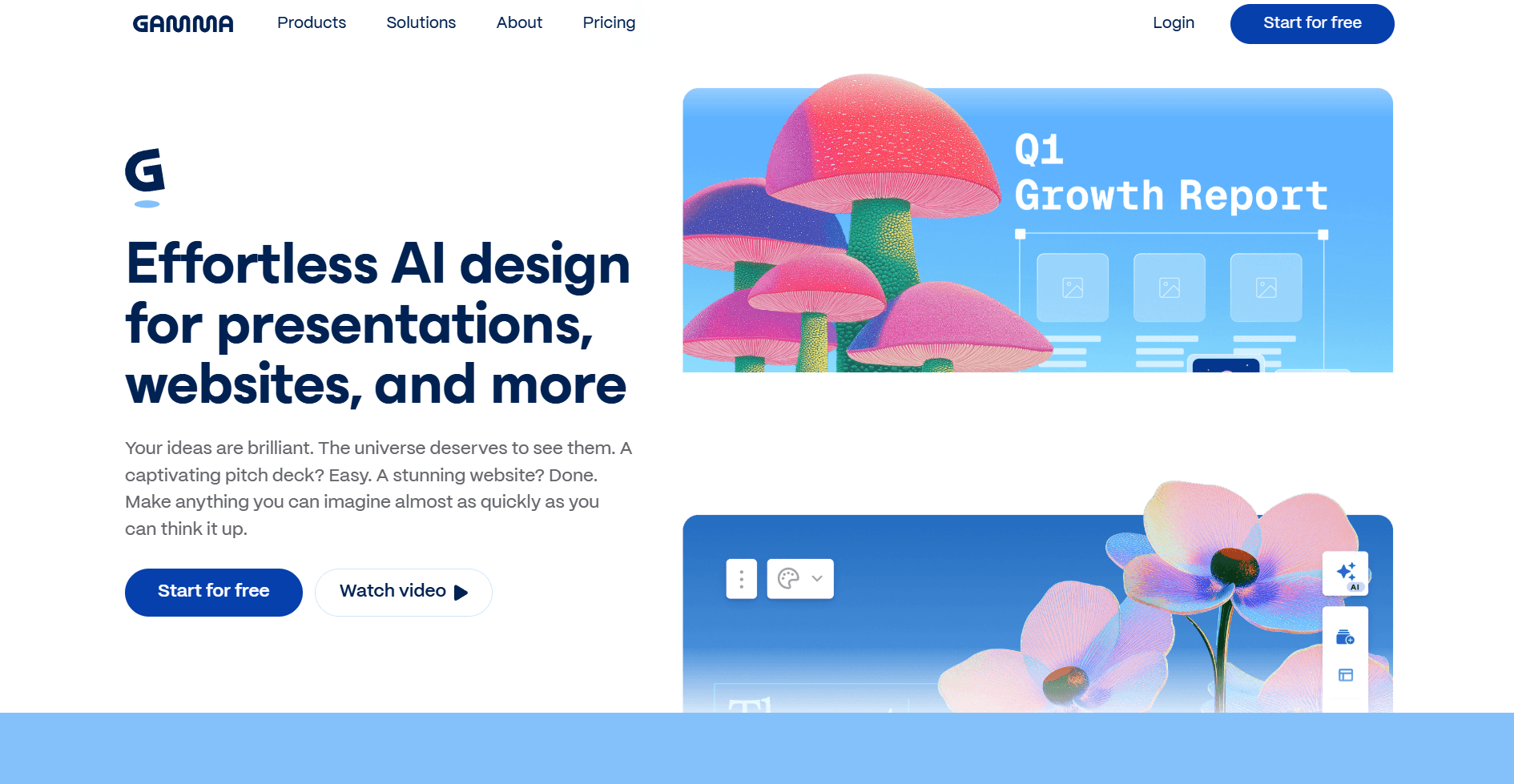
Gamma occupies a space Canva doesn't even try to compete in: content designed to be viewed as a link rather than downloaded as a file. Where Canva creates static slide decks, Gamma creates scrollable, web-native presentations that feel more like interactive documents. You share a link and the recipient scrolls through your content in-browser - no PowerPoint needed, no PDF download, no file attachments. For async communication - internal updates, project proposals, company wikis, detailed reports - this card-based layout makes dense information easier to digest than a rigid 16:9 slide format.
How is Gamma better than Canva?
The AI generation is one of the fastest I've tested. Type a prompt and get a full deck with content, images, and structure in under a minute. Canva's Magic Design can do something similar, but Gamma accepts far more detailed input and produces richer, more structured output. The September 2025 Gamma 3.0 update added an AI Agent that can research the web, pull in citations, restyle entire decks, and take feedback through natural conversation - a significant leap from Canva's basic Magic Studio editing. Gamma also introduced Smart Diagrams (flowcharts, timelines, org charts generated from text), which Canva has no equivalent for.
Similar to Alai, Gamma also integrates Nano Banana 2 through its Studio Mode, which generates cinematic, image-based slides with a distinctive visual style. The catch: Studio Mode slides can't be mixed with regular Gamma slides in the same deck. You have to commit to one approach for the entire presentation. Alai doesn't have this restriction - you can mix Nano Banana 2 slides with regular slides freely.
Where it breaks down is what I documented in my full Gamma review. PowerPoint exports are the biggest issue - text shifts, fonts swap, layouts collapse. The card-based web format doesn't translate cleanly to PowerPoint's fixed-dimension slides, and I'd budget 20-30 minutes for manual fixes on any exported deck. After a few decks, the designs also start looking repetitive because the card-based blocks have a fixed visual language with minimal variation. There's no multiple layout options per slide, and the visual hierarchy is flatter than what Alai produces. But if your use case is "share information as a link that people browse at their own pace" and you rarely need to export, Gamma does this better than anything else on this list.
Pros:
Fast AI generation - full deck in under 60 seconds
Web-native scrollable format ideal for async sharing, internal docs, and project proposals
Gamma 3.0 AI Agent can research the web, pull citations, and restyle entire decks
Smart Diagrams generate flowcharts, timelines, and org charts from text
Nano Banana 2 available through Studio Mode for cinematic slides
Generous free tier (400 credits, roughly 10 presentations)
Cheapest paid plan on this list at $8/month
Cons:
PowerPoint exports break frequently - budget 20-30 minutes for manual fixes
Designs get repetitive after a few decks (same card-based blocks, different colors)
Studio Mode (Nano Banana Pro) can't be mixed with regular slides in the same deck
Only one layout option per generation, no choosing between variations
Web-native format doesn't suit formal, live presentations well
User reviews are mixed: 4.3/5 on Microsoft Store but 2.0/5 on Trustpilot
Pricing:
Free (400 credits) / Plus $8/month / Pro $15/month / Ultra $90/month
Canva v/s Gamma: Which To Choose When
Switch from Canva if you share presentations as links more often than you present them live, or you need a fast way to turn notes into shareable docs.
Stay with Canva if you need reliable PowerPoint exports or more flexibility in terms of the assets you want to produce.
3. PowerPoint + Copilot: Best Canva Alternative for Microsoft Teams
This might seem like an odd inclusion on a Canva alternatives list. But the Canva vs PowerPoint question comes up constantly, and the answer has changed. A lot of people switched to Canva because PowerPoint felt too clunky and manual. Copilot changed that equation.
How is PowerPoint better than Canva?
The biggest advantage is zero export risk. There's no conversion step, no hoping the file survives the trip from one platform to another. Your slides are native .pptx from the moment they're created. For anyone who's ever had a Gamma export break mid-presentation or a Canva template lose formatting in a client's older version of PowerPoint, this matters.
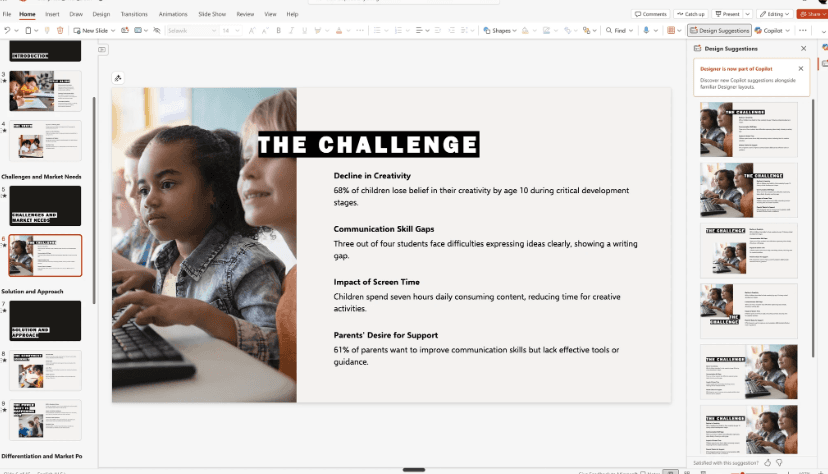
Word-to-deck conversion is also genuinely impressive - I pasted a quarterly report into Copilot and had a presentable slide deck in seconds. That's a workflow Canva has no answer for. But "presentable" is doing a lot of heavy lifting in that sentence. In my testing, Copilot used the same layout for nearly every content slide - a stock image on the left, a text box on the right, repeated across the entire deck. No variation. The design suggestions it offers are static too: same layout with the image shifted left or right and minor padding changes. There's no way to see genuinely different visual interpretations of the same content the way Alai's four-layout system works (as seen below)
The iteration tools are also limited. I asked Copilot to create a quadrant diagram for a competitive comparison slide and it generated the diagram in the chat sidebar rather than on the slide itself. Since PowerPoint uses absolute positioning, it struggles to create diagrams, charts, or any complex visual element through AI prompts. And because there are no reusable building blocks, every manual adjustment means fixing positions, alignment, and spacing element by element. The content generation also tends toward generic filler - Copilot often ignores specific input in favor of keeping its fixed layout intact, sometimes even leaving placeholder instructions on the slide for the user to fill in manually.
The trade-off also comes down to cost versus ecosystem. You need Microsoft 365 ($7-12/month) plus a Copilot Pro license ($20/month) or Copilot for Business ($30/user/month), which is significantly more expensive than anything else on this list. But for organizations already paying for 365, the incremental cost is easier to justify than adding a separate tool - and the native .pptx output eliminates an entire category of export problems.
Pros:
Zero export risk - slides are native .pptx from the moment they're created
Word-to-deck conversion turns documents into presentations in seconds
No new interface to learn if your team already uses PowerPoint
Enterprise-grade security and compliance (SSO, data policies)
Works with existing PowerPoint templates and brand assets
Cons:
Repetitive layouts - often the same stock image + text box arrangement on every slide
Design suggestions are static (image left vs right, padding changes) rather than meaningfully different
AI can't create diagrams or complex visuals on-slide - generates them in the chat sidebar instead
Generic content that ignores specific input to maintain its fixed layout
Expensive - $20-30/month on top of an existing Microsoft 365 subscription
No presentation-specific components (funnels, comparison matrices, timelines)
Pricing:
Copilot Pro $20/month (on top of M365) / Copilot for Business $30/user/month
Canva v/s PowerPoint: Which To Choose When
Switch from Canva if your organization already uses Microsoft 365 and you need native PowerPoint output with no export risk.
Stay with Canva if you don't want to pay Microsoft-level pricing or your team doesn't already live in the MS ecosystem.
4. Pitch: Best Canva Alternative for Post-Share Analytics
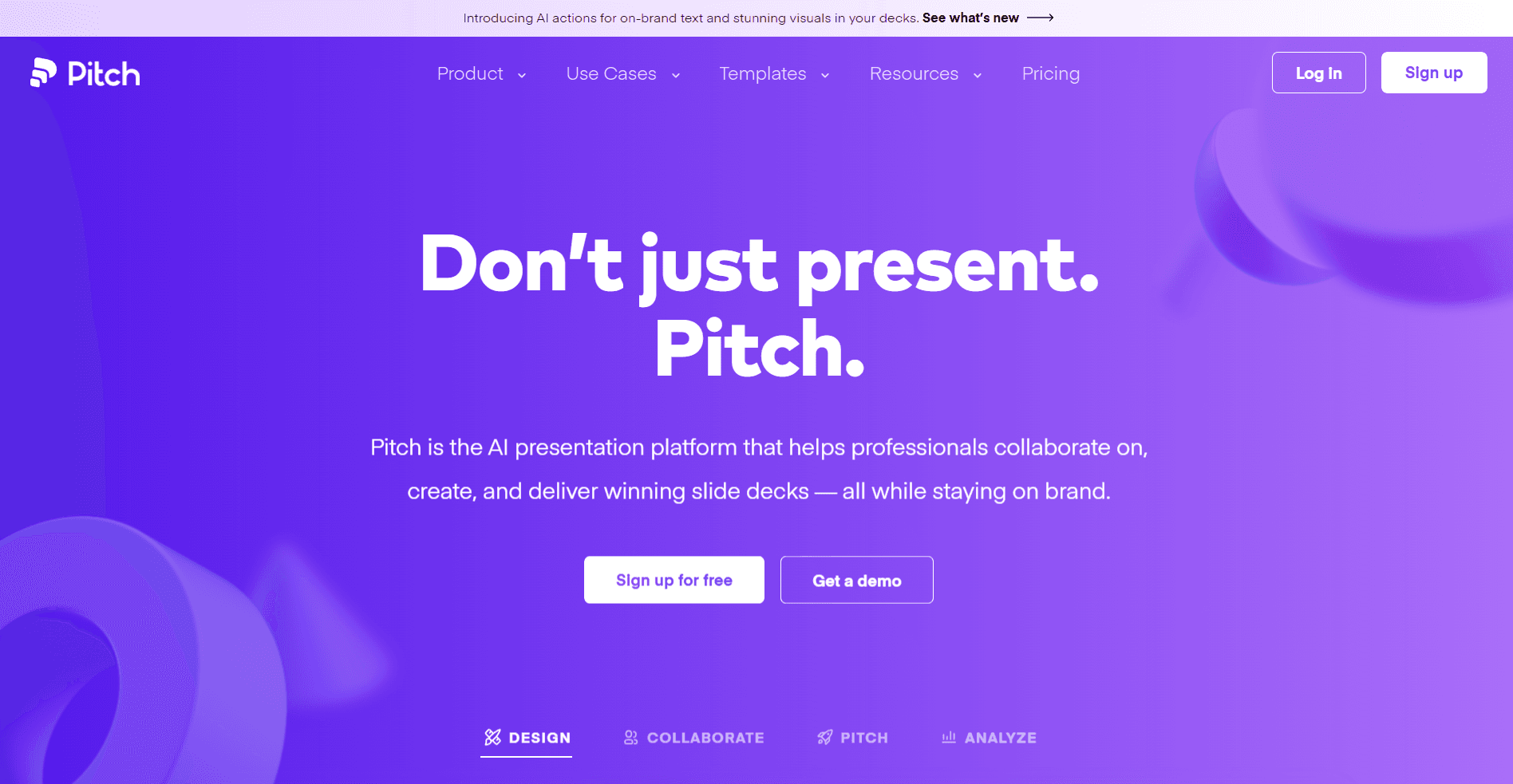
Every other tool on this list focuses on making the presentation. Pitch focuses on what happens after you hit send. When you share a Pitch deck, you get data back: who opened it, which slides they viewed, how long they spent on each one, where they dropped off, and whether they forwarded it to someone else. For anyone using presentations as part of a sales, fundraising, or client acquisition workflow, this is the feature that justifies the entire tool.
What makes Pitch better than Canva?
I first started testing Pitch because our team needed visibility into investor decks and client proposals and also because of their pitch room feature. We discovered that prospects were spending 80% of their time on three specific slides - which meant the other seven were either working as transitions or being ignored entirely. That insight changed how we structured every deck going forward.
Additionally, instead of sharing one public link, you can create multiple tracked links for the same presentation - one for each investor, each prospect, each stakeholder - each with its own analytics, optional password protection, and a descriptive URL. Pitch rooms go a step further: they combine your presentation with supporting files, links, and documents behind a single trackable link. Think of it as a deal room where everything the prospect needs lives in one place, and you can see exactly what they've engaged with. CRM integrations with Salesforce and HubSpot mean this engagement data flows directly into your pipeline, so a prospect spending five minutes on your pricing slide can automatically trigger a follow-up task.
The creation tool although not its best feature, is passable. The AI generates 11-slide decks from prompts and can check slides against your brand tone, personalize content for specific audiences, and proofread text. Templates are clean and modern - over 100, many specifically designed for pitch decks and business presentations. Pitch 2.0 also introduced "Continuity" animations - transitions that seamlessly animate elements between slides, creating a narrative flow that static slide transitions can't match. And you can record video over your slides directly in the tool, which is useful for async pitches where you can't present live.
Where Pitch falls short is design depth. The templates are professional but not as visually rich as what Alai produces - no gradients, layered elements, or multiple layout options per slide. The AI generation is decent but not the tool's main strength; it won't match Alai or Gamma for first-draft or even final draft quality. And the pricing has shifted upward with Pitch 2.0 - Pro now starts at $25/month (or $22 billed annually) with only 2 seats included, and Business jumps to $100/month for 5 seats. That's a meaningful investment if analytics are central to your workflow. I compared Pitch's analytics against other options in detail here.
Pros:
Slide-level analytics: who opened, time per slide, drop-off, and forwarding data
Custom links with individual tracking, password protection, and descriptive URLs
Pitch rooms combine presentations, files, and links into one trackable deal room
CRM integrations (Salesforce, HubSpot) connect engagement data directly to your pipeline
Video recording over slides for async pitches
"Continuity" animations for narrative flow between slides
Free plan includes basic analytics (Pitch 2.0 made this inclusive)
Cons:
Design quality is professional but not as visually rich as Alai's output
AI generation is decent but not best-in-class - not the tool's main strength
Pro pricing at $25/month with only 2 seats is steep for small teams
Business at $100/month for 5 seats is hard to justify without a sales-driven workflow
No Nano Banana Pro integration, no multiple layout options per slide
Advanced analytics features are gated behind paid plans and link quotas
Pricing:
Free (5 members, basic analytics) / Pro $25/month or $22 yearly (2 seats) / Business $100/month or $85 yearly (5 seats) / Enterprise custom
Canva v/s Pitch: Which To Use When
Switch from Canva if your presentations are part of a sales or fundraising workflow where tracking engagement and optimizing follow-ups directly affects your revenue.
Stay with Canva if you share decks casually and don't need visibility into how they're received, or if analytics aren't central to how you use presentations.
Is There a Free Canva Alternative for Presentations?
If Canva's free plan is what brought you here, you have options. People searching for 'Canva alternatives free' often don't realize that most AI presentation tools offer usable free tiers too. Alai gives you 300 credits free - enough for several full presentations with AI-generated layouts, and the quality gap between Alai's free output and Canva's free templates is noticeable. Gamma offers 400 free credits with amazing generation speed, though the exports can break if you need PowerPoint files. Canva Free is still a strong option for basic Canva presentations if you don't need AI generation from prompts and are not heavily focused on creating something with high design quality.
The honest answer: Canva's free tier is hard to beat for general design. But if you're looking at alternatives to Canva specifically for slide decks, Alai's free credits produce noticeably better output.
Which Canva Alternative Actually Makes Sense for You?
Update: Canva AI vs. Alai Modern Slides API for high-quality designs
Product note, checked September 3, 2026: the old version of this section undersold Alai. Canva is broad, but Alai Modern is not limited to slide decks. The Modern API docs list presentation, infographic, carousel, poster, and social_post as supported artifact formats.
That changes the decision. Canva remains a strong choice when your team wants Canva's editor, template ecosystem, stock assets, and existing collaboration habits. But if the question is "can we use Alai to create high-quality designs and iterate on them precisely?" the answer is yes. Modern gives Alai's higher-quality design workflow an API surface, not just a slide picker.
The bigger Alai advantages are design-system control and model choice. Developers can select a published design system, upload brand or content assets, generate with a selected supported model, and revise through natural-language edits. The models endpoint currently includes z-ai/glm-5.2 among the selectable IDs, which matters for cost: use a cheaper model when it hits the quality bar, and reserve more expensive models for the hardest work.
Need | Better fit |
|---|---|
General human design workspace with templates, stock assets, and team habits | Canva |
API-driven high-quality posters, infographics, carousels, social posts, and presentations | Alai Modern Slides API |
Precise AI iteration after generation | Alai Modern Slides API |
Collaboration-first review and shared editing | Verify the current product requirements; collaboration is not Alai's current differentiator. |
The bottom line: use Canva when the main value is Canva's established editor and ecosystem. Use Alai Modern when the main value is high-quality AI design generation, model choice, and precise iteration through an API.
I've been making presentations for five years. In that time I've used Canva, PowerPoint, Google Slides, and now most of the AI tools on this list. There's no perfect tool among these Canva alternatives. There's only the right one for what you're doing.
If you make presentations weekly and quality matters - if you're sending decks to investors, clients, or executives - Alai is what I'd recommend. The four-layout system, responsive canvas, extensive editing options and context-aware AI save real hours, and the exports don't break. I made the switch three months ago and haven't gone back to Canva for a single slide deck since.
If you share information as links more than you present live - Gamma. Its web-native format is better for async reading than any static slide format.
If your company is already paying for Microsoft 365 and design is not your primary concern (and you don’t have the extra budget for a dedicated ppt tool) - PowerPoint with Copilot. Native format, zero export issues, and the Word-to-deck conversion is a workflow nothing else can match.
If you need to understand how your presentations perform after sending especially with other sales enablement assets, your go should be Pitch. Nobody else on this list tracks engagement at its level.
And if presentations are just one small corner of your design workflow, alongside social posts and marketing graphics? Keep Canva. It's still the best all-in-one platform. These alternatives only win when slides are the main event.
Ready to see the difference? Try Alai free and see what AI-first presentation design actually looks like. Or if you want the full picture, I tested and ranked every major AI presentation maker here.
Frequently Asked Questions About Canva Alternatives
Is Canva good for presentations?
For casual decks and internal meetings, absolutely. The template library is massive, exports hold together decently well and the free tier is generous. Where Canva falls short is professional, high-stakes presentations - there's no AI generation from prompts, no multiple layout options, and no built-in components like funnels or comparison matrices, plus the design does not come close to the other AI presentation tools out there. If your slides need to impress someone who controls a budget, dedicated tools like Alai produce better output for comparable pricing.
What are the best Canva alternatives for making presentations?
Alai for design quality and AI-powered generation. Gamma for web-native shareable docs and async decks. PowerPoint with Copilot for teams already in the Microsoft ecosystem. Pitch for presentation analytics and engagement tracking.
Is there a free alternative to Canva for slide decks?
Alai offers 300 free credits - enough for several AI-generated presentations. Gamma gives 400 free credits for fast deck generation. Canva's own free tier is still strong for basic slides, but these alternatives generate better output from prompts specifically.
How much does Canva cost for presentations?
Canva Free works for basic slides. Pro costs $15/month ($120/year) and adds premium templates, full Magic Studio AI, and brand kits. Business runs $20/user/month with team collaboration and admin controls. For comparison, Alai starts at $16/month and Gamma at $8/month - both with AI capabilities Canva doesn't offer at any price tier.
Is Canva better than PowerPoint for presentations?
Depends on the workflow. Canva is easier to pick up and has better templates for non-designers. PowerPoint gives more control, better animation support, and native enterprise compatibility. With Copilot ($20/month add-on), PowerPoint now generates slides from prompts and converts Word docs to decks - a workflow Canva can't match. If you're choosing between them, PowerPoint Copilot is stronger for AI-powered content, Canva wins on template variety and ease of use.
What can I use instead of Canva for making slide decks?
Alai for AI-high quality design. Gamma for web-native docs. PowerPoint with Copilot for native .pptx output. Pitch for deck analytics. Each outperforms Canva for presentations specifically, though Canva remains the stronger all-purpose design platform.
Does Canva export to PowerPoint?
Yes, but designs can break. While Canva offers decent PPT export it's not the same as building decks with PowerPoint and Copilot. Customized templates with specific fonts and elements can tend to break in PowerPoint.
What is the best AI presentation tool in 2026?
Based on testing 12+ tools, Alai produces the highest quality output for the time invested. Four layout options per slide, AI that maintains consistency across the deck, clean PowerPoint exports, and presentation-specific elements other tools lack. Gamma is better for async shareable content. PowerPoint Copilot wins for enterprise Microsoft workflows. But for professional slide decks specifically, Alai sits at the top.
Is Alai Create Design a replacement for Canva?
Not for every team. Canva remains a strong general-purpose option for design-type, custom-size, and template-led work. Alai Create Design is worth considering when presentations are central and you also need social, carousel, document, print, or custom-size design starting points with AI changes, manual editing, and version history.
PAGES
Compare Tools
resources