·
CASE STUDY
·
10 min read

Founder, Alai
When someone searches for a free AI presentation maker, they usually want one of three things: a fast first draft, an editable PowerPoint file, or a polished deck without a new software bill. Those are different jobs. The category makes them sound interchangeable, and that is where disappointment starts.
Quick answer: use a free AI presentation plan when you have a contained, low-stakes deck and can define the story before generating it. Check the allowance, per-prompt slide cap, export format, editing model, and branding rules before investing time in a design. Gamma is explicit about a 400-credit signup allocation, a limit of up to 10 slides per prompt, and free-plan exports to PPTX, PDF, PNG, and Google Slides. Canva offers a Free plan but positions higher AI access and brand-management features in paid tiers. PowerPoint Copilot is not a universally free generator: its availability depends on a Microsoft 365 subscription and organizational settings. Gamma's pricing page, Canva's pricing page, and Microsoft's Copilot documentation are the right places to verify the current terms before choosing.
The mistake is treating the initial generation as the deliverable. A presentation has to survive the next step: changing a claim, replacing an image, shortening a slide, applying your brand, or handing the file to someone who only uses PowerPoint. The useful question is not, "Can this make slides for free?" It is, "Can I complete my deck without hitting a limit or rebuilding it elsewhere?"
What "free AI presentation maker" actually means
Free plans tend to subsidize exploration, not an ongoing production workflow. That is reasonable. Generation, model access, image creation, storage, and export infrastructure all cost money. But it means that "free" may describe one part of the workflow rather than all of it.
I use five checkpoints to make the word concrete:
Access: Can you start with a free account, and does your organization need to enable anything?
Generation allowance: Is the constraint credits, prompts, slides, AI features, or a combination?
Editing: Can you revise each slide as a native object, or is the result mainly a rendered page?
Export: Can you take out the format your team needs, especially PPTX or PDF?
Handoff: Can another person edit the result, preserve the layout, and present it confidently?
The first two determine whether you can make the draft. The last three determine whether the draft is useful. A tool that gives you a beautiful ten-slide result but creates a painful handoff can still be the wrong free option for a client deck, investor update, or internal review.
Free-plan comparison: evaluate the workflow, not the headline
This is an eligibility matrix, not a ranking. I am intentionally separating documented plan details from things you should verify in the product before committing a real deck. Free-plan terms change, and vague comparison tables often turn a missing detail into an invented feature.
Option | What the supplied documentation confirms | Free-plan constraint to plan around | Editing and export decision | Best fit |
|---|---|---|---|---|
Gamma | Free plan with 400 credits at signup; up to 10 slides per prompt; exports to PPTX, PDF, PNG, and Google Slides. Source | Credits and the 10-slide prompt cap make scope important. | PPTX and PDF export are documented. Open a representative export before relying on it for a collaborative PowerPoint handoff. | A short, self-contained first draft where multiple export routes matter. |
Canva | Canva has a Free plan. Its pricing page distinguishes it from paid tiers with higher AI allowances, premium tools, expanded AI access, and brand-management features. Source | AI access and brand features are not equivalent across tiers. | Decide whether the specific AI feature and the output format you need are included in your account before building the deck around them. | People already working in Canva who need to validate the exact free feature set first. |
PowerPoint Copilot | Microsoft documents creating a new presentation with Copilot in PowerPoint, while stating availability depends on Microsoft 365 subscription and organizational settings. Source | Access can be subscription- and organization-dependent, so it should not be assumed to be a free option. | The key question is eligibility in your existing Microsoft environment, not merely whether PowerPoint is installed. | Teams whose organization already provides the required Copilot access. |
Notice what this table does not do: it does not infer an unlimited allowance from a free account, or assume a downloadable PPTX will behave exactly like a deck built natively in PowerPoint. Both assumptions create avoidable rework.
The editable-slide test matters more than the generator
People often use "editable" loosely. There are at least three versions of it:
Canvas editable: you can change words, layouts, colors, and media within the tool.
Export editable: the downloaded file opens in the format your team uses and the important elements can be revised.
Operationally editable: a colleague can make a last-minute change without breaking hierarchy, alignment, fonts, or the narrative.
Only the third version solves the real work problem. A file can technically be editable while still requiring enough cleanup that it is faster to rebuild the slide. That is especially common on dense slides: comparison tables, positioning maps, financial summaries, process diagrams, and slides with a carefully placed visual hierarchy.
Before you settle on a tool, run a small acceptance test. Generate a five- to eight-slide draft on a topic that resembles your real assignment. Then change a heading, replace an image, reduce a paragraph into three bullets, duplicate a slide, move one element, and export the deck. Ask a colleague who did not create it to make one revision. If that loop is easy, the tool is a credible workflow candidate. If it is not, it is a drafting aid, not an end-to-end presentation maker.
For a deeper discussion of what editable PowerPoint output should mean in practice, read our guide to creating editable PowerPoint from a brief. The distinction is not academic. It determines whether AI removes work or moves it to the last hour before the meeting.
How to make a free AI presentation without wasting credits
Credits make sloppy prompting expensive. The answer is not a longer prompt full of adjectives. It is a clearer brief with an actual point of view. AI is often competent at expanding structure; it is much less reliable at inventing the right structure from a vague request.
1. Write the audience and decision first
Start with one sentence: "This deck helps [audience] decide [decision] because [evidence or rationale]." For example: "This deck helps the leadership team approve a two-quarter customer-retention plan because churn is concentrated in two segments." That sentence blocks the common failure mode of generating a generic overview when you need a recommendation.
2. Supply a slide budget before generation
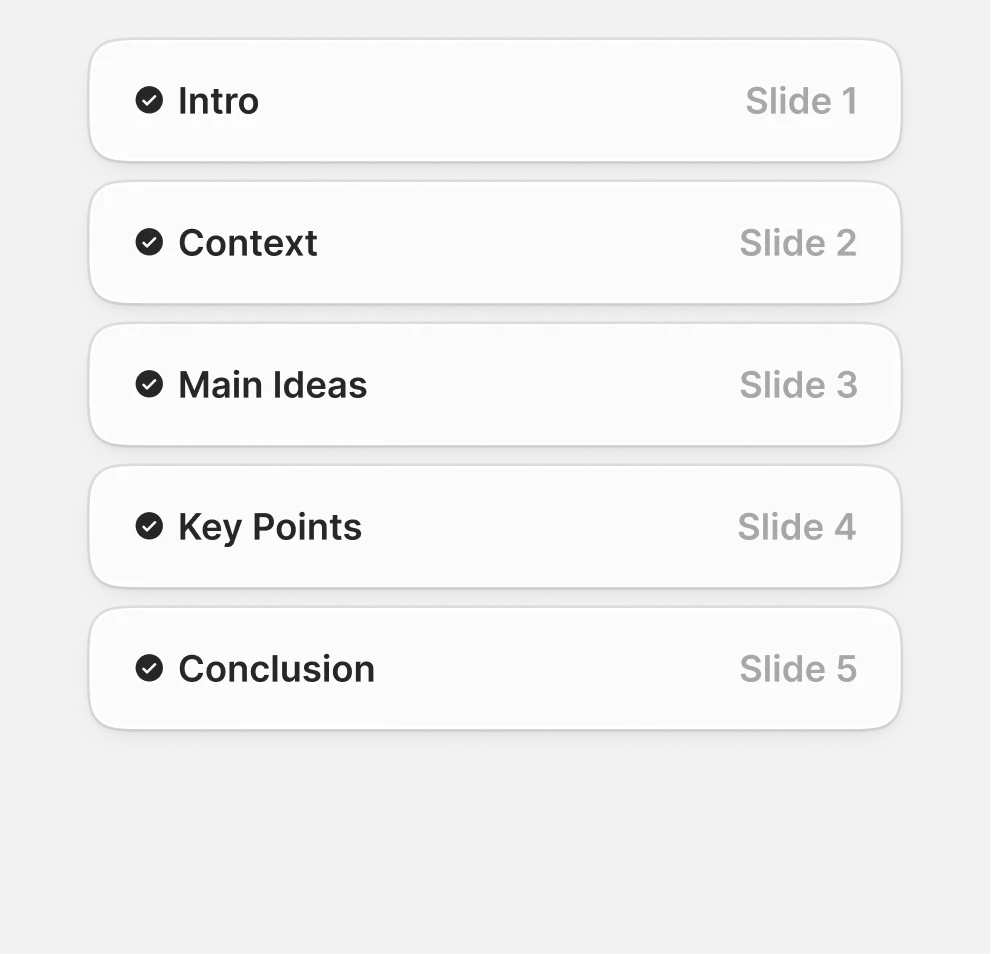
Tell the tool the number of slides and the role of each one. A practical seven-slide outline is: title and recommendation, problem, evidence, options, recommendation, implementation plan, and next step. This is particularly useful where a free plan has a per-prompt slide cap. Gamma documents up to 10 slides per prompt on its Free plan, so a concise planned structure is more sensible than asking for an entire strategy document to become a deck in one pass. Verify Gamma's current limit here.
3. Separate facts from framing
Give the generator source facts, constraints, and audience context. Keep your core claim explicit. A slide generator can arrange a story, but it cannot know whether a metric is final, whether a claim requires legal review, or which tradeoff your executive team will reject. Treat generated copy as a draft that needs ownership, not as research.
4. Generate the skeleton, then edit at the slide level
Do not regenerate the whole deck because slide four is weak. Fix slide four. Whole-deck regeneration often changes content you had already approved, consumes allowance, and creates a new round of comparison. The durable workflow is outline, first draft, slide-level revision, visual cleanup, then export.
5. Export early, not five minutes before presenting
If a PowerPoint or PDF handoff is required, export a representative early version and inspect it in the destination environment. Check line breaks, font substitution, image crops, speaker notes if relevant, and the editable objects that matter most. Doing this on slide three is cheap. Doing it after twenty slides have been reviewed is not.
If you already have a document or webpage that contains the underlying material, start from the source rather than a blank prompt. A link-to-PPT workflow can be a useful starting point for turning an existing page into presentation material. If the content is right but the current file looks uneven, use a separate deck cleanup workflow rather than throwing away the deck and hoping a new generation preserves the substance.
When a free plan is enough
A free AI presentation maker is usually enough for a one-off deck when all of the following are true:
The deck is short and has a defined end point.
The audience is internal, informal, or tolerant of light manual cleanup.
You own the source material and can verify every claim.
You can work inside the tool's native editor if export is imperfect.
You do not need rigorous reusable brand control across a team.
You have time to test the output and create a fallback PDF.
Examples include a class presentation, a meeting recap, an early project proposal, a workshop outline, or a personal portfolio draft. In these situations, the free plan is doing exactly what it should: removing the blank-page problem and giving you a starting structure.
There is also a reasonable case for using a free plan as a shortlisting device. Make the same tightly specified mini-deck in two or three options, assess the output using the criteria below, and choose the environment you will use for the real project. That is better than deciding from marketing screenshots.
When free creation becomes the expensive option
Free is the wrong optimization when the cost of a bad handoff exceeds the subscription cost you are trying to avoid. A sales proposal that must match a client brand, a board deck with sensitive data, a complex quarterly business review, or an investor narrative all have a high revision burden. The first draft may be quick, but the true cost lives in approving, modifying, exporting, and maintaining the presentation.
Branding is the usual breakpoint. Canva explicitly positions paid tiers around expanded AI access, premium tools, and brand-management features, which is a signal to inspect whether your required brand workflow is available on the tier you are considering. Its pricing page should be the source of truth for the current entitlement. Likewise, if your organization expects PowerPoint Copilot to be part of the workflow, confirm access with the Microsoft 365 administrator rather than planning around an assumed free feature. Microsoft notes that subscription and organizational settings affect availability.
If you need broader paid-tool comparisons, we maintain a separate AI presentation maker comparison. This guide stays deliberately narrower: free access is not a feature checklist; it is a constraint-management problem.
A practical scorecard before you choose
Score each option from 1 to 5 on the dimensions below, using a sample deck that resembles your actual work. Give double weight to editing and handoff if someone else will touch the file.
Criterion | What a 5 looks like | Red flag |
|---|---|---|
Story quality | The outline advances one clear argument for the intended audience. | A generic list of topics with no recommendation or decision. |
Factual control | You can supply source material and easily correct each claim. | Unverified generated statements become part of the deck. |
Visual editability | Text, layouts, images, and emphasis can be revised quickly. | Small changes cause broad layout damage. |
Export fidelity | The required file opens cleanly and retains the useful structure. | The export is technically available but needs a rebuild. |
Allowance fit | Your planned iterations fit the documented free limits. | You spend credits discovering the outline. |
Brand and collaboration | The required team controls exist for this deck. | Branding or shared review requires an upgrade mid-project. |
Practical takeaway: choose the free tool that makes your next revision cheapest, not the one that makes the flashiest first slide. Define the decision, draft a constrained outline, test an export early, and retain ownership of every claim. When the deck demands repeatable branding or dependable collaborative handoff, acknowledge that you have moved from free exploration to a production workflow.
At Alai, that distinction guides how I think about presentation software generally. The generator is the visible part. Narrative control, taste, editable structure, and revision loops are the actual product. For ideas on making any generated draft feel less templated, see this practical guide to improving PowerPoint presentations.
Is there a genuinely free AI presentation maker?
Yes, but free usually means a defined allowance rather than unlimited use. Gamma documents a free plan with signup credits and a per-prompt slide cap, while Canva offers a Free plan with different AI access from paid tiers. Always check the current plan page before starting a substantial deck.
Can I export a free AI-generated presentation to PowerPoint?
Gamma states that its Free plan exports to PPTX, along with PDF, PNG, and Google Slides. An available export does not automatically guarantee a frictionless PowerPoint handoff, so export a short sample early and test the edits you expect to make.
Is Microsoft Copilot in PowerPoint free?
Do not assume it is. Microsoft says Copilot availability in PowerPoint depends on your Microsoft 365 subscription and your organization's settings. Confirm eligibility in your specific account or with your administrator before making it part of a presentation workflow.
What should I check before choosing a free AI slides generator?
Check account eligibility, AI credits or prompt limits, slide caps, the native editing experience, required export formats, and brand controls. Then create a short representative sample and test an actual revision and export. This reveals more than a feature checklist.
Why do AI-generated PowerPoint files sometimes need cleanup?
Presentations are iterative documents, and the important test is whether text, images, hierarchy, and layouts remain easy to revise after export. A deck can be technically editable but operationally awkward when it contains dense content or requires precise brand formatting. Test the elements that matter to your team.
PAGES
Compare Tools
resources