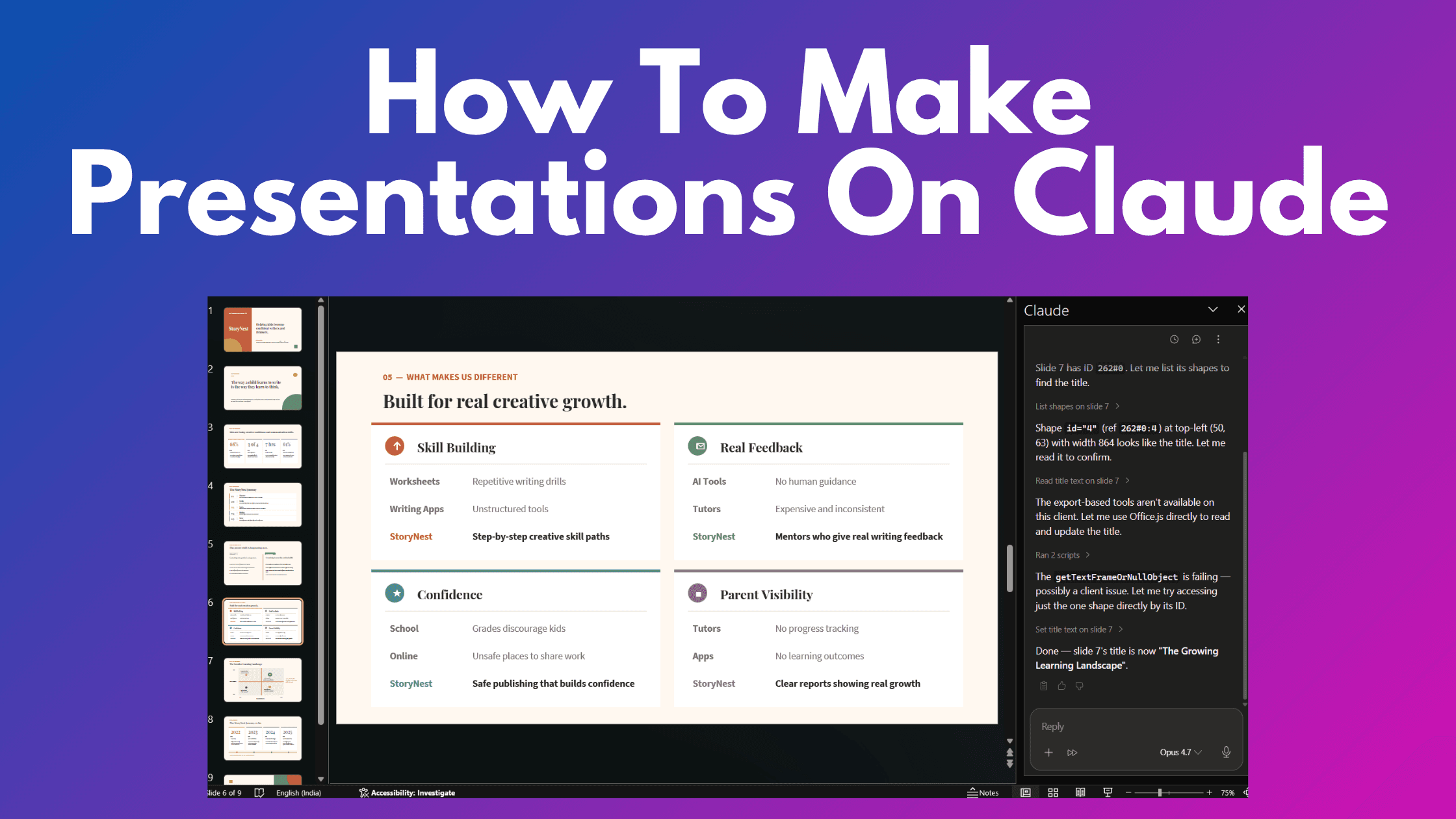
·
CASE STUDY
·
10 min read

Marketing Lead
Updated October 27, 2026. Here's how to use Claude to create presentations today: build an editable deck in Claude Slides, ask chat for a downloadable PowerPoint file, or use Anthropic's add-in inside PowerPoint. The route you choose determines where you can make changes and what survives export.
Claude Slides now works inside Claude conversations and Artifacts. If you previously used the separate Claude Design website, there is an important transition: Anthropic says the standalone site closes on December 14, 2026. Design continues inside Claude; this is a move between product surfaces.
This guide combines the original three-workflow comparison with current setup guidance. The original examples used Opus 4.7; they are not a benchmark of today's models. Alai publishes this article and offers its own presentation and design tools.
TL;DR: Best ways to create presentations on Claude
Workflow | Start here when | What to check |
|---|---|---|
Claude Slides | You want to generate, edit, and present a deck inside Claude. | Inspect the exported PowerPoint as well as the canvas. |
Claude chat file creation | You want a .pptx deliverable from your notes or documents. | Ask for the file format explicitly and open the actual download. |
Claude for PowerPoint add-in | You already have a PowerPoint file or a corporate template. | Check add-in access and the layouts in your source template. |
Alai, directly or through its MCP connector | You want Alai's design workflow, reusable visual styles, and precise iteration. | Choose the appropriate slide type; the MCP and Modern API have different contracts. |
Start with the deliverable. A deck you will present from Claude, a PowerPoint that colleagues will edit, and a set of visual assets for a campaign are different jobs. Decide where the work needs to end before generating it.
Can Claude make PowerPoint presentations?
Yes. Claude can create a deck and export it, generate a PowerPoint file through chat, or make changes inside PowerPoint using the official add-in. You do not need to copy an outline onto slides manually.
There is one further distinction: choosing a Claude model in Microsoft Copilot is a Microsoft workflow. It is separate from Anthropic's own add-in. For a comparison of those Office integrations, see our AI PowerPoint add-ins guide.
Option 1: Claude Slides and your existing Claude Design projects
For a new deck inside Claude, begin with Slides. Anthropic's current presentation tutorial describes a deck that opens beside your conversation, with direct editing, comments, and presentation controls. This replaces the assumption that every visual deck must start at the standalone Design URL.
How to create a deck in Claude Slides
Open a Claude conversation and attach the material the deck should use: a memo, approved figures, an outline, or an existing presentation.
Ask for a Slides deck. State the audience, purpose, approximate length, and decision you want the audience to make.
Review the proposed story before polishing individual slides. Correct missing context and remove unsupported claims.
Make a specific revision request, naming the slide and the change. Review that result before asking for another structural change.
Download the format you need, then inspect it in the application where the recipient will open it.
A prompt worth starting from:
Create a Slides deck from the attached project brief for a customer kickoff. Organize it around the customer's goals, the proposed approach, ownership, milestones, and the decisions we need today. Use the attached reference deck for visual direction. Use only supplied facts and mark information that is missing.
Give feedback as an editing brief. For example: "On slide 4, put the three milestones on a timeline. Keep their dates and owners unchanged. Leave the other slides alone." That makes it easier to judge whether the requested edit landed.
What happens to standalone Claude Design?
You can use the standalone site until December 14, 2026. Anthropic is moving projects and design systems into Claude, with availability depending on the migration rollout. Follow its migration guide for your account. Chats and comments from the standalone workspace do not migrate with the design system, so review what you need to preserve.
For the Design-specific workflow and historical review, use our Claude Design guide. The instructions here concern the current ways to make presentations.
What remains editable after PowerPoint export?
Anthropic's presentation tutorial distinguishes editable text, tables, pictures, backgrounds, and notes from visual elements that become pictures in the PowerPoint download. In particular, its documented export turns charts, icons, and shapes into pictures. Check those objects if the recipient needs to change the underlying data or geometry.
For a financial chart, an image of the chart may be insufficient. Ask whether you need to update its data next month. If you do, inspect the exported object rather than relying on how it looks in the preview.
Option 2: Ask Claude chat for a downloadable PowerPoint
File creation is useful when the immediate deliverable is a .pptx file. You can develop the narrative in chat, supply documents, and ask for a presentation to download. This differs from asking for a Slides artifact you continue to edit inside Claude.
Anthropic's file-creation documentation confirms support for PowerPoint files. If Claude only returns an outline, check that file creation is enabled under Capabilities and ask specifically for a downloadable .pptx.
A practical file-generation workflow
Supply your source document and describe the audience. Include the facts the deck must preserve.
Ask for an outline first when the story is still unsettled. Fix the sequence and the main takeaway of each slide.
Request the PowerPoint file. Specify which content must remain editable, including any charts or tables.
Open it in PowerPoint. Change a headline, inspect a chart, and check for text overflow.
Send focused feedback or upload the reviewed file for the next revision.
Turn this approved outline into a downloadable .pptx. Keep headings and body text in editable text boxes. Use the exact figures in the attached spreadsheet and flag anything you cannot verify. Include a closing slide with the three decisions we need from the audience.
Keep a copy of the last approved file. When asking for a revision, identify that version and list the changes. It is easy to lose track of which download contains the latest approved figures when several versions are circulating.
Option 3: Claude for PowerPoint, the add-in
Use the add-in when the existing PowerPoint is the working document. Anthropic documents support for creating slides, making targeted edits, and building native charts inside PowerPoint. Its current add-in documentation lists access for Pro, Max, Team, and Enterprise plans.
How to add Claude to PowerPoint
Follow the official documentation to the Microsoft marketplace listing.
Install the add-in and open it in a supported PowerPoint application.
Sign in with your Claude account, or follow the deployment instructions supplied by your organization.
Open the actual template or presentation you intend to use.
Try a change on one representative slide before assigning a whole-deck revision.
For example: "On this slide, replace the paragraph with three concise takeaways. Keep the title, source note, and chart unchanged." Follow with a separate layout request if needed. Reviewing content and layout independently makes errors easier to spot.
If the template is the main constraint, our Claude corporate-template guide covers preparing it. A logo and a list of colors provide less guidance than a usable set of layouts and approved example slides.
Do not budget using an assumed number of decks per subscription. The work required for a short edit differs from rebuilding a large presentation. Check current plan limits and your organization's access rather than treating an old per-deck estimate as a price.
What the original three-workflow test showed
The original comparison used the same content and design direction in standalone Claude Design, Claude file creation, and the PowerPoint add-in, with Opus 4.7. The author examined design quality, iteration, and exports. These examples preserve that comparison; current product behavior may differ.
The Design sample had a stronger visual hierarchy than the other samples, while dense analytical slides needed more review. The file-generation and add-in samples illustrated why it is worth checking alignment, charts, and editability in the finished file. Those observations suggest what to inspect in your own trial, rather than a permanent ranking of newer models.
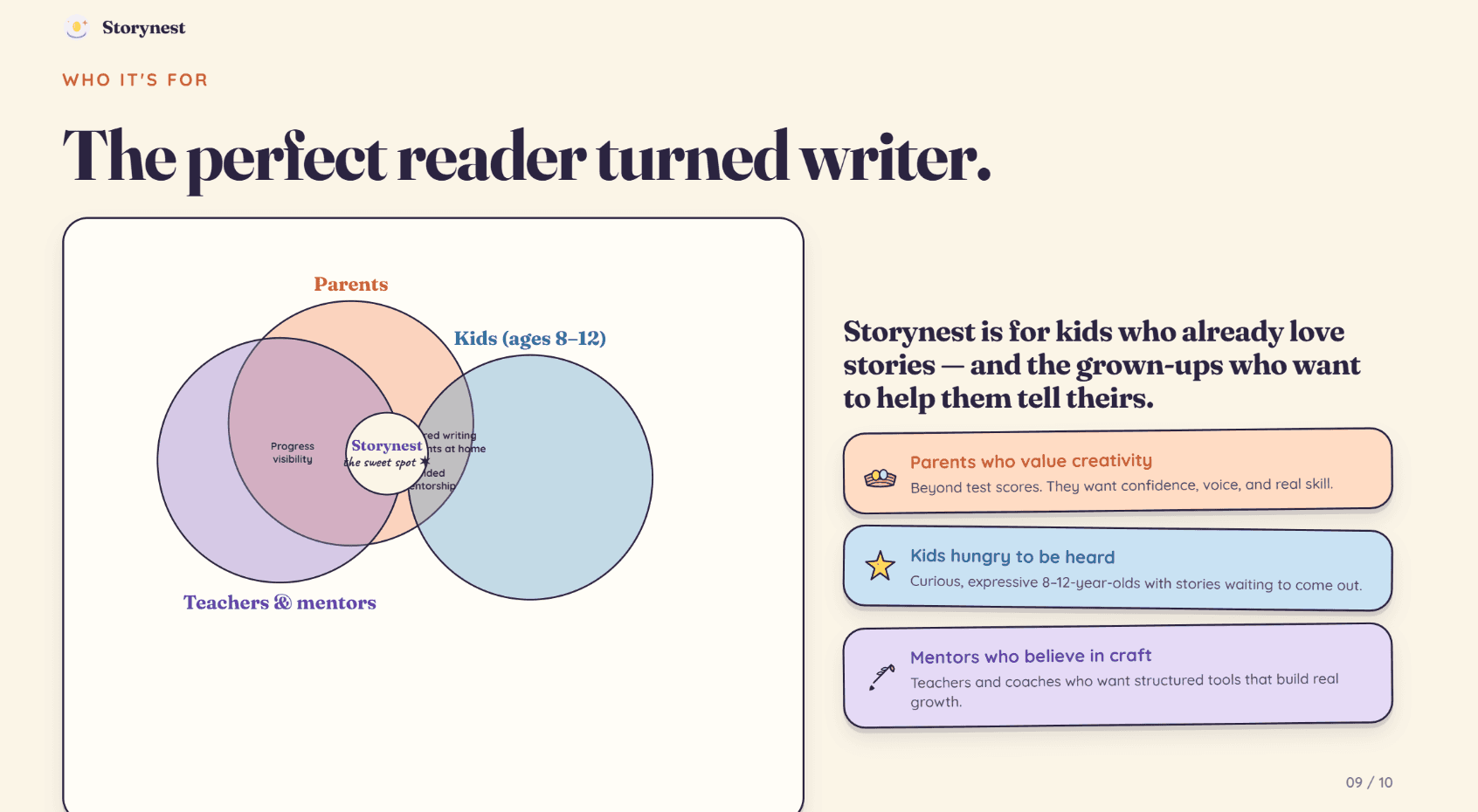
Standalone Claude Design example from the original comparison, before the current Slides transition.
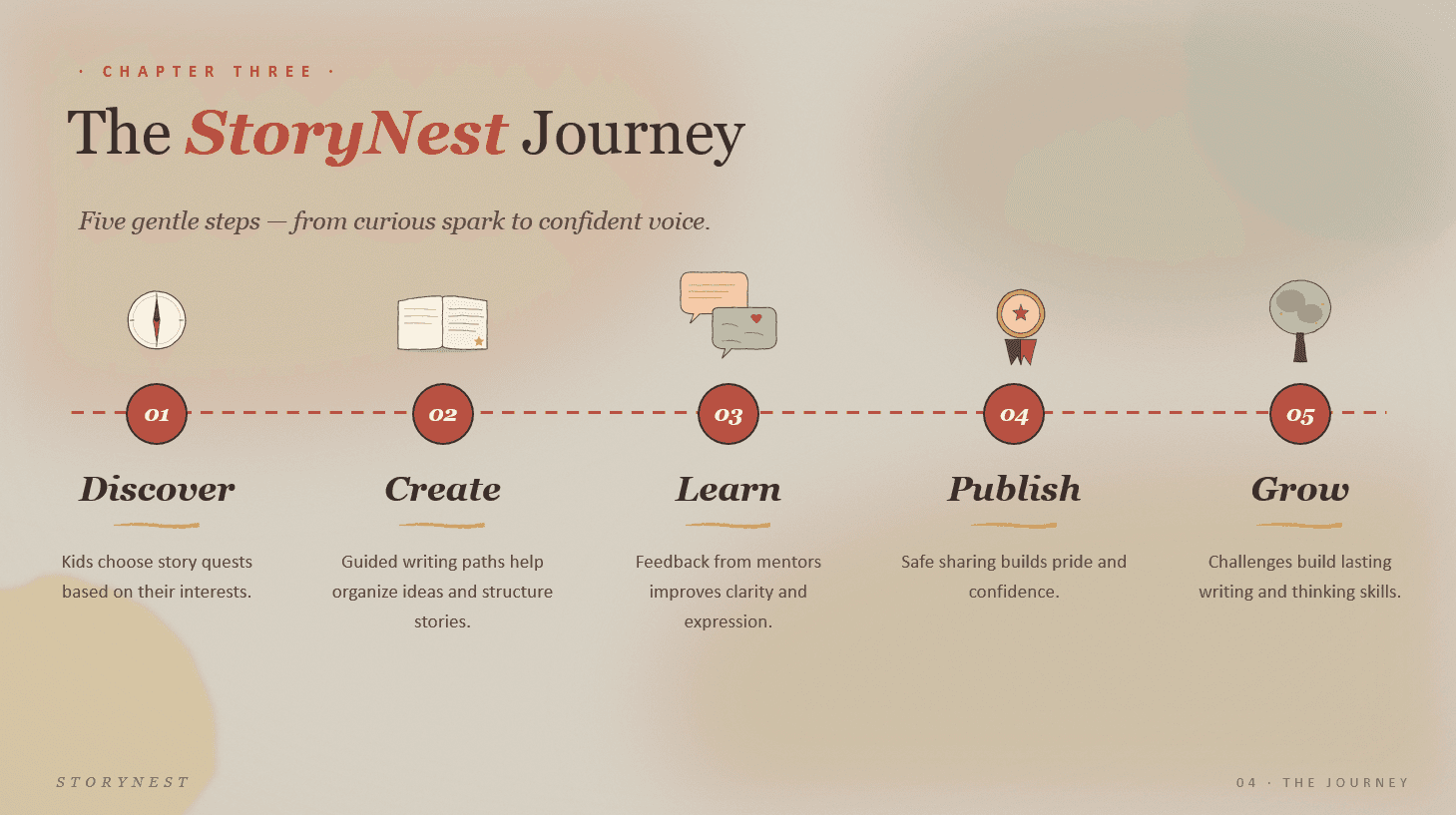
Original Claude file-creation example. It is not a new test of the current model catalog.
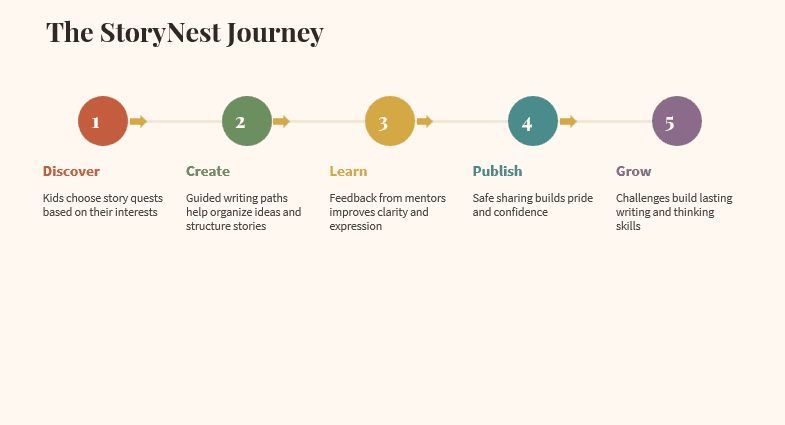
Original PowerPoint add-in output. Review a current representative slide before choosing a workflow.
Using Alai with Claude, or choosing a model inside Alai
Alai is another way to carry the work from an idea into a designed, editable presentation. You can work directly in Alai or connect its MCP server to a compatible Claude setup. These are separate choices: using Claude as the assistant does not require every design task to happen in Claude's own canvas.
In Alai, Modern Slides uses published design systems and supported model choices, alongside AI and manual editing. Classic and Creative provide additional slide workflows. Alai also creates posters, infographics, carousels, and social posts; see the broader design workflow when those are the deliverables you need.
Model choice lets you try different supported providers against the same brief and choose a quality, cost, and latency balance that works for you. It does not establish that every model produces identical results. Judge the design and the precision of the revision you actually requested.
For example, start a Modern deck from a published brand, generate the narrative, then request: "On slide 3, replace the three text columns with a comparison table. Keep the figures and the footer unchanged." Check that the selected design system and the requested content survive the edit.
Connect Alai to Claude through MCP
Use https://slides-api.getalai.com/mcp/ as the Alai connector URL in a Claude account that supports custom remote connectors, then complete Alai's sign-in flow. Our Alai MCP setup guide covers the connection and the tools it exposes.
Keep the surfaces distinct. Alai's existing MCP tools and Classic/Creative API workflows are not automatically the Modern API. Developers who want the Modern design-generation contract should use the Modern API guide and its current model catalog.
The latest Alai updates also include document attachments in Classic editing chat, presenter view with private notes, and improvements to PowerPoint export. You can keep revising an existing deck as new source material arrives.
Collaboration needs its own evaluation. Claude now advertises shared artifact editing. Do not assume its collaboration capabilities are unchanged from an earlier review, or treat collaboration as an Alai feature announced here.
Check the presentation before you send it
Try the same short brief in the workflows you are considering. Include a title slide, a dense evidence slide, a chart, and a closing recommendation. That will reveal more than a polished cover slide.
Facts: compare numbers, dates, and citations against the supplied sources.
Revision: request a change to one slide and inspect the rest of the deck for unwanted changes.
Brand: check fonts, image treatment, spacing, and the actual template requirements.
Export: open the PowerPoint in the recipient's viewer and edit the objects they need to change.
Delivery: check speaker notes, audience visibility, and the final presentation order.
For a deck you will finish inside Claude, start with Slides. For an existing PowerPoint, evaluate the add-in on that file. For Alai's design systems, model flexibility, and editing workflow, build in Alai or use the supported connector. Compare the result against your brief and the next revision you expect to make.
FAQs
Can Claude make PowerPoint presentations?
Yes. You can export from Claude Slides, request a .pptx through chat file creation, or use the official Claude for PowerPoint add-in.
Can Claude create presentations without the PowerPoint add-in?
Yes. Create a Slides deck inside Claude or ask for a downloadable .pptx. The add-in is for working inside PowerPoint.
How do I add Claude to PowerPoint?
Follow Anthropic's official PowerPoint documentation to the Microsoft marketplace listing, install the add-in, and sign in. Your organization's policies may control installation.
Is Claude Slides available on the Free plan?
Anthropic lists Claude Slides on all plans, including Free. The PowerPoint add-in has separate paid-plan access requirements.
What happens to Claude Design on December 14, 2026?
The standalone site closes to new project creation and becomes read-only. Design continues inside Claude. Follow Anthropic's guide to move eligible projects and design systems.
Are exported Claude slides fully editable in PowerPoint?
Check the workflow and object type. Claude's Slides export preserves several editable elements, but its documented export turns charts, icons, and shapes into pictures.
Can I make precise edits in Alai?
Yes. Alai supports targeted AI revision and manual editing, with controls depending on the slide or design format. Modern also supports published design systems and model choice.
Is Claude in Microsoft Copilot the same as Anthropic's add-in?
No. Selecting a model in Copilot and installing Anthropic's own PowerPoint add-in are separate workflows.
PAGES
Compare Tools
resources