·
CASE STUDY
·
24 min read

Marketing Lead
I built the same deck in PowerPoint with Copilot, then in five PowerPoint alternatives. Here's what held up, what broke on export, and which one I now use for every serious deck.
Same content. Same export targets. Same prompt language. Two weeks. Six tools: Microsoft Copilot inside PowerPoint, Plus AI, Claude Design, the Claude for PowerPoint add-in, Beautiful AI, Gamma, and Alai. Here is what actually held up.
TL;DR: Best PowerPoint Alternatives As Per Use-Case
Use case | Best PowerPoint alternative |
Best overall for business teams and enterprises | Alai. Four layout options per slide, full design system encoding, ingests existing PPTX templates, clean PPTX export, API, A2A and MCP. Dedicated support and onboarding. |
Best if you want to stay inside PowerPoint | Microsoft Copilot. AI generation native to Microsoft 365, zero export risk. Design output is flat. |
Best plugin for Google Slides and PowerPoint users | Plus AI. Runs inside both editors as an add-on. Not designer-grade, but iteration stays inside your existing tool. |
Best chat-first generation, but visually flat for data slides | Claude Design and the Claude for PowerPoint add-in. Strong writing, weak business layouts. |
Best for quick internal PPTs | Gamma. 60-to-90-second generation, generous free tier, good enough for decks that don't leave the team. |
Why People Are Looking for PowerPoint Alternatives in 2026
PowerPoint has stopped keeping pace with how teams actually build decks. The product is fine. The workflow it forces on you is not.
Four things are pushing the search:
AI is no longer optional. Building a deck from a blank slide takes two to four hours. The same deck with a competent AI tool takes 20 minutes.
Iteration should not take hours. An SDR wants to add one slide to an existing sales deck - the entire process should not take more than 5 minutes but with PowerPoint it does.
Design consistency across the team. Five people building decks from the same brand kit will produce five different interpretations of it in PowerPoint. A real design system, enforced by the tool, fixes that without hiring a designer to police every deck.
Personalisation at scale. Sales teams want decks personalised per prospect, not one master deck. RevOps wants decks generated from CRM data automatically. That requires an API, MCP, or A2A so the tool plugs into Claude, Cursor, or internal agents.
Deck tracking. Once the deck ships, you want to know what happened. Which prospect opened it. Which slides they spent time on. Which slide they dropped off at. PowerPoint cannot tell you any of this.
How I Tested These PowerPoint Alternatives
Same content brief across all six tools. Four dimensions:
Design quality of the first draft. How close to the final draft is AI able to reach based on the information I input.
Editing and iteration UX. How easy is it to go from first draft to final. Or, how easy is it to make ad-hoc changes without running the entire template or design of the deck.
Brand compliance against a master template. Most teams work off an existing master template on PowerPoint to ensure brand consistency - how do these tools tackle that? Would the final deck get a go-ahead from the brand team?
PowerPoint export integrity. Does the .pptx open cleanly on Windows, Mac, and a stranger's machine without spacing shifts, lost fonts, or broken animations?
These are the primary points I have reviewed each tool on along with additional details on what the tools do well and what they don’t.
Disclosure and the PowerPoint Handoff Question
Disclosure: Alai publishes this article and sells the Alai presentation product. The assessments and recommendations below are the publisher’s views, not an independent ranking. If you are comparing tools for a buying decision, use the detailed reviews as a starting point and confirm the workflow, permissions, export behavior, and commercial terms that matter to your team directly with each provider.
Before comparing first-draft design, answer one practical question: where must the finished presentation live after it is created? A tool can be useful for creating a draft yet still be a poor fit if a customer, colleague, or agency must continue editing the finished file in desktop PowerPoint. Conversely, a browser-native presentation can be a sensible choice when a shareable link—not a PowerPoint file—is the actual deliverable.
If this is your requirement | Prioritize this workflow | Confirm with the provider |
Your existing PowerPoint template and .pptx files remain the source of truth | AI that works in PowerPoint | How the tool uses the loaded organization template and its layouts |
Recipients need to edit a file after AI generation | A workflow with editable PowerPoint output | Whether text, charts, shapes, notes, and required fonts remain usable in the recipient’s PowerPoint environment |
The audience will primarily view the presentation in a browser | A web-first presentation workflow | Sharing permissions, viewer experience, and what happens if a PowerPoint export is later required |
When PowerPoint is the system of record, start with the template. Microsoft states that Copilot in PowerPoint can create a presentation from a prompt or a referenced file. Its guidance also says that beginning from an organization’s standard presentation template enables Copilot to retain that template’s theme and use its existing layouts. See Microsoft’s official Copilot in PowerPoint guidance for the supported workflow. That does not remove the need for editorial and brand review, but it identifies the option to investigate first when the team must keep working in its established PowerPoint files.
When an exported file is the deliverable, treat export as a compatibility question rather than a checkbox. Ask whether the people receiving the deck will edit it, which fonts their devices have available, and whether the presentation contains dense tables, charts, layered elements, or other content that needs to remain intact. These requirements are more useful selection criteria than a generic claim that a product “supports PPTX.” For a wider set of evaluation paths, see this AI presentation makers comparison.
When a browser link is the deliverable, evaluate the web experience first. Gamma’s own export guidance says that exported PDF or PowerPoint files may differ from what appears in Gamma because of content scaling, chart or diagram sizing, font substitution, and layout differences. Read Gamma’s official explanation of export differences before committing to a handoff that depends on a matching PowerPoint file. This does not determine whether Gamma is right for every use case; it clarifies that a browser-first workflow and an editable-PowerPoint handoff are separate needs.
If your process begins with a written brief, agree on the narrative before moving into any presentation editor. This guide to using ChatGPT to make a PowerPoint presentation covers that earlier content-development step. Then choose the tool category that matches the final handoff, rather than choosing solely from the appearance of an initial AI-generated deck.
Quick Verdict: Best PowerPoint Alternative by Use Case
Tool | Best for | Free Plan | Paid (Annual) | PPTX Export | AI Quality |
Alai | Business and Enterprise teams that need to make branded decks recurringly | ✅ 300 credits | $16/mo | ✅ The best so far | Strong |
Microsoft Copilot | Staying inside PowerPoint | None | $30/user/mo add-on | N/A (native) | Moderate |
Plus AI | Google Slides users | 7-day trial | $10/mo Basic | Native | Moderate |
Claude Design + PPT add-in | Chat-first writing, visual ceiling on data slides | Free tier on Claude | $20/mo Claude Pro | Lossy on add-in | Strong on copy, moderate on layout |
Beautiful.ai | Teams okay with manual iteration post initial creation | 14 day free trial | $12/mo Pro | Issues on complex slides | Moderate |
Gamma | Quick internal PPTs | 400 credits | $8/mo Plus | Formatting issues | Strong |
Now the detailed reviews, in the order I'd recommend evaluating them.
The 6 Best PowerPoint Alternatives in 2026 (Detailed Reviews)
1. Alai: Best PowerPoint Alternative for Enterprise Deck Workflows
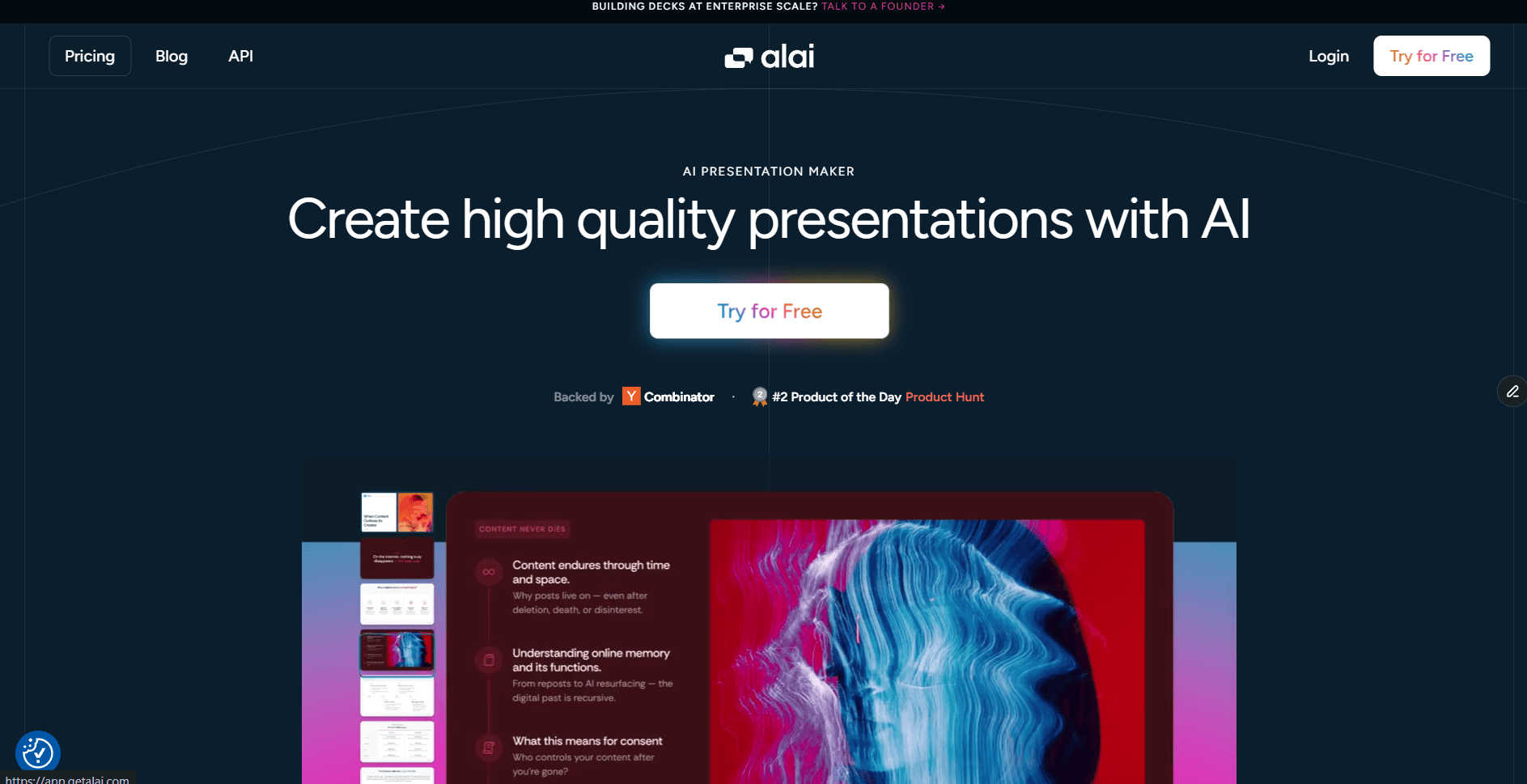
Alai is the best AI presentation maker for enterprise teams that create decks at scale and want to move out of the tedious process of working on PowerPoint. Here’s why:
Design quality of the first draft. Same prompt as every other tool in this list. Alai came back with 10 slides and the difference was visible at the first scroll. Every slide returned four distinct layout options instead of one. My market size slide came back as a pie chart, a bar graph, a text-heavy breakdown, and an infographic. All four were professionally designed. Typography hierarchy held. Spacing felt intentional. Colour usage stayed restrained.
Speed from prompt to presentable. I picked the infographic in 12 seconds. With Gamma or Beautiful AI, that same slide cost me 10 minutes of regenerating and settling. Across the full 10-slide deck, I went from prompt to a version I would send externally in about 30 minutes. Copilot took 90 minutes for the same deck because every slide needed manual layout work after generation.
Editing and iteration UX. This is where most AI presentation tools fall apart and Alai pulls ahead. The AI is context-aware across the whole deck. Each time I added a new slide, it held both design and informational context of the entire deck - terminologies and numbers matched previous slides, design was always on-brand. When I asked Agent Mode to "split slide 4 into two slides," it created a logical content break, not a duplicate. The responsive canvas adjusted layouts automatically as I added or removed elements. Changing one slide never cascaded into the next five. The entire category of "fix the alignment after every edit" work that PowerPoint forces on you disappears.
Brand compliance against a master template. I uploaded the same brand kit every tool got. Logo, two brand colours, two fonts, and a reference deck with our preferred slide structures. Most tools pulled the font and the hex codes and called it done. Alai went to the system level. I was allowed to configure background treatments for dark and light slides, header and footer rules, element design for cards, tables, callouts, dividers, and timelines, image style and iconography rules, the full typography hierarchy including casing rules, colour usage contexts (not just hex codes), logo placement standards, and brand voice. I could also upload existing approved decks, which Alai rebuilt slide by slide, pixel by pixel, as fully editable native slides rather than flat images. Every text box, chart, and shape came back live and editable, holding the original layout. On the first generation, all 10 slides matched. When I added two new slides through Agent Mode three days later, those held the brand too. No drift between sessions.
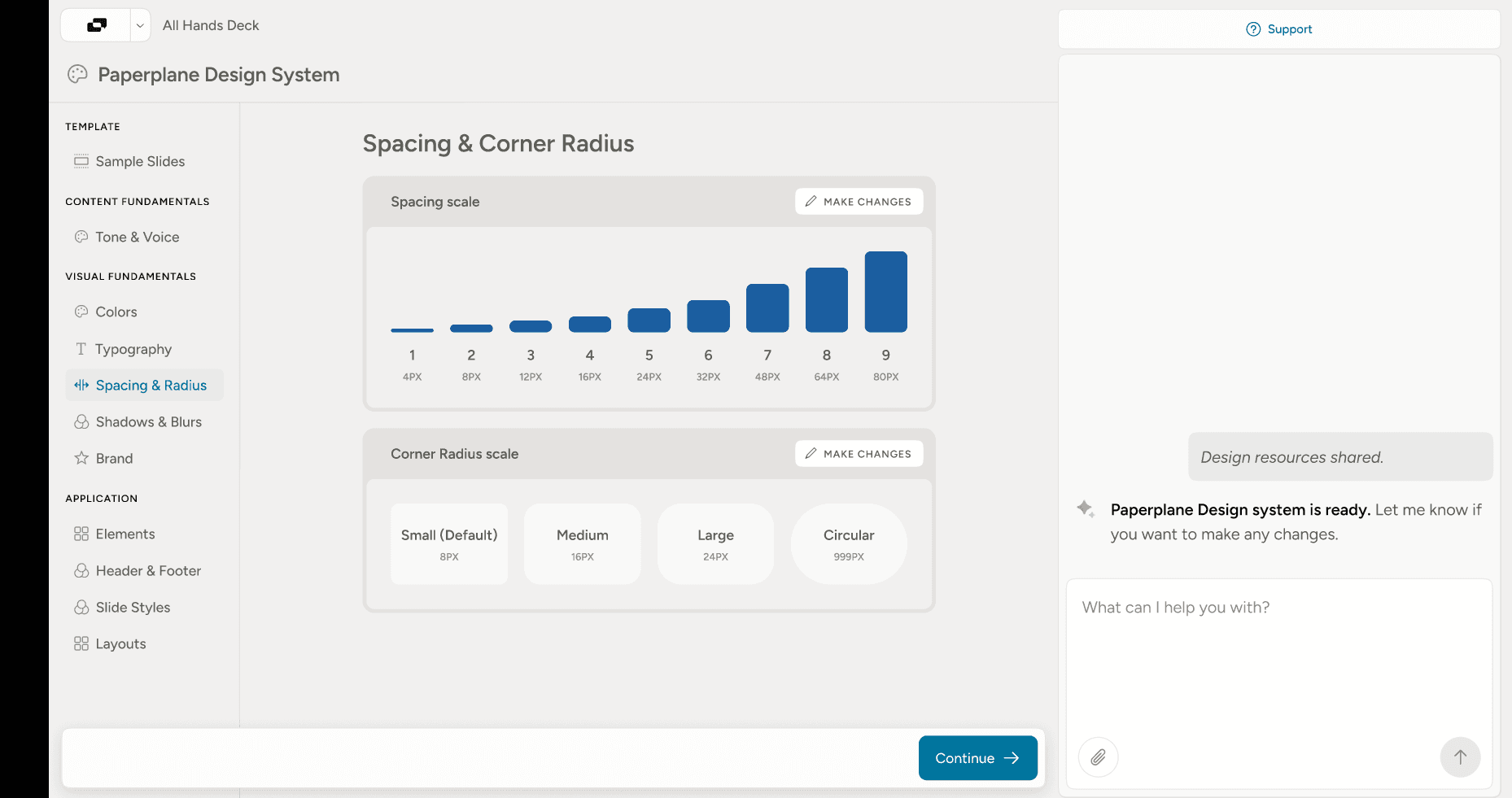
Alai's brand system goes in depth to emulate the brand's design.
Memory across decks. This is the capability nobody else has - I already had a sales deck built in Alai from a few weeks before this test. While creating the new deck, I was able to pull specific slides from memory. All I had to do was ask the agent to ‘Use the team slide from the sales deck’ and it copied the exact slide to my current deck. For teams looking to personalise decks while maintaining majority of the same slides - this ensures your decks get created within minutes instead of hours.
PowerPoint export integrity. I exported the same deck to PPTX and opened it on PowerPoint 365 on Windows and PowerPoint for Mac. Layouts held. Spacing held. Fonts substituted cleanly where they weren't available, no broken layers or invisible text boxes. The exported file matched the editor pixel for pixel. I ran the same export against Gamma, Beautiful AI, and Claude Design's canvas, and all three lost something.
Other capabilities worth flagging.
API, MCP, and A2A. Generate decks programmatically from CRM data, LLMs, or internal agents. Plug Alai into Claude, Cursor, or any agent stack and produce on-brand decks from a chat prompt or an automated trigger. None of the other tools in this list support all three.
Creative slides with frontier image models. Alai uses Nano Banana 2 or GPT Image 2 to generate high-quality infographics, hero visuals, and illustrative imagery that get mixed into the deck alongside layout-driven slides. The result is data slides that actually look designed, not stock-photo placeholders dropped onto a template.
Slides generated from scratch, not template matching. Every slide is built from your content, not slotted into a pre-existing template. The layout adapts to what the content needs instead of forcing the content into what the template allows.
Deck analytics for sales teams. Once the deck is sent (via the trackable link), you see who opened it, which slides they spent time on, which slide they dropped off at, and which sections got revisited. Perfect for sales teams who want to know whether the prospect actually read the pricing slide or skipped straight to the case study.
Rich visual element library. Compare Two, Feature Matrix, Funnel, Hub & Spoke, Pie Chart, Venn diagrams. The layouts PowerPoint forces you to build manually with rectangles and arrows are first-class objects in Alai.
Key features that make Alai better than PowerPoint:
Four layout options per slide. Pick what fits your narrative instead of hitting regenerate. No other tool in this list does this.
Context-aware AI across the deck. Every edit considers what's on the other slides. Terminology, numbers, and visual language stay consistent.
Brand themes that encode the full design system. Background treatments for dark and light slides, header and footer rules, element design for cards, tables, callouts, dividers, and timelines, image style and iconography, typography hierarchy with casing rules, colour usage contexts, logo placement standards, and brand voice. Not just logos and hex codes.
PPTX import that rebuilds existing templates pixel by pixel. Approved slides, case studies, and one-pagers come back as fully editable native slides, not flat images. Teams switching to Alai don't lose what they've already built.
Memory across decks. Pull specific slides from any deck in your workspace by name. "Use the team slide from the sales deck" copies it across with brand and layout intact. Decks that used to take hours get built in minutes.
Agent Mode. Type "make this slide darker" or "split slide 7." Changes execute in seconds, on-brand, without cascading into slides you didn't touch.
Slides generated from scratch, not template matching. Every slide is built from your content. Layout adapts to what the content needs instead of forcing the content into what the template allows.
Creative slides with frontier image models. Nano Banana 2 and GPT Image 2 generate high-quality infographics, hero visuals, and illustrative imagery mixed into the deck alongside layout-driven slides.
Rich visual element library. Compare Two, Feature Matrix, Funnel, Hub & Spoke, Pie Chart, Venn diagrams. First-class objects, not manual rectangles and arrows.
API, MCP, and A2A. Generate decks programmatically from CRM data, LLMs, or internal agents. Plug Alai into Claude, Cursor, or any agent stack. None of the other tools in this list support all three.
Deck analytics. Trackable links show who opened the deck, which slides they spent time on, which slide they dropped off at, and which sections got revisited. Built for sales teams.
Clean PPTX export. Tested across dozens of decks. Exports match the editor exactly. No spacing shifts, no font swaps, no broken layers.
Cons:
No native Google Slides integration (export to PPTX is supported, but no in-Slides plugin)
No offline mode, web-based only
Pricing:
Plan | Monthly | Annual | Credits | Key feature |
Free | $0 | $0 | 300 one-time | Unlimited decks, watermarked |
Plus | $20/mo | $16/mo ($192/yr) | 600/mo | Watermark removed, up to 20 AI slides per prompt |
Pro | $30/mo | $25/mo ($300/yr) | 1,200/mo | Up to 50 AI slides per prompt, founder support |
Ultra | $80/mo | $60/mo ($720/yr) | 5,000/mo | Direct feature requests to founders |
For larger enterprise rollouts with dedicated brand theme configuration, and managed onboarding, Alai offers custom enterprise plans. Worth comparing against the broader best AI presentation makers for enterprise breakdown if you're evaluating at org scale.
When to choose Alai. Pick Alai if you’re an enterprise that’s looking for an AI tool to make deck creation easier for large sales teams, marketing teams or client servicing teams without losing out on existing templates or compromising on your brand’s design.
2. Microsoft Copilot: Best PowerPoint Alternative If You Want to Stay In PowerPoint
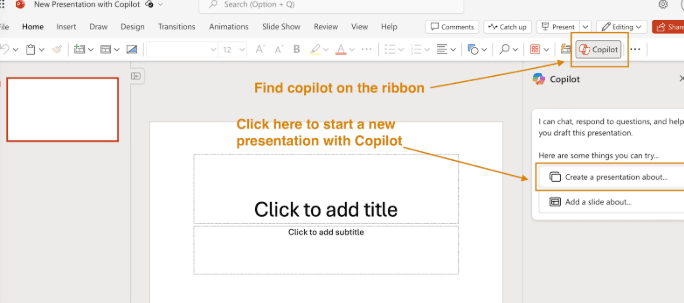
Microsoft Copilot inside PowerPoint is not really a PowerPoint alternative. It's PowerPoint with AI bolted on. That distinction matters because it changes who should pick it.
Design quality of the first draft. Copilot generated a 10-slide deck in about 90 seconds. The content was structured logically and the slides were readable. They also looked like every Copilot-generated deck I've seen before. Same fonts, same layouts, same stock-photo-style image suggestions. The designer is competent. It's not opinionated.
Speed from prompt to presentable. Generation took 90 seconds. Getting to a version I'd actually send took another 60 minutes of manual layout work. Total time to presentable: about 90 minutes.
Editing and iteration UX. Copilot's editing has improved. The April 2026 update added conversational editing inside the slide canvas itself (not just the side panel) and an Agent Mode that handles layout swaps, slide additions, and content restructuring through natural chat. So iteration is no longer "fully manual PowerPoint work." Where it still trails Alai is the depth of what editing can change. Copilot can swap a layout from a pre-defined set. It cannot generate four genuinely different layout options for the same content. It can polish design within the template. It cannot enforce a real design system. Iteration is faster than it was but it still isn’t the best agent compared to Alai or Gamma.
Brand compliance against a master template. Copilot uses whatever PowerPoint template you have loaded. If your template is good, the output stays on brand. That's also the ceiling. Copilot cannot enforce anything the template doesn't already define. No spacing rules, no icon style, no typography hierarchy beyond what's in the file.
PowerPoint export integrity. No export step. The output is already a .pptx. This is the one criterion where Copilot wins outright.
Key features that make Copilot better than PowerPoint alone:
Generate a deck from a Word document or a prompt directly inside PowerPoint
Designer suggestions for visual treatments on existing slides
Summarise a deck into bullet talking points (genuinely useful for prep)
Rewrite slide copy with tone adjustments
No export risk. The output is native .pptx because the input is too.
Cons:
Design output is template-driven and visually generic compared to Alai, Gamma, or Claude Design
No "four layouts to choose from" model. You get one generation and a regenerate button.
Designer's image suggestions skew toward stock photography that rarely matches the content
AI editing after the first draft is limited compared to Alai's Agent Mode or Gamma's chat editor
Costs $30/user/month on top of an existing Microsoft 365 license, which adds up at team scale
Pricing: Microsoft 365 Copilot is $30/user/month, billed annually, added on top of a Microsoft 365 Business or Enterprise license. No free tier for Copilot inside PowerPoint specifically.
When to choose Copilot. Pick Copilot if your team is locked into Microsoft 365, switching tools is expensive, and design quality is not the limiting factor on your decks. It's the right call for internal-facing decks that need to be functional rather than beautiful. Or for companies that have dedicated design teams working to build decks.
3. Plus AI: Best PowerPoint Alternative Inside Google Slides (and PowerPoint)
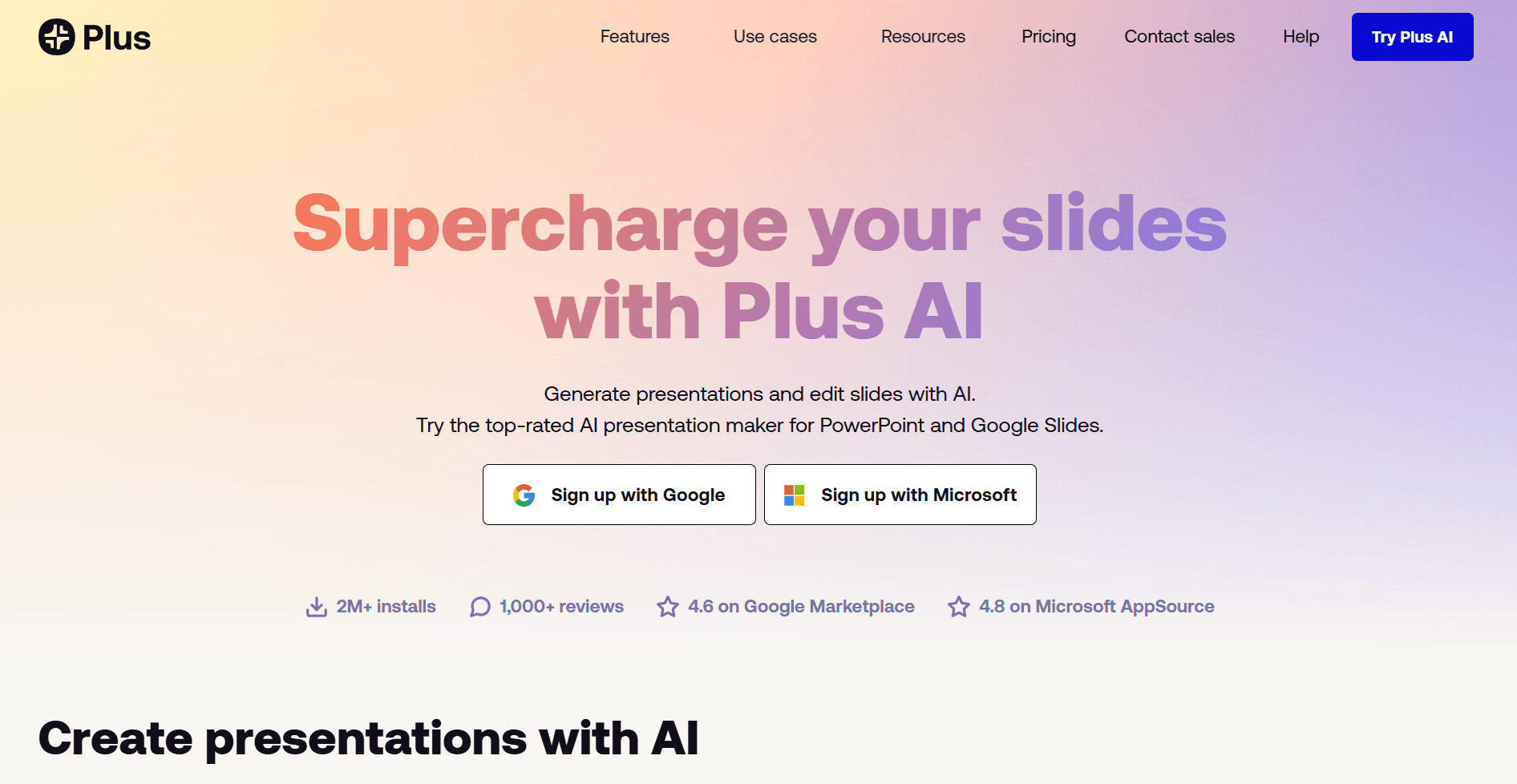
Plus AI takes the same insight Copilot took. AI should show up where the work already happens. The plugin runs natively inside both Google Slides and Microsoft PowerPoint.
Design quality of the first draft. Plus AI gave me a structured 10-slide deck that respected my existing Google Slides theme. Three labeled sections with paragraph descriptions for the market overview, clear hierarchy for the competitive matrix, a clean executive summary. The content organisation was solid. The visual ceiling is the Google Slides ceiling, which means clean and minimal but not visually ambitious. Alai gives you a designed deck. Plus AI gives you a well-organised one.
Speed from prompt to presentable. Setup was a two-minute install. Generation was fast. Total time to presentable: about 45 minutes including manual cleanup.
Editing and iteration UX. Plus AI can rewrite, expand, and reformat individual slides without leaving the editor. What it can't do is hold context across the deck. Edit slide 3 and slide 7 doesn't update. Every edit is local.
Brand compliance against a master template. Brand kit support runs through the host platform's brand system. If your Google Slides theme has approved fonts and colours configured, Plus AI respects them. It doesn't go deeper than that. No icon style, no spacing rules, no shape language enforcement. Custom AI models trained on your slide library are available on Pro and Team tiers, which helps narrow the gap, but it's not a full design system.
PowerPoint export integrity. No export step. The file is already a Google Slide or a .pptx. This is Plus AI's main structural win.
Key features that make Plus AI better than PowerPoint:
Native plugin inside Google Slides and PowerPoint. No new editor, no export step.
Generate decks from a prompt, a Google Doc, a Word file, or a pasted article
Custom AI models trained on your existing slide library (Pro and Team tiers)
Brand kit support inside the existing platform's brand system
Rewrite, expand, and reformat existing slides without leaving the editor
Cons:
Design ceiling is whatever Google Slides or PowerPoint can render natively, not designer-grade
No dedicated brand system
No four-layout-per-slide option. You get one generation.
The Basic plan is functional but the interesting features (custom models, team branding) require Team plans
G2 reviews flag inconsistent customer support and refund policies
Pricing: Basic at $10/user/month, Pro at $20/user/month, Team at $30/user/month, all billed annually. 7-day free trial.
When to choose Plus AI. Pick Plus AI if your team wants basic AI within Google Slides or PowerPoint although using Gemini’s Nano Banana Pro within Google Slides is a better option.
4. Claude Design: Best for One-Off Decks, Not Repetitive Deck Work
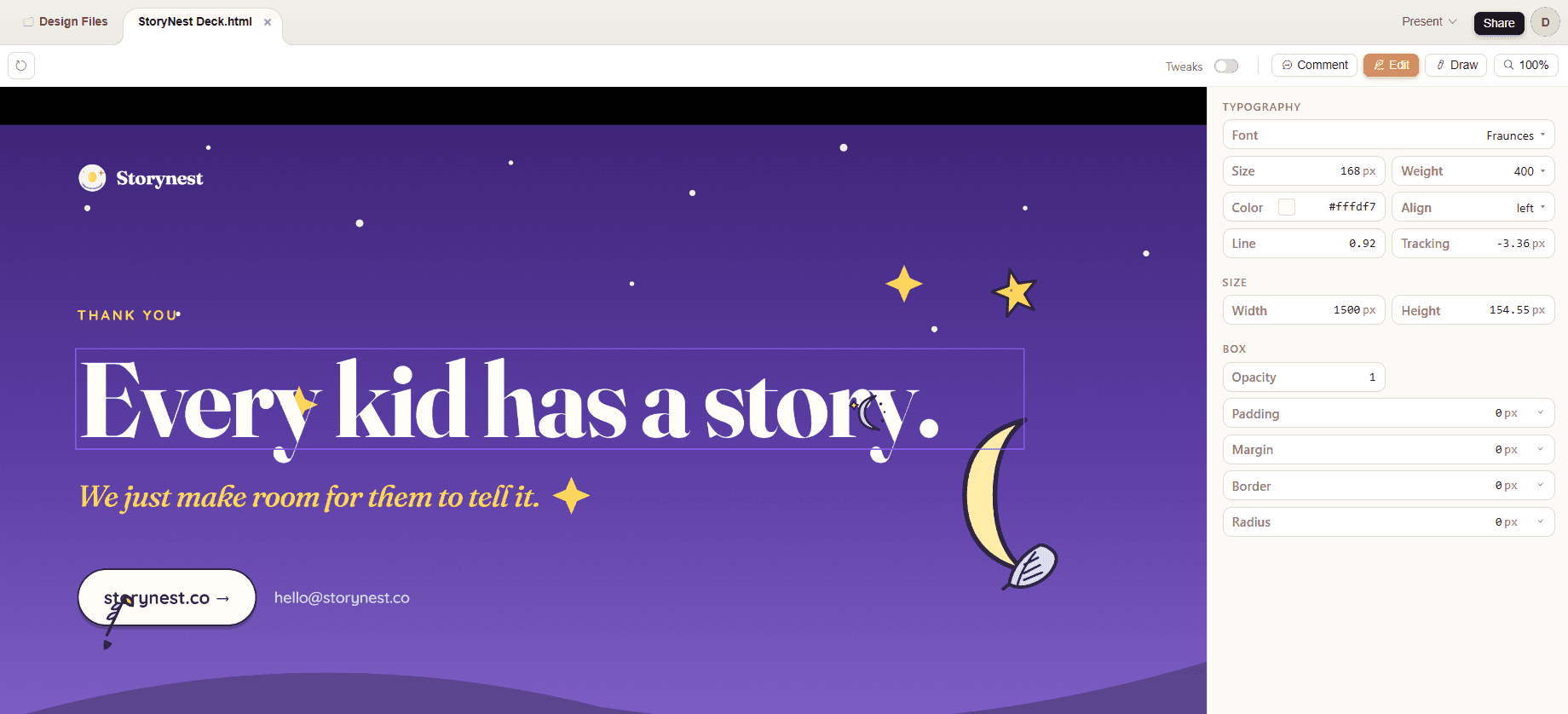
I've used all three ways Claude makes decks: Claude Design, the Claude for PowerPoint add-in, and Claude in agent mode. Claude Design is the best of them, so it's the one I'll cover here. The full breakdown of all three lives in my detailed guide on how to use Claude to create presentations.
Design quality of the first draft. The first draft looks good in isolation. Strong typography, clean negative space, and the best slide copy of any tool in this list. Claude is fundamentally a writing model and it shows.
The problem shows up by the third or fourth deck. The "classic Claude look" creeps in. Italicised highlights, recurring slide structures, similar hero treatments. Claude is trying to be one design engine for websites, posters, brochures, app screens, and presentations all at once. The slide-specific depth isn't there. Decks from different companies start looking related.
Data slides drop another tier. My market sizing slide came back with three columns of numbers that didn't quite align. The competitive matrix rendered as a basic table with no visual hierarchy. Claude doesn't have an equivalent of Alai's Compare Two, Feature Matrix, or Funnel elements, so the model improvises with rectangles and text blocks. Claude also uses its expensive models for everything, including image generation, instead of reaching for frontier image models like Nano Banana 2 or GPT Image 2 where they'd actually help.
Speed from prompt to presentable. 60 seconds for the first draft. Another 40 to 60 minutes of cleanup to make it sendable, much of which involves fighting the editor itself.
Editing and iteration UX. This is where Claude Design breaks down for serious deck work. Undo and redo are unreliable. No real collaboration, comments, or version history. Dragging elements often misfires. No filmstrip view, no "add slide here" between slides, no drag-to-reorder. Conversational editing handles copy changes well, but it can't replace the basic UX of a real slide editor. For a one-off deck you work around it. For a team building decks weekly, the friction compounds into hours.
Brand compliance against a master template. Claude does let you set up a brand: colours, fonts, typography hierarchy, some component styling. More than I initially expected.
The bigger problem is that the model overrides the brand when it thinks it knows better. Italicised highlights show up even when your brand doesn't use them. Hero slide spacing reverts to Claude's preferred pattern. The "classic Claude look" creeps in across decks regardless of how much brand setup you did. Alai's approach is the opposite. Built for presentations only, the design system goes pixel-deep on slide-specific decisions, and every approved deck you've built becomes a reference for new ones. The model follows the brand instead of imposing one.
Memory across decks. None. Every deck starts from a blank canvas. Approved slides from past decks can't be pulled in by reference. For an enterprise team where most slides on any new deck are variants of slides that already exist, this is the largest hidden cost.
PowerPoint export integrity. Lossy. Layouts shift, spacing breaks, manual fix-up required after every export.
Key features that make Claude Design better than PowerPoint:
Best slide copy of any AI tool tested.
Visual canvas inside claude.ai that renders decks immediately.
Conversational editing inside chat for copy changes and section rewrites.
Strong on long-form narrative structure across 10 to 20 slide decks.
Free tier on the Claude plan. Claude Pro at $20/month unlocks Claude Design.
Cons:
Brand controls stop at colour and font. No design system depth.
"Classic Claude look" recurs across decks. Italicised highlights, repeated layouts, similar hero treatments.
One design engine for every surface, so slide-specific design depth isn't there.
Data slides drop a tier. No Compare Two, Feature Matrix, Funnel, or Hub & Spoke elements.
Uses Claude's expensive models for everything. No frontier image models for visual generation.
Editing UX is broken in fundamental ways: unreliable undo/redo, no collaboration, no comments, no version history, no filmstrip, no slide reordering.
No memory across decks. Approved slides can't be pulled in.
PPTX export is lossy.
When to choose Claude Design. Pick it for one-off, writing-heavy decks where the brand doesn't need to look exactly like your company produced it. Thought leadership, internal strategy memos, conference talks where the words matter more than the layout. Skip it as an enterprise presentation platform. Pair Claude with Alai’s MCP if you want Claude's writing and Alai's design and brand system on the same deck.
5. Beautiful AI: Best PowerPoint Alternative for Basic Brand Lock
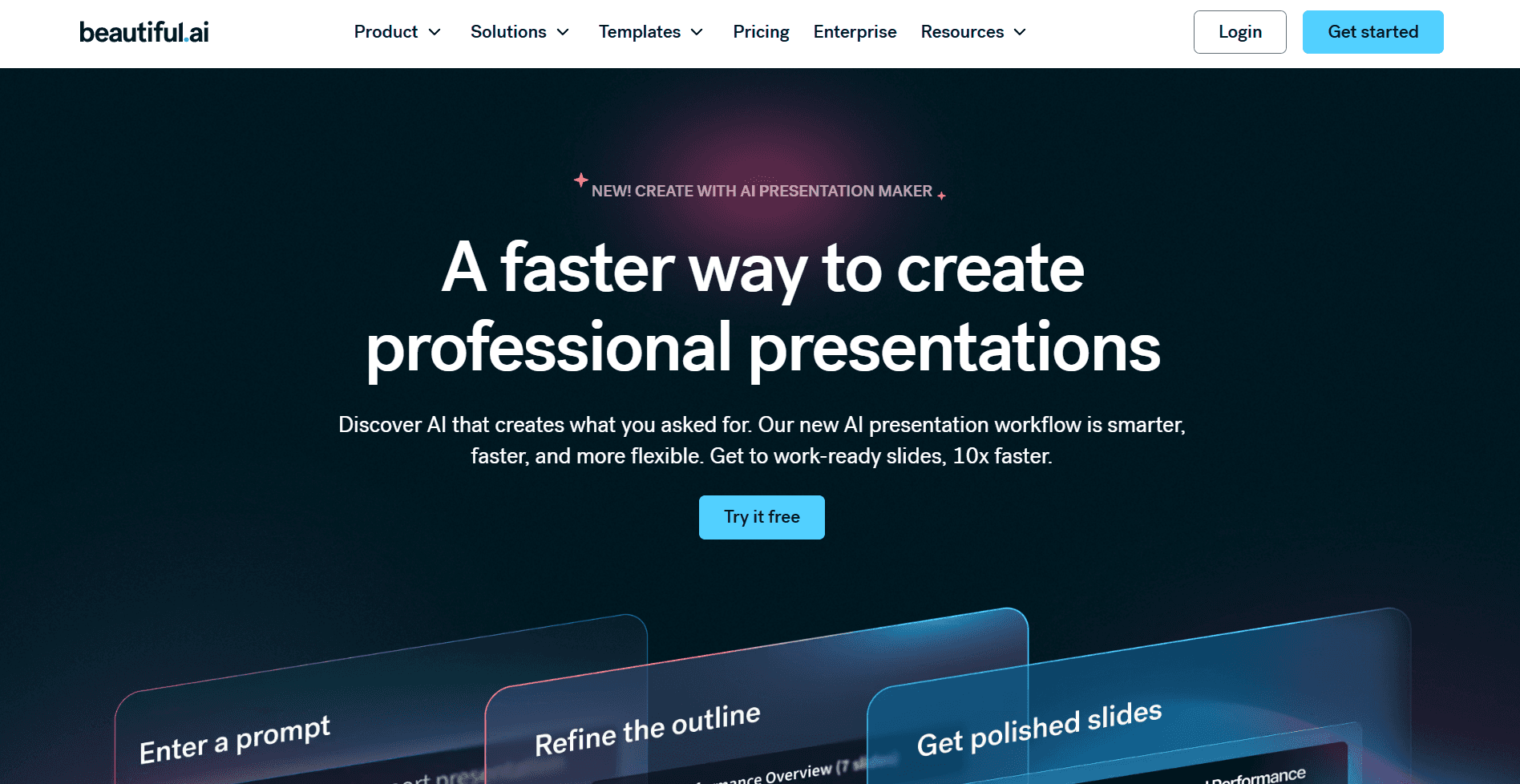
Beautiful AI was one of the first tools to take design consistency seriously. Smart Slides reformat automatically as you add or edit content. The pitch aimed at PowerPoint's biggest annoyance.
Design quality of the first draft. The first draft came back polished. Smart Slides applied auto-resize, snap-to-position, and colour harmony rules cleanly. For a team of non-designers, that's a real baseline. Where it broke down was when I tried to add a fourth text element to a slide whose template only allowed three. There was no override. Content gets forced into whatever the template allows, not the structure the content actually needs.
Speed from prompt to presentable. The first draft was fast. Getting to a sendable version took another 50 minutes because every iteration after generation is manual point-and-click work.
Editing and iteration UX. This is where Beautiful AI's age shows. DesignerBot generates the first draft and then disappears. No Agent Mode, no conversational editing, no way to type an instruction and have it apply across the deck. On an individual scale that's fine. At team scale, where decks go through three to four rounds of revision, the time savings stop the moment generation ends. The Beautiful AI alternatives breakdown covers this gap in more depth.
Brand compliance against a master template. Brand kit locks fonts, colours, and logo across all team decks. Smart Slides applied them consistently in my test. The ceiling is the same as every other tool here that stops at surface elements. No spacing rules, no icon style, no typography hierarchy beyond font selection.
PowerPoint export integrity. Clean PPTX export on simple slides. Complex slides with multiple custom elements lose formatting on export. G2 and Capterra reviews flag this consistently.
Key features that make Beautiful AI better than PowerPoint:
Smart Slides with auto-resize, snap-to-position, and colour harmony rules
Brand kit with lockable fonts, colours, and logo across all team decks
Team libraries for sharing approved slide templates organisation-wide
Per-slide view analytics for tracking which slides prospects actually look at
Real-time collaboration with comments and version history
Cons:
Smart Slides constrain layouts to available templates. No override for non-standard content.
AI generation is useful. AI editing is absent after the first draft.
PPTX export has known formatting issues on complex slides (G2 and Capterra reviews flag this consistently)
No API or MCP integration, so no programmatic deck generation
No free plan. Pro starts at $12/mo annual or $45/mo without annual commitment.
Pricing: Pro at $12/mo annual ($45/mo monthly), Team at $40/user/mo annual, Enterprise custom.
When to choose Beautiful AI: Pick Beautiful.ai if your team has simple brand guidelines (logo, primary colours, one or two fonts) and you value template-enforced consistency over design flexibility. View analytics also make it a reasonable fit for sales teams who care about deck engagement data. Skip it if your brand system goes deeper than the basics, or if you need the AI to stay useful through iteration, not just generation.
6. Gamma: Best PowerPoint Alternative for Quick Internal PPTs
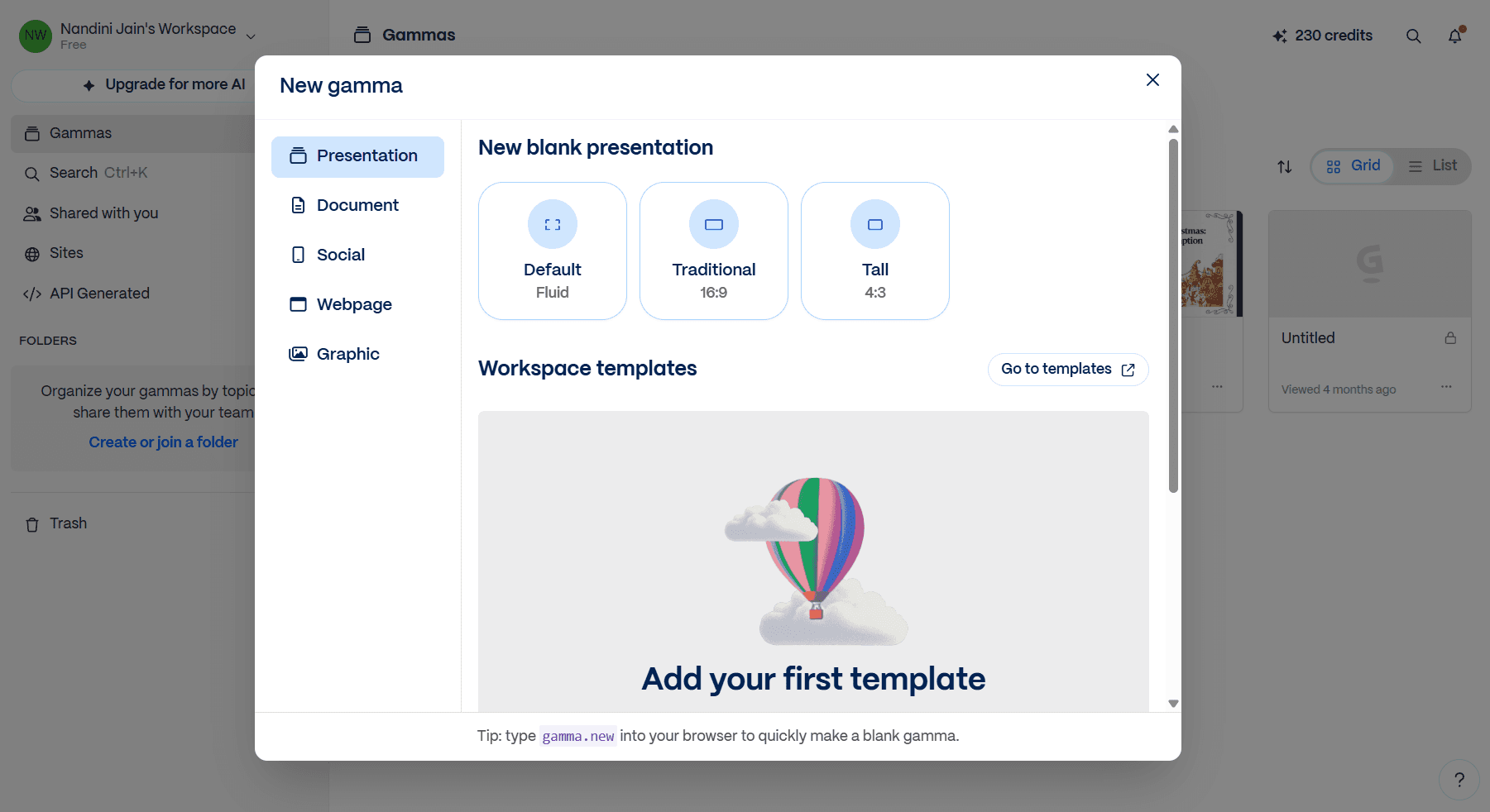
Gamma is the tool I'd recommend when speed matters more than polish and the audience is your own team. Status updates, team all-hands, internal proposals, weekly syncs, project kickoffs.
Design quality of the first draft. Genuinely impressive for a draft you didn't have to think about. Dark theme, AI-generated background images, three-column layout for the market overview. Strong for an internal update or a leave-behind document. As an investor pitch, the card-based format read more like a Medium article than a 10-slide deck. The market sizing slide and the competitive matrix lost the visual hierarchy a fixed 16:9 slide would have preserved.
Speed from prompt to presentable. 60 to 90 seconds for the first draft. Another 10 minutes for an internal-ready version.
Editing and iteration UX. Chat-based editing handles structural changes well. "Add a slide on competitive positioning" works as expected. The card-based architecture means changes don't cascade the way they do in PowerPoint. Iteration is fast inside Gamma. It's just stuck inside Gamma.
Brand compliance against a master template. Brand kit support covers logo, colours, and fonts. Same ceiling as Plus AI and Beautiful.ai. The card-based format also means there's no equivalent of a master slide deck to enforce structure across the team.
PowerPoint export integrity. This is where Gamma fails. Card-based content doesn't map cleanly to fixed 16:9 slides. Layouts break, spacing shifts, the design intent doesn't survive the conversion. For decks that stay inside Gamma as a shared link, the export weakness doesn't matter. For anything else, it's a dealbreaker. The Gamma alternatives breakdown covers what changes when the deck actually does need to leave Gamma.
Key features that make Gamma better than PowerPoint:
Web-native card format that reads better than slides for internal sharing
400 free credits on signup, no credit card required
Generate from a prompt, a document, or a URL including pasted Medium articles
AI-generated background images that match the content theme reasonably well
Chat-based editing for structural changes across the deck
Cons:
PPTX export breaks formatting because card-based content doesn't map to fixed slides
Live presenting from a card-based deck feels awkward. The format is scroll-first.
Less visual control than purpose-built design tools like Alai
Card-based architecture means you cannot enforce a precise 16:9 slide layout the way investor pitch conventions expect
Higher tier pricing ($15/mo Pro, $90/mo Ultra) escalates quickly past the free plan ceiling
Pricing: Free with 400 one-time credits, Plus at $8/mo annual, Pro at $15/mo annual, Ultra at $90/mo annual.
When to choose Gamma. Pick Gamma for internal decks where speed beats polish. Weekly team syncs, all-hands, status updates, project kickoffs, internal proposals. The 60-to-90-second generation cycle plus the free tier makes it the right call when you need a deck today and the audience is your own team. Skip Gamma if the deck is going to clients, investors, or anyone outside the company. The card-based format and lossy PPTX export are dealbreakers for external-facing work.
Free PowerPoint Alternatives Worth Considering
Want to test AI presentation generation without paying? Three tools give you enough runway to evaluate properly.
Alai Free. 300 credits, watermarked exports, no time limit. The 300 credits get you about three to four complete decks. The watermark rules out client-facing use, but for testing the four-layouts-per-slide model against your own content, the free tier is sufficient.
Gamma Free. 400 credits on signup, no credit card. The most generous free tier in the category. Enough to build five to eight full decks before you hit the cap. The PPTX export issues apply at every tier, but for evaluation and internal sharing the free plan is the best starting point.
Plus AI Free Trial. 7 days, full access. Long enough to install the plugin in your Google Slides or PowerPoint, run a real deck through it, and decide whether the workflow fits.
Which PowerPoint Alternative Should You Pick?
Sticking with PowerPoint used to make sense for one reason. You had a master deck, painstakingly built over years, that no other tool could recreate or reuse. And maintaining brand consistencies across teams (especially non-designer teams) was almost impossible.
Those arguments don't hold anymore.
With Alai, you upload your existing master decks and Alai rebuilds them pixel by pixel as fully editable native slides. Combined with detailed brand system encoding, decks come back designed in a way that passes brand QC the first time. Agent Mode and memory across decks make iteration as fast as creation. The API, MCP, and A2A integrations make programmatic deck generation possible from CRM data, LLMs, or internal agents. For large enterprise or business teams that previously had no real choice but to stay in PowerPoint, Alai is now the obvious move.
If you're still set on staying inside PowerPoint, the best plugin to go with is the Claude for PowerPoint add-in. It writes native .pptx, so there's no export risk, and the copy quality is the strongest of any in-PowerPoint AI option.
Every other alternative tested here falls short on at least one of the testing criteria: design quality, speed, iteration UX, brand compliance, or PowerPoint export integrity.
FAQ
What is the best free alternative to PowerPoint in 2026?
When considering the output of the tools as well, Alai is the best free PowerPoint alternative.
Can I use AI inside PowerPoint instead of switching to a different tool?
Yes, three ways. Microsoft Copilot adds AI generation natively inside PowerPoint at $30/user/month on top of a Microsoft 365 license, with zero export risk because the output is already a .pptx. Plus AI installs as a plugin inside both PowerPoint and Google Slides at $10/user/month and generates slides without leaving your editor. The Claude for PowerPoint add-in writes content directly into a PowerPoint file through a chat panel, requires a Claude Pro plan at $20/month, and produces strong copy slotted into your existing template. All three keep you on the platform you already know, but none match the design quality of purpose-built AI tools like Alai.
Which PowerPoint alternative exports cleanly back to .pptx?
Alai exports match the editor exactly in my testing. No spacing shifts, no font swaps, no broken layers across PowerPoint 365, PowerPoint for Mac, and third-party machines. Plus AI, Microsoft Copilot, and the Claude for PowerPoint add-in have no export issues because they're native to PowerPoint or Google Slides. Beautiful.ai exports clean on simple slides but breaks on complex layouts. Gamma exports and Claude Design canvas exports are consistently lossy because their formats don't map to fixed 16:9 slides.
What's the best PowerPoint alternative for enterprise teams?
Alai is the strongest enterprise presentation software in this list because it does three things no other tool here does. It encodes the full design system (typography, spacing, gradients, icon style, not just logo and colours). It imports and rebuilds existing PowerPoint templates pixel by pixel so existing approved assets carry over. It offers an API and MCP server for programmatic deck generation from CRM data or internal agents. For an enterprise rollout, those three capabilities are what separate "AI tool with team licenses" from "actual presentation infrastructure."
Is there a PowerPoint alternative built for teams?
Yes. Alai is the most team-ready option. It wins on design system depth, four-layouts-per-slide, and Agent Mode editing that doesn't cascade unwanted changes across other team members' edits.
SEITEN
Werkzeuge vergleichen
Ressourcen