·
BASICS
·
26 min read

Marketing Leader
Quick Verdict
If you are searching for a Beautiful AI alternative in 2026, the short answer is that the tool still works but the $45/month monthly billing, a trial that requires a credit card, and a template system that actively limits what you can build make it harder to recommend especially when compared to existing alternatives in the market. Which is why I've covered Beautiful.ai's full feature set, its pricing breakdown, where it genuinely performs well, where it falls short, and four Beautiful AI alternatives I tested on real presentations to help you choose the right AI presentation maker for your needs.
What is Beautiful AI?
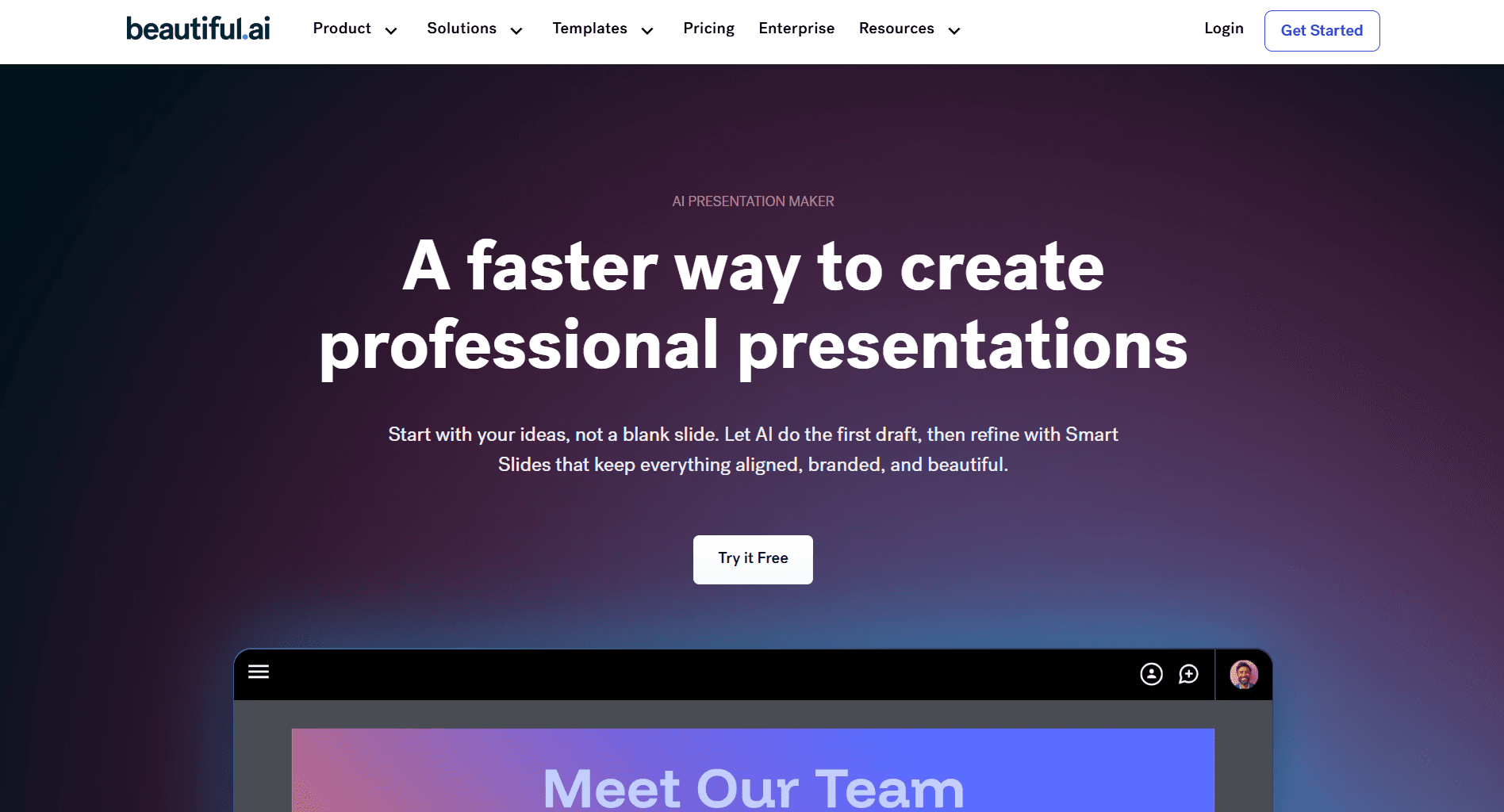
Beautiful.ai is a browser-based presentation tool founded in 2015 and built around a single core idea: design should not slow you down. The product launched with a concept called Smart Slides - templates that automatically reformat as you add or edit content and positioned itself as the answer to the hours people waste nudging text boxes and realigning elements in PowerPoint. By 2020 it had attracted enough traction to raise $11 million in Series A funding, and it has since built a steady user base among sales, marketing, and internal communications teams who want professional-looking decks without a designer on call.
The core principle has not changed since launch. You pick a slide type, add your content, and the layout adjusts around it. Fonts scale, elements rebalance, spacing stays consistent. In 2022 Beautiful.ai added DesignerBot, an AI layer that generates a full deck from a text prompt, extending that same hands-off design philosophy to the creation step itself.
Beautiful AI Review: A Detailed Feature Breakdown
Beautiful.ai's feature set is more developed than it often gets credit for. Here is what you are actually working with on a paid plan.
DesignerBot (AI Generation)
DesignerBot is Beautiful.ai's AI engine. Give it a text prompt, paste content, drop in a URL, or upload a file, and it generates a structured presentation draft. The output includes slide types matched to your content, suggested copy, and stock imagery. Generation typically takes 30 seconds to a few minutes depending on deck length. The quality of the first draft is reasonable for standard formats: pitches, reports, quarterly reviews, internal updates. It handles basic narrative structure better than most users expect. Where it falls short is anything requiring visual complexity beyond text-and-image layouts. There is no way to ask DesignerBot to try a different layout approach for a specific slide, and once generation is complete, the AI largely steps aside.
Smart Slides (300+ Templates)
This is the backbone of the product. Smart Slides are pre-designed layouts that automatically realign, resize, and rebalance as you edit. The library covers:
Title slides: Multiple options for opening slides with different text and image arrangements
Content slides: Layouts for bullet points, paragraphs, and mixed text/image combinations
Data slides: Charts, graphs, tables, and metrics displays including basic bar charts, line graphs, and pie charts
Comparison slides: Side-by-side layouts for versus comparisons and feature matrices
Timeline slides: Horizontal and vertical timelines for roadmaps, project phases, and historical progressions
Team slides: Photo grids and bio layouts for introducing team members
Quote slides: Highlighted testimonials and pull quotes with attribution
Image slides: Full-bleed photos, galleries, and image-focused layouts
Closing slides: Contact information, call-to-action, and thank-you layouts
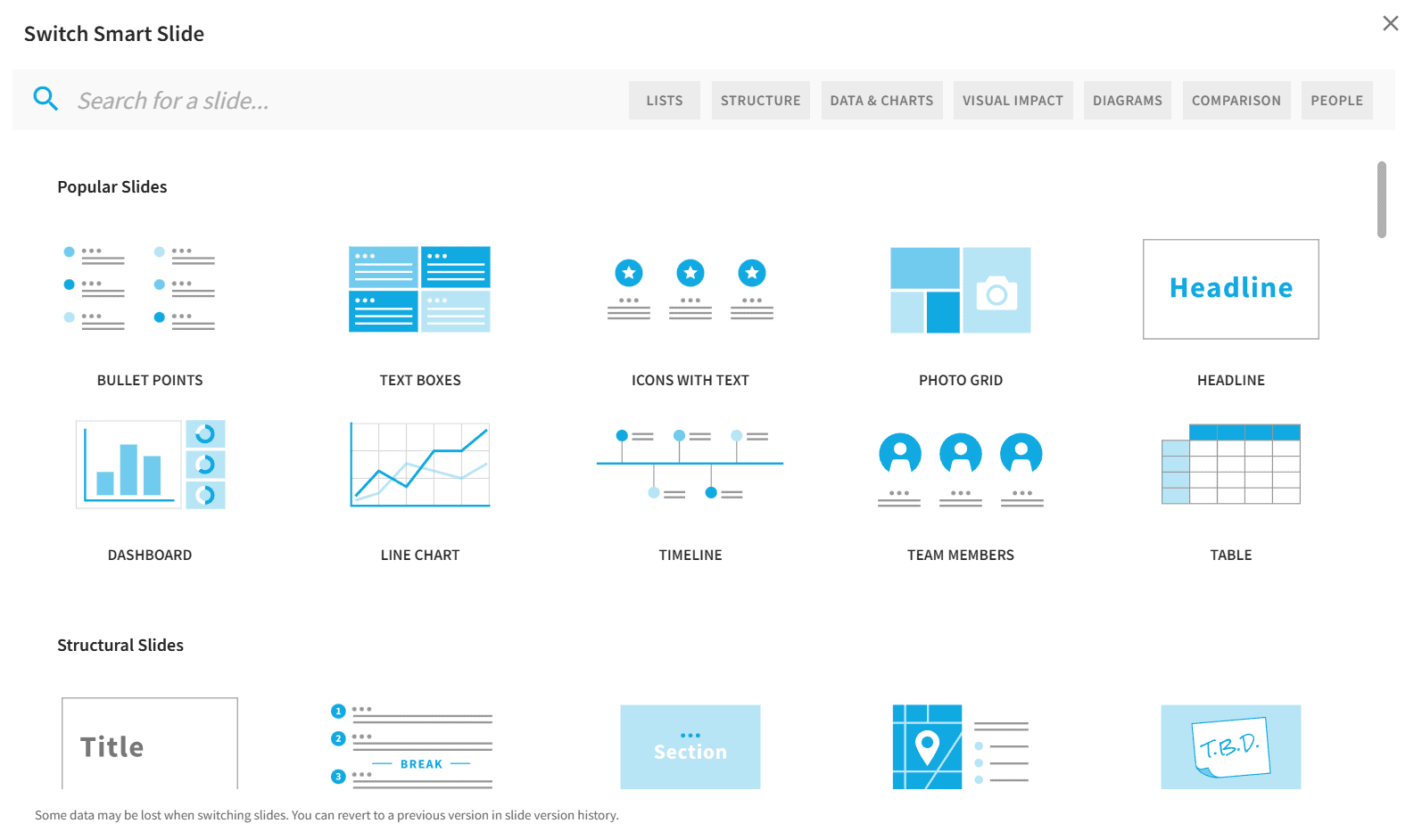
Each Smart Slide has fixed content slots. This is both the feature and the constraint. Layouts stay clean and consistent, but they do not flex. You get the template's structure or you look for a different template.
Automatic Design Adjustments
As you add or remove content, Smart Slides rebalance in real time. Add a fourth bullet point and the font scales down to fit. Remove an image and the text expands to fill the space. This removes a lot of the manual formatting work that makes PowerPoint slow. It works reliably and is one of the genuinely useful things Beautiful.ai does.
Brand Customization
On Team and Enterprise plans, you can set custom fonts, colors, and logos once and have them apply across every deck in your workspace. Admins can lock brand elements so individual presenters cannot override them. For organizations running many presenters who need consistent visual output, this is a meaningful capability.
Team Collaboration
Real-time collaboration works similarly to Google Slides. Multiple editors can work on the same deck simultaneously, leave comments, and access shared workspaces. The Team plan also includes a centralized slide library and shared asset management for teams building off a common set of branded assets.
Presentation Analytics
Available on all paid tiers. You can track views, unique viewers, slide-by-slide completion rates, and time spent per slide. For sales teams sharing proposals and wanting to know which slides prospects actually engaged with, this is genuinely useful data. It is one area where Beautiful.ai holds a real advantage over many alternatives.
Export Options
PowerPoint (.pptx), PDF, and image file export are all supported. You can also present directly from the browser or use the desktop player for offline presentations. The PPTX export works, though formatting inconsistencies on complex slides are a recurring complaint in user reviews on G2 and Capterra.
AI Image Generation
DesignerBot can generate images to accompany slide content. In practice, results tend toward generic stock imagery. Users frequently flag that generated images do not match the content context, which means you often end up swapping them out manually. The image generation works, but it is not contextually intelligent.
Integrations
Beautiful.ai integrates with Slack, Dropbox, Monday.com, and PowerPoint. A custom GPT is available for ideating and drafting content. There is no native API for programmatic deck creation at scale.
How to Make A Presentation on Beautiful AI
Step 1: Sign Up
Go to beautiful.ai and create an account
A 14-day free trial is available but requires a credit card
Click "Create Presentation" to start
Step 2: Choose Your Starting Point
Generate with AI: Enter a text prompt for a full deck
Start from Template: Browse the Smart Slide gallery and select a format
Import: Upload a PowerPoint file to use as a starting point
Step 3: Customize the Outline
Review the AI-generated slide structure
Adjust slide count and section order
Choose a language and visual theme
Step 4: Generate Your Deck
Click "Generate Presentation"
DesignerBot builds the slides (typically under two minutes for a 10-slide deck)
Smart Slide templates are applied automatically
Step 5: Edit Using Smart Slides
Click any element to modify text, images, or colors
Templates rebalance automatically as you make changes
Add new slides from the template library or prompt the AI
Switch slide layouts within the available Smart Slide options
Step 6: Present, Share, or Export
Present: Full-screen browser presentation
Share: Generate trackable links or invite collaborators
Export: Download as PowerPoint, PDF, or image files
Track: Use analytics to see how your audience engaged
Beautiful AI Pricing 2026
Beautiful.ai runs on a three-tier subscription model. The annual pricing is reasonable. The monthly pricing is not.
Plan | Annual | Monthly | Key Inclusions |
Pro | $12/user/month | $45/month | Unlimited slides, AI generation, analytics, PowerPoint export |
Team | $40/user/month | $50/user/month | Everything in Pro, brand controls, shared libraries, collaboration |
Enterprise | Custom | Custom | Everything in Team, plus SSO, provisioning, dedicated support |
Does Beautiful AI Have A Free Plan?
Beautiful.ai does not have a permanent free plan. It offers a 14-day trial gives full access to Pro features but a credit card is required to activate it. If you do not cancel before the trial ends, you are charged automatically. Students with a .edu email can apply for a free education plan. For everyone else, there is no free tier.
This matters in 2026 because several direct competitors now offer free plans with no payment information required. Alai's free tier includes 300 AI credits. Gamma offers 400 credits for free. Canva's free plan has no credit limits on templates. When you are evaluating a new tool and want to test it properly before committing, being required to hand over a credit card is genuine friction.
How Does Beautiful AI Pricing Compare to Alternatives?
Tool | Free Plan | Paid From (Annual) | Monthly Option |
Beautiful.ai | Yes but trial requires card | $12/user/month | $45/month |
Alai | Yes (300 credits, no card) | $16/month | $20/month |
Gamma | Yes (400 credits, no card) | $8/month | $10/month |
Canva | Yes (generous, no card) | $15/month | $20/month |
Plus AI | No (7-day trial, card required) | $10/month | $20/month |
Pricing complaints are one of the most common themes in Beautiful.ai reviews on G2 and Capterra, with users specifically flagging the jump between annual and monthly billing as the trigger for switching tools $45/month for a single user is almost equal to Alai, Gamma, and Plus AI combined on their annual plans. Scale that to a three-person team on the annual Team plan and you are looking at $1,440 per year - a hard number to defend when the Beautiful AI alternatives offer both better pricing and quality.
What Does a Beautiful AI Presentation Actually Look Like?
Beautiful.ai presentations follow a distinct visual language that's immediately recognizable. Understanding this aesthetic helps you decide if it matches your needs.
Visual Characteristics
Flat Colour Palette: Beautiful.ai uses solid, flat colours rather than gradients or textured backgrounds. Backgrounds are typically single colours (white, dark grey, or brand colours) with contrasting text. This creates a professional but somewhat basic look.
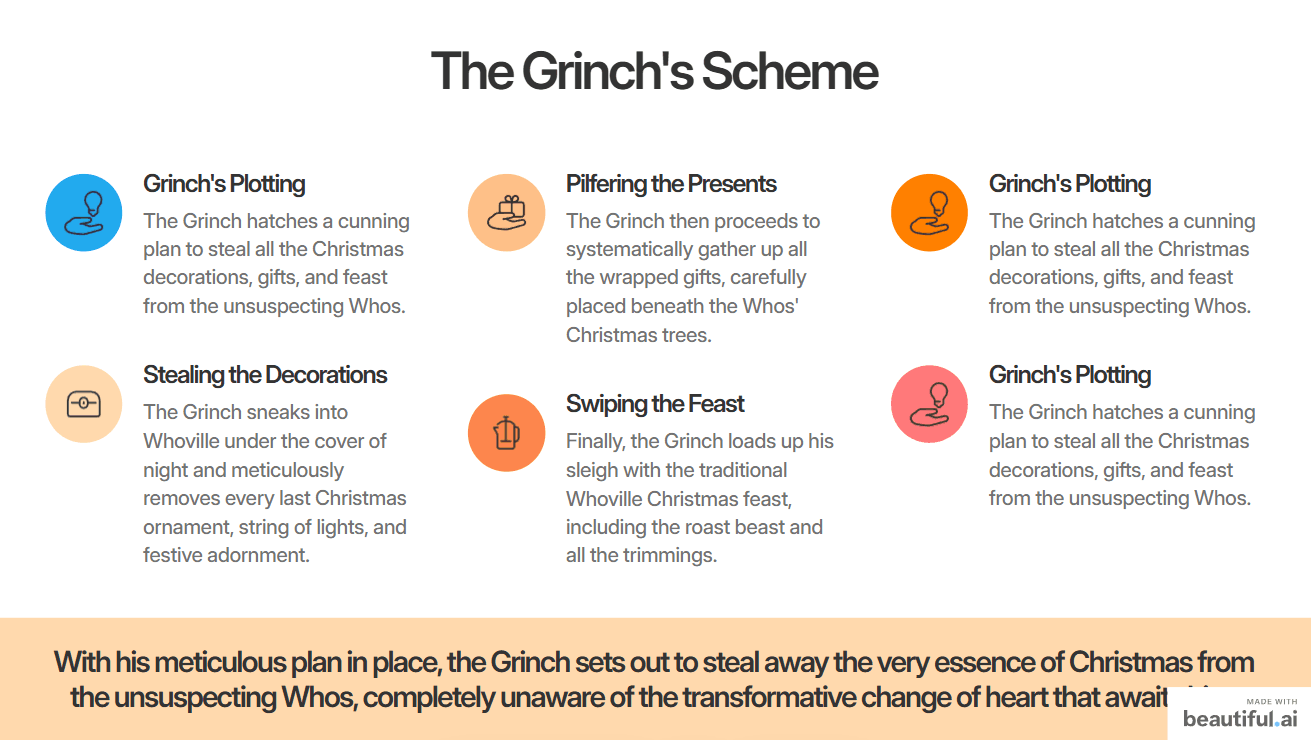
Consistent Typography: The platform enforces typographic hierarchy automatically. Titles are large and bold, subheadings medium-weight, body text smaller. You can customize fonts, but the relative sizing stays consistent.
Geometric Layouts: Content arranges in clean grids and columns. Images typically appear in rectangles or circles with defined edges. There's no organic flow or overlapping elements, everything snaps to invisible guidelines.
Limited Visual Depth: Unlike modern design trends that use shadows, layering, and dimensional effects, Beautiful.ai slides feel flat. Elements sit on the same plane without depth cues that create visual interest.
One of the biggest issues with Beautiful AI slides is not the quality, but the sameness — and this is something you only really feel after using it for a while. The Smart Slide library gives you one way to present any idea. One layout for a comparison, one for a timeline, one for a metrics callout. When a slide is not landing the way you want it to, you cannot easily experiment with different ways to say the same thing and pick the one that works. You edit within the template or you go looking for a different template that gets you close enough. After building enough decks, that starts to feel less like a design tool and more like a fill-in-the-blank exercise. The slides do not look bad. They just start feeling like the same presentation every time, regardless of what the content is actually trying to say.
What Beautiful AI Does Well
It is worth being fair here. Beautiful.ai has genuine strengths that explain why it has maintained a user base despite better-funded competitors entering the space.
Automated formatting that actually works. The Smart Slide system reliably eliminates the manual layout work that makes PowerPoint slow. Users across reviews consistently report cutting deck creation time by 50 to 75 percent compared to building slides manually. That is a real productivity gain, not a marketing claim.
Speed from prompt to first draft. DesignerBot generates a structured, content-filled deck in under two minutes for most standard presentation lengths. If you need a reasonable starting point fast, Beautiful.ai delivers one without much friction.
Genuinely useful analytics. Slide-by-slide engagement tracking is not standard across this tool category. Beautiful.ai surfaces which slides audiences actually spend time on and where they drop off. For sales teams, this changes how you follow up on a shared proposal. For anyone iterating on a presentation's effectiveness, it provides real data rather than guesswork.
Brand control at the team level. Team and Enterprise plans let administrators lock brand elements, distribute shared templates, and maintain visual consistency across many presenters. For organizations where "everyone making their own version of the deck" is a real operational problem, this is a meaningful solution.
Low barrier for non-designers. Someone with no design background can open Beautiful.ai and produce a professional-looking deck in under an hour. The template system does the design work. This is genuinely valuable for teams where not everyone has design confidence.
2026 Workflow Update: Create with AI and New Smart Slide Layouts
Before weighing Beautiful.ai's limitations, it is important to separate the product's older one-prompt workflow from features the company has announced more recently. On its official product-updates page, Beautiful.ai describes Create with AI as a staged workflow for shaping a presentation story, exploring visual ideas, and iterating on design. That is meaningfully different from treating AI presentation creation as a single first-draft event followed only by manual editing.
This does not eliminate the trade-off that makes Beautiful.ai distinctive. Its core system remains Smart Slides: predefined presentation layouts that resize, realign, and adapt as content changes. Beautiful.ai says on its Smart Slides page that the library contains more than 300 layouts and that those layouts handle formatting automatically. For recurring business presentations, that structure can reduce time spent adjusting spacing and alignment. For a slide that needs an unusual composition, the same structure may still feel limiting compared with a more open-ended editor.
The distinction also matters for diagrams. Beautiful.ai's product updates list newer Smart Slide formats including sequence, connection-diagram, and horizontal-funnel layouts. Those are supplied layouts rather than a claim that the AI can generate every diagram type from an instruction. In other words, a buyer should not assume that the presence of newer diagram-oriented Smart Slides means every bespoke visual can be created, restyled, or recomposed through AI. The practical question is whether the available layout fits the specific relationship, process, or data story the deck needs to communicate.
What you need | What to check in Beautiful.ai |
|---|---|
A repeatable report, proposal, or internal update | Test whether the Smart Slide formats you use most are available and keep the information clear at your usual slide length. |
Guidance while developing a new narrative | Try Create with AI and assess whether its staged story and visual-ideation workflow gives you enough direction before you begin slide-level refinement. |
A process, relationship, or funnel visual | Review the current diagram-oriented Smart Slide layouts and test the exact structure your presentation requires. |
An unusual composition or a slide combining several custom visual elements | Check whether the relevant Smart Slide—or Beautiful.ai's documented Classic Slides option—provides sufficient editing freedom for your use case. |
This context explicitly scopes the limitations discussed in the next section. Statements about template constraints describe the boundaries of the Smart Slide model, not an assertion that Beautiful.ai has no newer diagram layouts. Similarly, comments about AI assistance after an initial draft should be read as an evaluation of the earlier DesignerBot-style first-draft experience, not as a claim that Create with AI does not exist. The more accurate 2026 decision rule is: Beautiful.ai is a fit when controlled layouts and guided presentation creation are more valuable than unrestricted composition.
Use that rule with a real deck rather than a generic prompt. Create a slide that represents your most demanding recurring format—such as a product roadmap, comparison, process, or customer proposal—and see whether the supplied structure supports the message without forcing major compromises. If you are comparing the broader category, see our best AI presentation makers guide. If a web-style, more flexible document format is part of the decision, our Gamma alternatives review provides a relevant next comparison.
The point is not that Beautiful.ai has become an unrestricted canvas. Its current official materials still position Smart Slides as the formatting foundation of the product. The update is that buyers should evaluate both sides of the current workflow: Create with AI for guided development and Smart Slides for controlled formatting. That produces a more useful assessment than relying on older, absolute descriptions of either its AI workflow or its available visual layouts.
Where Beautiful AI Falls Short
Rigid templates that constrain your content. Each Smart Slide has fixed slots: a title, an image position, a text area. You cannot add a second content block to one slide. You cannot combine a diagram with a metrics panel. You cannot build a layout that does not already exist in the library. The result is that you regularly adapt your message to fit the template rather than building a layout that serves the message. This gets frustrating fast on anything more complex than a standard narrative deck.
No AI-generated diagrams. DesignerBot cannot create Venn diagrams, quadrant charts, onion diagrams, flowcharts, hub-and-spoke visuals, or comparison matrices using AI. These are core elements in competitive positioning, strategy, and investor presentations. If you need them, you are building them outside Beautiful.ai and importing as static images. That workaround breaks the premise of an AI-first workflow at exactly the moments it matters most.
The AI stops helping after the first draft. Once DesignerBot generates your presentation, you are on your own for edits. There is no way to ask the AI to try a different layout for one slide, convert bullets to a timeline, or rewrite a section in a different tone without starting over. The AI is a generation tool, not an editing partner.
Flat design aesthetic that has aged. Flat colors and gridded layouts were a clean, modern look several years ago. In 2026, with tools producing slides using gradients, depth, layering, and more dynamic compositions, Beautiful.ai's output looks dated by comparison. Not a dealbreaker for internal use, but it matters for client-facing and investor-grade materials.
No permanent free plan. The credit-card-required trial is a friction point that several competitors have removed entirely.
PowerPoint export inconsistencies. PPTX export works but has known formatting issues on complex slides. Font rendering, image placement, and layout integrity do not always survive the conversion intact.
No API access. Beautiful.ai does not offer an API for programmatic deck creation. For teams that want to automate presentation generation from CRM data, analytics dashboards, or internal databases, this is a hard limitation. Tools like Alai that offer API access can generate presentations at scale without manual effort.
Beautiful AI Pros and Cons Summary
Beautiful AI Pros | Beautiful AI Cons |
Smart Slides auto-format reliably as you edit | No permanent free plan; trial requires credit card |
Fast first-draft generation with DesignerBot | Rigid templates; cannot mix elements freely on one slide |
Solid analytics: per-slide engagement and view tracking | $45/month monthly billing is steep for a single user |
Strong brand controls on Team and Enterprise plans | Flat, dated visual aesthetic compared to newer tools |
Easy for non-designers with minimal learning curve | No AI-generated diagrams (Venn, quadrant, flowchart, etc.) |
300+ Smart Slide templates covering common formats | AI stops helping after first draft; no iterative AI editing |
Useful for sales teams tracking proposal engagement | PowerPoint export formatting inconsistencies documented by users |
Integrates with Slack, Dropbox, and Monday.com | No API access for automated or programmatic deck creation |
Best Beautiful AI Alternatives in 2026
If Beautiful.ai's limitations don't align with your needs, these four Beautiful AI alternatives offer compelling options for different use cases.
Quick Comparison: Beautiful AI Alternatives
Alternative | Best For |
|---|---|
Alai | Speed and design quality - modern visuals, responsive canvas, AI that helps throughout editing, Nano Banana Pro integration |
Gamma | Multi-document design - presentations, documents, and webpages from one tool |
Canva | Template variety - thousands of templates plus full design ecosystem |
Plus AI | Google Slides and PowerPoint users- native integration, no platform switching |
Alai: Best for Design Quality and Speed
Alai is an AI presentation maker built from the ground up with AI at its core. Unlike Beautiful.ai, which added AI on top of an existing template system, Alai was designed specifically for creating high-quality slides with AI assistance throughout the entire process.
Slides That Look Professionally Designed, Not Auto-Generated
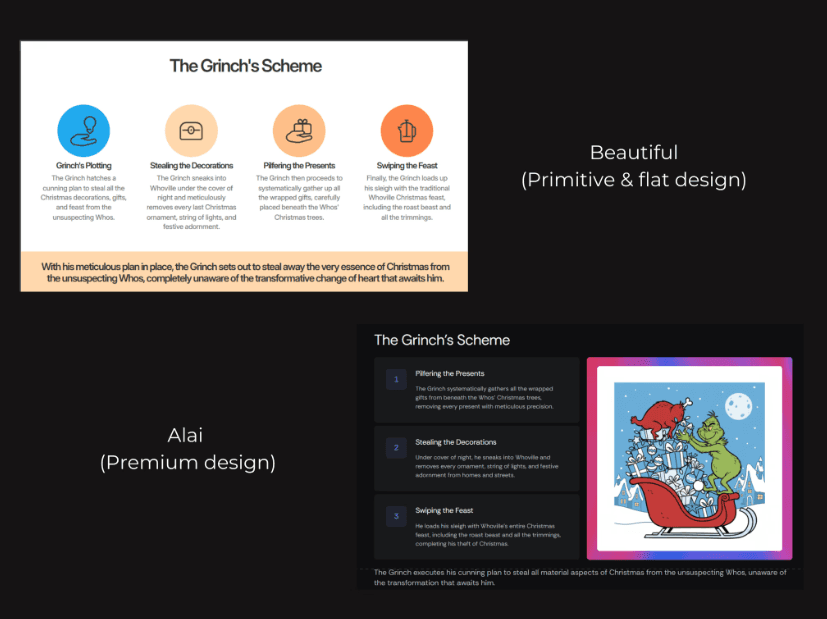
Beautiful.ai slides look flat - solid colors, no shadows, minimal depth. The Smart Slide templates create clean output, but it often looks like content fitted into an old PowerPoint template rather than something a designer created.
Alai uses modern design principles: gradients, shadows, blurs, and overlays that create visual depth. Slides feel rich and current rather than basic and dated.
When you compare the same content across both platforms, Beautiful AI produces slides that look like thousands of others made in the same tool. Alai produces slides with visual character- layered sections, sophisticated colour relationships, and design choices that feel intentional.
A Canvas That Responds to Your Content
Smart Slides might have auto-adjustment but it also has fixed slots - a spot for a title, a spot for bullets, a spot for an image. Want to combine a circular diagram with a metrics section on the same slide? That's not possible in Beautiful.ai because their templates only allow one main element per slide.
Alai uses a responsive canvas. Add a new text block, and everything else shifts to make room. Delete an element, and the remaining content rebalances automatically. You can combine multiple element types freely, a circular process diagram next to a metrics panel, a comparison chart above a feature list. The slide adjusts as you work, no manual resizing needed.
This matters when your message doesn't fit a standard template format. In Beautiful.ai, you'd either simplify your visual approach or split content across multiple slides. In Alai, you build exactly what communicates your idea best.
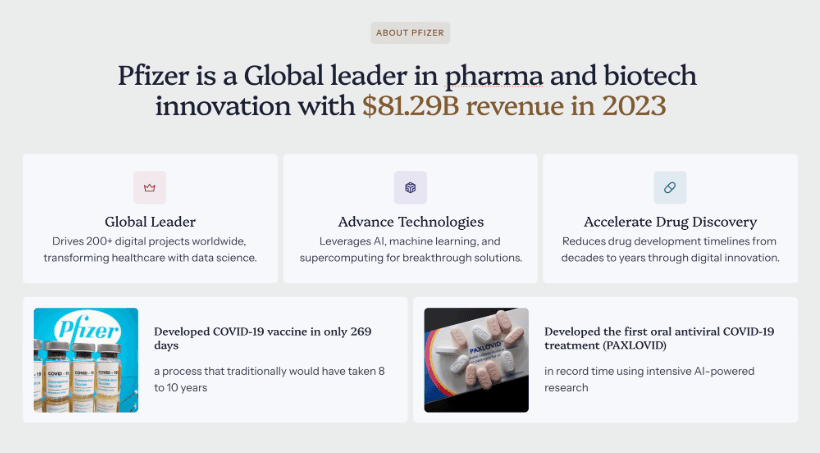
Slide created on Alai that is impossible to create on Beautiful because it doesn't support adding multiple text blocks
Diagrams and Charts Beautiful AI Simply Can't Make
Beautiful.ai's AI generates slides using basic text and image blocks. It cannot use AI to create Venn diagrams, quadrant charts, onion diagrams, flowcharts, hub-and-spoke visuals, or comparison matrices. If your presentation needs these visualizations, you're stuck either finding them in the limited template library or creating them in another tool and importing as a static image.
Alai's AI creates these diagrams directly. Need a Venn diagram showing market segment overlap? The AI generates it. Competitive positioning quadrant? Done. Process flow? Org chart? Funnel visualization? All supported and they're fully editable, not static images.
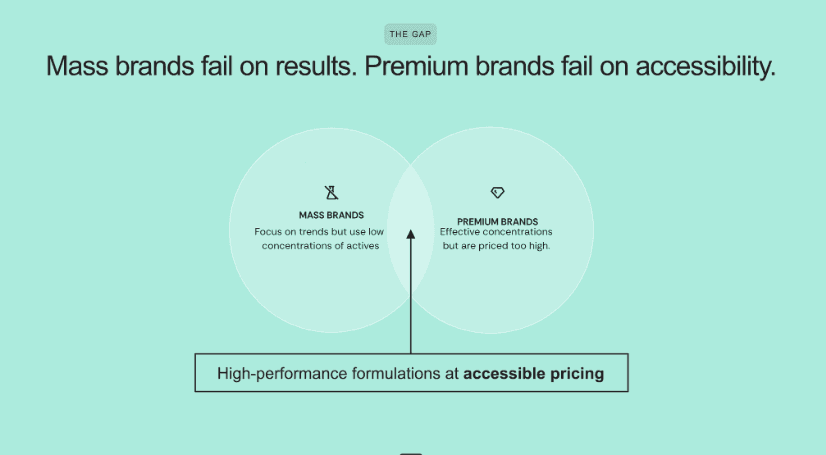
Venn diagram slide generated by Alai which is impossible to create on Beautiful AI.
Four Options Per Slide, Not One
DesignerBot generates one slide option. If it doesn't work, you either edit manually within template constraints or regenerate and lose any changes you've made.
Alai generates four different layout options for every slide. Different arrangements, different visual emphasis, options with and without images. You pick what best communicates your message, then refine from there.
AI That Keeps Helping After the First Draft
Here's a fundamental difference: Beautiful.ai's AI generates your presentation, then stops. You're on your own for edits. There's no way to ask the AI to try a different approach while keeping what already works.
Alai's AI stays with you throughout the editing process. Generated a slide but want it as a timeline instead of bullets? Ask the AI to convert it. Need the copy rewritten for clarity? The AI handles it. Want to try a completely different layout for one section? The AI generates new options without affecting the rest of your deck.
Each edit considers the full presentation context. When you rewrite a slide, the AI understands how it fits with slides before and after it. This produces more cohesive results, slides that flow together as a story rather than feeling like disconnected units.
Smarter Image Generation That Matches Your Content
Beautiful AI's image generation often feels random. Users report getting completely unrelated stock photos - generic business people, random objects, visuals that contradict the content.
Alai's image generation is context-aware. The AI considers your theme, your content, and your visual style before generating images. You can choose between different AI models and art styles.

Beautiful AI generates random images instead of matching them to the content
Alai's Nano Banana Pro Integration Allows You To Create Visually Stunning Slides
Nano Banana Pro is an AI model that generates image-based slides with a distinctive, visually striking style.
Beautiful.ai has no equivalent capability. Its slide generation is limited to standard text and image combinations using template layouts. There's no way to create the kind of immersive, image-forward slides that Nano Banana Pro produces.
What makes Alai's integration particularly powerful is how seamlessly NBP slides work within the broader presentation workflow - you can either choose to generate Nano Banana Pro slides during the first draft (as an option amongst the 4 layouts) or beautify regular slides into NBP slides using pre-sets trained on 1000+ presentations, no prompt engineering needed.
Additionally, in Alai, Nano Banana Pro slides are theme-aware, meaning they automatically adapt to match your deck's visual identity. They're also fully editable, you can refine them using pre-sets and annotations rather than accepting a single AI output as final.
Most importantly, Alai allows you to mix Nano Banana Pro slides with regular slides in the same presentation. This flexibility is crucial when you’re looking to mix regular slides with slides that are more visually dense.
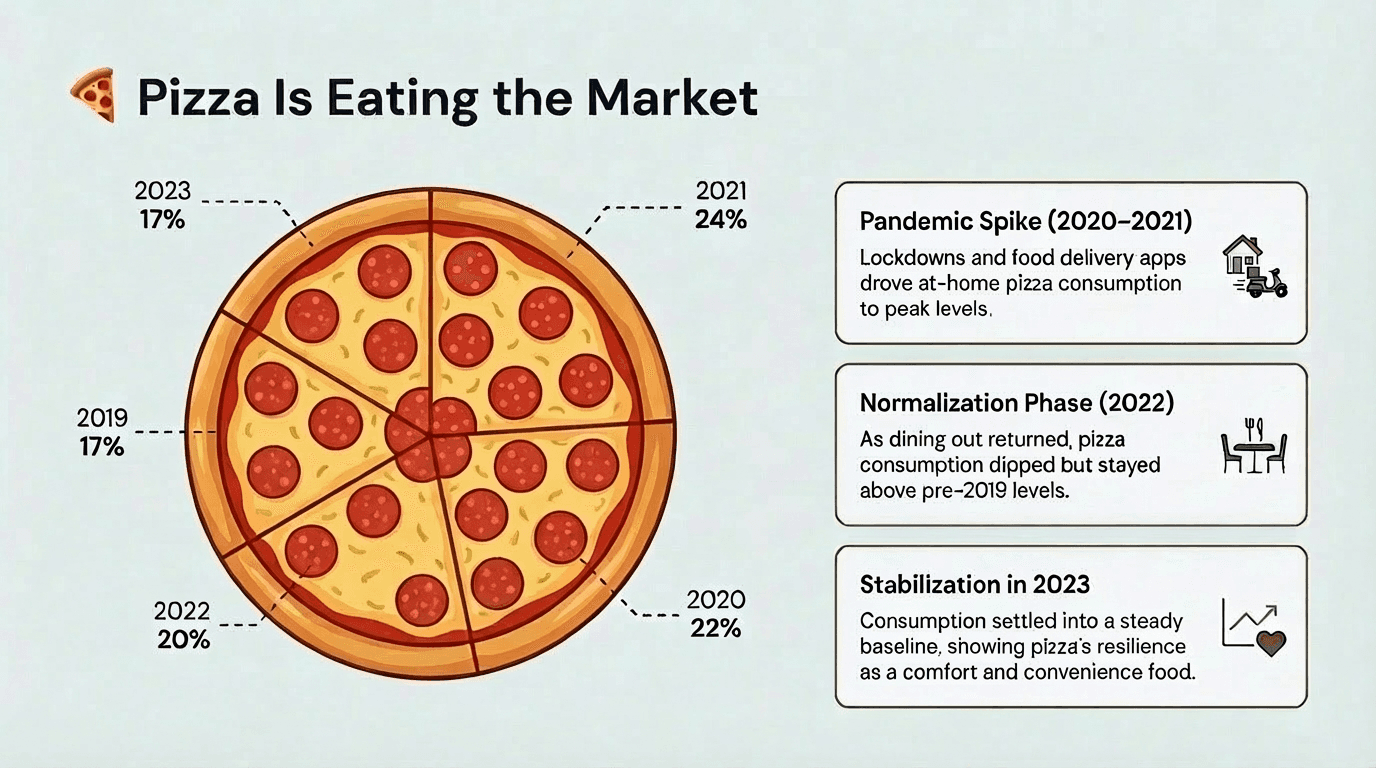
NBP slide created on Alai
Clean PowerPoint Exports
Beautiful.ai exports to PowerPoint, but users commonly report formatting problems - shifted layouts, font issues, misplaced elements. Alai exports cleanly with formatting preserved.
API Access for Automated Deck Creation
Beautiful.ai doesn't offer API access. Alai provides an API that lets you programmatically create on-brand, high-quality decks for recurring use cases - investor updates, sales reports, client proposals. If you need to generate presentations at scale or integrate deck creation into your workflows, Alai's API makes that possible.
Pros:
Modern design with depth, gradients, and layering
Responsive canvas lets you add or remove anything without breaking the layout
Four layout options per slide
AI creates diagrams Beautiful.ai can't: Venn diagrams, flowcharts, quadrants, org charts
AI helps you edit and iterate - Beautiful.ai's AI stops after the first draft
Context-aware AI considers your full presentation, not just individual slides
Nano Banana Pro integration for visually stunning image slides
Clean PowerPoint export without formatting issues
API access to programmatically create on-brand decks for recurring use cases
Free tier with 300 AI credits, no credit card required
Cons:
Smaller template library
Pricing:
Free with 300 AI credits (no credit card). Paid plans from $20/month
Choose Alai when:
You want slides that look professionally designed, need flexibility to build complex layouts, and want AI assistance that extends beyond the first draft. For founders specifically, see how Alai performs on pitch decks.
Get a detailed comparison of Alai v/s Beautiful AI.
Gamma: Best for Multi-Document Design
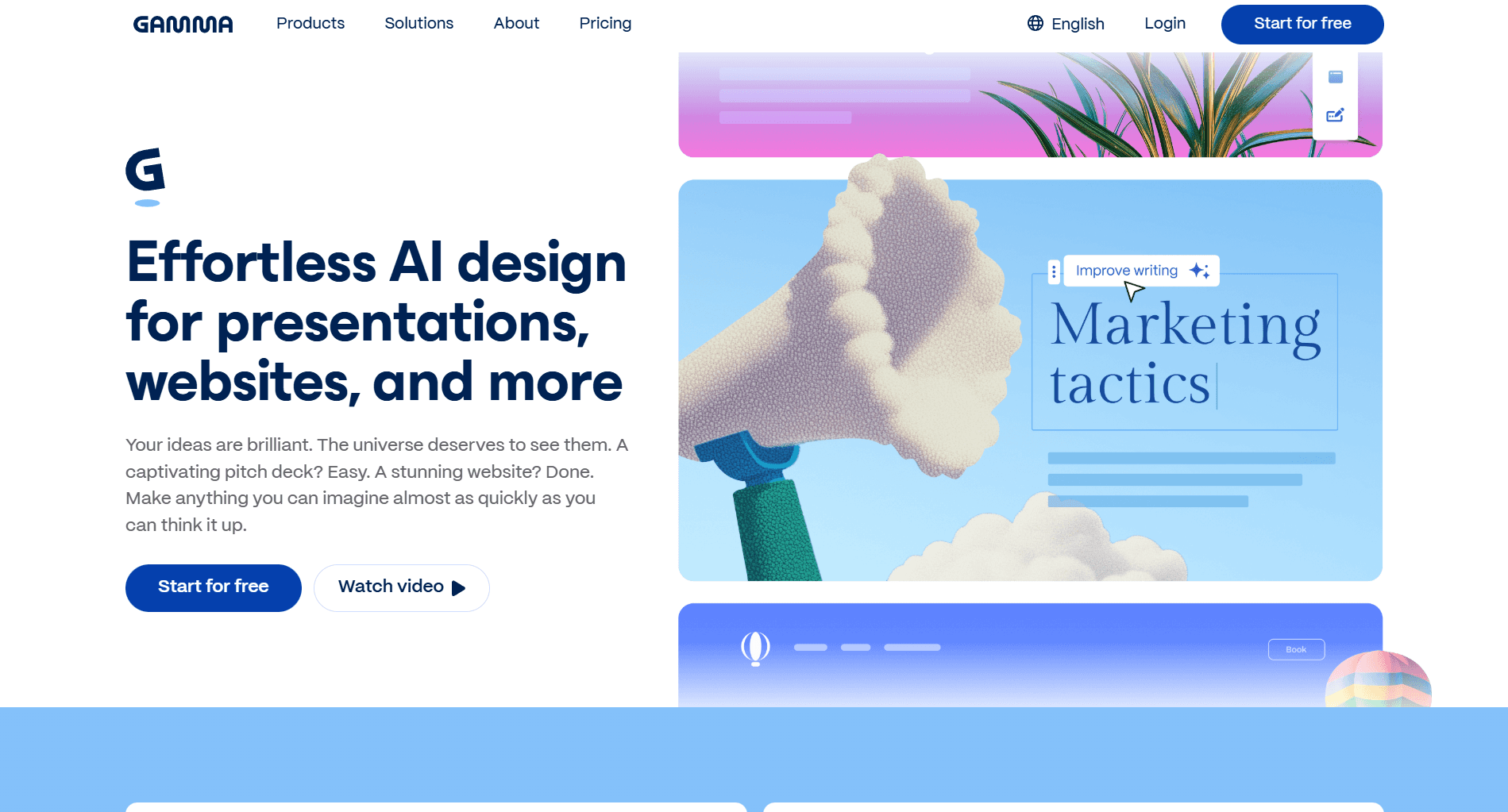
Gamma reimagines presentations as interactive, web-native documents. Rather than traditional slides like Beautiful.ai, Gamma creates scrollable "cards" that function like modern webpages.
Presentations That Scroll Like Websites
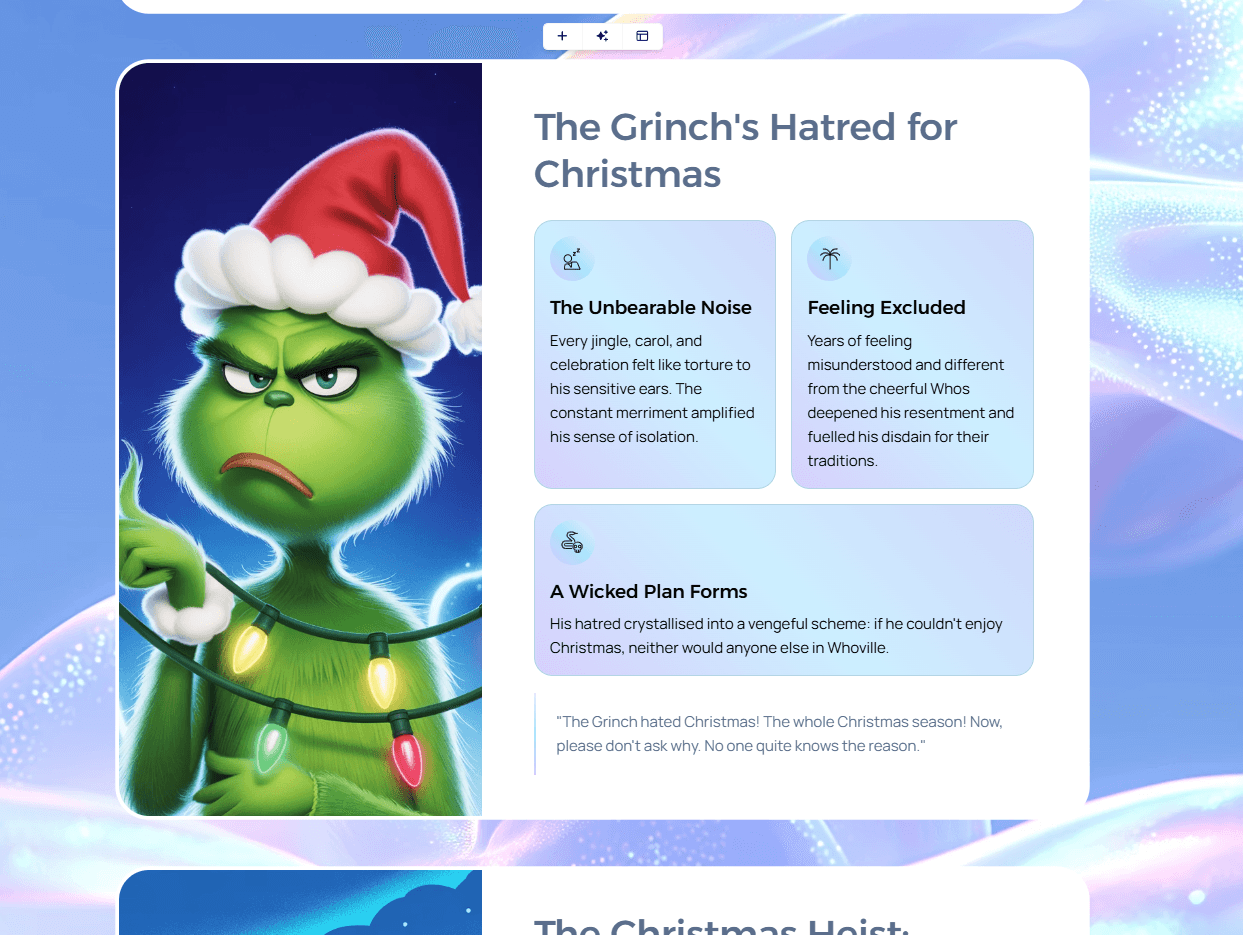
Beautiful.ai creates traditional slides, one screen, fixed dimensions, click to advance. Gamma creates scrollable pages that feel more like a modern website or a well-designed report. This works especially well for sharing presentations digitally where people read at their own pace rather than watching a live presentation.
The visual style feels fresher than Beautiful.ai's flat aesthetic. Gamma's cards have more visual depth and contemporary design sensibilities.
One Tool for Presentations, Documents, and Webpages
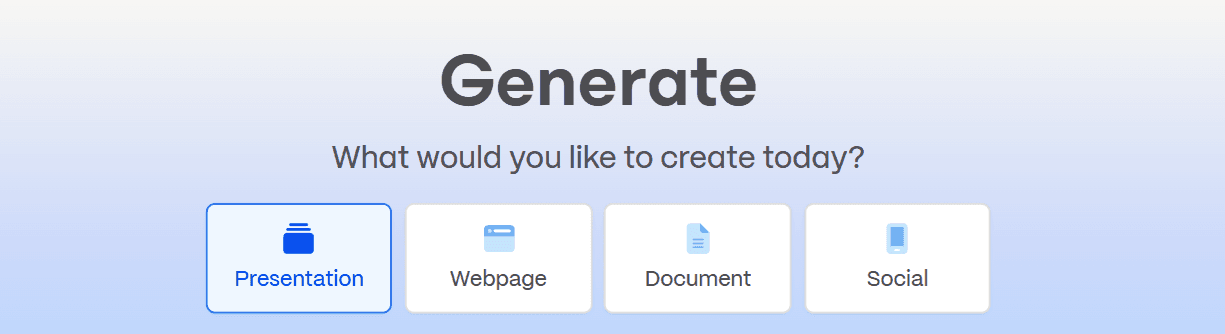
Beautiful.ai only makes slides. Gamma makes presentations, documents, and even simple webpages, all from the same interface. Need to turn your pitch deck into a leave-behind document? Gamma handles both formats.
The trade-off: Gamma's format takes some getting used to if you're expecting traditional slides. Beautiful.ai feels immediately familiar to anyone who's used PowerPoint.
Chat With the AI to Edit Your Slides
Both Beautiful.ai and Gamma let you generate presentations from a text prompt. But Gamma adds something the other doesn't have: a chat interface for editing.
After Gamma generates your presentation, you can type things like "make this section shorter" or "change the layout to two columns" or "add an image about teamwork." The AI makes the changes through conversation. Beautiful.ai generates your draft, then you're left to edit everything manually.
The only drawback - the AI can sometimes make edits that go beyond what was instructed.
Gamma also offers one-click restyling, change the entire look of your presentation instantly while keeping your content. In Beautiful.ai, changing styles means rebuilding slides.
Pros:
Creates presentations, documents, and webpages
Modern scrollable format feels fresh compared to static slides
Chat-based AI editing that Beautiful AI lacks
One-click restyling to change your entire look instantly
Free plan with 400 credits, no credit card required
All paid tiers cheaper than Beautiful.ai
Cons:
Scrollable format isn't traditional slides, may confuse some audiences
Exports to PowerPoint may look different than the web version
Takes adjustment if you're used to Beautiful.ai-style presentations
Pricing:
Free with 400 credits. Plus at $10/month. Pro at $20/month.
Choose Gamma when:
You share presentations digitally, need to create documents alongside slides, and want AI that helps you edit, not just generate.
For a deeper look at Gamma's strengths and gaps, see the full Gamma alternatives review.
Canva: Best for Template Library and Design Ecosystem
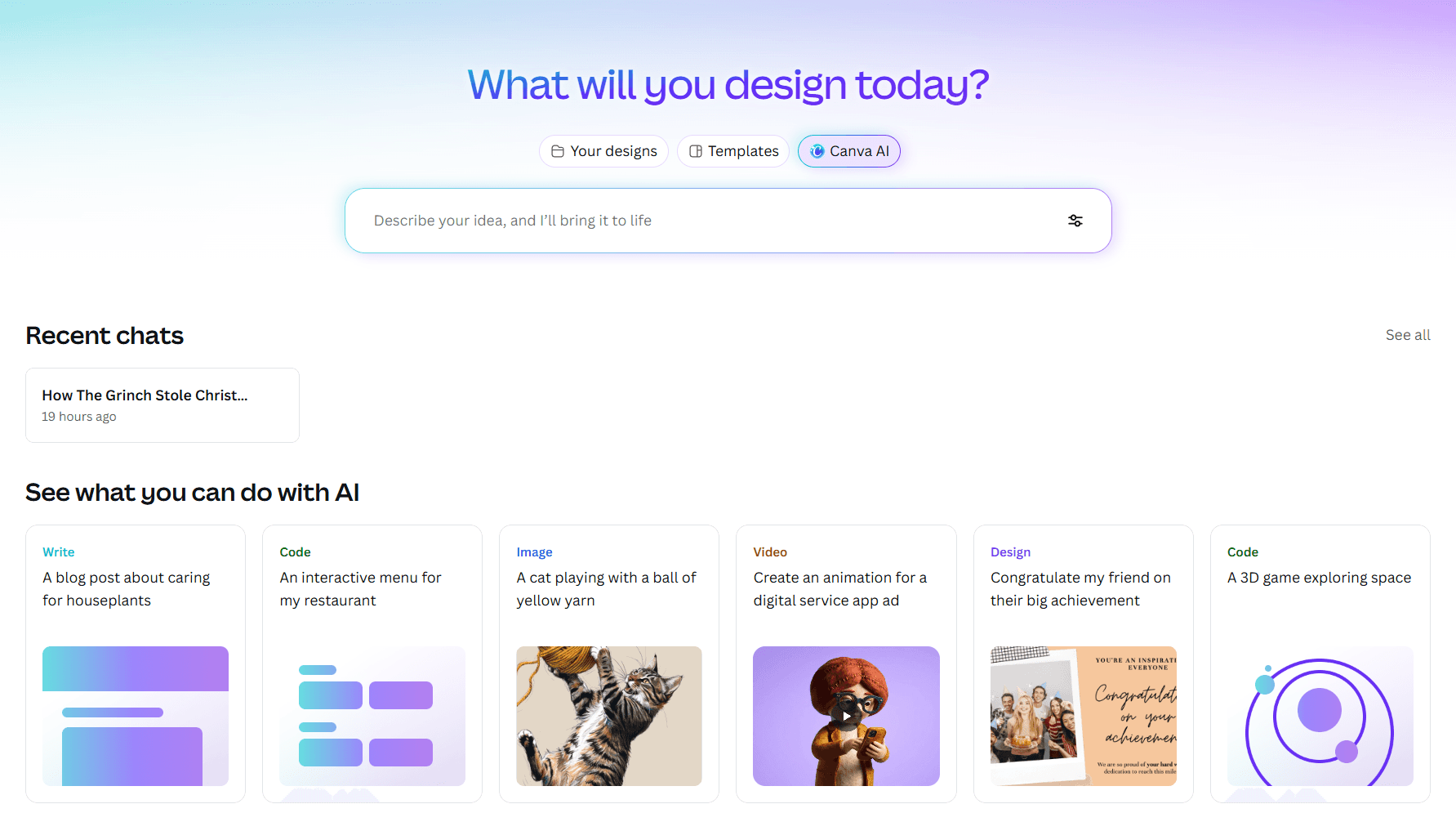
Canva's Magic Design for Presentations brings AI slide generation to one of the world's most popular design platforms. Unlike Beautiful.ai's presentation-only focus, Canva offers presentations within a comprehensive design ecosystem.
Thousands of Templates Instead of Dozens
Beautiful.ai has a curated library of templates, maybe a few dozen layout options. Canva has thousands of presentation templates across every style imaginable: minimalist, bold, playful, corporate, creative, vintage, modern. If you're tired of Beautiful.ai presentations looking the same, Canva's variety solves that problem.
The catch: Canva's AI-generated slides come out lighter on text than Beautiful.ai's. They're more like visual starting points than complete slides. You'll likely add more content manually.
The Design Tool You Probably Already Know
Canva is one of the most popular design tools in the world. If you've ever made a social media graphic, a poster, or a simple flyer, you've probably used Canva. That familiarity carries over to presentations.
Smart Slides do the formatting for you—add content, and it auto-arranges. Canva gives you more control through drag-and-drop editing, but that means more manual work. The upside: you can customize anything exactly how you want it, without template restrictions.
AI That Helps With More Than Just Slides
Canva's Magic Design generates presentation drafts from prompts, similar to Beautiful.ai's Designer Bot. But Canva's AI tools extend beyond slides:
Magic Write helps rewrite and improve your text
Translation converts slides to 100+ languages instantly
Magic Charts turns data into visuals automatically
Magic Animate adds motion with one click
Beautiful.ai focuses its AI specifically on presentations. Canva spreads AI across everything you might design - social posts, videos, documents, and more.
One limitation: Canva's prompt box only accepts 100 characters. Beautiful.ai gives you more room to describe what you want.
Pros:
Thousands of templates vs Beautiful.ai's limited library
Full design suite for social media, print, video, and more
Drag-and-drop interface most people already know
Export to MP4 video
AI writing, translation, and animation tools
Cheaper than Beautiful.ai ($14.99/month for Pro)
Cons:
AI slides are lighter on content than Beautiful.ai's output
100-character prompt limit is restrictive
More manual design work than Beautiful.ai's auto-formatting
Free tier limits Magic Design to 10 uses/month
Pricing:
Free with limited AI uses. Pro at $14.99/month.
Choose Canva when:
You want access to the biggest template library available and already use (or want) Canva for other design work beyond presentations.
Plus AI: Best for Google Slides and PowerPoint Users

Plus AI takes a fundamentally different approach from Beautiful.ai: instead of replacing your existing tools, it enhances them. This Google Slides and PowerPoint add-on brings AI capabilities directly into the presentation software you already use.
Stay in Google Slides or PowerPoint - No Switching Tools
Beautiful.ai is a separate platform. You create presentations there, then export to PowerPoint if you need to share with people who don't use Beautiful.ai. That export process can cause formatting issues.
Plus AI works inside Google Slides and PowerPoint as an add-on. Your presentations stay in the tools your team already uses. No exports, no compatibility problems, no learning a new interface. If your company is standardized on Google Workspace or Microsoft 365, Plus AI fits right in while Beautiful.ai creates friction.
The trade-off: Beautiful.ai's Smart Slides automatically make things look polished. Plus AI uses whatever templates you have in Google Slides or PowerPoint, it won't beautify your slides the way Beautiful.ai does.
Nothing New to Learn
Open Google Slides or PowerPoint. Install the Plus AI add-on. Done. You already know how to use the presentation software, so you already know how to use Plus AI.
Beautiful.ai requires learning a new interface with different conventions - Smart Slides work differently than regular slides, and editing controls are in unfamiliar places. For teams that just want AI help without changing their workflow, Plus AI removes that friction entirely.
Tell the AI Exactly What You Want (In 100,000 Characters)
When you ask Beautiful.ai to generate a presentation, you type a prompt describing what you want. That works fine for simple requests.
Plus AI accepts prompts up to 100,000 characters. More importantly, you can upload documents - Word files, PDFs, even existing presentations and Plus AI uses that content to generate slides. Want to turn a 20-page report into a presentation? Upload the report. Want to update last quarter's deck with new information? Upload the old deck and describe the changes.
Plus AI also keeps helping after the first draft. It suggests edits, helps rewrite content, and can remix existing slides into new layouts. Beautiful.ai generates once, then you're on your own.
Another unique feature: Live Snapshots let you embed charts from other tools (like Google Sheets or Tableau) that update automatically when your data changes. In Beautiful AI you'd recreate charts manually every time data updates.
Pros:
Works inside Google Slides and PowerPoint - no new platform to learn
No export issues since everything stays in native format
100,000-character prompts and document uploads for detailed AI generation
AI helps edit and revise, not just generate the first draft
Use your own templates (Beautiful.ai locks you into their templates)
Free collaboration through Google/Microsoft
Cons:
Requires Google Slides or PowerPoint as your base
Won't auto-beautify slides like Beautiful.ai's Smart Slides
Your results depend on your templates and design skills
Pricing:
Free tier available. Paid plans for advanced features.
Choose Plus AI when:
Your team lives in Google Slides or PowerPoint and you want AI assistance without switching platforms or dealing with export headaches.
Free Beautiful AI Alternatives: Best Options With No Credit Card Required
If the credit-card-required trial is your primary objection to Beautiful.ai, all of the tools I have reviewed let you build and export real presentations before spending anything.
Alai's free tier gives you 300 AI credits with access to all premium design elements and no credit card required. Gamma's free plan includes 400 credits, enough for roughly 10 decks before you hit the cap, though active users exhaust it within two to three weeks. Canva's free plan has no AI credit limits on templates and no payment details required. For pure AI-powered slide generation with the strongest free output quality, Alai is the most capable free option in this group. For template-first creation with the broadest library, Canva is the stronger pick.
Final Verdict: Which Beautiful AI Alternative Should You Choose?
Beautiful.ai is a good tool that has not kept pace with the category it helped create. The Smart Slide system still delivers on its core promise: fast, consistently formatted presentations with minimal design effort. The analytics are genuinely useful. The brand controls work well for team-scale use. For teams on the annual plan who operate comfortably within the template constraints, it continues to make sense.
The structural problems are the rigid template system, the absence of AI-generated diagrams, the dated flat aesthetic, the $45/month monthly option, the credit-card-required trial, and the lack of API access. These are not product gaps that can be patched with a feature update. They reflect architectural decisions that newer tools built around differently from the start.
For most users evaluating beautiful AI alternatives in 2026, Alai is the most direct upgrade. It handles what Beautiful.ai does well, adds the capabilities Beautiful.ai lacks, and starts with a free tier that requires no payment details. Gamma is the better call if you create documents alongside presentations or prioritize async sharing over live presenting. Canva wins on price sensitivity and template breadth, particularly for teams that need one tool across multiple content types. Plus AI is the right answer if leaving Google Slides is not an option.
The presentation tool market has gotten significantly better in a short period of time. Beautiful.ai's head start has narrowed considerably. Worth testing at least one alternative before you renew.
Related reading:
What searchers usually mean when they look up Beautiful.ai
If you searched for “beautiful ai,” “beautiful.ai,” or “beautiful ai review,” the practical question is usually simple: is Beautiful.ai still worth considering in 2026? Based on the evidence already covered in this article and the third-party source set supplied for this refresh, the most defensible answer is yes for a narrow type of buyer and no for many others. Beautiful.ai still makes sense when you want highly standardized decks, minimal formatting work, and a workflow built around fixed slide structures. It becomes a tougher sell when you want low-friction testing, month-to-month flexibility, or a tool that gives you more freedom after the first draft.
The strongest verified buying signals are consistent across the available sources. This review already documents that Beautiful.ai uses a Smart Slide system and charges $12/user/month on annual billing or $45/month on monthly billing for Pro, with no permanent free plan on the standard path. The same pricing structure is reiterated in Alai’s comparison coverage and in third-party roundups such as [toolchase.com] and [northpennnow.com], both of which also note that the product offers a 14-day trial rather than a true free tier. For search intent, that matters because many people typing the brand name are not yet committed buyers. They are trying to figure out whether Beautiful.ai is easy to test, reasonably priced short term, and still competitive against newer AI presentation tools.
That also means “Beautiful.ai review” intent is not exactly the same as “best Beautiful.ai alternative” intent. A review-oriented searcher usually wants a fast decision rule. Here is the clearest one supported by the material in this article: choose Beautiful.ai if your priority is presentation consistency more than presentation flexibility. Its Smart Slide approach is useful when you want layouts to stay orderly without manual design work. But the same template logic is also why the product can feel restrictive if your content does not fit the available structures.
Who Beautiful.ai is most likely to fit
Solo users making standard business decks. If your presentations are mostly status updates, reports, simple pitches, or recurring internal decks, the fixed-slide system can save time because the format is doing part of the design work for you.
Teams that value guardrails. This article already positions Beautiful.ai around consistency, and that is the most supportable reason to stay with it rather than switch.
Buyers who are comfortable evaluating on annual pricing. The supplied sources consistently show a large gap between annual and monthly Pro pricing. If you already know you want the tool and plan to use it regularly, the annual path is easier to justify than the month-to-month option.
Who should keep looking at alternatives
Anyone who wants a true free plan. The article already states there is no permanent free tier, and the supplied third-party coverage repeats that point. For casual testing, that is real friction.
Users comparing monthly plans. The most cited pricing pain point in the available sources is the jump from annual pricing to $45/month on Pro for monthly billing.
People who need more layout freedom. If your slides regularly mix diagrams, custom structures, or more bespoke storytelling, a fixed-template system is more likely to constrain you than help you.
Buyers evaluating the broader category. If you are still early in the decision process, it is usually smarter to compare Beautiful.ai against the wider market before committing. The most relevant next reads here are Best AI Presentation Makers for a category-level view and Gamma Alternatives if you are specifically comparing structured slides versus more flexible, web-style presentation workflows.
A direct answer for “is Beautiful.ai worth it?”
Beautiful.ai is worth it if you want polished, repeatable presentation formatting and already know that template guardrails are a benefit for your workflow. It is less appealing if you are mainly experimenting, trying to avoid card-gated trials, or shopping on monthly pricing. That conclusion is consistent with the current article’s pricing and workflow analysis and is reinforced by the supplied external coverage, which repeatedly highlights the absence of a permanent free plan and the steep monthly markup.
Put differently, Beautiful.ai is easiest to recommend to a buyer who says, “I want my deck to stay neat and on-rails.” It is harder to recommend to a buyer who says, “I want AI to help me explore different ways to communicate the same idea.” If you fall into the second group, the alternatives section later in this article is likely more useful than spending more time optimizing inside a rigid template system.
The short version for high-impression branded queries is this: Beautiful.ai is still a real product with a clear use case, but that use case is narrower than the broad brand searches suggest. If consistency, structure, and low-effort formatting are your main criteria, it remains relevant. If cost flexibility, frictionless testing, or broader creative freedom matter more, the tradeoffs become much more visible.
FAQs About Beautiful AI and Its Alternatives
Is Beautiful AI worth it?
For teams on the annual Pro plan who prioritize speed and brand consistency over design flexibility, yes. The $12/month annual price is reasonable for what it delivers. For individuals or small teams on monthly billing, the $45/month price is hard to justify against alternatives offering comparable or better AI output at lower cost. The sweet spot for Beautiful.ai is a team with a defined presentation format, a need for brand consistency across many presenters, and a preference for committing annually.
What is Beautiful AI pricing?
Beautiful.ai offers three plans. Pro is $12/month billed annually or $45/month billed monthly. Team is $40/user/month billed annually or $50/user/month billed monthly. Enterprise is custom pricing for 20-plus member organizations. There is no permanent free plan. The 14-day trial requires a credit card and charges automatically if not cancelled before expiry.
Does Beautiful AI have a free plan?
No. Beautiful.ai does not offer a permanent free plan. The 14-day trial requires a credit card. Students with a .edu email can access a free education plan. For everyone else, Canva, Alai, and Gamma all offer free tiers without requiring payment information.
What are the best Beautiful AI alternatives in 2026?
Alai for design quality and flexible AI editing throughout the process. Gamma for multi-document workflows and async sharing. Canva for template variety and a strong free plan. Plus AI for teams that need AI capabilities inside Google Slides or PowerPoint. The right choice depends on what specifically is frustrating you about Beautiful.ai.
Can Beautiful AI export to PowerPoint?
Yes, .pptx export is supported. However, formatting inconsistencies on complex slides are a documented and recurring issue in user reviews. Font rendering, image placement, and layout integrity do not always hold after export. Worth testing with your specific content before committing if PowerPoint compatibility is critical to your workflow.
Is there a free alternative to Beautiful AI?
Yes. Canva's free plan is the most generous in this category with thousands of templates and no credit limits on template use. Alai offers a free tier with 300 AI credits and no credit card required. Gamma offers 400 credits for free. For AI-powered slide generation specifically, Alai's free plan is the strongest option: you can build a complete presentation without spending anything or entering payment details.
PAGES
Compare Tools
resources