·
BASICS
·
13 min read

Founder, Alai
Verdict: Based on its published workflow and category fit, Presentations.AI is worth shortlisting for teams that want to turn briefs, documents, URLs, spreadsheets, and outlines into presentation drafts with a reviewable structure before slide generation. Its documented proposition is particularly relevant where PowerPoint handoff, brand application, recurring reporting, or automated presentation production are buying criteria. This is not a hands-on verdict on output quality or reliability. The decisive question is whether its claimed editing, export, and refresh mechanics hold up on one of your own consequential decks.
Methodology: This is a product evaluation based on Presentations.AI's published product, workflow, pricing, and company materials, plus TechCrunch reporting and category judgment from Krishna Gupta's five years building presentation software and work with more than 120,000 presentation users. It is not a hands-on test of Presentations.AI. Disclosure: Krishna founded Alai, a competing AI presentation product and the publisher of this review.
The documented workflow and where it fits
Presentations.AI describes a presentation platform rather than a single prompt-to-slides feature. Its public site lists AI presentation generation, slide creation, pitch decks, templates, recurring presentation refresh, APIs, webhooks, and Zapier and Make integrations. The company also says it has more than 12 million professional users. These are vendor claims, but they establish the intended scope: a system for creating and maintaining business presentations, not only generating a one-off deck.
The core workflow is clearly described in the public materials. A user provides a topic, outline, URL, or file; reviews an AI-generated outline; generates a deck; then customizes and exports it. Presentations.AI says it accepts text, PDFs, Word documents, URLs, Google Docs, and Excel as inputs, supports more than 14 languages, and can generate a typical 10-15-slide deck in about a minute. Those are vendor-stated workflow, input, language, and speed claims.
For buyers, the outline gate is the most consequential documented mechanic. It creates a decision point between source ingestion and visual production. That matters because a presentation can be visually coherent while still carrying the wrong argument, sequence, or level of detail. In Krishna's judgment as a presentation-product founder, teams get more value from an AI system when they can correct the narrative structure before layout work multiplies weak assumptions across a deck.
That makes Presentations.AI most relevant to work with repeatable source material and a clear audience: account plans, proposals, executive updates, internal training, campaign plans, recurring reviews, and operating reports. It is less naturally suited to a situation where the purchaser expects the tool to supply the underlying strategy, evidence, or bespoke creative direction without meaningful input from an author.
Core creation workflow
Start from a usable source
The first evaluation surface is the core creation workflow. Presentations.AI publicly supports starting from a prompt, outline, webpage, or uploaded source. That range matters because presentation work rarely starts in a blank slide editor. Sales teams often begin with a customer brief. Consultants receive a Word document. Marketing teams may have a campaign page and message framework. Analysts may have an Excel file plus an operating narrative.
Source choice should shape the trial. A generic prompt can show whether a tool can produce a plausible-looking deck, but it cannot establish whether the product handles the material that actually drives a business decision. A better pilot starts with a real document, then assesses whether the proposed outline preserves the important claims, separates evidence from commentary, and avoids turning every source paragraph into a slide.
Presentations.AI also advertises Brand Sync, which it says can derive branding from a company website URL. That is a potentially useful starting point for teams that need a draft to resemble an existing brand environment before a designer or marketing owner reviews it. It should be evaluated as part of the same source-to-deck workflow rather than as a reason to skip approved brand governance.
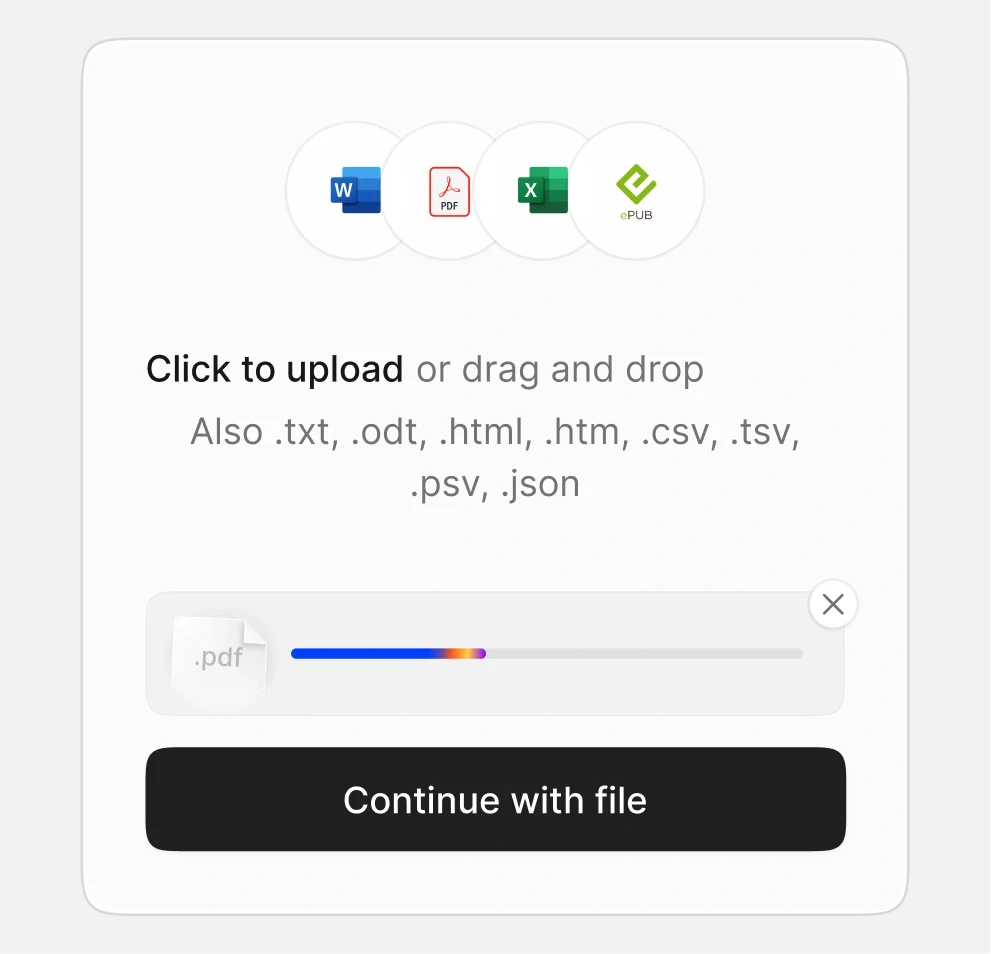
Presentations.AI starts from a prompt, outline, URL, or uploaded source file. Screenshot: Presentations.AI.
Use the outline as the editorial checkpoint
The vendor's published sequence places outline review before deck generation. That is a sensible workflow for presentations that must persuade, inform a decision, or report performance. Before generating slides, the author can decide whether the deck begins with a recommendation, a customer problem, a performance change, or a required decision. They can also remove sections that are merely adjacent to the topic.
Founder judgment: the strongest recurring presentation teams do not treat an outline as paperwork. They use it to assign ownership of the argument. A board update needs a different structure from a prospecting deck, even when both describe the same company. A quarterly business review needs comparisons and implications. A fundraising deck needs an investment case, not a catalog of company facts. AI can propose a sequence, but a responsible author still decides what the audience needs to understand and do.
That distinction is important when comparing AI presentation products. The relevant question is not only whether a tool can create slides quickly. It is whether it creates a moment where a team can align on the story before it has invested in visual polish. Presentations.AI's documented outline stage gives buyers a concrete workflow to examine in a trial.
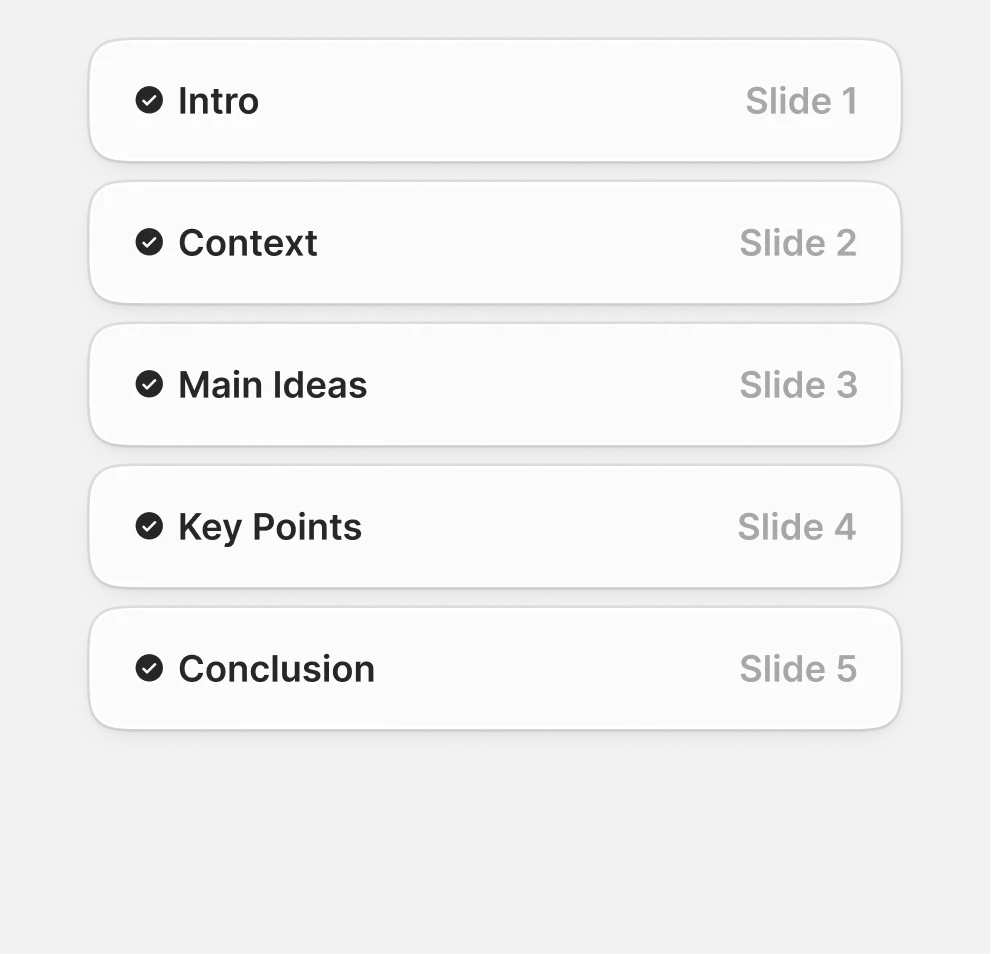
The product generates an outline before building the presentation. Screenshot: Presentations.AI.
Generate, edit, and hand off
After outline approval, Presentations.AI describes generation, customization, sharing, and export. Its maker page also describes Anti-fragile Templates, intended to rebalance spacing and hierarchy following content edits, and Clip-E, an in-editor AI assistant. The same public materials advertise real-time collaboration, comments, change tracking, presentation analytics, PDF export, shared links, Google Slides import, and native PowerPoint export with editable text, shapes, and layouts. These are vendor-described capabilities.
The practical appeal of that feature set is straightforward. Business decks are revised under pressure: a title changes, a figure arrives late, a reviewer asks for a source, or a presenter needs a shorter narrative. Presentation software is most useful when it helps the author preserve momentum through those changes instead of making every revision a local formatting project.
Presentations.AI's template pages contain a public counting inconsistency: its dedicated templates page says 500+ templates, while its AI maker page says 100+ designer templates. This may reflect different template categories rather than a product issue. Buyers for whom template breadth is material should ask the vendor which catalog and categories are included in their plan.
For a PowerPoint-oriented organization, the stated PPTX handoff is central to the buying case. Many teams still present, review, archive, or distribute work through PowerPoint. They may need offline access, internal master templates, desktop review, or a file that can be edited by colleagues who do not use the original AI tool. The third official workflow image captures the vendor's stated final stage: customize and export.
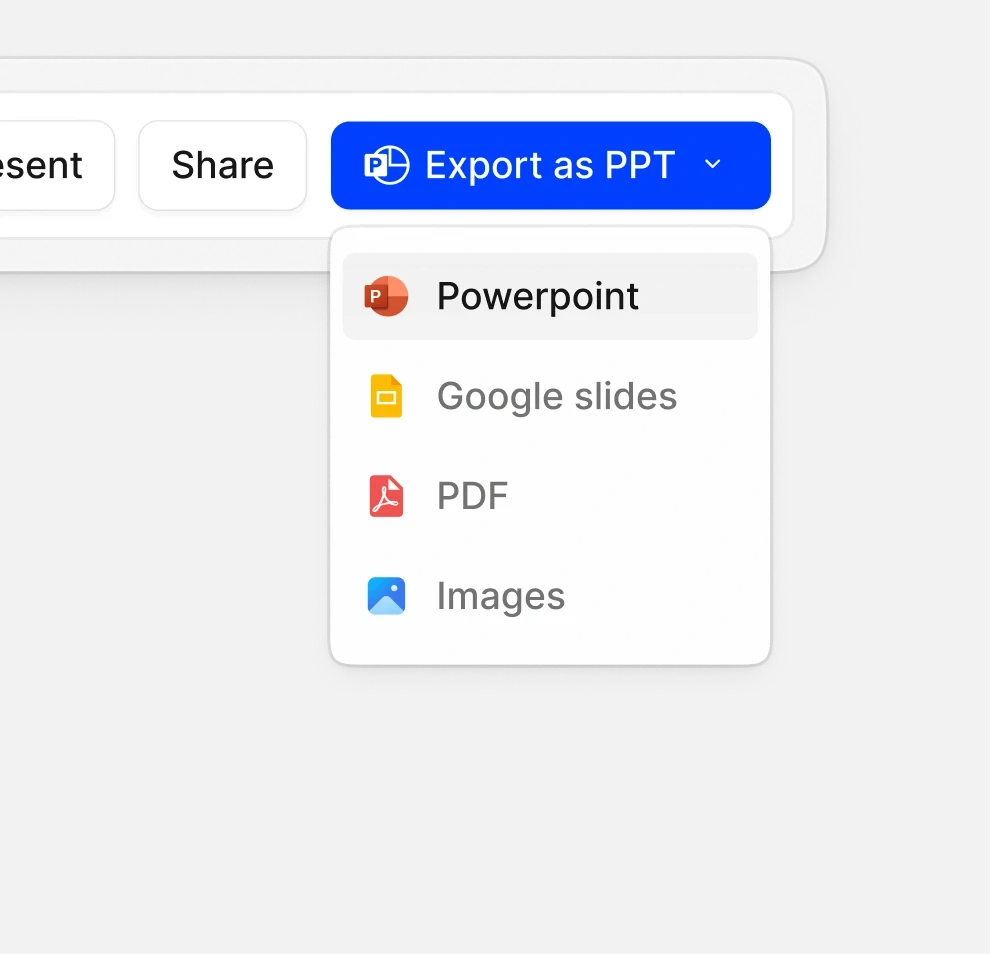
The final step is editing and export to PowerPoint, Google Slides, PDF, or a live link. Screenshot: Presentations.AI.
Presentations.AI pros and cons
Pros
Documented source-led workflow: It supports several starting formats and includes an outline-review stage before full deck generation.
Broad documented operating scope: The public product suite spans core deck creation, templates, brand features, recurring refresh, APIs, webhooks, and no-code integrations.
Potentially useful for PowerPoint-dependent teams: The vendor explicitly positions editable PPTX export as part of its workflow rather than treating the presentation as web-only.
Recurring-reporting proposition: The named Refresh Agent is designed around master templates, data connections, schedules, and approval controls.
Accessible entry point: The published Starter plan is free and includes 100 credits and decks of up to 20 slides.
Cons
Important workflow claims need a representative trial: The purchase case depends on how well the product handles the specific source material, brand rules, review process, and export requirements your team already has.
Credit-based pricing requires workload planning: Plans list substantial differences in included credits and AI tiers, so teams should map the plan to expected deck volume and revision patterns.
Best outcomes still require editorial ownership: The documented workflow can accelerate production, but a buyer still needs someone accountable for claims, data, audience fit, and final narrative choices.
Template positioning is not perfectly consistent across public pages: Buyers who select primarily on library breadth should clarify the current catalog.
Named Refresh Agent
The second evaluation surface is Presentations.AI's named Presentation Refresh Agent. This is distinct from building a new deck from a brief. The vendor describes a workflow in which the product scans a master template, connects data, schedules refreshes, keeps an approved design locked, and supports approval controls. Named data sources include Tableau, Power BI, Looker, Excel, Google Analytics, and API-accessible systems. Presentations.AI also says the agent can save 4-8 hours per person per month. Those are vendor claims, not an Alai measurement.
The use case is recurring reporting: a monthly operating review, account-health presentation, performance update, or standardized client report that must retain approved design while data changes. For these teams, the biggest cost is often not creating a single slide. It is repeatedly transferring updated values into a known structure, reconciling exceptions, and routing the result for approval.
Founder judgment: refresh automation has the clearest value when a team has already done the unglamorous work of agreeing on metric definitions, source-of-truth systems, slide ownership, and the conditions under which a report can be published. If those foundations are absent, automation can make an unresolved reporting process move faster without making it better. If they are present, a governed refresh workflow can be a meaningful operational capability.
Buyers should therefore evaluate Refresh separately from the general deck generator. A marketing proposal may be a good test for the core creation workflow, but it says little about whether a data-connected recurring report can fit an organization's controls. For Refresh, the relevant pilot is an existing monthly or quarterly deck with known data sources, named reviewers, and a defined approval path.
API and integration automation
The third evaluation surface is API and integration automation. Presentations.AI lists APIs, webhooks, Zapier, and Make in its product suite. This vendor-stated capability is relevant when presentation generation is triggered from another system, such as a CRM event, client intake form, analysis workflow, or reporting pipeline.
Automation is a different buying decision from adopting an editor. The organization must decide what data can populate a presentation, which fields are authoritative, who owns exceptions, and where final approval occurs. A system that creates hundreds of presentations can reduce production time, but it also makes weak inputs and unclear brand rules more visible at scale.
The useful dividing line is repetition. A one-off executive presentation is usually a core creation workflow problem. A recurring report with controlled data is a Refresh problem. A large volume of standardized customer, sales, or operational deliverables may justify API and integration automation. Presentations.AI's public materials indicate coverage across those three surfaces; implementation suitability depends on the buyer's systems and governance.
Pricing
The following prices were listed on Presentations.AI's pricing page on August 25, 2026. The vendor says pricing may vary by country because of purchasing-power adjustments.
Plan | Listed price | Included highlights |
|---|---|---|
Starter | Free | 100 credits, starter model and agent, decks up to 20 slides |
Pro | $20/month billed annually ($240/year) | 5,000 credits, advanced AI, high-quality PowerPoint export, tracking and analytics, and brand customization |
Gold | $100/month billed annually ($1,200/year) | 50,000 credits, frontier models and agents, advanced brand customization, and a shared knowledge base |
Source: Presentations.AI pricing.
Price comparison should begin with the job to be automated. A free plan can be sufficient for assessing the creation flow and basic fit. Pro is positioned around higher credit volume, advanced AI, PowerPoint export, tracking, analytics, and brand customization. Gold adds more credits, frontier models and agents, advanced brand customization, and a shared knowledge base. These inclusions are vendor-stated plan details. A procurement conversation should translate them into expected users, deck frequency, source types, approval requirements, and the cost of continuing the current manual process.
What we could not verify
This evaluation did not involve hands-on access, so several purchase-critical claims remain unverified. They should be consolidated into a controlled pilot rather than inferred from public pages:
PPTX fidelity: Presentations.AI says exports include editable text, shapes, and layouts. We could not verify whether representative files preserve layout, fonts, charts, speaker workflow, and editability after ordinary PowerPoint revisions.
Anti-fragile Templates: We could not test whether the claimed automatic rebalancing maintains readable hierarchy after long titles, dense content, logo changes, chart replacements, or inserted slides.
Clip-E behavior: The product is named as an in-editor AI assistant, but the public evidence supplied here does not establish its exact actions, limits, context retention, or quality.
Brand Sync quality: We could not assess whether website-derived branding is accurate enough for a particular company's typography, color, logo, accessibility, and approved-message requirements.
Credit consumption: Published plans state credit allocations, but not the practical consumption pattern for a team's prompts, regenerations, file imports, revisions, agents, or deck lengths.
Collaboration plan availability: Public materials advertise real-time collaboration, comments, change tracking, and analytics, but this review could not confirm availability by plan or behavior in a real team review cycle.
Refresh connector depth: The vendor names several data sources, but this review could not confirm connector configuration, permissions, field mapping, refresh frequency, error handling, approval behavior, or support for each organization's data model.
Comparison: choose by workflow requirement
The comparison below is intentionally narrow. It does not attempt an unsupported feature inventory for competitors. Gamma and Beautiful.ai descriptions are limited to findings tested in existing Alai articles. Alai is the publisher of this review.
Product | Most relevant workflow | Decision consideration |
|---|---|---|
Presentations.AI | Documented source-to-outline-to-deck workflow, plus named Refresh Agent and API/integration automation. | Consider when source ingestion, outline review, brand-oriented production, PowerPoint handoff, or recurring presentation operations are central requirements. |
Gamma | Fast, web-native presentation creation. | Alai's tested Gamma coverage found that its card-based layout can create PowerPoint export cleanup. Consider it when web-native delivery is the priority and evaluate export against your downstream needs. Read the Gamma alternatives guide. |
Beautiful.ai | Smart Slides and basic brand implementation. | Alai's tested Beautiful.ai coverage found Smart Slides useful for basic brand implementation but potentially constraining for unusual layouts. Consider it when guided layout is more valuable than uncommon composition. Read the Beautiful.ai alternatives guide. |
Alai | Turning source material into designed, editable presentations with AI-assisted revisions. | Alai focuses on source-to-presentation production and editable output. It is a direct competitor and publisher relationship should be considered when using this comparison. See Alai's broader AI presentation maker comparison. |
Company context and evidence limits
There is some independent company context, although it should not be mistaken for a current product-quality review. TechCrunch reported that Presentations.AI, founded in 2019 by Sumanth Raghavendra, Ravi Kasthuri, and Saravanan Govindaraj, raised a $3 million seed round led by Accel in February 2025. The report said the company had more than five million users since its 2023 public beta, tens of thousands of paying users, and profitability at that time. Those figures are historical company statements reported by TechCrunch, not independently established measures of current product performance.
Presentations.AI's Product Hunt page currently displays no user reviews. That observation applies only to that review surface and does not establish that no reviews exist elsewhere. The homepage also advertises SOC 2 Type II and GDPR compliance. These are vendor statements; organizations handling sensitive customer, financial, or employee data should conduct their own security, legal, procurement, retention, and access-control review.
Recommendation and 5-question trial scorecard
Recommendation: Shortlist Presentations.AI if your team has repeatable presentation work and specifically wants to evaluate a documented source-to-outline-to-deck workflow, a named recurring-refresh capability, or presentation automation through APIs and integrations. Choose it only if a controlled trial confirms that its workflow fits your source material, review process, and downstream file requirements. If it does, the result may justify a broader rollout for repetitive presentation production. If it does not, the mismatch will usually become visible quickly in the outline, revision, export, or reporting workflow.
Run the trial with one deck that matters, not a generic prompt. Use a real source file and include the person who normally edits, approves, and presents the final output. Score each question from 1 to 5:
Source fidelity: Did the proposed outline preserve the decision, evidence, and audience context from the original material?
Narrative control: Could the author efficiently revise the outline into a deck structure they would stand behind?
Revision workflow: Could the team make ordinary late-stage changes without disrupting the review process?
Downstream fit: Did the exported or shared presentation support the way presenters, reviewers, and customers actually work?
Operational value: Did the workflow remove enough repetitive production work to justify its price, credits, governance, and adoption effort?
A high score across all five is a practical basis to proceed. A low score in one of the first four should usually stop a broader rollout until the vendor or internal team can resolve the specific workflow gap.
Is Presentations.AI good for PowerPoint users?
It may be relevant for PowerPoint-oriented teams because the vendor says it exports editable text, shapes, and layouts in PPTX. Whether that works for your files and editing process needs a representative trial.
What inputs does Presentations.AI accept?
Presentations.AI says it accepts text, PDFs, Word documents, URLs, Google Docs, and Excel. Its public workflow then has users review an AI-generated outline before deck generation.
Does Presentations.AI have a free plan?
Yes. The published Starter plan is free and includes 100 credits, the starter model and agent, and decks of up to 20 slides.
What is the Presentations.AI Refresh Agent?
Presentation Refresh Agent is the vendor's named workflow for recurring decks. It is described as scanning a master template, connecting data, scheduling refreshes, locking approved design, and supporting approvals.
Can Presentations.AI connect to business data tools?
The vendor names Tableau, Power BI, Looker, Excel, Google Analytics, and API-accessible systems as Refresh sources. It also lists APIs, webhooks, Zapier, and Make in its product suite.
Who should consider Presentations.AI?
It is most worth trialing for teams with repeatable presentations, usable source material, and a need to assess outline-led generation, recurring reporting, automation, or PowerPoint handoff. Teams should validate the workflow against a real deck before choosing it.
PAGES
Compare Tools
resources