·
BASICS
·
28 min read

Marketing Lead
Building a presentation used to mean hours in PowerPoint: hunting for templates, fixing spacing, sourcing images, and rewriting copy until something finally looked presentable. AI presentation tools have changed that. You can now go from a prompt or a document to a full, designed slide deck in minutes.
Manus is one of the more talked-about tools in this space. It's a general-purpose AI agent that launched its Slides feature in 2025, and it takes a different approach from most: rather than formatting content you bring to it, Manus’ strength lies in researching the topic itself before building the deck. That's a meaningful distinction, and it's what this review focuses on.
We'll cover what Manus AI is, how Manus Slides works, how to use it step by step, what the output actually looks like, what it does well, and where it falls short. Then we'll share four AI presentation makers that can be used as an alternative to Manus AI.
What is Manus AI?
Manus is a general-purpose AI agent built by Butterfly Effect, a Chinese startup backed by Benchmark at a $500 million valuation. Unlike most AI tools that respond to prompts, Manus plans tasks, executes them autonomously across multiple steps, and delivers a finished output. You assign it a task and come back when it's done.
Key Features Of Manus AI
Autonomous task execution: Manus doesn't just respond to prompts - it plans a multi-step approach, executes each step, reviews the results, and course-corrects before delivering the final output
Parallel sub-agent research (Wide Research): Instead of researching sequentially, Manus deploys multiple sub-agents simultaneously, so the quality of research on source 20 is the same as source 1
Workplace integrations: Connect Gmail, Slack, Google Drive, and Notion so Manus can pull from your actual work - email threads, channel discussions, documents without you having to move anything manually
Strongest general-agent benchmark performance: At launch, Manus achieved top scores across all three GAIA difficulty levels, the standard evaluation for real-world AI agent performance
What is Manus AI Slides?
Manus Slides is the presentation feature built into the Manus platform. The key difference from most AI slide tools: it finds the content itself rather than formatting content you bring to it. Submit a topic and Manus researches the web in real time, pulls from multiple sources, and builds slides from what it discovers with a live log so you can follow along as it works.
Key Features Of Manus AI Slides:
Live web research during generation: Manus doesn't pull from training data alone, it actively searches and synthesizes current sources while building your deck, visible in a real-time research log
Claude 3.7 Sonnet for copy quality: The writing engine produces logically structured, audience-aware slide copy rather than generic summaries
Multiple input types: Works from a text prompt, uploaded PDF or DOCX, a URL, or directly from Gmail, Slack, Google Drive, and Notion
Broadest export range in the category: Outputs to PowerPoint, Google Slides, PDF, shareable link, or a live public webpage
How to Use Manus AI to Create Presentations
Step 1: Sign Up and Get Your Credits
Go to manus.im and create a free account. New users get 1,000 credits on signup with no credit card required. Navigate to the Slides section from your dashboard or go directly to manus.im/tools/ai-presentation.
Step 2: Input Your Content
Pick whichever fits where your content lives:
Prompt: Write a detailed brief - audience, slide count, tone, key sections. The more specific, the better the first draft.
Document upload: Drop in a PDF or DOCX. Manus reads the full content, not just headings, then let it know how to structure the output.
URL: Paste any webpage link and Manus fetches and structures it into slides.
Integrations: Forward a Gmail thread to your Manus address, @mention it in Slack, or connect Google Drive or Notion to pull from existing documents directly.
Step 3: Upload Your Brand Template (Optional)
Keep your decks on brand by uploading templates in PowerPoint format.
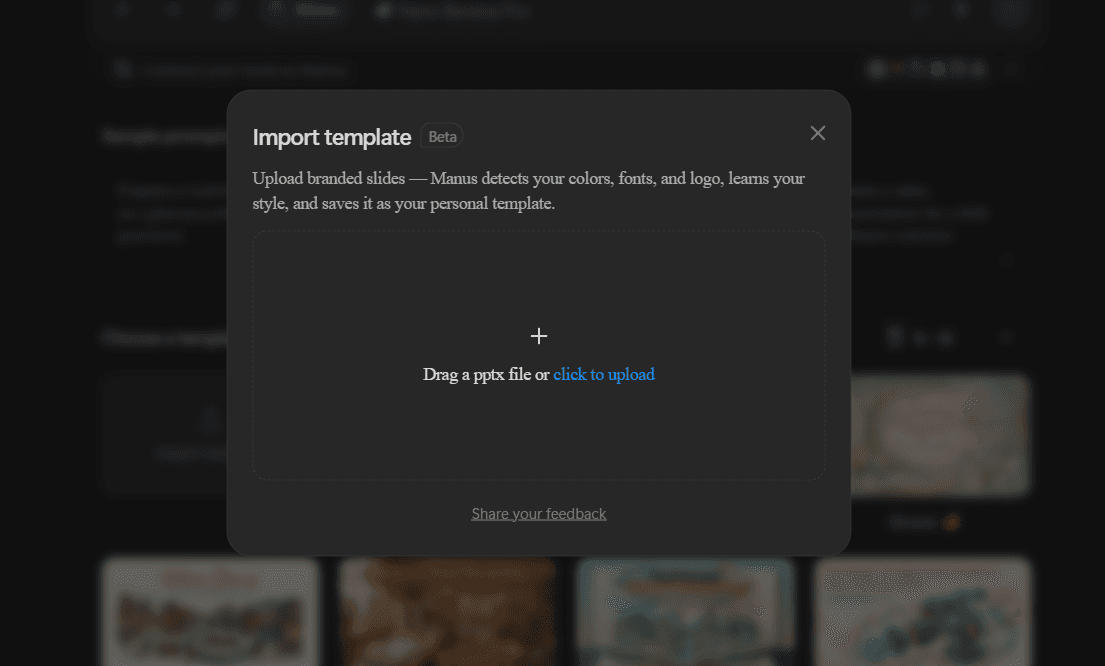
Step 4: Review the First Draft
Once your first draft is created - check every slide for content accuracy, structure, and layout. Manus first drafts are strong but always need at least one refinement pass before the deck is ready to send.
Step 5: Refine with Instructions
Type slide-level instructions directly into the task interface - "Reduce slide 6 to three bullet points," or make direct changes to text and images by opening the deck within Manus.
Step 6: Add Speaker Notes
Ask Manus to write speaker notes for the full deck. It produces context-aware talking points that reference what came before and set up what follows - not just a summary of each slide.
Step 7: Export
Once done, export your deck as a:
PowerPoint (.pptx): Good for minor edits. Layer structure can be messy for deeper redesigns.
Google Slides: Cleaner for collaborative editing in Google Workspace.
PDF: Clean export, locked formatting - best for sharing as-is.
Web link / public webpage: Browser-native sharing, no download required.
Manus AI Slides Review: Is It The Best AI Presentation Maker Of 2026?
Before we get started on the review, let’s understand how I tested Manus AI’s slides feature.
Testing Criteria For Manus AI:
I created two presentations on Manus, one using its regular create slides feature and the other using its Nano Banana Pro integration. Here’s the testing criteria I based my review on:
1. Content quality: How accurate, well-structured, and presentation-ready is the first draft? Does it read like something a person wrote, or does it feel like AI filler?
2. Design quality: Do the slides look professionally made? Is there visual consistency across the full deck, or does it fall apart slide by slide?
3. Ease of iteration: How much work does it take to go from first draft to something you'd actually send? That includes both manual editing inside the platform and any AI-assisted refinement.
Now let’s dive into the pros and cons of Manus.
The Good: What Manus Slides Does Well
Content: Deep Search and Claude Integration
Where most AI presentation tools take your content and format it into slides, Manus Slides takes a topic and finds the content itself. This is one of the core capabilities where Manus stands out from other AI presentation makers.
When you submit a presentation task, Manus doesn't write copy from its training data alone. It actively researches the web, pulls from multiple sources, cross-references findings, and builds slide content from what it discovers in real time. The research process is visible. A live log shows you which sources are being accessed, what's being extracted, and how the information is being structured into a slide outline. You're not watching a progress bar. You're watching the AI think.
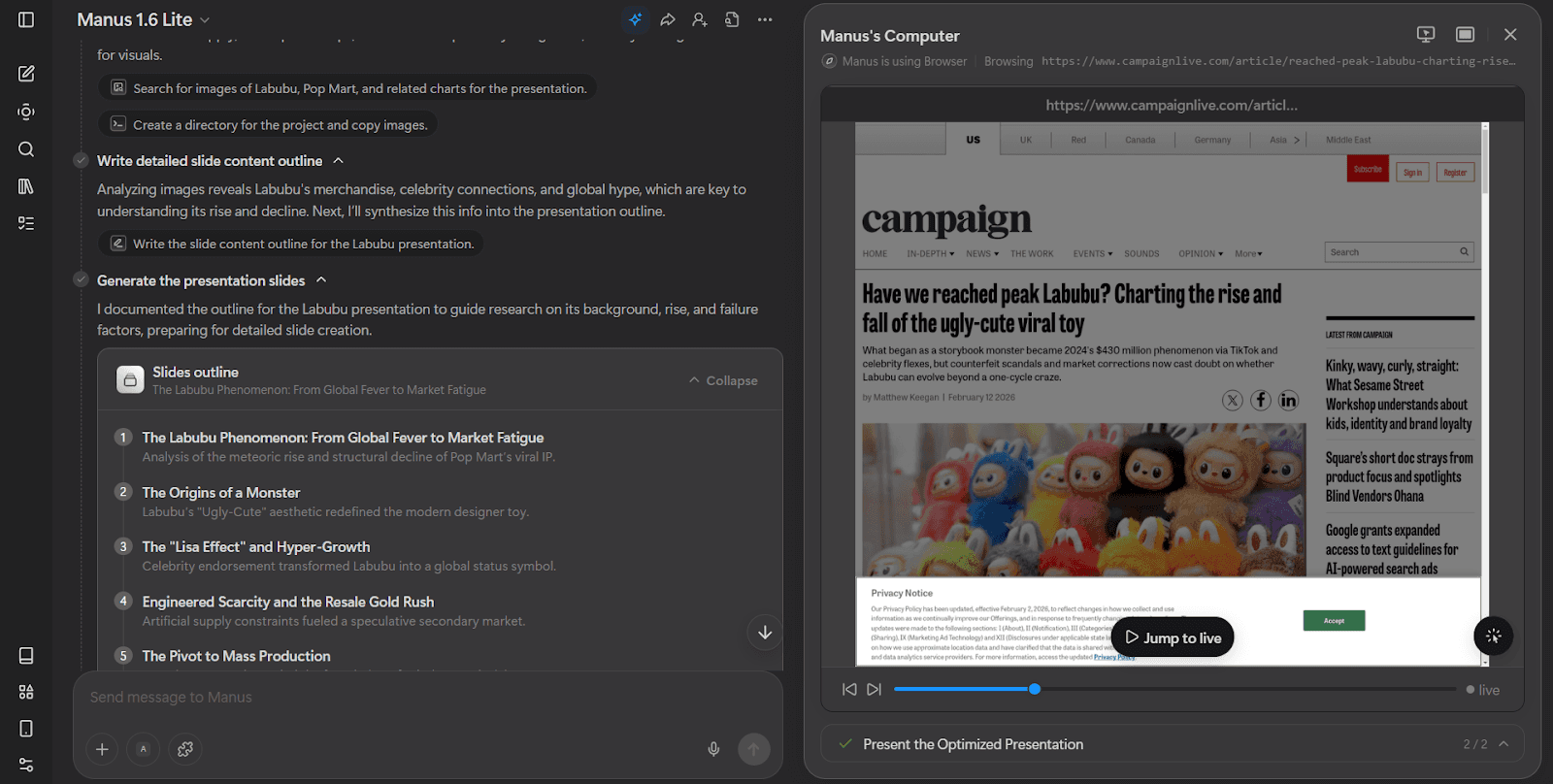
Example of how you can view Manus's research process during generation
The content engine underneath Manus Slides is Claude 3.7 Sonnet, which explains why the writing quality is consistently higher than tools built on less capable models.
Beyond topic research, Manus Slides accepts documents, URLs, and integration inputs. Upload a 30-page PDF and Manus reads the full content before building the outline, not just the headings. Point it at a URL and it fetches and parses the page. Forward an email thread and it builds a deck from everything in that thread, attachments included. The breadth of input options makes Manus useful across a wide range of starting points, not just "I have a topic and a blank page."
Design: Two Modes, One Clear Winner
Manus Slides offers two distinct generation modes: standard slides and Nano Banana Pro. Standard slides are the default - faster to generate, easier to edit, and suitable for data-heavy content you plan to update frequently. Nano Banana Pro is the visual mode, where every slide is generated as a high-resolution image using Google's advanced image model. The two modes aren't interchangeable. Each produces a meaningfully different type of deck, and you choose upfront which one your presentation needs.
When I ran my prompt through Nano Banana Pro, the visual quality jump was immediate.What stands out immediately in Nano Banana Pro output is how cohesive the full slide feels. Every element - the illustration, the text, the color palette, the decorative framing follows the same visual direction rather than looking assembled from separate sources. The imagery is generated specifically for the content rather than pulled from a stock library, which means visuals actually reinforce what the slide is saying. Text renders sharply throughout, including headlines, body copy, and styled callouts, which is the core technical advantage Nano Banana Pro has over every other AI image model. The result looks like a designed slide, not a generated one.
The themed templates within Nano Banana Pro also give you a decent range of visual directions to choose from before generation runs. Selecting a theme upfront means the full deck follows a consistent art direction rather than each slide being generated in isolation, which is the main reason the output holds together visually across a full deck.
Ease of Iteration: Direct Editing Inside the Platform
Unlike research-first tools like Gemini that lock output entirely after generation, Manus supports direct text and image editing inside the platform for regular slides. You can click into a text block, rewrite the copy, swap an image, or reposition elements without leaving the tool or exporting to PowerPoint for every small fix. For straightforward changes - a headline that needs updating, a statistic that's changed, an image that doesn't fit the slide - this keeps the iteration loop short and manageable. Manus also offers a chat interface for more substantial edits, where you type an instruction and the AI applies the change in context across the deck. For users who know exactly what they want and can phrase it precisely, this is a meaningful step above tools that deliver a first draft and leave you entirely on your own from there.
The Bad: Where Manus AI’s Slides Fall Short
Content Quality: Research Depth Doesn't Always Translate to Slide-Ready Copy
When it comes to content, the research quality is genuine and the logical structure holds up well across a full deck - as covered above, Manus produces content that is well-sourced, current, and built around a coherent narrative arc. Where it starts to fall short is in calibrating that content to the format. The information is there, but the way it's packaged often feels more suited to a document than a presentation.
Body text runs longer than a slide needs. Individual slides frequently carry more ideas than one canvas should communicate, and the copy density that works well in a written report becomes visual clutter once it's placed against a designed background. Additionally, while the headlines match the deck’s context they often read more as a document sub-heading with length surpassing the standard one/one and a half line.
This is less a problem with what Manus writes and more a problem with how much of it ends up on each slide. The underlying research and reasoning are strong. The gap is that the AI doesn't consistently apply the same discipline to length and brevity that good slide writing demands. The first draft gives you solid raw material, but it typically needs an editing pass to trim copy, shorten headlines, and make sure each slide is communicating one clear idea rather than several well-researched ones competing for the same space.
Design Quality: Standard Slides Feel Flat and Inconsistent
On the regular (non-Nano Banana Pro) slides, the design language is predictable and flat. Layouts rely on solid color blocks and basic arrangements without gradients, shadows, or layering to create visual depth. Every slide follows the same pattern: title at the top, content in the middle, image on one side. The result looks professional enough for internal work, but it doesn't look designed.
Additionally, many slides failed to meet basic design standards - random gaps below content (as seen in the example below), misalignment of image and paragraphs, random image borders. When compared to other AI presentation makers, Manus’s regular slides feel like a huge design step-back.
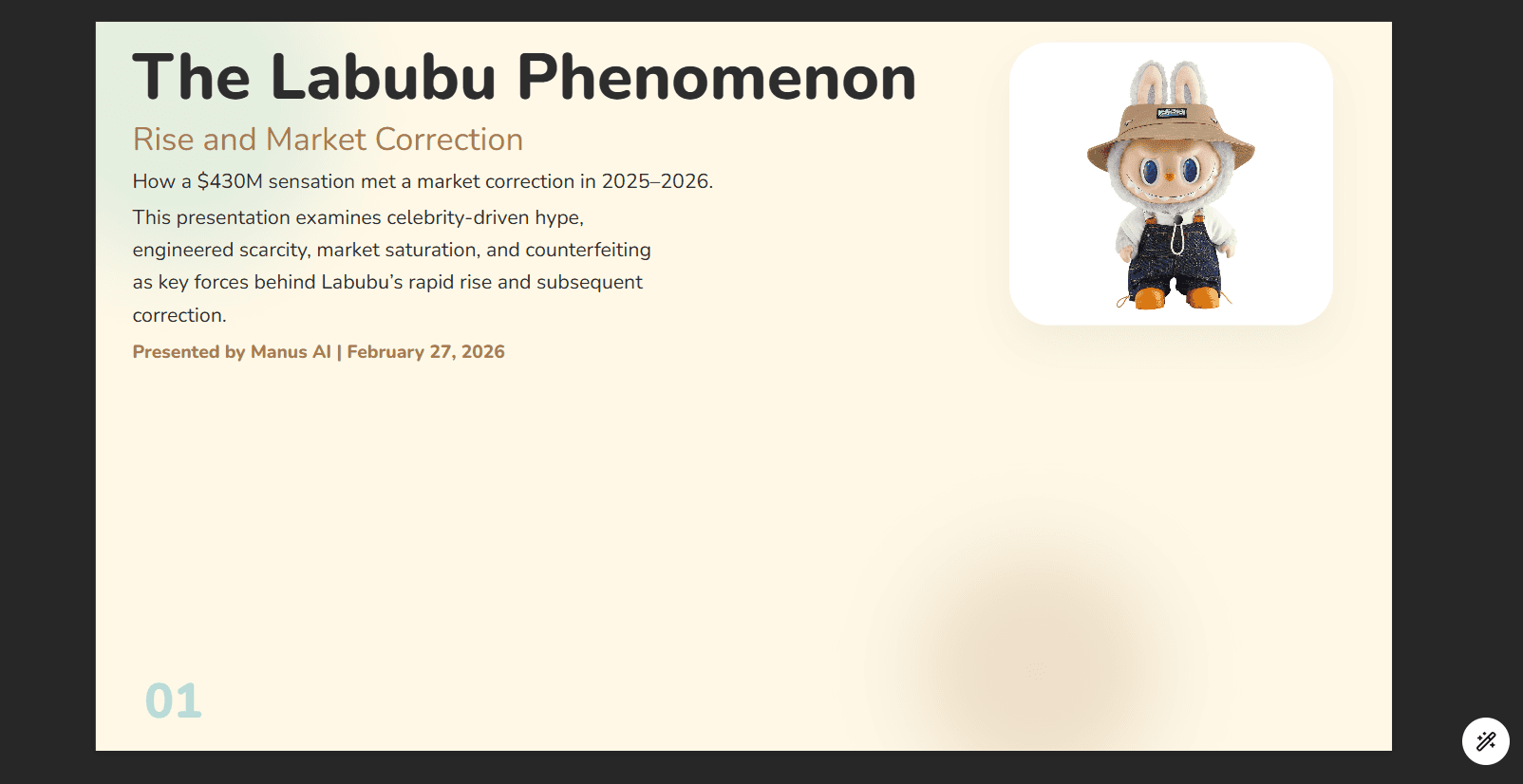
The Nano Banana Pro mode fixes the design quality problem but introduces its own constraint: you cannot mix Nano Banana Pro slides with regular slides in the same deck. It's one mode or the other for the entire presentation. That's a significant limitation for decks that need high-impact visual slides alongside simpler data or text slides that require recurring edits. It also means any presentation requiring Nano Banana Pro quality has to generate every slide as an image, which consumes considerably more credits and makes the cost per presentation harder to predict.
Ease of Iteration: Basic and Prompt-Dependent
When it comes to iteration, Manus offers the most basic features for directly editing its regular slides, it allows - editing text (font size, color, style and alignment) and image edits (delete, replace, resize, crop). Compared to other tools in the space this feels very limited - no element library, no switching between different layouts, no AI text rewrites or image generations.
While using AI to iterate, everything needs to be prompted within the chat interface based off which a new deck is generated - while this works for multi-slide or higher level edits, for small changes to content or layout - it seems like a lot of effort to create the correct prompt and hope that the AI does not make unwanted changes.
Nano Banana Pro element-level editing, introduced in a recent update, is an improvement over the previous version where any change required regenerating the entire slide. But the edits are still AI-processed rather than native - you're prompting a re-render rather than clicking directly into a text box. Every change requires waiting for the AI to process and re-render, and the quality of the result depends heavily on how precisely you phrase the instruction. For users comfortable writing specific prompts this works, but for decks going through multiple rounds of feedback from different reviewers, the unpredictability creates more rework than it saves.
Manus AI Slides Pricing
Manus operates on a credit system rather than flat usage plans.
Free: 1,000 credits on signup with no credit card required. The referral program adds 500 credits per signup through your link, which extends free access for users willing to share it.
Starter at $29/month: A monthly credit allocation for regular use, along with access to document uploads, standard integrations, and all core Slides features.
Advanced plans: Higher-tier plans include extended memory, priority processing, API access, and larger monthly credit allocations. Custom enterprise plans are available for high-volume teams.
The credit model means the effective cost per presentation varies depending on task complexity. A short deck from a simple prompt uses fewer credits than a deep-research presentation that deploys Wide Research across many sources. Teams generating presentations frequently should calculate their expected monthly credit consumption before committing to a plan tier, because the per-presentation cost is higher than most flat-fee alternatives.
Manus vs Canva for Presentations: Which Should You Use?
Editorial disclosure: Alai publishes this article and offers presentation software. This comparison is intended to help readers identify whether a research-led workflow, a design-led workflow, or a separate research-and-design handoff fits their needs.
Short answer: choose Manus when you need help turning a topic or brief into researched presentation content and an initial deck. Choose Canva when the content and narrative are already approved and the next task is producing an on-brand presentation. These tools can overlap, but their documented workflows begin at different points in the presentation process.
Manus describes its Slides workflow as a process that can research a topic, develop content, design slides, generate visuals, and create speaker notes from a description. Its PowerPoint Slides announcement also states that Manus can generate a PowerPoint file directly and that the resulting PPTX workflow can include editable charts, structured tables, and AI-generated visuals. Read Manus’s Slides documentation and its PowerPoint Slides announcement before relying on a generated deck for an important presentation.
Canva’s documentation positions Brand Templates and Brand Kits as tools for on-brand AI generation. Canva lists presentations among the supported fixed-size design types for that workflow, and its Canva AI guidance documents a Web Research option. In practical terms, Canva is a fit when the team needs to apply an approved visual direction to content rather than treating the first generated draft as the final research record. See Canva’s guide to on-brand designs with Brand Templates and Brand Kits and its PowerPoint import documentation.
Question | Choose Manus | Choose Canva |
|---|---|---|
What do you have at the start? | A topic, question, or scattered source material that still needs a proposed narrative. | Approved copy, an outline, or an existing presentation that needs visual production. |
What should the first review focus on? | Validate sources, numbers, assumptions, and the narrative before treating the deck as final. | Review whether the template, visual direction, and hierarchy suit the audience and brand. |
What is the main working output? | A researched starting point and a generated presentation draft. | A branded presentation that can be designed from prepared content. |
What is the main risk? | Generated research and slide copy still need subject-matter review. | A polished layout cannot compensate for an unverified argument or incomplete source material. |
Best fit | Market landscapes, discovery decks, and strategy briefs where finding and synthesizing information is the bottleneck. | Sales, training, campaign, and recurring internal decks where approved content needs a reusable visual system. |
A practical Manus-to-Canva handoff
If both research and design are needed, separate those stages. First, use Manus to create a draft outline and presentation, then verify every business-critical statement against the underlying sources. Once the content is approved, move the deck or the approved copy into Canva for design production. This sequence makes it less likely that a visually finished deck will carry forward an unreviewed claim.
Plan for an import review rather than assuming a pixel-perfect transfer. Canva’s PowerPoint import guidance says that charts, SmartArt, 3D objects, and WordArt are not supported during import, and that fonts or text may not always match exactly. Treat the imported presentation as a design starting point and check each slide after import.
If you want to evaluate a presentation-focused workspace instead of using a two-tool handoff, see Alai’s modern slide workflow. For a wider decision beyond Manus and Canva, compare the options in our guide to the best AI presentation makers.
Bottom line: Manus is the better starting point when the problem is “what should this deck say, and what sources support it?” Canva is the better starting point when the problem is “how should approved content be turned into an on-brand presentation?” When both problems exist, review the research before beginning the design-production stage.
Best Manus AI Alternatives for Presentation Creation
Manus Slides is the right tool for research-heavy presentations built from scratch. But it is not a presentation maker first - it's an AI agent that can make presentations. If building slides is your primary use case, these four purpose-built tools each solve a specific gap that Manus leaves open.
1. Alai: Best for Design Quality and Smooth Iteration
Alai is where you go when the deck needs to look as good as it reads. Where Manus is built around research depth and hands much of the design and iteration work back to you, Alai is built specifically for presentations - with design-trained AI, a responsive canvas, and an editing experience that stays active throughout the process, not just at generation.
Where Alai stands out from Manus:
Presentation-specific design that goes well beyond what Manus produces
Manus slides are professional but flat - solid color blocks, predictable layouts, no visual depth. Alai uses modern design principles throughout: gradients, shadows, layering, and visual hierarchy that make slides look like something a designer made rather than something a model generated. For client-facing decks, investor presentations, or any context where visual impression is part of the evaluation, the difference is significant.
Nano Banana 2 integration that Manus can't match.
Alai has updated to Nano Banana 2, which offers better visual quality, faster generation, and lower credit consumption than Manus's current Nano Banana Pro implementation. Pre-set prompts trained on 1,000+ presentations mean you get professional results without having to engineer detailed prompts yourself. And more importantly, you can mix Nano Banana 2 slides with regular slides in the same deck, something Manus does not allow - which means you can combine high-impact visual slides with standard data or text slides without being forced into one mode for the entire presentation.
Editing is also a different experience entirely. Manus's Nano Banana Pro edits are AI-processed re-renders - you prompt a change, wait for the slide to regenerate, and hope the result matches what you intended. Alai gives you two routes instead. The first is manual: convert any Nano Banana 2 slide into a freeform slide and edit it directly, clicking into text, repositioning elements, adjusting sizing, all without touching the AI at all. The second is AI-assisted: use general chat instructions to make changes across the deck, or annotate specific elements on a slide and instruct the AI to change exactly that element. Whether you're fixing a headline, adjusting a layout, or refining a visual element based on reviewer feedback, Alai keeps you in control of what changes and what doesn't. You get the visual quality of Nano Banana 2 without giving up the editing control you'd expect from a native presentation tool.
Four layout options per slide instead of direct generation.
Where Manus generates one version of your deck and leaves you to work with it or reprompt, Alai generates four distinct layout options for every slide - different arrangements, different visual emphasis, options with and without images. You choose what best communicates your message and refine from there. This fundamentally changes the starting point from "fix what the AI got wrong" to "choose among things the AI got right."
AI and manual editing that stays active throughout the process
Manus does offer manual editing on regular slides - you can adjust text formatting, replace images, and do basic resizing but the feature set stops there. No element library, no layout switching, no AI text rewrites or in-platform image generation. For anything beyond surface-level fixes, you're either prompting the chat interface or exporting to PowerPoint, and the chat editor frequently produces unintended changes elsewhere in the deck when given anything other than a very precise instruction.
Alai solves iteration from two directions. On the AI side, Agent Mode lets you make targeted edits through conversation - "convert slide 4 to a timeline," "rewrite this for a technical audience," "split this slide into two" and the AI applies exactly that change without touching the rest of the deck. The convert feature lets you switch any element from one format to another - bullets to a chart, a list to a flowchart without regenerating the slide from scratch. Every edit is context-aware, so changes stay coherent with the slides around them.
On the manual side, Alai gives you granular control that Manus's editor simply doesn't offer — text hierarchy, background styling, element alignment, padding, element sizing, and individual element styles are all directly adjustable. Where Manus limits you to basic text formatting and image swaps, Alai lets you refine the exact visual relationships between elements on a slide without leaving the platform or reaching for PowerPoint.
Responsive canvas and elements library for manual iteration
Beyond AI-assisted editing, Alai's canvas rebalances automatically as you add or remove elements - add a new text block and everything shifts to make room, remove an image and the content fills the space correctly. The elements library gives you access to layout types Manus cannot generate in-platform: Venn diagrams, flowcharts, org charts, hub-and-spoke diagrams, comparison matrices, and more. For decks that need specific visual structures, this replaces a round-trip to PowerPoint.
Pros:
Presentation-specific design with modern depth, gradients, and layering
Nano Banana 2: better quality, faster, lower credit cost, theme-aware,and mixable with regular slides
Four layout options per slide rather than one
Agent Mode for targeted AI editing that doesn't affect the rest of the deck
Granular control on design with element-specific manual editing options that Manus does not offer
Responsive canvas that rebalances automatically as you edit
Elements library with Venn diagrams, flowcharts, org charts, and more
Cons:
Smaller template library than tools like Beautiful.ai
Pricing: Free with 200 AI credits, no credit card required. Paid plans from $16/month.
Choose Alai when your deck needs to look professionally designed, you want an editing experience that stays active throughout the process rather than stopping at generation, and you want Nano Banana 2 integration that's theme-aware, mixable, easily editable and doesn't drain your credits.
2. Kimi AI: Best for Research-Heavy Presentations on a Budget
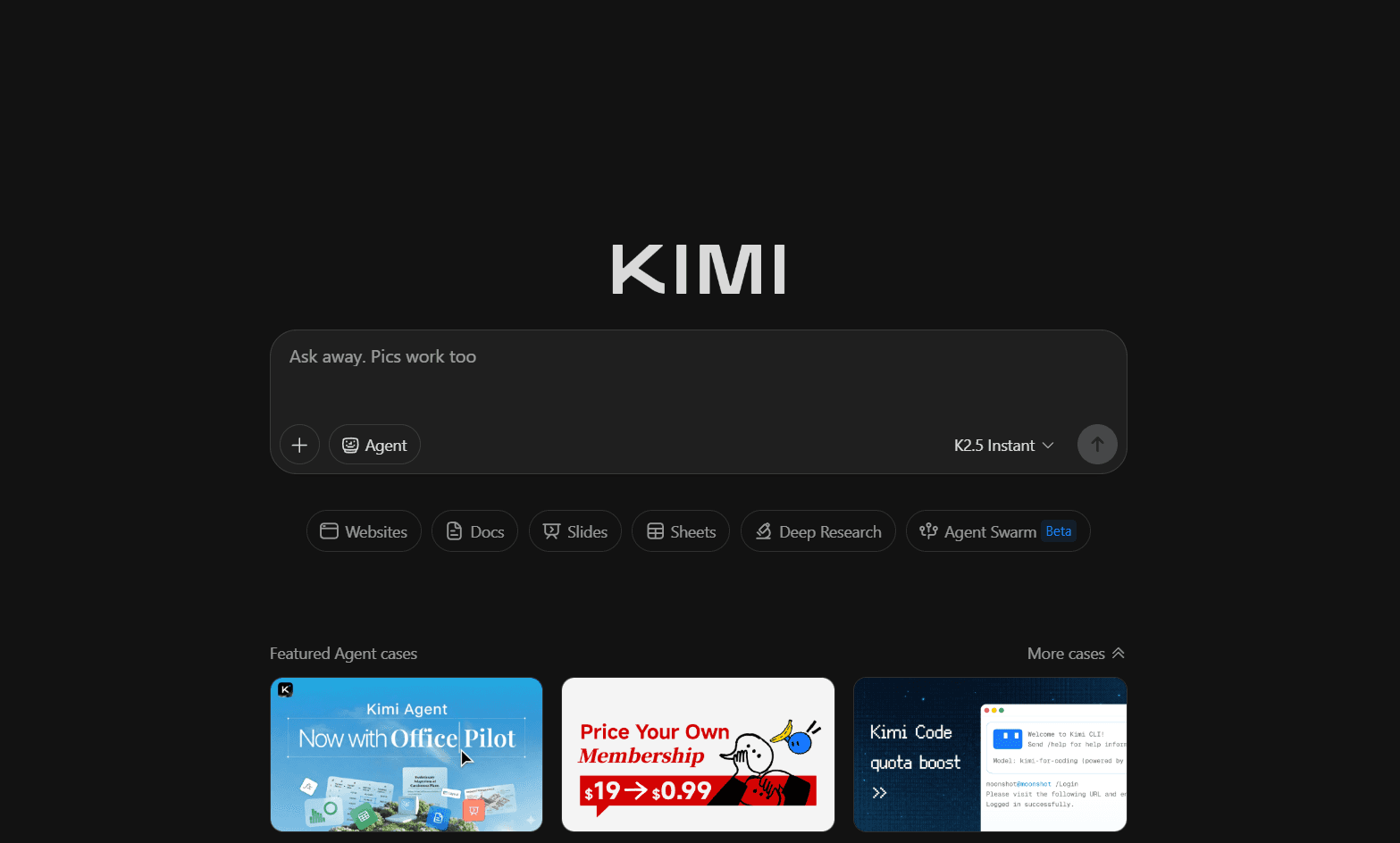
Kimi is the closest alternative to Manus for users who need research-backed content depth but can't justify the cost. Built by Moonshot AI, it runs on the K2 Thinking model and offers two distinct creation modes: Adaptive (30–60 minutes) for deep research-first generation, and Visual (5–10 minutes) for faster, design-forward output using Nano Banana Pro.
Where Kimi stands out from Manus:
Kimi's Nano Banana Pro visuals allow text editing, which Manus's do not natively.
Where Manus's Nano Banana Pro output requires AI prompting to change any element, Kimi allows direct text editing on generated slides. For users who need the visual quality of Nano Banana Pro but want to make copy changes without re-prompting and re-rendering, this is a meaningful practical advantage.
The editable outline workflow gives you more structural control upfront.
Both Manus and Kimi generate an outline before committing to design, but Kimi's outline interface is more flexible - you can add, delete, rearrange, and retry individual sections before any visual work begins. This matters for users who want to shape the narrative structure before any credits are spent on design generation.
Free Adaptive mode gives you genuine research depth at no cost.
Manus's free tier is limited in credit consumption and caps presentation length. Kimi's free Adagio plan includes the full K2 Thinking-powered research generation, making it the strongest free option for research-heavy content in this comparison.
Pros:
Free tier includes deep research generation via Adaptive mode - no credit card required
Text editing on Nano Banana Pro slides without full regeneration
Editable outline with full structural control before design begins
Wide multi-format input support: PDF, DOCX, PPTX, XLS, CSV, HTML, and more
Two distinct creation modes for different use cases and time constraints
Cons:
Design output is repetitive - 2 to 3 fixed layouts repeat across the full deck
No custom themes; brand consistency requires manual slide-by-slide adjustment
Visual mode and full Nano Banana Pro access require the $19/month Moderato plan
Watermarked stock images have appeared in exported decks
No AI editing assistance after generation; iteration is entirely manual
Pricing: Free (Adagio). Moderato at $19/month. Allegretto at $39/month. Vivace at $199/month.
Choose Kimi when you need research depth comparable to Manus, are working within a tight budget, and are willing to do the design work manually after generation.
3. Gamma: Best for Multi-Format Content Creation
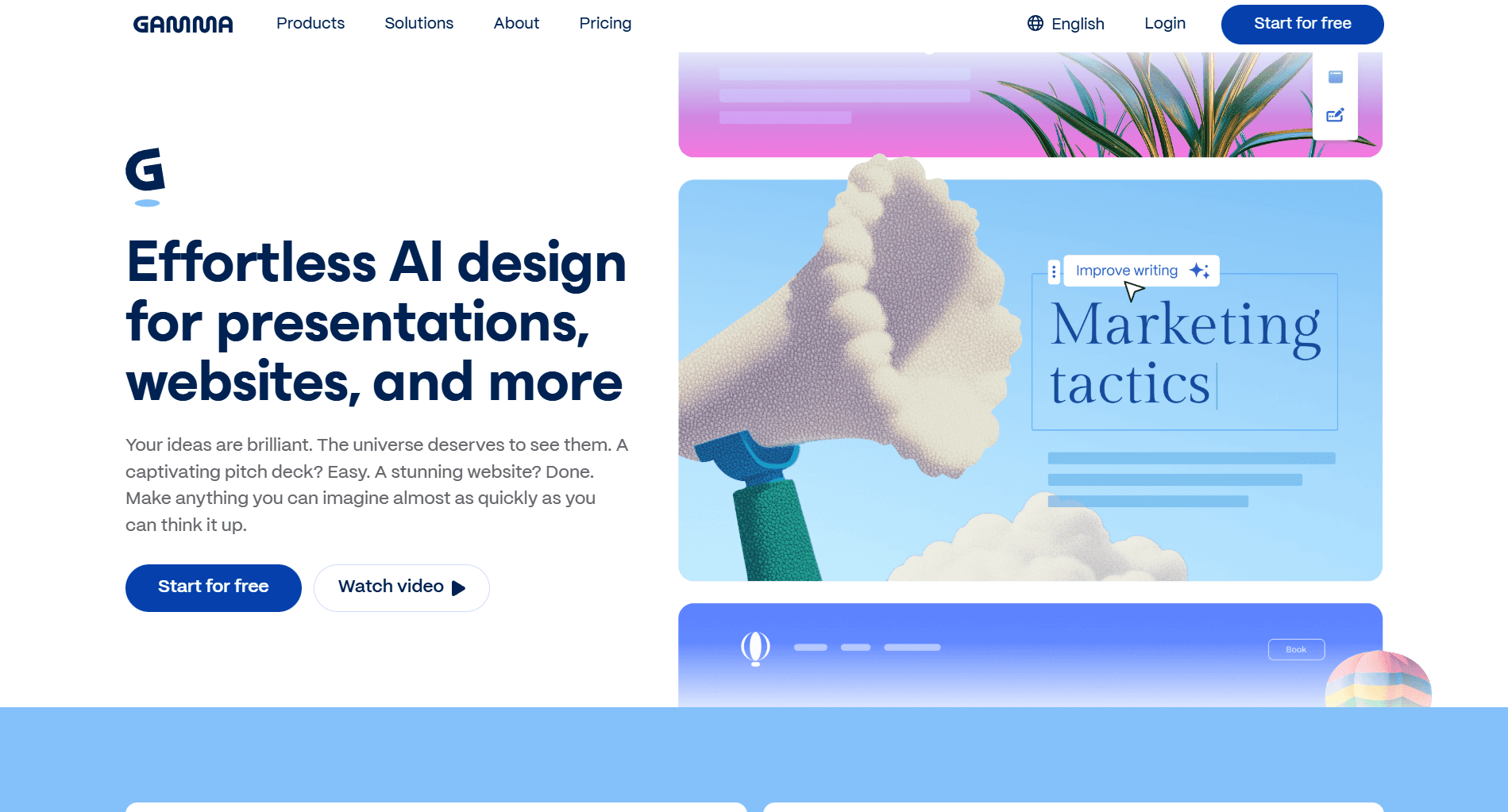
Gamma is the right alternative when your needs extend beyond slides. Where Manus is a research and task execution platform and most AI presentation tools are presentation-only, Gamma is a multi-format content creation tool - it generates presentations, documents, and webpages from the same interface. For teams that regularly need to produce different content types from the same source material, this breadth is a meaningful advantage over building in separate tools.
Where Gamma stands out from Manus:
One platform for presentations, documents, and webpages.
Manus can produce a presentation from research, but it produces one output type. Gamma lets you take the same content and output it as a slide deck, a scrollable document, or a published webpage depending on who the audience is and how they'll consume it. For content and marketing teams in particular, this removes the need to rebuild the same material across multiple tools.
Cleaner, more modern design output than Manus's standard slides.
Gamma's default output has more visual polish than Manus's regular slide mode - cards have depth and visual weight, and the overall aesthetic sits closer to a designed presentation than a formatted document. The scrollable card format also gives Gamma a visual flexibility that fixed-dimension slides don't have: content breathes differently, imagery integrates more naturally, and the overall experience of viewing a Gamma deck feels more intentional than Manus's flat, template-driven output. For presentations shared digitally where first impressions matter, Gamma's default design quality is meaningfully higher than what Manus produces without Nano Banana Pro.
Real-time collaboration that Manus doesn't offer.
Manus is a single-user workflow. Gamma supports live co-editing and commenting, so multiple team members can work on the same deck simultaneously.
One-click restyling changes the entire visual theme instantly.
In Manus, changing the visual direction of a generated deck means either regenerating or rebuilding in PowerPoint. In Gamma, a few clicks changes the color palette, typography, and layout style across the entire deck while keeping all content intact.
Pros:
Generates presentations, documents, and webpages from a single platform
Fast generation (2–3 minutes) with a reliable chat-based AI editor
One-click restyling across the entire deck without touching content
Real-time collaboration with comments and co-editing
Interactive embeds: polls, videos, Figma files, and surveys
Scrollable web-native format ideal for async sharing
Free plan with 400 credits, no credit card required
Cons:
No autonomous research; content depth depends entirely on what you provide
Scrollable card format doesn't suit formal boardroom or investor presentation contexts
PowerPoint exports can look different from the web version
Studio mode (Nano Banana Pro) and regular slides cannot be mixed in the same deck
Pricing: Free with 400 credits. Plus at $10/month. Pro at $20/month.
Choose Gamma when you need more than just slides - presentations, documents, and web content from one platform and want a fast, collaborative workflow.
4. NotebookLM: Best for Source-Grounded, Research-to-Slides Workflows
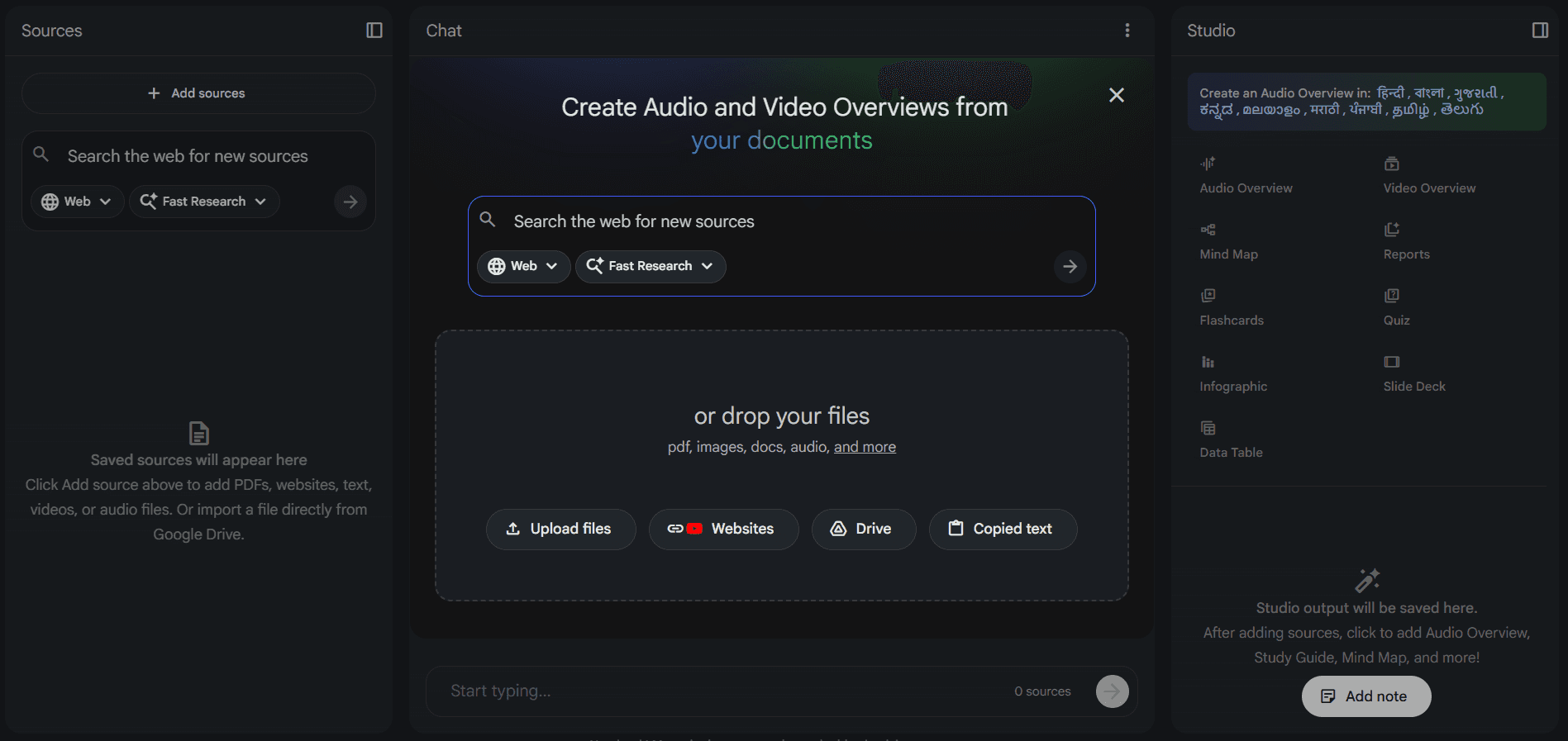
Google's NotebookLM sits in an interesting position relative to Manus. Both tools are research-oriented, but they research differently: Manus goes out and finds content from the web, while NotebookLM works exclusively from sources you upload. For users where content accuracy is non-negotiable and the source material already exists, NotebookLM eliminates the hallucination risk that affects every web-research tool, including Manus.
Where NotebookLM stands out from Manus:
Every claim traces back to a source, with no web hallucination risk.
Manus researches actively and produces strong content, but any tool that pulls from the web introduces the possibility of inaccurate, outdated, or misattributed information on the slides. NotebookLM builds exclusively from the documents you add to your notebook - PDFs, Google Docs, text files, website links, YouTube transcripts and generates nothing that isn't grounded in those sources. For research presentations, academic work, or compliance-sensitive decks, this is a meaningful distinction.
Slide-specific AI instructions for revisions.
While NotebookLM doesn't support direct manual editing, it does allow you to add targeted revision instructions on a per-slide basis before regenerating. You can input specific changes for individual slides - adjust the layout, update the copy, change the visual direction and group multiple slide instructions under pending changes before running the revision in one pass. It's not native editing, but it gives you more precision than tools that only accept deck-level reprompting.
Two format options tailored to different use cases.
Detailed Deck produces comprehensive slides with full text, suited to being shared and read. Presenter Slides produces cleaner, TED-style layouts with minimal copy, designed to accompany a live delivery. Manus generates one type of output; NotebookLM lets you choose which format serves the audience.
Completely free.
Manus's free tier limits credits and caps presentation length. NotebookLM is free for all users with no cap on standard slide generation.
Pros:
Entirely source-grounded output with no web hallucination risk
Allows slide-specific iteration instructions which works better than deck-level prompting
Two format options: Detailed Deck for reading and Presenter Slides for live delivery
Handles book-length documents and large source collections without degrading
Supports a wide range of input formats including YouTube transcripts and images
Completely free for all users
Cons:
Cannot search the web; entirely limited to what you upload
No direct slide editing inside the platform; all revisions regenerate the full deck
Exports as PDF only, no PPTX
Revision quota limits apply
Slides include a small NotebookLM watermark
Pricing: Free for all users. NotebookLM Plus available as part of Google One AI Premium at $19.99/month for higher quotas.
Choose NotebookLM when you're starting from a body of existing research, accuracy is non-negotiable, and you need the output grounded exclusively in your own sources with no web-introduced errors.
Manus AI Slides vs Other AI Presentation Makers: Feature Comparison
Best For | Pricing | Key Features | |
Manus | Research-backed presentations from scratch | Free (1,000 credits) / $29/month | Live web research via parallel sub-agents, Claude 3.7 Sonnet copy, editable outline, Nano Banana Pro mode, broadest export range (PPTX, Google Slides, PDF) |
Alai | Design quality and smooth iteration | Free (300 credits) / $16/month | Modern presentation-specific design, Nano Banana 2 (theme-aware, mixable, editable), four layout options per slide, Agent Mode for targeted AI edits, granular manual editing, elements library, responsive canvas, built-in analytics |
Kimi | Research-heavy content on a budget | Free (Adaptive mode) / $19/month | K2 Thinking research model, Adaptive and Visual generation modes, flexible editable outline, Nano Banana Pro with text editing, wide multi-format input support |
Gamma | Multi-format content creation | Free (400 credits) / $10/month | Presentations, documents, and webpages from one platform, modern card-based design, chat-based AI editing, one-click restyling, real-time collaboration, interactive embeds |
NotebookLM | Source-grounded research-to-slides | Free / $19.99/month (Plus) | Source-exclusive generation with no web hallucination risk, Nano Banana Pro visuals, Detailed Deck and Presenter Slides formats, slide-specific revision instructions, handles book-length sources |
Manus AI Slides: Is It the Right Tool for You?
Manus AI is a genuinely impressive platform, and Manus Slides is one of its strongest features. The autonomous research capability is differentiated in a way that no purpose-built slide tool has matched. It produces content depth that a prompt-only tool simply cannot replicate, and the context integration with Gmail, Slack, and Google Drive changes the effort required to turn your existing work into a presentation.
But the editing experience is limited, the generation time is slow by the standards of dedicated tools, and the visual output is conservative in a way that limits how far you can take it without design work after export. At $29/month on a credit model, the cost is also higher than most alternatives.
Choose Manus Slides when your presentations start with topics that require real research and content depth is the primary measure of success. It is the best tool in this comparison for that specific use case.
Choose Kimi when you need research depth comparable to Manus but are working within a tight budget. The Adaptive mode's content quality is impressive for a free tool, and the editable outline workflow is genuinely useful. Just go in knowing the design output will need work. For a deeper look at how Kimi stacks up, read our full Kimi AI review.
Choose Gamma when you’re looking to create multi-format documents where content is created and only design is pending. For a detailed understanding of Gamma, read our Gamma AI review.
Choose NotebookLM when you're starting from a body of existing research and accuracy is non-negotiable. It's the only tool here that builds exclusively from your uploaded sources, which eliminates the hallucination risk that affects every web-research tool, including Manus. For workarounds on how to beat editing limitations, check out our guide on how to edit NotebookLM slides
Choose Alai when the deck needs to look as good as it reads. The design quality, the four-layout-per-slide approach, the editable Nano Banana 2 integration, and the AI that stays with you throughout editing make it the strongest option for anyone who cares about the visual impression of their final output.
The right choice depends on where your presentations come from. If they start with research you don't yet have, Manus earns its place. If they start with sources you already own and design is paramount, Alai is the better fit. And if you're still figuring out which tool belongs in your stack, our complete roundup of the best AI presentation makers breaks down the full landscape across every major use case.
Frequently Asked Questions About Manus AI Slides
Is Manus AI free to use for presentations?
Yes. Manus offers 1,000 free credits on signup with no credit card required. A standard presentation from a text prompt typically uses a few hundred credits depending on complexity, research depth, and whether you use Nano Banana Pro mode. The referral program adds 500 credits per successful signup through your link, which extends free access significantly. Paid plans start at $29/month for a monthly credit allocation with access to all Slides features.
Can you edit Manus AI slides after generation?
Yes, but with limitations. On regular slides, Manus supports direct text editing (font size, color, style, alignment) and basic image edits (replace, resize, crop). For more substantial changes, you use the chat interface to instruct the AI, or export to PowerPoint and edit there. Nano Banana Pro slides now support element-level editing introduced in a recent update, but changes are still AI-processed re-renders rather than native editing — you prompt a change and wait for the slide to regenerate.
What file formats can you export from Manus Slides?
Manus has the broadest export range of any AI presentation tool in this comparison: PowerPoint (.pptx), Google Slides, PDF, shareable link, and a live public webpage. PowerPoint exports are good for light edits but the layer structure can be messy for deeper redesigns. Google Slides is the cleaner option for collaborative editing within Google Workspace.
Does Manus AI do its own research for presentations?
Yes, and this is its core differentiator. When you submit a topic, Manus actively searches the web, pulls from multiple sources, and builds slide content from what it finds in real time rather than writing from training data alone. A live research log shows you which sources are being accessed and how they're being structured into the outline. This research capability is powered by Wide Research, which deploys multiple sub-agents simultaneously to maintain quality across all sources.
What is Nano Banana Pro in Manus Slides?
Nano Banana Pro is Manus's visual generation mode, where every slide is rendered as a high-resolution image using Google's advanced image model. Unlike standard slides, which use text and layout templates, Nano Banana Pro generates fully illustrated slides where visuals, typography, and color are all part of the same image. The output is significantly more polished than standard mode, but comes with constraints: it consumes considerably more credits, cannot be mixed with regular slides in the same deck, and editing requires AI prompting rather than direct clicking.
Is Manus AI good for investor pitch decks?
Manus handles investor pitch decks well when content depth is the priority. It can research TAM/SAM/SOM data, pull competitor information, and structure a deck around standard VC conventions without being prompted to do so. The limitation is on the design and iteration side - standard slides look professional but flat, and the editing workflow is more cumbersome than purpose-built pitch deck tools. For decks where visual impression is part of the evaluation, pairing Manus's research with a design-forward tool like Alai gives stronger results.
Can Manus AI use my company's brand template?
Yes. You can upload a PowerPoint file as your brand template and Manus will apply your design system — fonts, colors, and layout structure to generated decks. This is the most reliable way to get on-brand output from Manus without manual reformatting after export.
What is the best alternative to Manus AI for presentations?
For design quality and active editing, Alai is the strongest option. Where Manus produces flat standard slides and limits you to basic text and image edits, Alai uses gradients, shadows, and layering to produce output that looks professionally made. Its Nano Banana 2 integration is faster, cheaper, and mixable with regular slides — something Manus doesn't allow. Editing gives you genuine control: manual adjustments to text hierarchy, backgrounds, alignment, padding, and element sizing directly on the canvas, or targeted AI edits through Agent Mode that change exactly what you specify without affecting the rest of the deck. If the deck needs to hold up visually, Alai is where you should start.
PAGES
Compare Tools
resources